I just upgraded from Nik 6 to 8 and 8 works differently than 6 and I prefer 6. In 6, when I click a preset I have access to all tools so I can modify and save. Now when I click a preset I only see the tools with settings applied for that preset. How do I add tools? Example: I pick Neutral and want to add a border but there’s no option to choose a border and I don’t seem to be able to figure out how to add additional tools. Any help would be appreciated.
Figured it out. Thanks.
You might be interested in a video by PhotoJoseph.
Have fun.
Trying Nik Collection 8 as a possible upgrade from v6 and it seems like DXO is continuing to needlessly complicate the GUI. I get that to access your preferred tools, renamed filters, you now have to save them to a custom preset, as opposed to having them readily available in the right panel when the program opens. But you still have to click on the preset to open the panel, adding a extra step for no good reason. Is there a way around this behavior? Can the program be made to start with a preset and its right panel filters automatically? (I’m guessing the answer is no).
Since Nik 7 the list on the LHS has changed a bit.
In Nik 6 the Filters section was presented before Presets. *)
Then after they changed place …
check → Preview mode: Use last setting
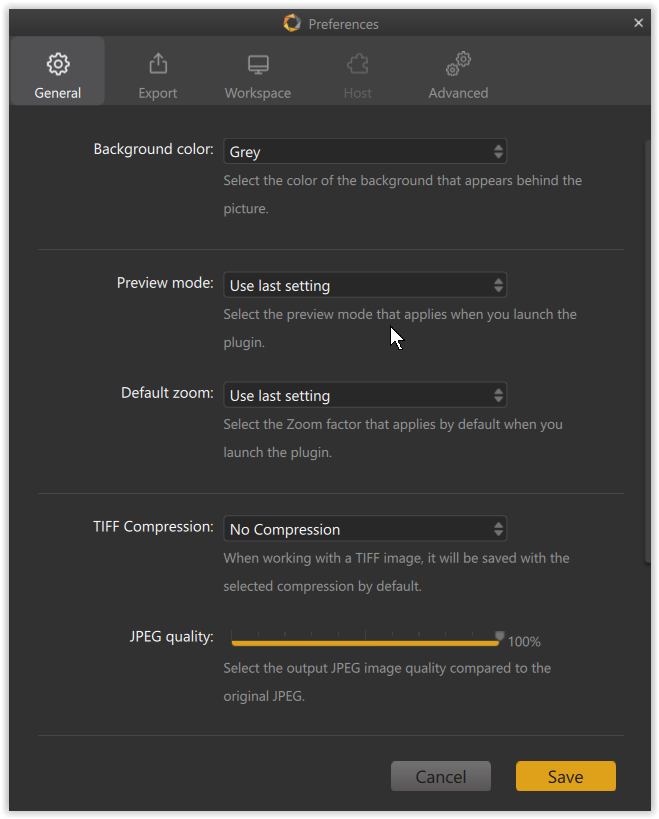
*) Sorry, by mistake I had checked in ColorEfex instead SilverEfex, what you asked for!
Thanks, Wolfgang. I do have this checked, but I still have to click on the custom preset to load the filter panel.
I also find that local adjustments for Clearview don’t work. I can create a mask, but the filter is still applied globally.
This is on Windows 11 with an RTX 5060 ti.
Sorry, by mistake I had checked in ColorEfex instead SilverEfex, what you asked for!
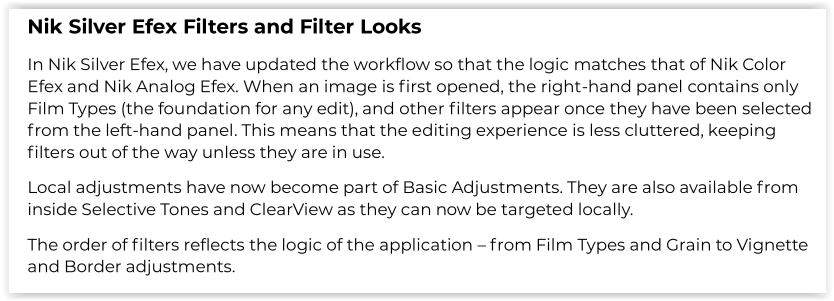
Nik 6 + 7 SilverEfex have all presets at the left and the filter settings at the right.
In Nik 8 that was changed. Here is an excerpt from the readme file → click …
Hmmm
When playing with custom presets in Nik 6 SEP I didn’t see them “pre-loaded”, but had to choose them (similar to Nik 8) … or did I misunderstood?
I also find that local adjustments for Clearview don’t work. I can create a mask, but the filter is still applied globally.
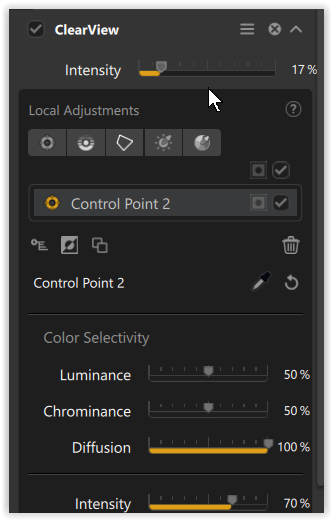
Well, in Nik 8 SEP the Intensity slider → at the top controls the adjustment for the global image and the one at the bottom for your selection (local adjustment).
You can use both in combination. Play with the LA invert button e.g. to protect a certain area.
It’s been awhile since I looked at my settings in v6, but I see that I have “use last setting” checked for preview mode and the program opens with the right panel filters (which is my preference). The same setting in v8 requires the extra step of clicking on the preset to get to them. Based on Wolfgang’s excerpt above that seems to be by design. DXO is calling it an improvement but it just feels like an extra bit of clunkiness to me.
Thanks for pointing out the ClearView intensity slider for local adjustment. I somehow missed it and assumed it would be found in the slider tree for the U-Point selection.
… and when you compare it to ColorEfex, you will notice that ClearView’s user interface looks slightly different, but offers the same functionality. 