instead of showing all folders from root (then including non photo folders) it should be very helpfull to select those we would like to follow (including subtree of course)
thanks
Frederic
instead of showing all folders from root (then including non photo folders) it should be very helpfull to select those we would like to follow (including subtree of course)
thanks
Frederic
At present its madness when opening the program its searches drives loged by Windows and often if USB they are not even attached. My laptop has 5 different USB drives listed by windows and a NAS that has to be logged into But PL spends a long time trying to access non existent or password devices. When away from home it can take around 2 minutes to perform this stupidity and at home with access to some nearly as long. The desk PC with fixed drives is under 1/2 the time
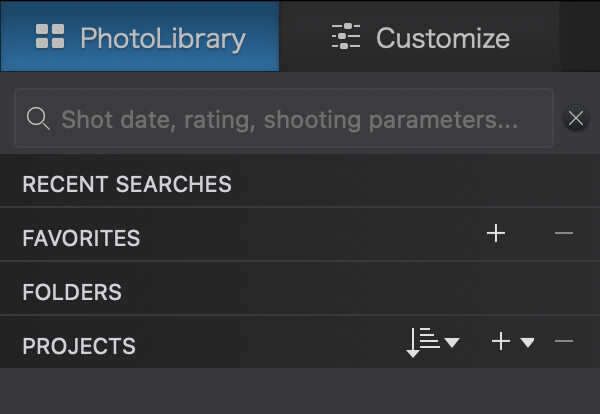
I don’t understand this feature request. It seems to me that PhotoLab 9 lets us do exactly what you’re asking for. From the PL9 user guide:
Unfortunately for some (unknown) reason Favorites don’t work here.
I display 9 favorites in the sidebar of my Mac’s Finder app. However, only one of them has to do with my photos. So I get lots of non-photo related folders displayed in the list of folders on PL8’s PhotoLibrary panel . I haven’t heard that this has changed in PL9.
It has changed in PL9.
So, folder selection has changed in PL9 for Macs. That is good news.
I’m a rather new user of DxO software and not ready to upgrade from PL8 yet. (The forum has been too full of folks running around with their hair on fire over PL9 issues!  )
)
But your comment will cause me to look again at PL9 sooner rather than later.
My one has my photo folder showing in the Favorites (which closes up each time closed) with the full folder list open under it with NAS and USB SSD shown. I think in Windows all adding folders to Favorites if give a restricted folder view when you open up the option not effecting what the program is viewing nor what it opens up to as you have to select and open the Favorites option after opening the program every time. Indeed not at all clear what the point is.
I’m using a Mac. Sounds like you are using a Windows PC? Perhaps this is another instance where the user interfaces diverge because of differences in operating systems?
Could be but the Help file says “Favorites: this section gathers all sources marked as favorites by the user, whether folders, projects, or project groups.” Its not replacing all the drives PL searches on boot up just showing what you have selected from the full list. Its cutting down the drives/folders used/searched by PL that is whats needed.
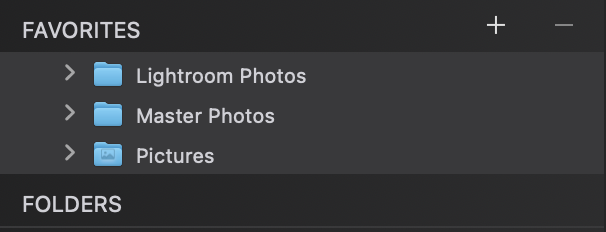
This was definitely new to PL9. Here’s what I see in the Mac version.
The FOLDERS section is what we always had. The FAVORITES section is new. In my case, I have just the three top level folders I always use for photos.
This means I rarely open the FOLDERS section any more.
That’s a good news, need to wait for its implementation in Windows. Using 8.10 and don’t see such feature, and seems only availble in PL9 for Mac?
That will help navigating in folders.
@Wolfgang Sorry but exactly what do you mean?
@frederic.chaume I believe that it is in Windows PhotoLab already.
@John7 It sounds to me that it is searching for every drive you have in the database?
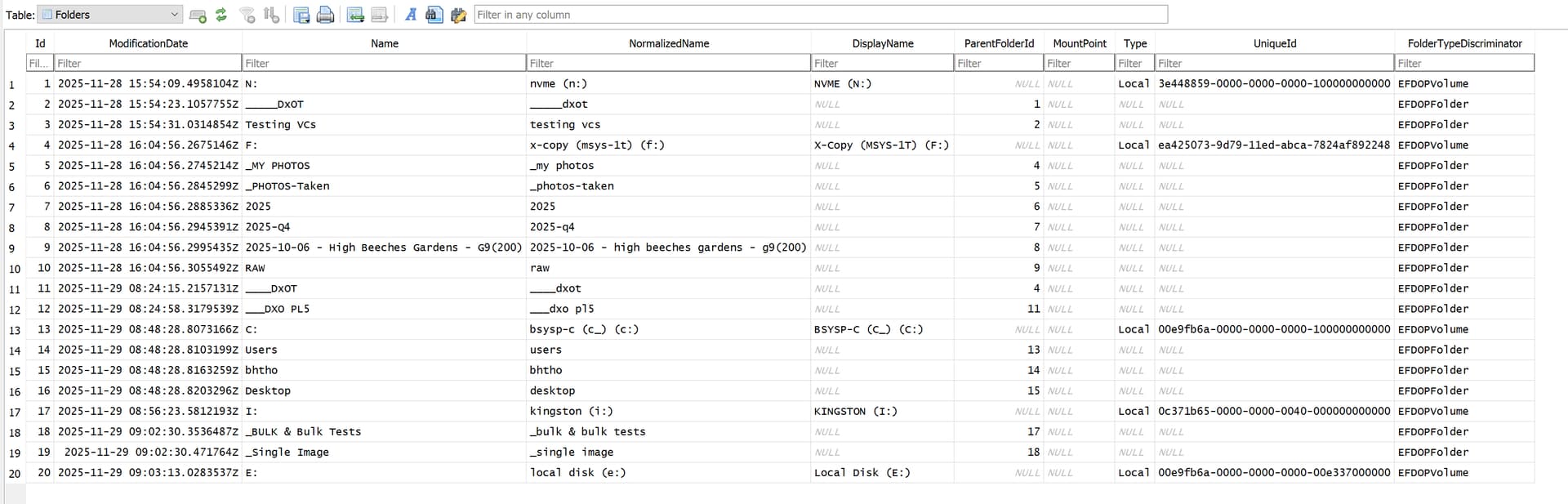
So when I started this program a limited number of files had been opened for a basic test I ran but I looked at ‘Favourites’ as a result of this topic and added some additional directories and these have been added to the ‘Folders’ structure in the database but with no indication in that structure that they are a ‘Favourites’, i.e. that must be kept in the config file.
@John7 To replicate your situations on my machine would be possible!
I could muster 5 SATA SSDs and attach them via USB3 adapters to my machine via a Hub, actually via two Hubs and discover them in PL9.2.1 before closing PhotoLab.
I could then disconnect them from my PC with the correct release command, that latter operation is imperative to ensure correct updating of the USB3 drive and to help keep Window OS “honest”.
But that means that your long, drawn out struggle to start PhotoLab should not be the case.
Actually I cheat with the latter operation and use Zentimo.
Incidentally my first opening of PhotoLab took 44 seconds, the second took 26 seconds, the third after I had attached a USB3 SATA SSD and discovered it in PhotoLab, terminated PhotoLab and then “Stopped” the drive in Zentimo, took 25 seconds.
But my problem in understanding your problem is that checking for the presence or absence of a drive is a trivial OS command, i.e. if that is what PhotoLab is doing for every drive in the ‘Folders’ structure it should take seconds (milliseconds) not minutes or even half a minute, although my opening time for PhotoLab seems to be between 25 to 44 seconds with a very limited number of drives in the ‘Folders’ table!
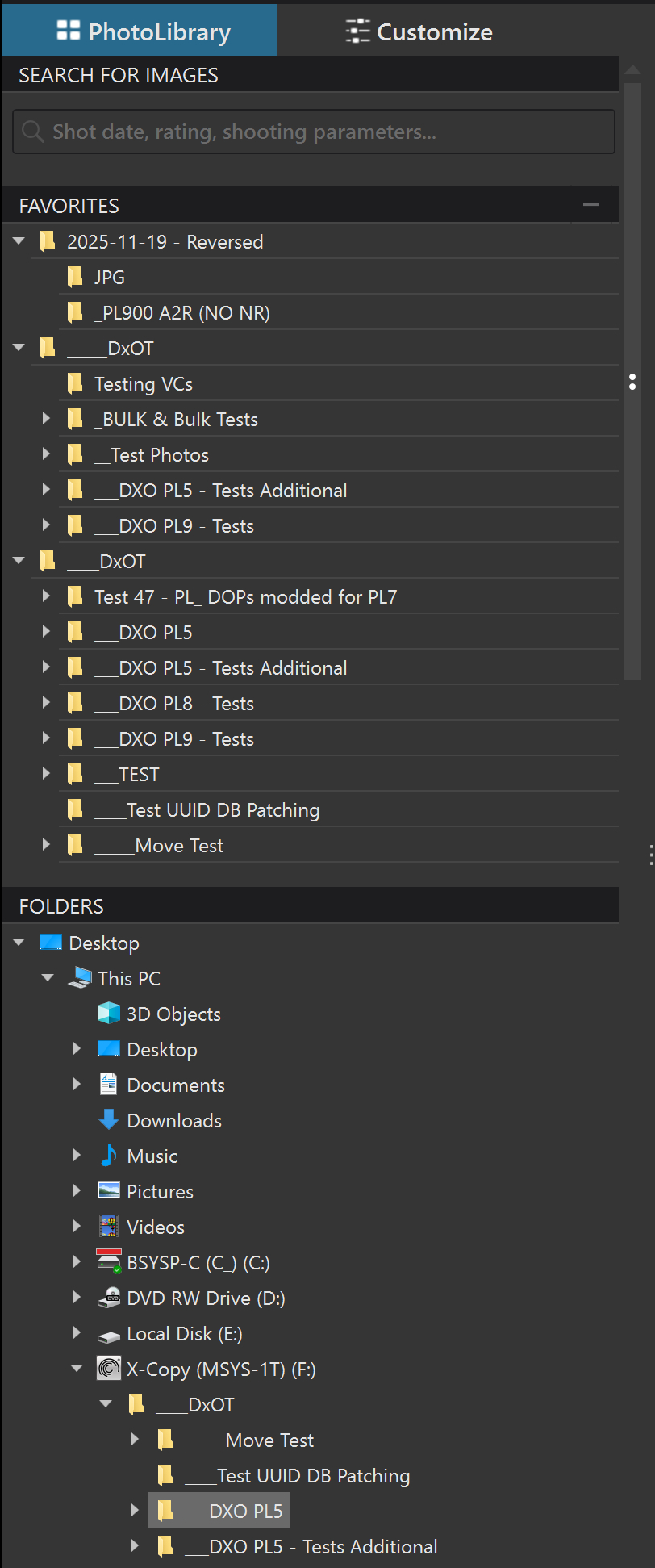
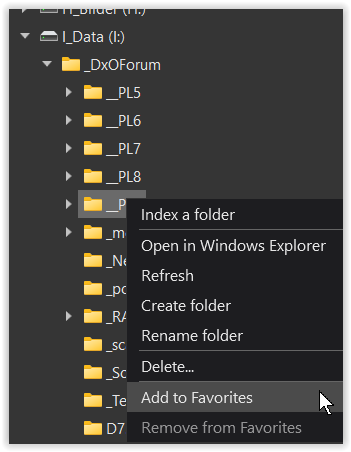
The screenshot shows part of my scratch disk
with the context menu → “Add to Favorites”,
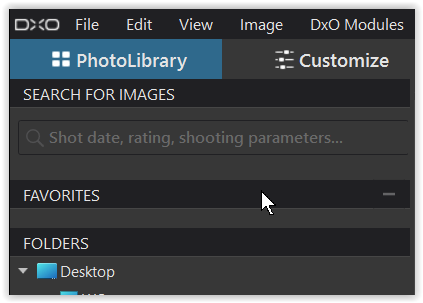
but when applying nothing appears in the → Favorites,
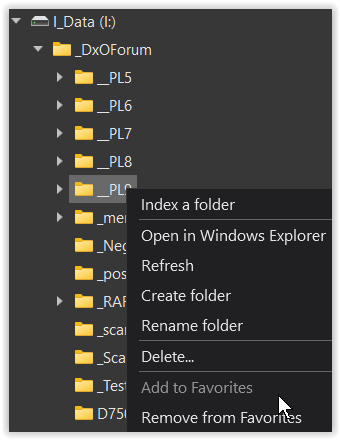
while it is recognized as done → “Add to Favorites” is greyed out
and I can only “Remove from Favorites”.
Did some tests after rebooting both PC and laptop.
PC PL took 29 sec to load first time and 25 second time.
Affinity 2 took 13 seconds both times.
Laptop on power
PL 1 min 14sec first time and 1min 12 seconds second time
Affinity 2 9 seconds first and second time.
Turned WiFi off and PL took 1min 45sec
PC is an old AMD AM4 ATX (PRIME X570-P) mother board using SATA drives (SSD) the Laptop is a newish XPS 14 9440
Both have 32 GB memory