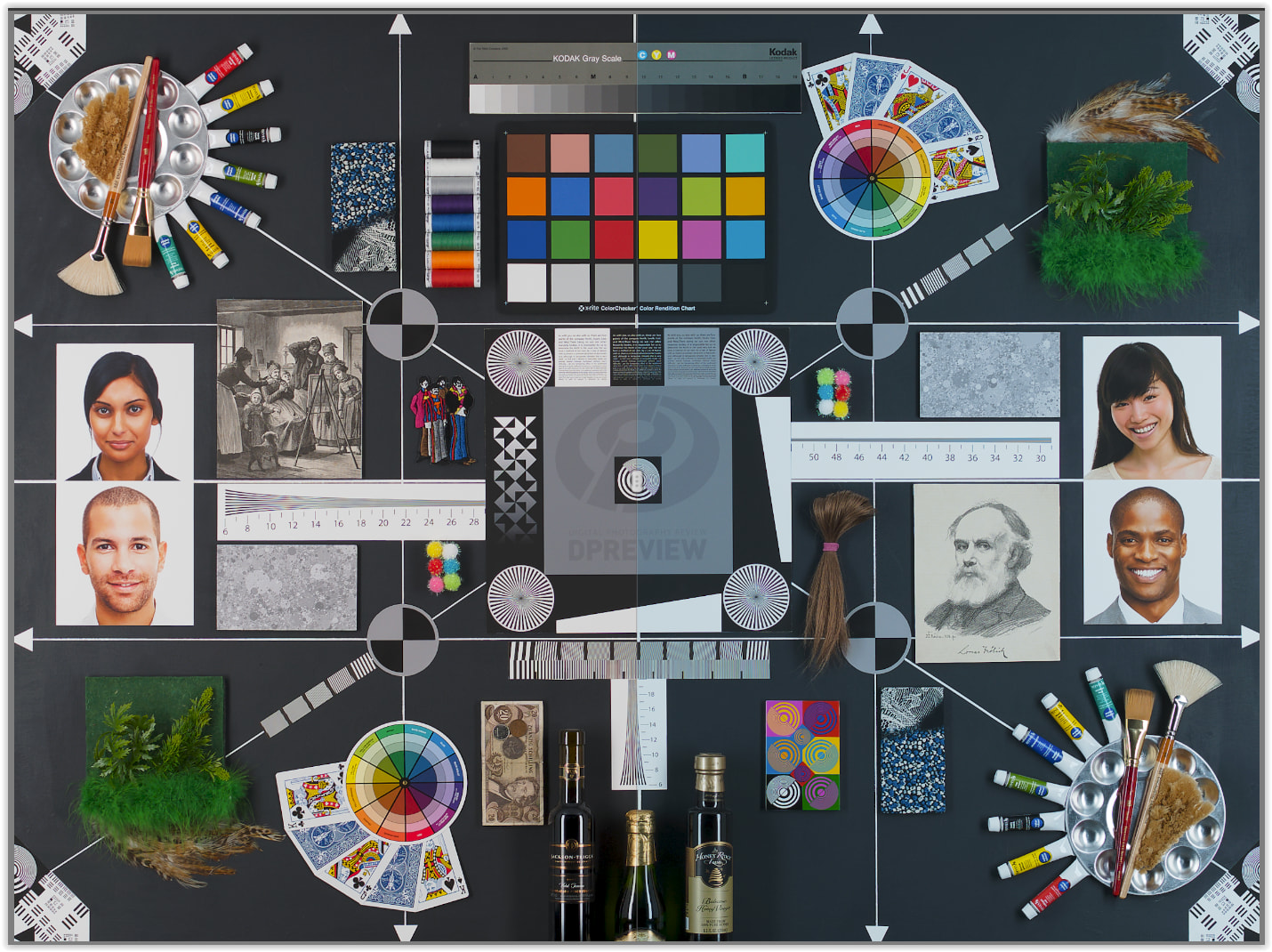
Update: I dowloaded a sample file from DPReview, put it in the same folder as my EPL7 files that I’m working on.. and that one works fine, and mine doesnt. DPR’s ORF does switch to Temp=5200, Tint=0 when I select Daylight, then I move to the next file [and all the others in the folder], I do the exact same thing, click on Daylight, and it just puts whatever Temp and tint values are in “As Shot”. What the..??
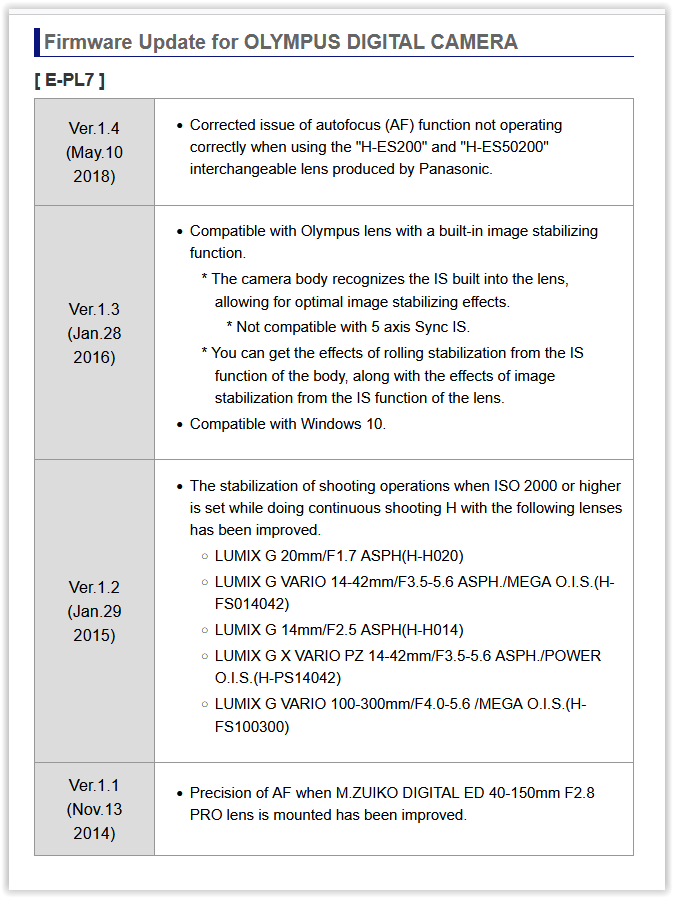
The only difference I see is that DPR’s file was taken with an EPL7 on firmware 1.0, and my camera is on firmware 1.3
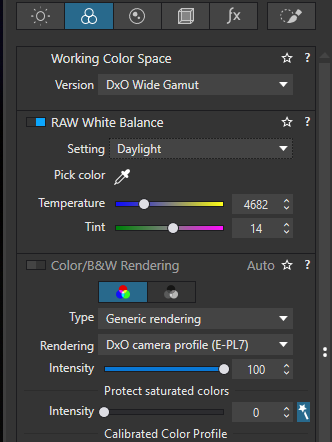
Update 2: I’ve updated my EPL7 to v1.4. Still the same issue with the “Daylight” White Balance presest not working. In the screenshot below all I did was open the photo, click on Daylight, and it just puts it on “As shot” temp and tint values:
So while they are not offering any advice, I am hopeful this could be fixed in a future update. Fingers crossed.
___________
Original post below:
The White Balance “Daylight” preset of 5200K, 0 Tint doesn’t work anymore, it just puts the same values as “As Shot”.
I noticed this only happens with my ORF files from the Olympus EPL7; the Daylight preset works as intended in other ORFs that I have on hand [EM1.3, EM5], Pentax DNGs, and Sony ARWs - it’s just the EPL7’s files that do this.
I also found another thread from 2021 that mentioned the same issue, but most of the other commenters either misinterpreted or gaslit OP, and no conclusion or resolution from the devteam. So for clarity’s sake, yes, Daylight is a hard-coded preset that absolutely should set the colour temperature to 5200K, and tint to 0, and DxO PhotoLab is not doing it.
Also, I’m on PL Elite 8.16 build 767 - this particular update that came last week also introduced another irritating bug when working with Local Adjustments, but that shall be its own post.
Yes, something is wrong somewhere - in the software or in the documentation. DxO’s own explanation isn’t very clear and calls into question the straightforward user guide explanation of white balance. Very confusing issue - so I don’t put much faith in the actual numbers. For reference:
Is it that the WB in your Olympus EPL7 is set to ‘daylight’, whereas the WB in your other cameras is set to ‘auto’?
In the former case you would expect ‘as shot’ and ‘daylight’ to have identical values, meaning switching from ‘as shot’ to ‘daylight’ and vice versa in PL would have no effect.
In the latter case, ‘as shot’ will vary from image to image, meaning switching from ‘as shot’ to ‘daylight’ would change the values. This is what I see with my camera, which is set to auto WB.
This isn’t a confusing issue, it’s extremely simple. Per DxO’s user guide you linked:
That’s it. It’s just a preset, and as I stated in my original post to avoid repeating myself here..
yes, Daylight is a hard-coded preset that absolutely should set the colour temperature to 5200K, and tint to 0, and DxO PhotoLab is not doing it.
Simple as that. You have a photo, you select Daylight, and DxO PhotoLab should move its magic sliders all by itself and set Colour Temp to 5200, and Tint to 0. DxO PhotoLab is not doing it - so it’s a bug. You know what’s the thing that gets me the most? It was working just fine! How did they mess up something that was already working! They take so long to fix known issues, that introducing new ones just makes me worry these “little things” will be fixed much much later.
PS. To address your second link, any inconsistency between PL and the camera’s colour temp is irrelevant. They can match, or not, it doesn’t really matter. PL should invoke the preset, and set the temp and tint to the hardcoded values [5200, 0 in this case] regardless of what they were before that. The odd thing is that it’s only for that camera, the EPL7, other cameras do change from X to the correct temp=5200 and tint=0.
No, it’s set to auto but it’s a bit irrelevant for this issue. I guess you’re assuming I’m noticing the “no change” because “As shot” is already “Daylight” [5200/0], so the preset would match the actual temp from the raw file.. but it’s not, I almost always shoot in auto WB.
Yup, this is why I created this thread.. Switching from “As shot” to “Daylight” SHOULD change its values, from whatever to Temp=5200, and Tint=0, and it’s not doing it. It’s a bug, I don’t think there’s a fix other than wait for the dev team to patch it in the next update.
I know! That’s what worries me, as far as I remember, this was working before last week’s update [PL8 is still being updated], so I hope they fix whatever they unfixed by accident. I’ve been editing EPL7 files since forever, I doubt this behaviour was there and I didn’t notice.. I mean it’s possible, but I doubt it.
Want me to send an EPL7 ORF to try in PL9? Scratch that, here’s a sample file in case anyone wants to give it a whirl - I am downloading it too to see if it’s MY EPL7, or any EPL7.
2nd Edit: What the hell?? PL8 is working fine with DPR’s file. I will update the main post.
Yes, just checked it with DPR PB170107.ORF file, studio scene shot at ISO 25k. It works here as expected with PL 8.16 build 767 (Windows), no bugs visible.
My intention wasn’t to argue with you, just provide references. You’ve determined this is a bug, and I appreciate your sharing your findings with all of us. I also trust you’ve reported it to DxO in a support ticket. Thank you.
No I get that, it’s just that the post from 2021 had the same type or responses, even saying that DxO and cameras measure each of the RGB channels differently yadda yadda.. when while true, wasn’t the issue. So when I saw this:
I thought well, no, it’s not the confusing part of DxO’s under-the-hood math, the preset is just not engaging, and the numbers are 5200 and 0, no confusion there on what should DxO be doing. BUT THEN, it turns out it IS confusing because I could not replicate my issue with another EPL7 file, it only happens with my camera’s ORFs.
And I had not submitted a ticket yet, but submitting one now. Thanks for the suggestion!
You may either post the raw file or attach exiftool output, removing your private data like copyright, serial numbers, etc. Something like “exiftool -s -a -ee -g1 PXXXX.ORF > PXXXX.et.txt” will probably do, the “-a” being most important.
Note also that some software used for raw file transfer may change/corrupt it. Personally, I always use card reader and copy via Windows File Explorer.
I also checked this file using PL8.16.0.767 and PL9.8.1.679 (Win) … no issues;
different values are obtained for “As Shot” and DxO’s “Daylight” preset.
Same here, I copy files directly from the SD card to my external drive, then cull and copy to my itnernal drive only the files I’ll be working on, but yeah, straigh file copies, no importing in a 3rd party program.
Thanks for checking. I just checked some older files from my EPL7, and have the same issue.
It’s possible that the trigger for the bug is the firmware version, I’d need to check my archives for really old EPL7 files, hopefully I can find some taken with fw v1.0, 1.1 or 1.2 to confirm.
Interesting.. there’s firmware v1.4 for the EPL7, I wonder if I update my camera, could that fix the bug on my end..
I don’t see anything strange in your exiftool output, compared to DPR sample. There are slight differences in predefined WB levels and ColorMatrix but this may be because of different AutoWB mode and perhaps the lens used.
Sounds really weird, with thousands of root causes possible, seemingly unrelated to the issue.
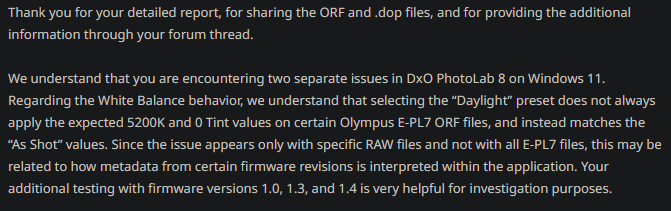
Yeah, quite strange. I got some feedback from DxO, I’m updating the main post but basically they say that yes, it is weird, and thanked me for helping with the investigation. Maybe one day it will be fixed

 SHOULD