@Wolfgang One problem that we have is that we don’t have a common set of images but not just a common set but a set that has caused problems on more than one occasion (not necessarily with the same images failing each time but just failures will do).
@Wlodek Not deliberately, i.e. I tried to avoid touching any directory with AI images in them, but I may have automatically opened a directory with AI test images.
What I did do was to copy PL8 images to a PL9 test directory so that I could do the comparison tests and went on to do the PL9 tests immediately without closing and restarting PL9.
So I just set up a test group with the first image from the Nikon test directory of 40 VCs. The setup was done in PL8 and I then went straight into an export test. The PL9 directory was setup outside DxPL by copying the PL8 directory and then adjusting the directory name.
The tests caused no failures and the system is a 5900X with 5060Ti(16GB) with Nvidia 581.57 Studio drivers.
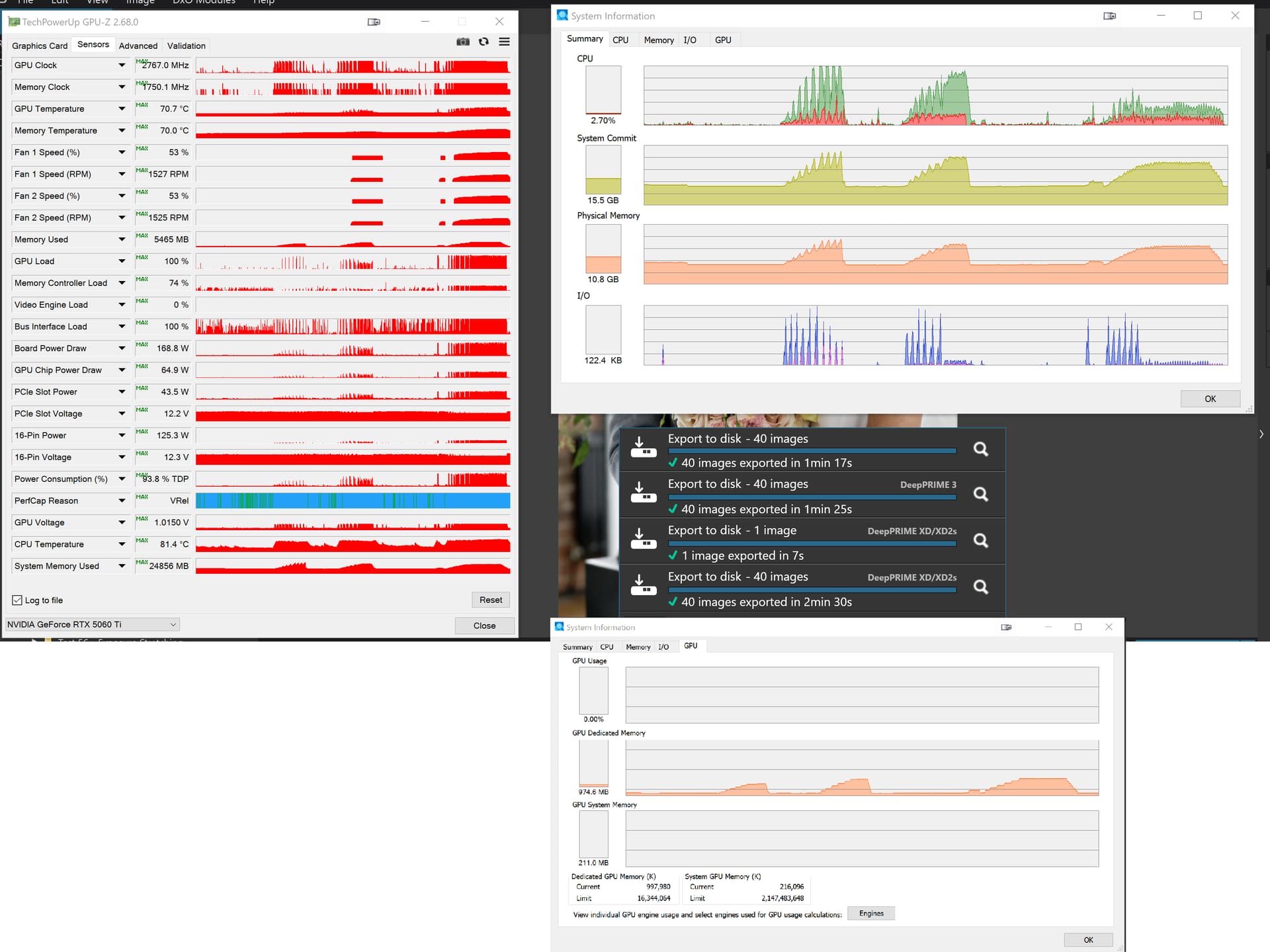
With PL8.10.0 we have
With PL9.2.0 we have

Timings: PL8.10.0 on the left and PL9.2.0 on the right
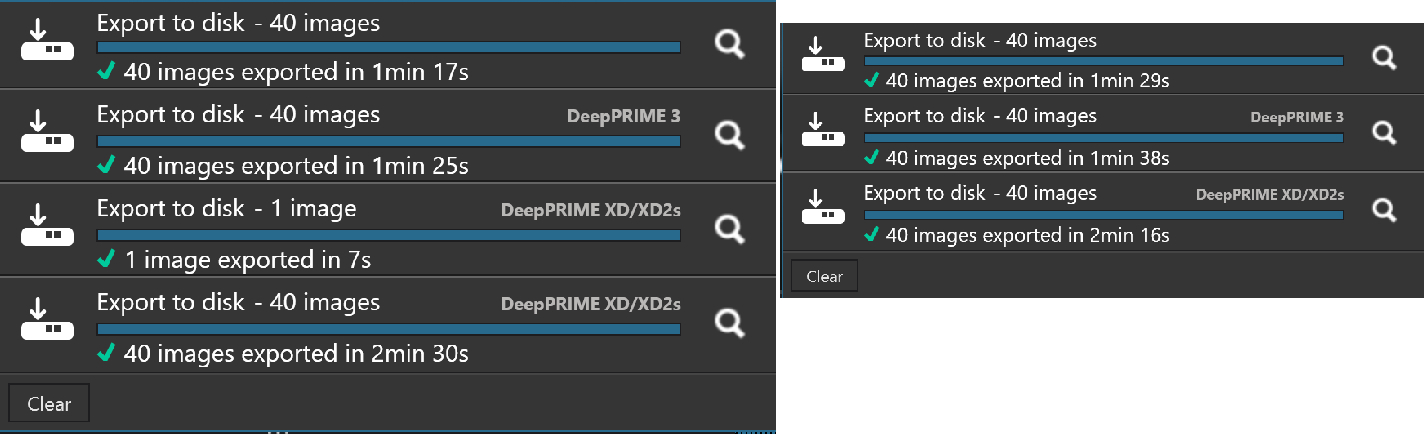
This opens the gap a bit more using the clones of one image to 15%, 13% worse for PL9 but 9% better for XD2s and looking at the memory usage graphs PL9 is using less VRAM, except with the standard default timeouts the export worker stays around.
BUT I did absolutely no editing in PL9 just export one after the other, straight from discovering the directory set up outside of either DxPL versions!?
For what they are worth here is the image and the the DOPs but apart from the one occasion I have experienced “no problems” , @Wlodek but I haven’t scrutinised the logs!!
00 - nikon_d850_04.nef (32.8 MB)
NO NR:-
00 - nikon_d850_04.nef.dop (364.9 KB)
DP3:-
00 - nikon_d850_04.nef.dop (364.0 KB)
XD2S:-
00 - nikon_d850_04.nef.dop (358.8 KB)