DXO PR5 has taken over the icon for any removable disk on MacOS, certain since Tahoe has been release. Any removable drive now shows in Finder with the PR icon, even for .DMG files when you open them to install new apps. Anyone know how to get rid off this annoying behaviour?
Update: It seems to be caused by installing the “finder” extension… re-installing PR5 and not installing the finder extension fixes the rather annoying behaviour!
Good find! For those that stumble upon this thread, you don’t actually need to do a full re-install. You can simply disable the extension in System Settings:
Thank you, for posting this. In addition to PR5 Finder Extension taking over the icons, I’ve also found it has conflict with the Adobe Creative Cloud app. I opened a ticket with DXO and they recommended I disable Creative Cloud .
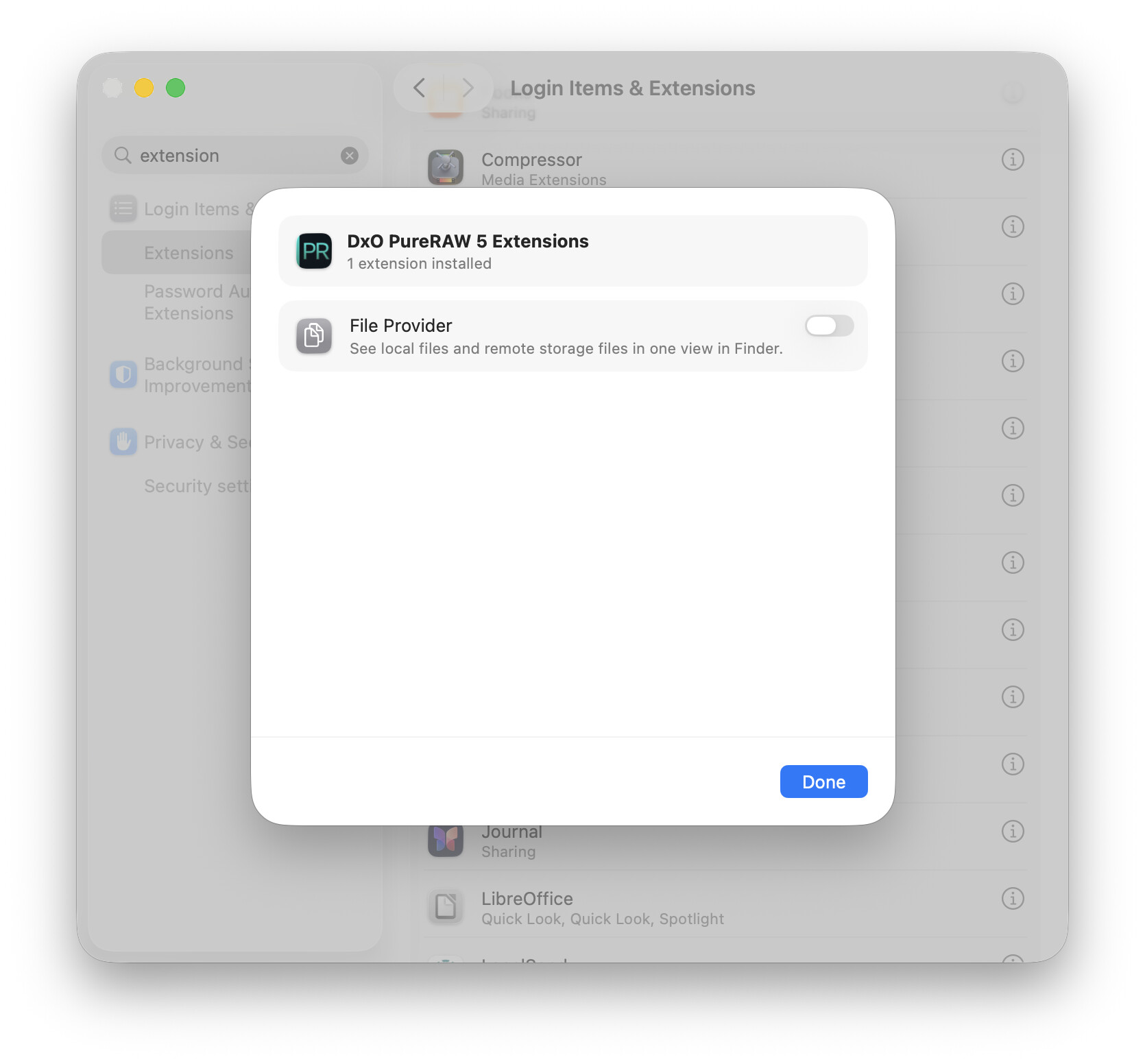
 .
.