Is there a way to create vignettes without buying the Film Pack add on?
I just want to add an occasional vignette like I can do in Lightroom.
Thanks
Is there a way to create vignettes without buying the Film Pack add on?
I just want to add an occasional vignette like I can do in Lightroom.
Thanks
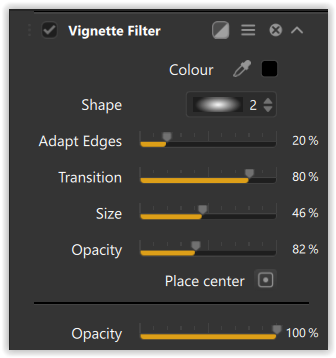
Hi, Ancient. No, this can’t be done in PhotoLab after cropping without activating a FilmPack license (for the “Creative vignetting” adjustment). You would need to do this in other software after exporting the image with all of your other adjustments applied.
Thanks for the response.
Just giving the Trial version a test run and find this to be an odd omission from a program that seems to have everything else!
PhotoLab has far from everything else in it. There are lots of other features in FilmPack and Viewpoint that are already in PhotoLab. A license to each unhides those features. If you want everything PhotoLab has to offer you need to purchase the whole suite. Unfortunately for some it is too expensive and they may need to settle for the reduced functionality of PhotoLab alone.
Mark
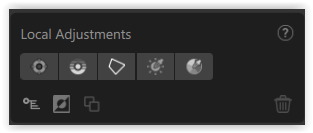
Actually, there is a way. You can use local adjustments to accomplish something similar. One easy way is to add a graduated filter to each corner, set the darkness or lightness you want and then erase any parts of the vignette to shape it to you specific preferences. It will take a bit more work than the dedicated tool but it may give you the exact vignette you are after.
Mark
I don’t think the vignettes created by “Creative Vignetting” look very good anyway. It’s like a linear gradient towards the centre so if you add any non-trivial amount of vignetting you clearly see where the vignetting goes from 1 to 0 and leaves a large untouched circle in the middle. Doesn’t look at all like the type of full-image vignetting that vintage lenses often add.
To add an “invisible” vignette use one or two really big control points with Chroma and Luma settings down to 0.
Like this one can brighten the middle and with a reversed CP darken the outside.
.
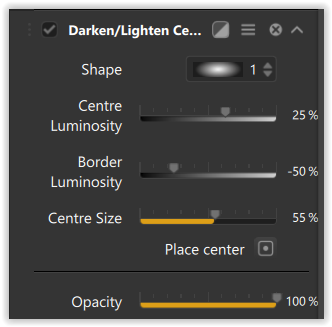
In fact, I prefer to use Darken/Lighten centre from Nik ColorEfex instead of the FP solution. 
no, even with filmpack the answer still no. all dxo vignette can do is basic old style vignetting, nothing fancy in any form you’d like as you were doing in Lr.
In the Light Panel, turn OFF the auto Vignetting.
Depending on the lens used, this can work reasonably well although not as good as LR controls.
Thanks everyone. Appreciate the info you all shared.
You can be really creative with vignetting by using the Radial Gradient masking tool—but you’ll need Lightroom to do it. It’s a tool Lr has had for years (along with a highly customizable Vignette palette).
Reviving an old thread to say that this is essentially what I’ve been doing. I don’t like the rendition of the Creative Vignette tool (it looks far too artificial, regardless of how much fiddling you do), so I instead set the Vignette Correction tool on the Light panel to 50%-70% and retain some of the lens’ natural vignetting, instead.
It isn’t ideal for adding a post-crop vignette, however.
Silver Efex in the Nik collection has a decent vignette tool but only for B&W images. This works fine for me since I rarely add vignette to color images.
Analog Efex also has a simple but decent vignette tool for color or B&W.