Hi. Sorry if this is covered elsewhere. I have PL6 but mainly use Lightroom. Having heard good things about PL9 I downloaded the trial. I am getting numerous failures and errors, some fatal, generally while trying to export or import, or edit, but then persisting even after that. Using a powerful Macbook Pro so it isn’t that. Emailed support (twice) but no response. Have abandoned the trial but would like to know if this is a normal occurrence, is it trial only or will it also happen if I buy, and is there any timescale for fixing. Anyone?
Without more details about your computer and the errors you’re seeing, it’s impossible to answer most of your questions. But not all. Yes, if you have problems with the trial you will also have problems when you activate a paid license. (The software is identical in every way.) If you’re using the very latest download of PhotoLab and everything on your computer is also up-to-date, then your powerful computer’s specs might not be up to the task - or there’s something wrong with your working environment.
1 Like
Please post some hardware details on your Mac, RAM, harddrive space, chip M1-M5 ?
If you can, post some screenshots of the error(s) that you are seeing.
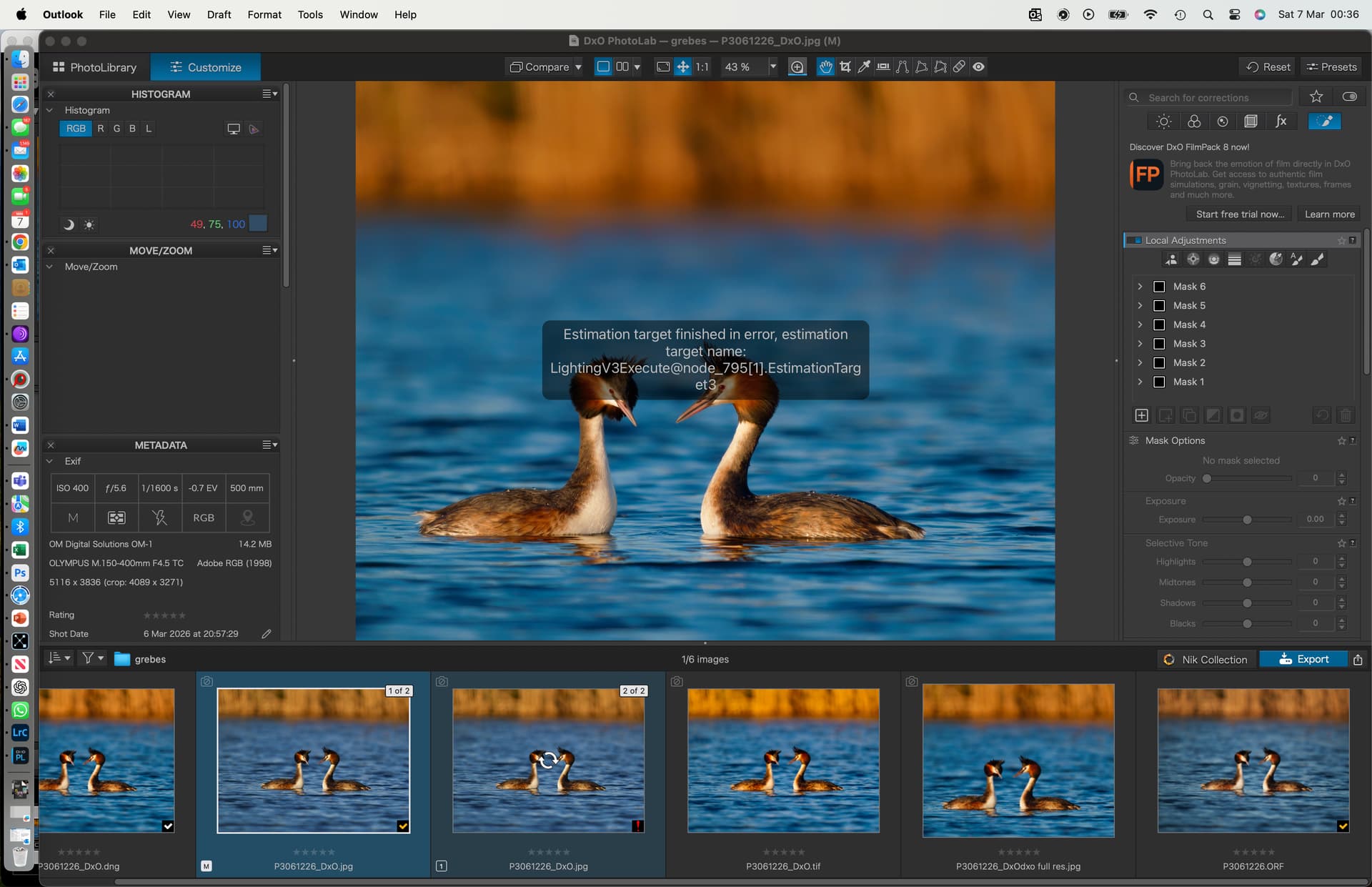
Details in reply below. In addition I export to LR as a dng and then export from LR to dxo as a tiff for final production. When the tiff comes back, dxo9 is applying multiple processing changes to it and the reset option is greyed out. Something that did not and does not happen with dxo6 or prior.
I wonder if this is something to do with the new compressed DNG’s that PL9 is exporting.
Also do you have any PRESETs set in your settings (presets that are applied automatically to new files) ?
Yes I think this is probably something to do with a preset, but it isn’t mine, it must be a dxo thing. For some reason it is seeing reimported tiffs as new files. As I said, did not happen with dxo 6 or prior. I could probably solve it by doing something with the preset function, but it is a moot point since I can’t use dxo9 with the export errors (just to be clear, it fails apparently randomly whether I am exporting dng or jpegs).
Thanks for your responses btw - appreciated.
What export settings are you using ?
Can you upload an image (along with its .dop file) to this forum. I can try it on my Mac mini and see if I get the same export errors.
Unfortunately not since my trial has now expired. So I think I am going to have to stick with dxo6 and LR for now. fwiw I could not have shared the raw and dop file for a failed export anyway since the whole thing had failed post export attempt and the only way of recovering would have been to restart from the raw. Thanks for offering though.