As long as PL9 is working without OpenCL, I think I will stay with 511.09
Well, if you are happy, no reason to change. Since GeForce RTX 50 series release few months ago, NVIDIA driver problems became too common…
Not sure what you mean by “PL9 is working without OpenCL”. You may check your ‘Documents\DxO PhotoLab 9 logs\DxO.PhotoLab.txt’ log file to see what was actually selected.
In the preferences, I have OpenCL unchecked. The Log file shows this…
2025-10-03 16:20:11.019 | DxO.PhotoLab - 8176 - 6 | PhotoLab - Info | OpenCL processing : OFF
@Allan It is all in the drivers but not for my “problem” image.
So with my image and “your” drivers (511.09) with an earlier copy of GPU-Z and ‘OpenCL’= OFF my I7 4790K with 2060(6GB) 1X (1 fan) I got this
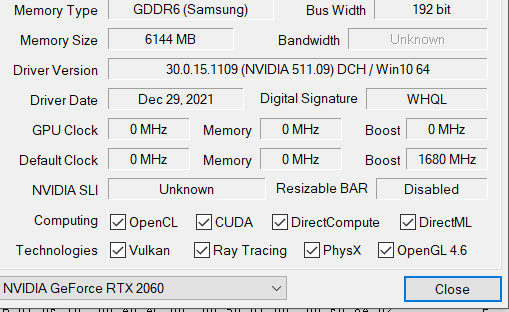

Not quite as bad as I have seen just trying to access the image but not a successful export either.
So I switched to your image and got this
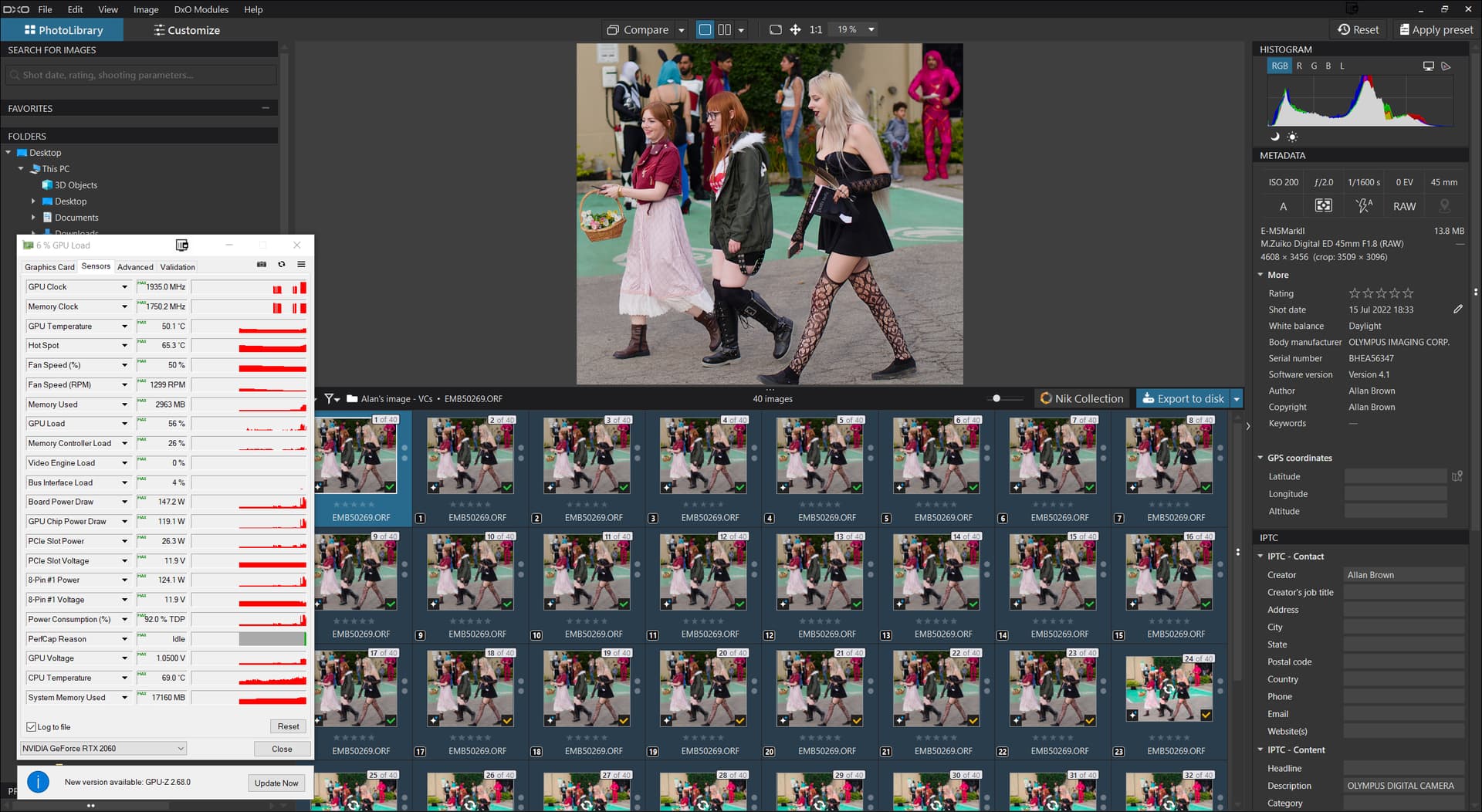
and this successful export
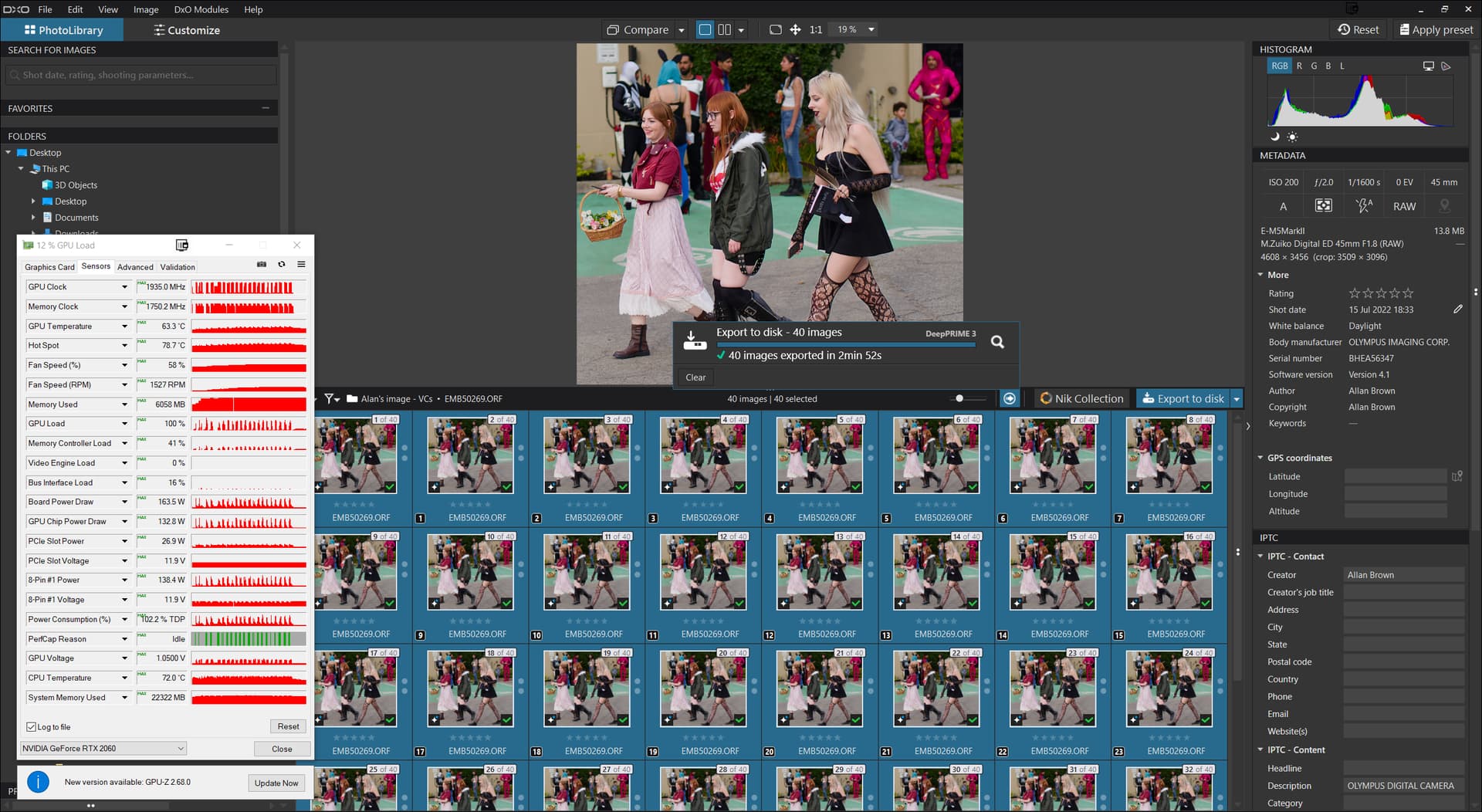
I double checked to make sure the AI edits were still in place etc.

But it appears I did have ‘OpenCL’= ON for this test.
Although my i7 4790K has an onboard GPU (IGPU) it is connected to other monitors so the starting GPU memory usage was
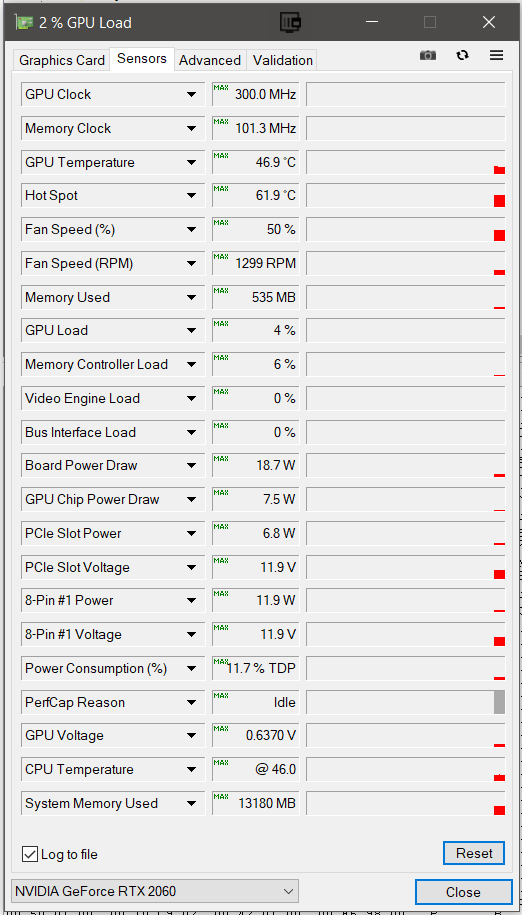
So with the right image and the right drivers it is possible to use PL91 with AI and export successfully but looking at the memory usage I recorded it is a close thing.
As I mentioned previously, PL9.02 did not work on my Office computer whereas, PL9.01 did.
Office = 28gb i5-8400 CPU GTX 1060 WINDFORCE OC 6GB, Driver 560.94
I installed PL9.1 and unchecked OpenCL and it works. No crashes.
I think OpenCL is part of the problem as it was enabled when I did the test with 9.02.
I opened a set that I had processed with PL.01 and exported without any changes - no issues. I then created VCs, reset and re-edited them. This involved various AI masks including presets such as Sky - no issues.
I duplicated one of the VCs and changed from DP3 to XD2. The export time increased to 1m 55s.

Probably not bringing this conversation forward (sorry!) but I wonder how many PL8 owners are holding off on upgrading until they can get a higher-spec PC. I’m in that group (had some issues with the trial version on my ‘home’ PC, didn’t even try with my ‘travel’ Lenovo). I usually jump on an upgrade the week it comes out, but I may end up sitting 9 out. I’m noise sensitive, building a quiet PC is a PITA / expensive - so I may be a small minority. Hitting ‘reply’ with some trepidation…
For me, it looks like you’ve read the writing on the wall. A lot of us have had problems with PL9 - even some with high-specced PCs - but I believe there’s a lot of optimisation to be done at DxO’s end of things and if that doesn’t happen, they’ll be pricing a number of users out of adopting DxO software in the future.
As much as photographers ought to have a system capable of editing (rather than one simply for office/email/basic browsing use), PL9 is putting strain on systems that should cope better.
1 Like
I agree as my two are on the margins one is OK and travel laptop fails
No way can I aford to replace eather so 9 may well be the end for me
As mentioned here, I replaced my old GTX 1060 6GB with an RTX 4070 12GB.
Due to the well-known NVidia driver debacle, I also reverted to an older version, but then installed version 581.57, which obviously works better.
After updating to Windows 11 and DxO PL 9.1.0_488, everything runs smoothly, well normally … I also tried it with a 100 MB (Bayer) as well as another 30 MB (X-Trans) RAW file (both from other people’s Fuji cameras) and was able to select sky, subject, people, and vehicles with the predefined AI masks, combined one with area AI selection, applied DP XD2s or DP3 X-Trans, and exported the images as TIFFs – so far no problem.
But when I called these files again, PL responded with the familiar execution error message and it was better to restart PL. I tried it much later or another day … no problem, but then the next time … execution error, no error after restarting, and so on … simply unreliable.
In other examples that had proven difficult in previous weeks (images of cheetah, leopard and red panda, that I had picked up from the Forum as JPEGs or even as screenshots), the predefined AI mask either worked partially or triggered a message that it couldn’t recognize, while the Area AI Mask tool worked – well, not so much with the cheetah, presumably due to its perfect camouflage and blending with the background.
Unlike before, the new driver 581.57 frees up the GPU load! – I’ve taken some screenshots showing typical moments, but not necessarily all with the same images.
left: PL9 running full speed + idle || right: PL9 running + idle after reset
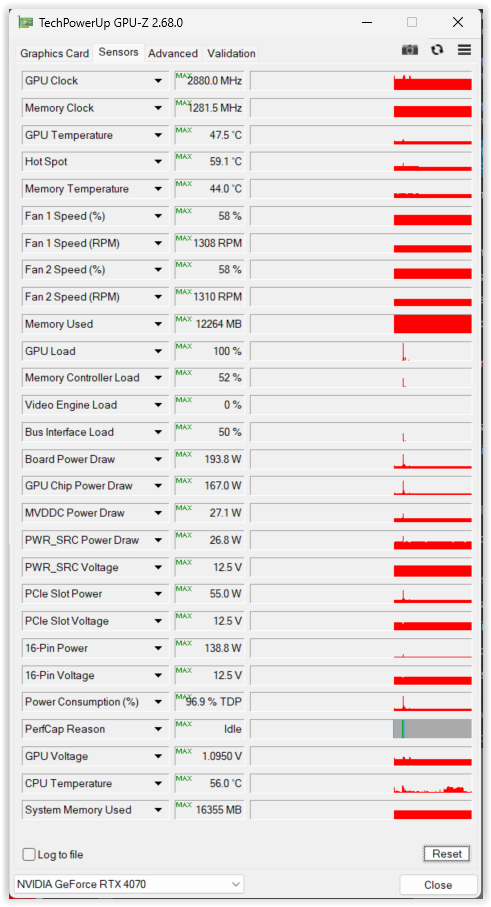
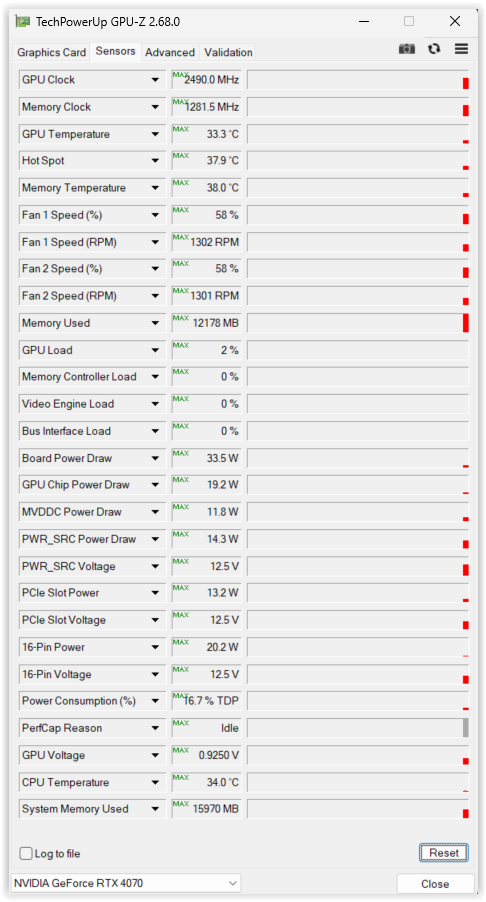
left: PL9 off + idle after reset || right: PL9 running, then off + idle without reset
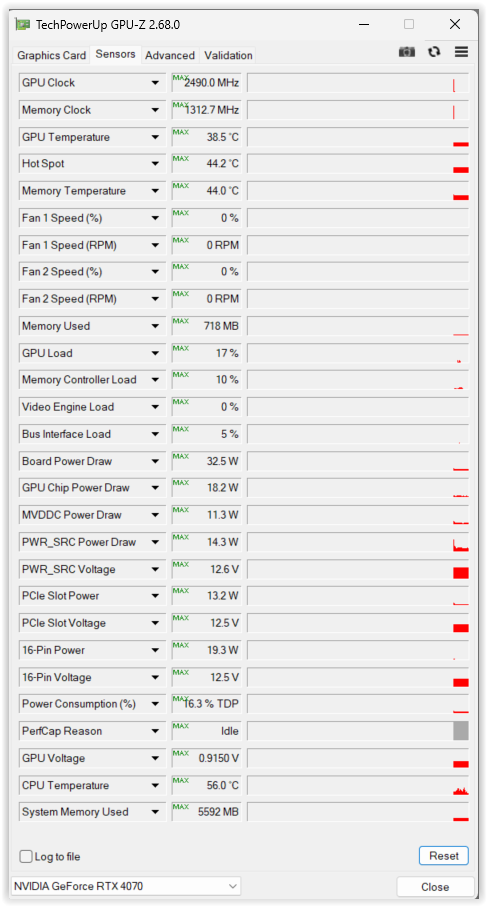
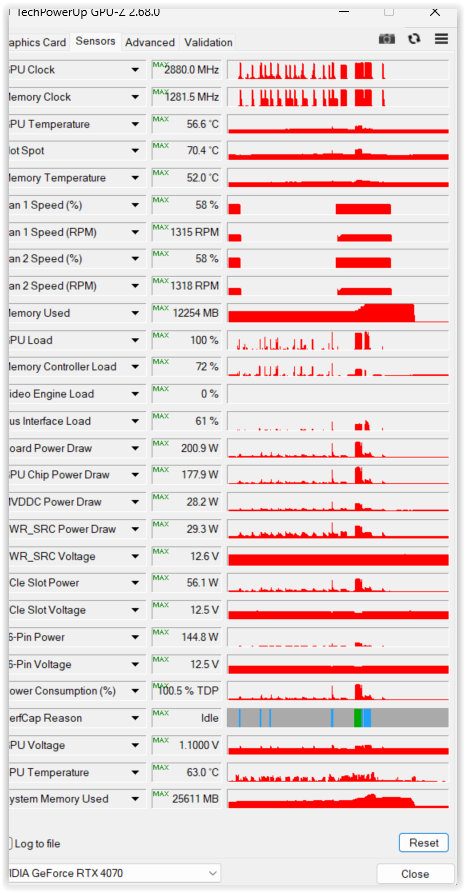
Well … DxO still needs to solve the predefined AI mask problems.
2 Likes
I’m using DXO since ever on laptops. There was and is not even a GPU just on my actual one a 6 Kernel i5-9500T and 32GB RAM. (was running PL8 ‘satisfactory’)
But obviously PL9 will not be for me anymore. So sad.
Or are there experiences with such machines n the community.?