I just see the VMware network card.
Tipp: try it on “CPU only” (software only) mode, to double-check.
I just see the VMware network card.
Tipp: try it on “CPU only” (software only) mode, to double-check.
Here’s a new picture and video. Fresh install of PL 9.4. Image opened directly from PL, no handover from Lightroom. No edits whatsoever, you can see the history on the left. See how the color changes when I switch from DP3 to XD, or even in XD when I toggle Denoising on and off.
I’m at my wits’ end. I’ve tried everything I could think of, opened a ticket with DxO, uploaded all the files, but it’s like there’s nobody home.
20240316-16-01-20-DSC_8104.NEF.dop (9.7 KB)
20240316-16-01-20-DSC_8104.NEF (25.5 MB)
What’s left is your screen and/or color settings.
George
I agree; I wonder if there is a problem with his monitor ICC profile. Has the monitor been calibrated? Do you have a different monitor that you can try or try resetting the monitor’s ICC profile to a default (or preferably calibrate it with a Spyder or similar).
One more thing; Please export the pebble picture (with the green tint) and upload it to the site. If we can see the same tint on our monitor then it eliminates your monitor/ICC profile as the problem. I can see the tint in your screen shots but that’s not the same as the actual exported image.
Thanks
… as a zipped file. Otherwise the forum software will remove the embedded profile.
Brand new monitor, hardware calibrated, I use a Datacolor calibrator. Monitor not even a month old. Still, why would the monitor matter, when PL works on the picture, not the monitor? It should work properly even without a monitor. And when I export, the green tinge is applied to the file, which would impact the print, not the monitor, and I can’t calibrate the printers. It’s the only software that has that problem, it doesn’t happen in LR, PS, Topaz, On-1, or any image viewer.
pebbles.zip (17.4 MB)
As requested.
I’ve downloaded the original NEF and DOP files. When I open the image I do not see any green colorcast at all, even when zooming in.
If I turn off/on the various DeNoise settings I see no change in the color of the pebbles.
This is a screenshot:
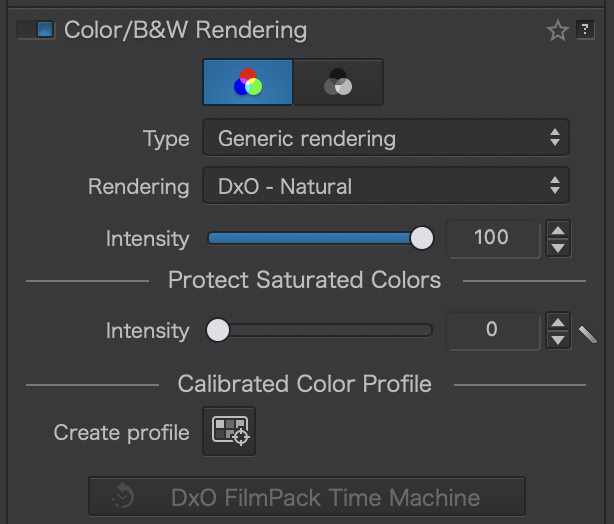
I did have a question about the Color Rendering option.
I don’t have the DxO FilmPack Time Machine so I’m, not sure if that is causing any issues.
I’m using MacOS Tahoe PL9.4 Build 37
I think there is something unique to your setup that is causing this problem. But I am at a loss to understand what that may be.
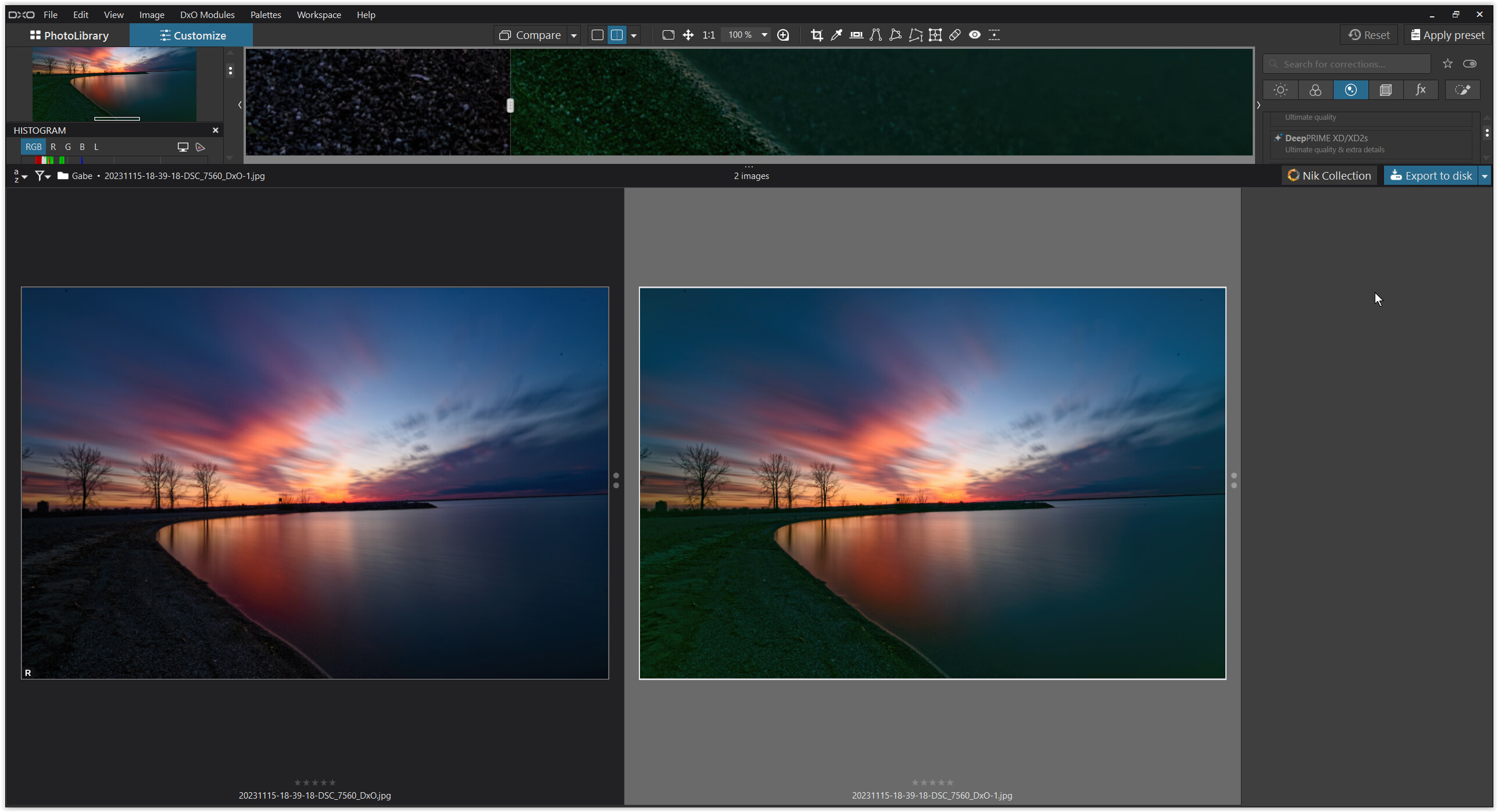
While checking your JPEGs, I noticed that not only do the pebbles and the coastline appear greenish when using DP XD/XD2s, but the entire image has a color cast!
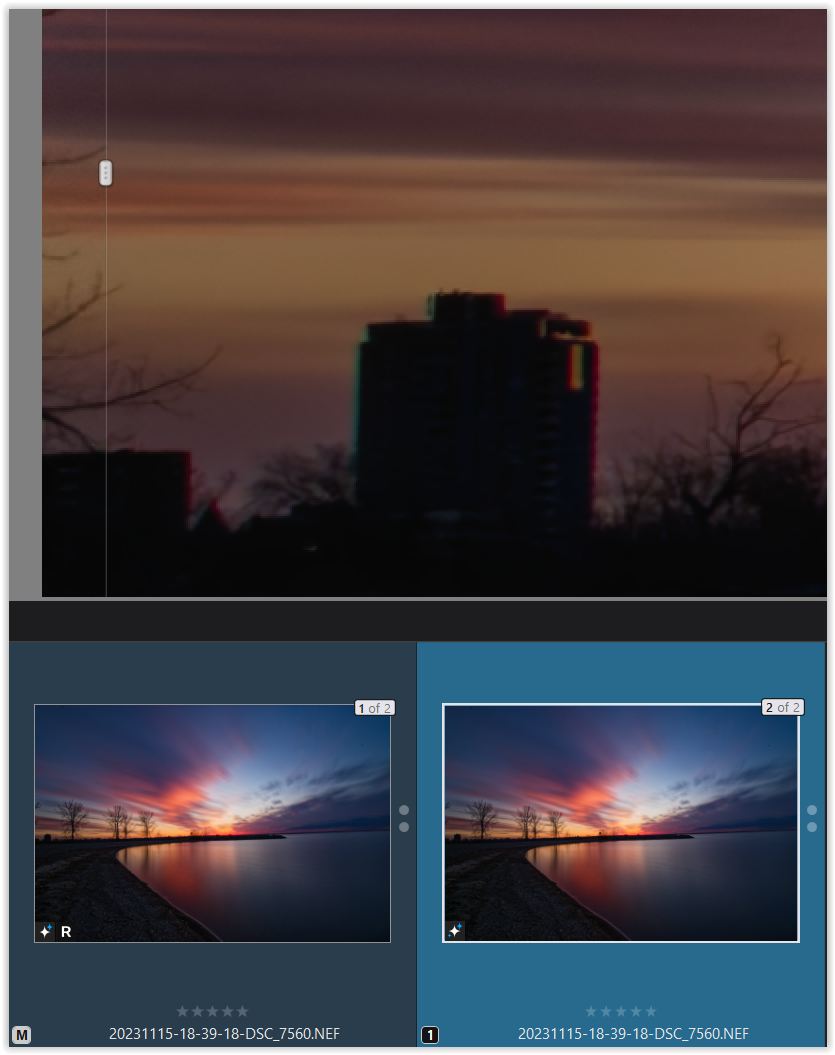
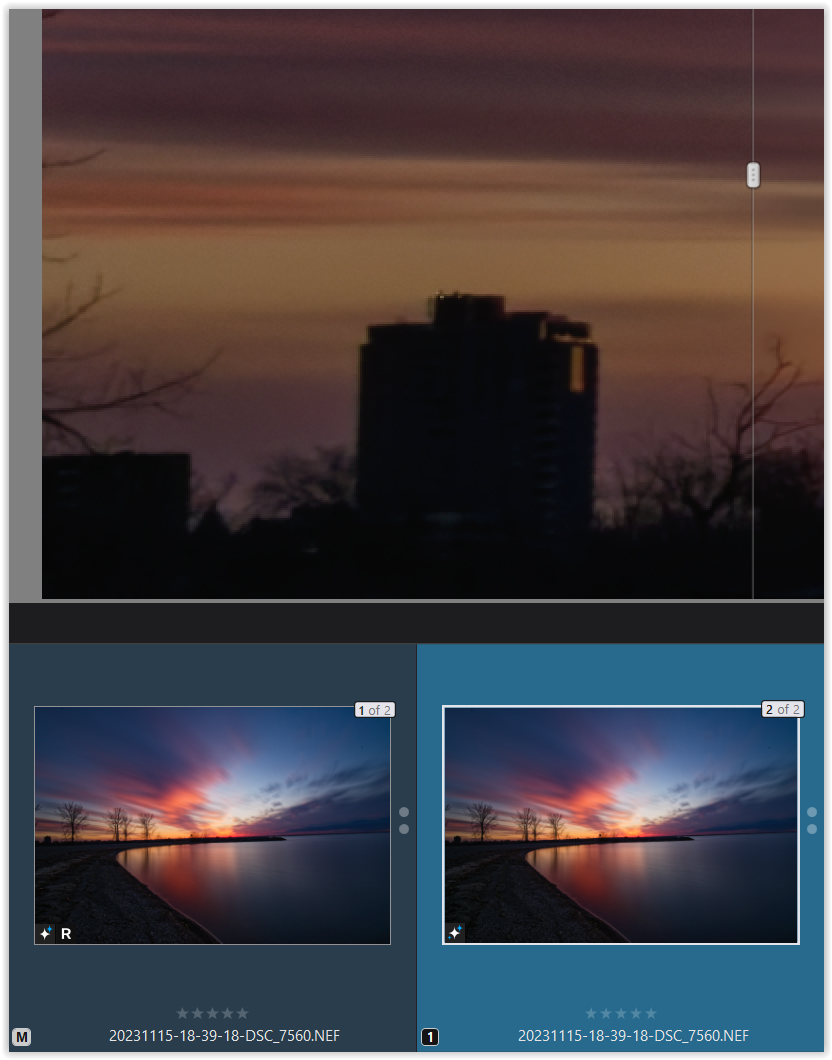
note – the reference image is always on the left
When comparing them to your raw files (or my JPEG exports), I cannot detect such a color cast on my monitor.
.
Now, digging deeper about CA correction and such …
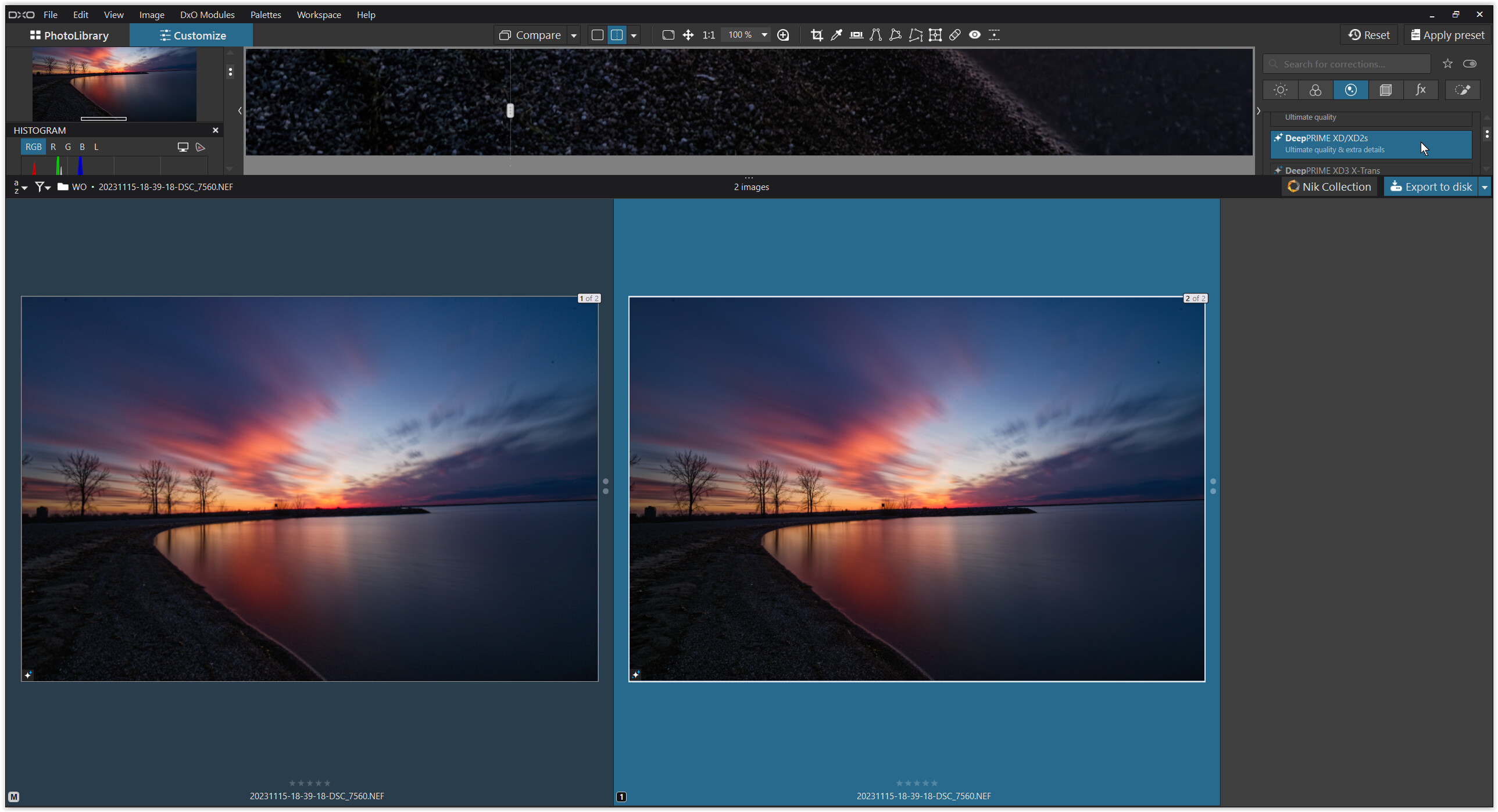
check the split preview (at 200%)
.
Master = DP3 with default CA correction
.
VC 1 = DP XD/XD2s with default CA correction
.
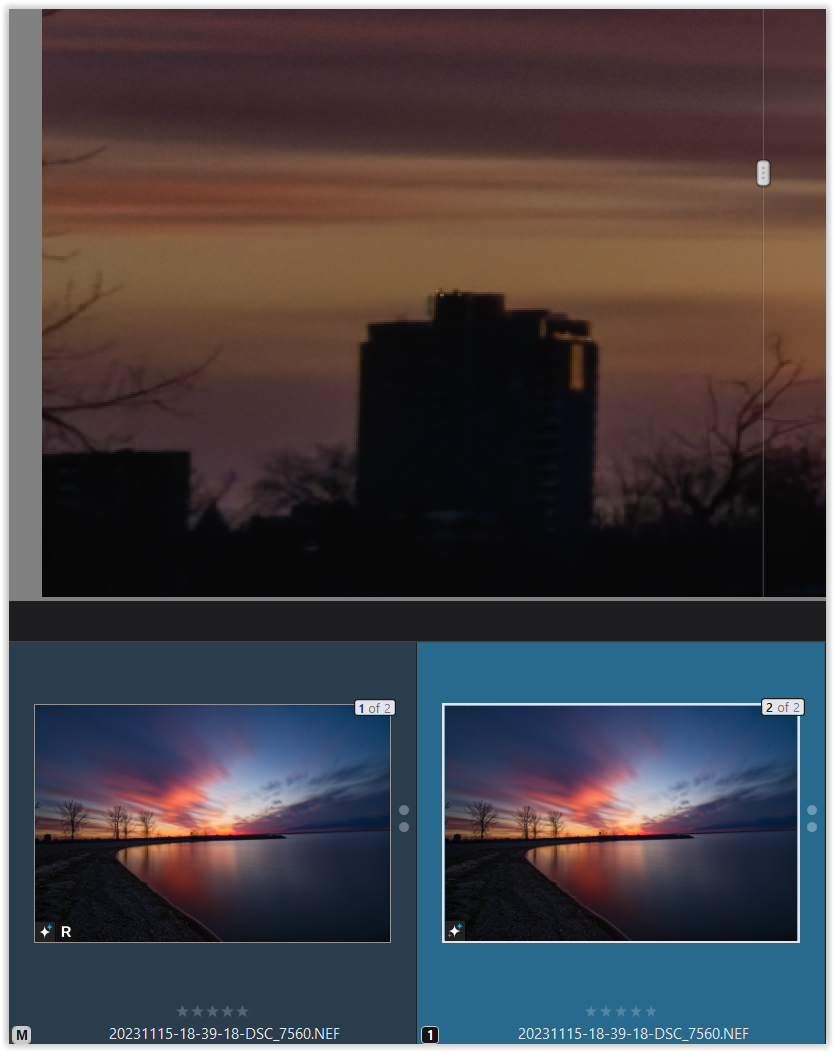
Master = DP3 without CA correction
.
VC 1 = DP XD/XD2s without CA correction
.
That’s interesting!
With DP3, I don’t see any CAs, even without correction.
But with DP XD/XD2s, I see CAs, without correction a bit more,
and with maximum correction they even do not disappear completely here.
Therefore, I can only imagine that it’s due to your monitor configuration ( serious consideration – no bashing! ).
I tried to find information about your monitor and read something about “VESA DisplayHDR™ 400” (converting SDR to HDR playback … ?). I’m not sure if I understood that correctly. Such high brightness and contrast seem to negatively affect color reproduction, and a bright backlight the black level (?). … Check it out.
( I’ve set my monitor to 80 cd/m² and contrast about 400 or 500 : 1, pleasing to my eyes and better for printing. )
I’m afraid I don’t follow what you’re saying. The green color is all over the image, as you saw, but more noticeable in the shadows. The monitor has nothing to do, because once the image is exported, the green tint remains in the file itself. And it’s calibrated to 120 cd/m2. As far as I know, PL and any other editor and viewer work on the file, not the monitor. I’ve tried, as a matter of fact, to do a remote desktop connection from another computer, eliminating the monitor from the equation, and the issue remains. Again, it’s not a preview issue, something is telling PL to apply a green coloring when using DP3. This doesn’t happen with any other software, if it was the monitor I would see this behavior everywhere. Besides, I have a second monitor, different brand and model, and the green color shows there, too. So yes, there’s something different about my configuration that triggers PL9 to behave in a strange way, and not even DxO seems to know or care to find out what that is.
They may not be able to debug it; If they cannot reproduce the problem then the only option becomes a detailed analysis of your hardware to determine what is generating the color mismatch.
As you’ve correctly stated, the monitor would not impact the exported image, your export is green, mine (using your original files) does not have that color cast.
It could be a GPU issue or some OS setting somewhere that is impacting DXO but not your other applications.
I wrote code for over 35 years, these un-reproducible bugs are the hardest to solve.
Do you use the Filmpack or other DXO add-ons?
Well, after I had put it down (it was already late) I realized the missing link … sorry for that!
Actually, I wanted to say that your monitor configuration might be amplifying the chromatic aberration which I’ve noticed now when using DP XD/XD2s instead of the newer DP3 …
However, you’ve already checked this on another monitor.
.
All I can do is to enclose the dop-file so you can check if I’m using different settings, provided you are on Windows, as there are incompatibilities with the Mac version.
I also add my jpeg exports, taken with these settings
.
Hope you can find out the reason for this color cast output.
Hi! I don’t have been using PL9 for long time (currently 9.4.0 version). It’s about for 2 months only but I would like to help as well. Sometimes I ask chatGPT if I run into a complicated problem. I did so this time. I hope you can find the solution for your problem. Unfortunately I gave the AI the wrong camera model Nikon D850 instead of D750, but I think it does not change the point. Sorry for my English grammar, It’s not my native language.
Question:
In DxO PhotoLab 9, an acquaintance of mine encountered the following problem. With photos taken using a Nikon D850, when enabling DeepPRIME XD / XD2s AI-based noise reduction and sharpening, the shadows develop a greenish color cast. What could be causing this?
Answer:
“This is a known issue caused by a combination of several factors when using DxO PhotoLab’s DeepPRIME XD / XD2s, especially with Nikon D850 RAW files. It does not indicate a faulty camera, and it is not necessarily a “bug” in DxO either — rather, it is mainly related to color channel balance and camera profile interpretation.
The Nikon D850’s sensor (manufactured by Sony) has a particularly strong green channel.
DeepPRIME XD:
aggressively tries to reconstruct detail in deep shadows,
while noise reduction and sharpening do not treat all color channels equally.
As a result, green color casts can appear in shadows because:
the green channel has the best signal-to-noise ratio,
and the algorithm relies more heavily on it during reconstruction.
If the image:
was shot at higher ISO (e.g. ISO 1600–6400),
has shadows strongly lifted,
and DeepPRIME XD or XD2s is enabled,
then the AI model is not only reducing noise but also reconstructing color information, which can shift toward green in the darkest tonal ranges.
This is especially noticeable:
on uniform dark surfaces,
in shadowed skin tones,
on black clothing or backgrounds.
Although RAW files are theoretically neutral, DxO applies:
its own camera-specific color profile,
which does not always match Nikon’s Picture Control logic.
When DeepPRIME XD is enabled:
processing occurs very early in the pipeline,
and a different color matrix may be used compared to standard noise reduction.
This makes the D850 particularly sensitive in this respect.
DeepPRIME XD and XD2s do not apply traditional sharpening:
they generate texture,
enhance micro-contrast,
and can therefore amplify color contrast as well.
Tiny green color variations present in shadow noise can thus become visibly noticeable color casts.
 1. Use DeepPRIME instead of DeepPRIME XD
Many D850 users report that:
the standard DeepPRIME introduces far fewer color shifts,
while still providing excellent noise reduction.
2. Increase shadow color noise reduction manuallyEnable the Color Noise Reduction slider,
and set it slightly stronger than the default value.
3. Fine-tune the green channel using HSLGreen saturation: −5 to −10
Green hue: a very slight shift toward yellow
This often makes the issue virtually disappear.
4. Reduce aggressive shadow liftingPrefer:
using the Tone Curve,
instead of pushing the “Shadows” slider too hard.
5. Try a different DxO color profileFor example:
“DxO Neutral”
or “Generic Render – Neutral color”
These are often more stable than the camera-specific rendering.”
I think the Color noise reduction slider should be the Chrominance slider (which reduces color artifacts) but it’s available only for Standard denoising therefore it does not help in your case.
Sounds interesting.
@Gabe
Could you show us a screen with all your editings?
Deselect the groups. In your first image it is set to details. Click on it and you’ll get all groups. I don’t know the official name for it. Then select active corrections. Now you’ll see all the corrections off all the groups.
Reading the post from @alec81 also a screenshot of the group colors so we can see what rendering you had.
Now you can also play with a ‘wrong’ picture. Change the edits and see what happens. And play with the renderings. There must be something.
George
@alec81 I’d be tempted to accept this analysis if any of the claims made by the AI agent were substantiated by verifiable sources. In the absence of such sources I can only take it as yet more speculation about a problem that as yet (if I’ve properly read and understood this topic to date) has not be reliably reproduced by other users using PL9 to process this image.
Welcome to the user forum.
If you follow the thread from the beginning, you will notice that using DeepPrime 3 instead of DeepPrime XD/XD2s avoids the green tint problem, even with strong shadow brightening and other (risky) settings.
However, this does not solve the question of why the original poster has this color cast and other users do not.
Perhaps you enjoy experimenting and would like to try it out yourself (you always learn something new). 
have fun, Wolfgang
I want to add some additional info. I just tried switching to CPU only, not GPU. The processing becomes much, much slower but the color shifting issue doesn’t happen anymore. Which points in the direction of a driver/GPU issue. For reference, I’m using a Intel Arc A770 GPU with 16gb VRAM. I’m using the latest drivers, too. So if you’re using AMD/Nvidia, you may not encounter the same issues (although you’ve encountered different ones, for sure).
What does this mean: DxO did not do a thorough, end-to-end testing of the application before releasing it or publishing the hardware and software requirements. If you look at the other discussions in this forum and others, it’s apparent that all GPUs, Mac, Windows, etc have been plagued with issues at some point or another from day one, even on supported platforms. What works for one, doesn’t work for another. What works today, may break tomorrow. At this point I can either continue to use CPU only, which is like buying a race car and being forced to push it down the road because the engine is shot, or spend a lot of money that I don’t have right now to buy a different GPU even if the one I have is perfectly fine for every single application I use. Frustrating.
Thanks for the feedback.
With DeepPrime 3, no green tint was visible in the image, which I would consider quite demanding. The problem with chromatic aberration was also no longer present or significantly reduced.
The advantage of the DP XD/XD2s and their “sharp” image output (at the expense of a more artificial rendering, etc.) lies, for example, with birdwatchers who always need a high ISO value but still want to crop heavily.
Aside from the much-discussed AI masking, I’ve been using DP XD/XD2s more frequently lately, as these devices require maximum processing power – essentially a stress test. However, I actually prefer DP3 with its overall more homogeneous result, which isn’t actually any softer. And exporting is faster. – Give it a try.

Can’t see colours change and the histogram stays put.
If both your monitors show the issue, the next common thing is the graphics card/driver. Does your PC have any other means (that circumvents the graphic card) to connect a monitor to?
Some slight change of appearance of colour can happen with de-noising because a noisy group of pixels is replaced by a less noisy group (that has less random colours). I’d not expect any change as wild as the green pebbles (and I cannot produce them on my Mac) but rather subtle changes that can be seen or measured in exported images. I’d not count on any definitive colour without export.