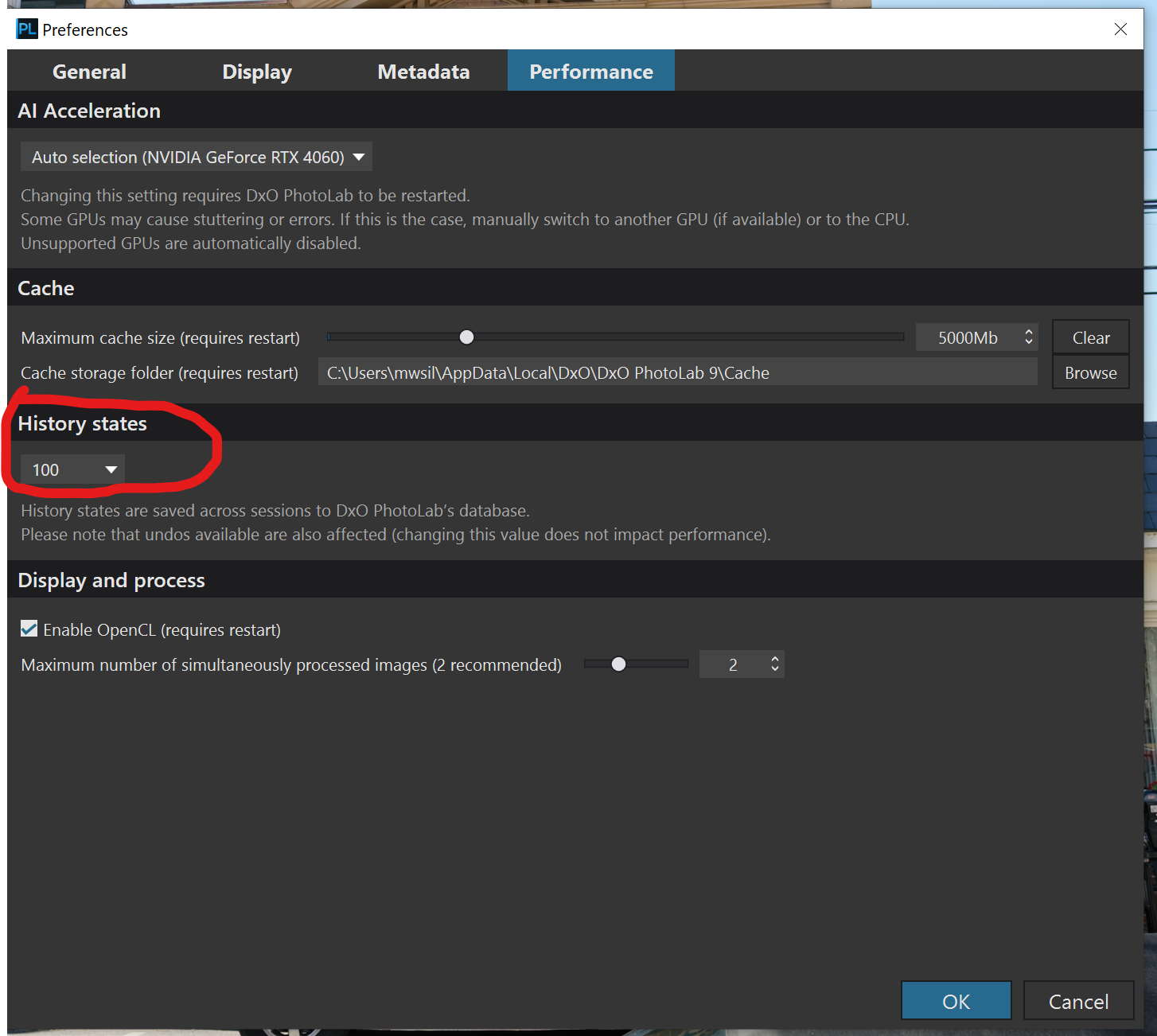
Persistent correction history: - Advanced History now remains available between sessions, allowing you to keep track of your edits even after closing PhotoLab. By default, the last 50 actions are saved (up to 250, configurable in Preferences).
This may be in response to many requests made also in this forum. However, it’s usefulness look questionable to me (to be kind). The editing history should be denoised first, as I pointed out many times before (e.g. concatenate quick corrections using mouse wheel into one). From my perspective, typical use case would be to experiment with different settings, going back easily without having to create a Virtual Copy. For that purpose one could use either a “denoised” history or an additional “checkpoint button”, which one could use to quickly revert to some previous state. What do you think? What would be your rationale for ‘Edit History’?
Under the hood, PL9.2 added a new table ‘HistoryEntries’ and added ‘CurrentHistoryEntryId’ column in the ‘Items’ table in the main database. The new table holds last actions only (up to 50 by default), so no new entries per Item, which could grow the database too much. On the other hand, its “persistence” is very limited. Lot of effort for no good reason, imho…
EDIT: To be sure, it’s a rather minor issue for me, not meant to distract DxO from maintaining the image processing engine. I’m a previous Capture NX and LightRoom user, which had similar features, sometimes used by me…
I would welcome a situation where was asked if the new edits should be saved, added to the history list, when finishing editing. So i can just try things out without without being bordered to create a virtual copy.
It’s pretty cumbersome and I assume you’d mess up any active History list, but could you copy/paste the .DOP file at the point where you want to save a “state”?
Then you can play around with it, delete the new .DOP file and replace it with the older saved state in order to “roll back”.
And, “thank goodness” for that !! - - I certainly don’t want my sidecar/.dop files cluttered-up with all the individual trial-and-error steps I took in reaching my final correction result.
I don’t know whether it is just me or doing something different but it seems that windows 11 now has a advanced history.
The day before yesterday I went back to an old picture that I have never been able to get right. Now obviously I made a virtual copy and then proceeded to try and delete the telephone wires, after removing the first line of wires I decided I’d had enough of that day and just closed the program down without coming out of the clone tool. Yesterday I switched on again and lo and behold the advanced history was all still there so I proceeded with the next line of telephone wires. And again switched off and left everything as it was. When I switched on this morning again everything was there including the advanced history. With the advanced history as it now is. It has saved me so much time and effort in achieving parts of what I was doing or trying. I’m now going to close down normal and see if the advanced history still there. I suspect it won’t be.
Keeping Advanced History across editing sessions is just one of the over 20 new and updated features that was included in PhotoLab 9. This feature was previously only available for Mac users and is now available for Windows 10 and Windows 11 users as well.
The number of states that can be saved for each image is 10 to 250 edits and can be modified in the Performance tab of Preferences. See below. Once you exceed the number of edits you set, the oldest edit drops off the list.
 … 20 characters required