Here they are.
Sure they ought to have released Photolab a few weeks later but having problems after a release of this magnitude is almost mandatory in the IT-world. I have lived with that since the nineties.
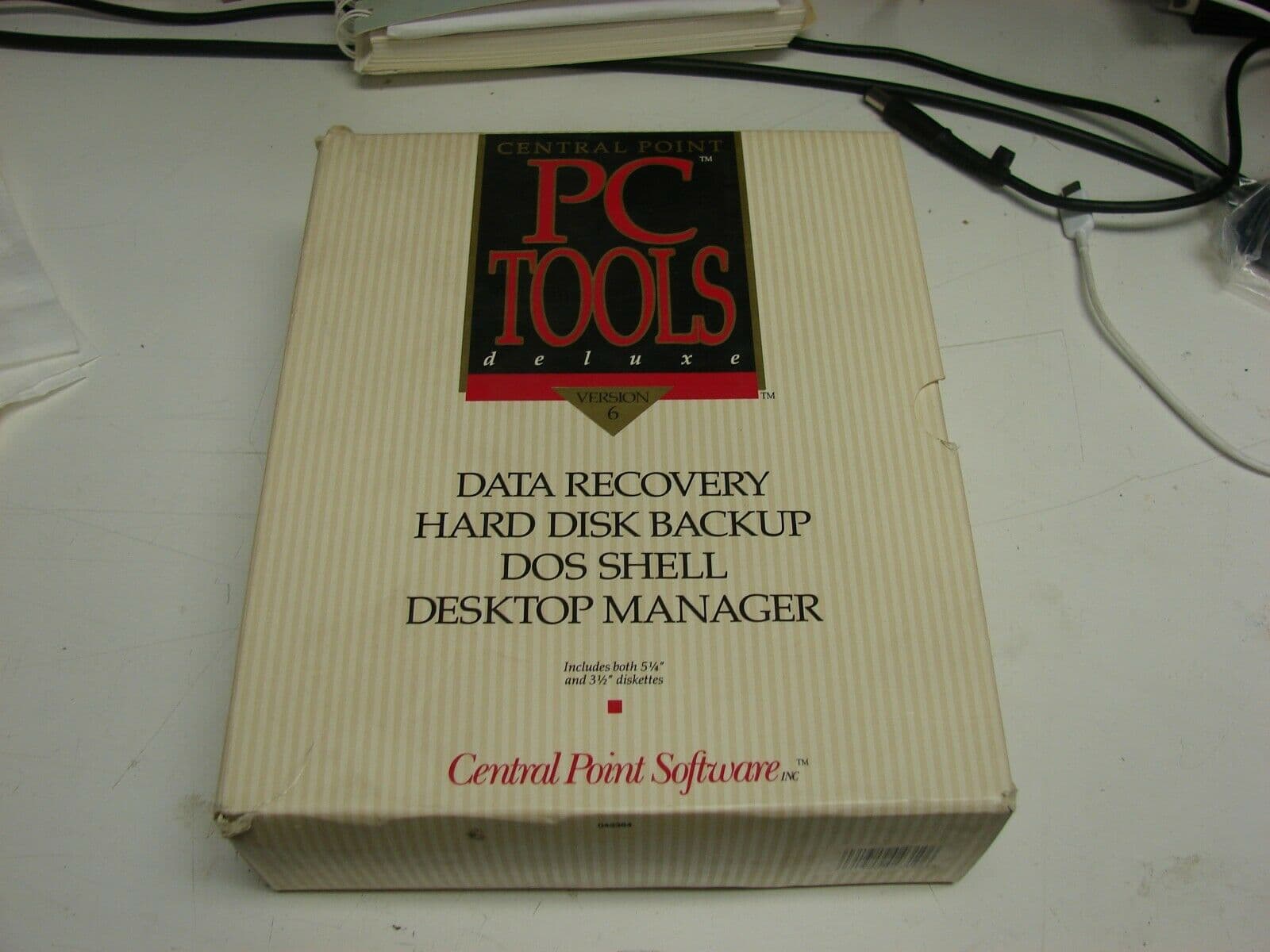
A few examples: In the nineties the very popular utility progarm PC Tools had released a new version. I worked at the support that morning.
First call: I have installed PC Tools and made a backup of a harddrive on 23 diskettes (on diskettes at that time) and now I have been trying to restore but can´t finish it because suddenly the program asks for the 24th diskett…and I don´t have any 24th disk.
Another call: PC Tools could install an Icons-interface on top of Windows 2.x that lacked such an interface those days. The user had arranged his icons over the workspace. Then he restarted and found that all of these icond had fallen to the bottom of the frame on his monitor.
Microsoft once had labeled the diskettes wrong and put just two of the labels on the wrong diskettes. The users could not even install before we could tell them in which order they had to do it to get it working. Trivial but totally fatal errors. There is not one single of these big well known mostly American IT-giants that haven´t screwed up big time. DXO is far from alone. Is there anyone here that think we should have waited until we could send ut new diskettes instead of telling them how to install?
… and then the standard problem in my country: Maybe you know we have some special characters in the alpabets in the Nordic countries. In the nineties a lot of them could not print Å,Ä Ö or åäö. There where terminal programs that received EBCDIC from IMB-systems, displayed Windows ANSI on the screens and lost Å,Ä,Ö as soon as we used the “clipboard” or printed. Since I worked on sorting this out I had many interesting conversation with all the bigger vendows like Microsoft, Crosstalk, Lotus, Wordperfect … What do you use these characters for they asked and then I used to take one of their mail and add a lot of our characters randomly into their text and return it to the sender. It was part of my job to help these companies sort out these problems with their Windows-programs.
My point is very simple: DXO and Photolab is not an exception here but the rule. In order not to get stuck for months the IT-world has always been pragmatic and found work arounds and it is exactly what we have done noewwith Photolab and there is a good reason for that. DXO comes with a new release every year in September/October. Early adopters that buy the program direct will be rewarded with the possibility to use the software when it is new and has the little support focus is ever will get by DXO over its lifespan. If you wait say 2 months you will just have 10 months before another version will be released. So it reduces a versions active lifespan to wait too and is in fact a loss of the money invested.
Tip to DXO for the future: Since we pretty sure the developers at DXO has done a lot of the development using old Nvidia-drivers it can be good for them to know there is a function to switch on in the Nvidia-application that shall upgrade you drivers automatically and keep them up to date.
6 Likes
My favorite utility software back then was PC Tools Deluxe by Central Point Software. Are we taking about the same software? Did you work for Central Point?
Mark
1 Like
Yes we are and since it was so popular it quickly got out of control at our support those weeks. We could hardly even go to the toilet those days  I can assure you that it is a far worse scenario when a backup-program fails and lose data than when DXO fails with part of the AI-masking in Photolab.
… BUT, nevertheless, the freehand-hoovering-select-click or area select is really very effective and much much faster than using AI-presets and as many already has found out these methods also works extremely well together with all the older Local Adjustmen-tools that many of them even have got quite a few facelifts and improvements.
In fact I have really critizised the old Local Adjustment user interface in version 8 that in my eyes had quite a few problems and lose ends but in varsion 9 a lot of them has been fixed. I must say I oftan find myself smiling over how much better it us now. I never liked version 8.
3 Likes
Pure Nostalgia! No I was the technical product manager for all of Microsofts products in the beginning of the nineties at the biggest distributor of IT-products in the Nordic-region called Esselte and later Scribona. I also supported the sales people together with Microsofts people. I also helped them on road shows a few seasons called “Winsoft” to demo both Windows and even pushing software from all our other Windows-software vendors. I think PC Tools was the first name of the company that later was changed to Central Point Software.
I also built a product management and pricing system for Scribona that fed our business-system with product texts and pricing data. That was used for 15 years and handled business equaling a turn around of 1,5 billion U$ the last years in Sweden, Norway, Finland and Denmark. It was built with MS Access and MS SQL Server-databases and I can guaratee you even I have made a few really louse releases that that I´m not proud of that temporarily halted 3-400 salesmens possibilities to do their job. When shit happened I did not have anyone to call - but they called me!
So I’m a little humble when it comes to trow stones on the developers at DXO. They really have done some lovely functions too in that new version, that I already have started to love.
While my memory isn’t as sharp as it once was I believe you are correct.
Mark
1 Like
I fully share this point of view. Thank you very much!
Its some cases its true, but in lot of other cases not. Example: you have a series of portrait (in one photo session), seems far easier to send presets to all photos to find subject, face, etc. Also, results may vary full screen analyze vs box selection/floating selection.
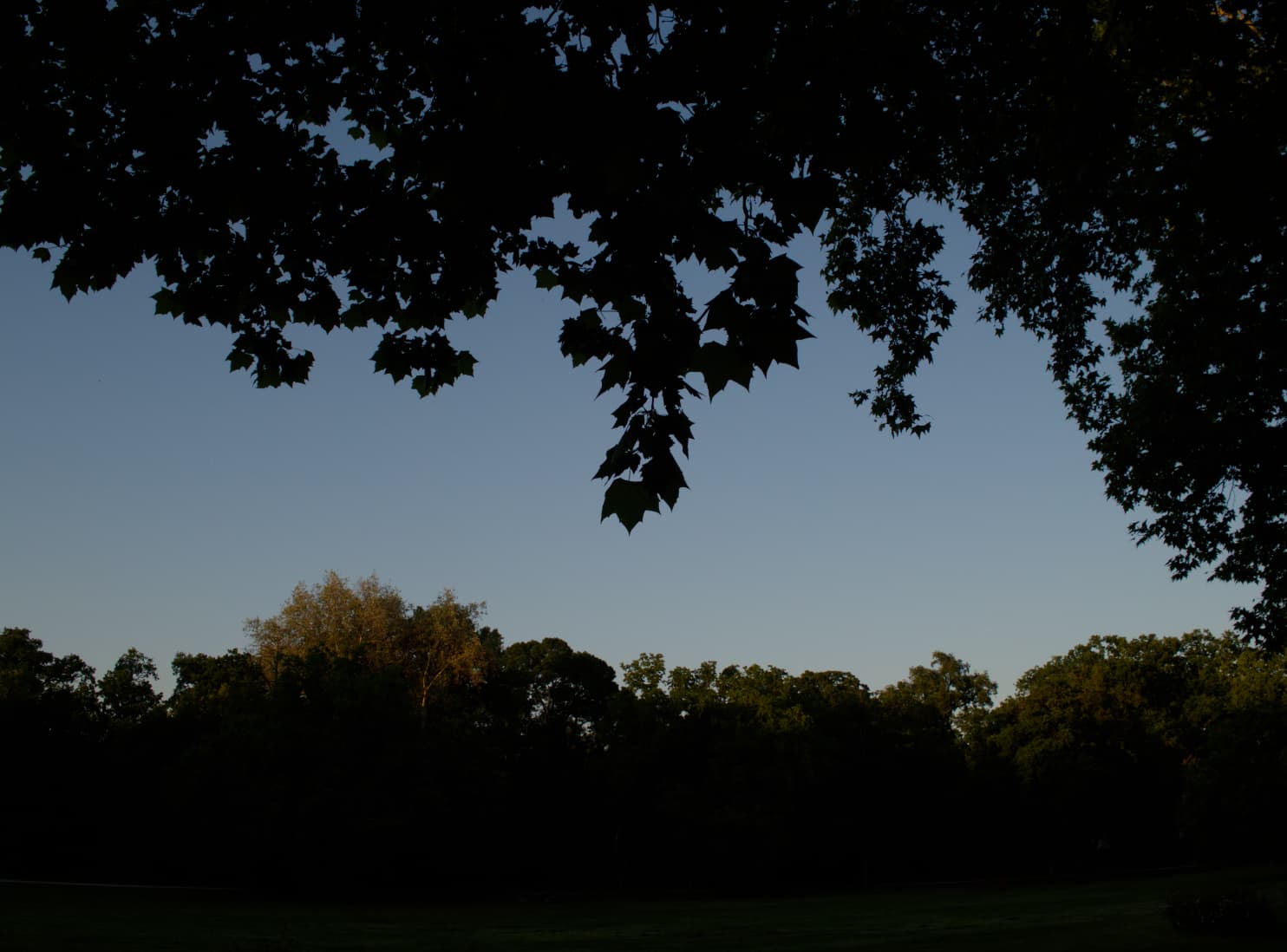
I also like to note, AI model prompt / behaviour seems different in ‘presets’. I note it in some in my photos with ‘Sky’. Seem Its tends to more easy for upright direction, in one example:
Orig image:
"Sky’:
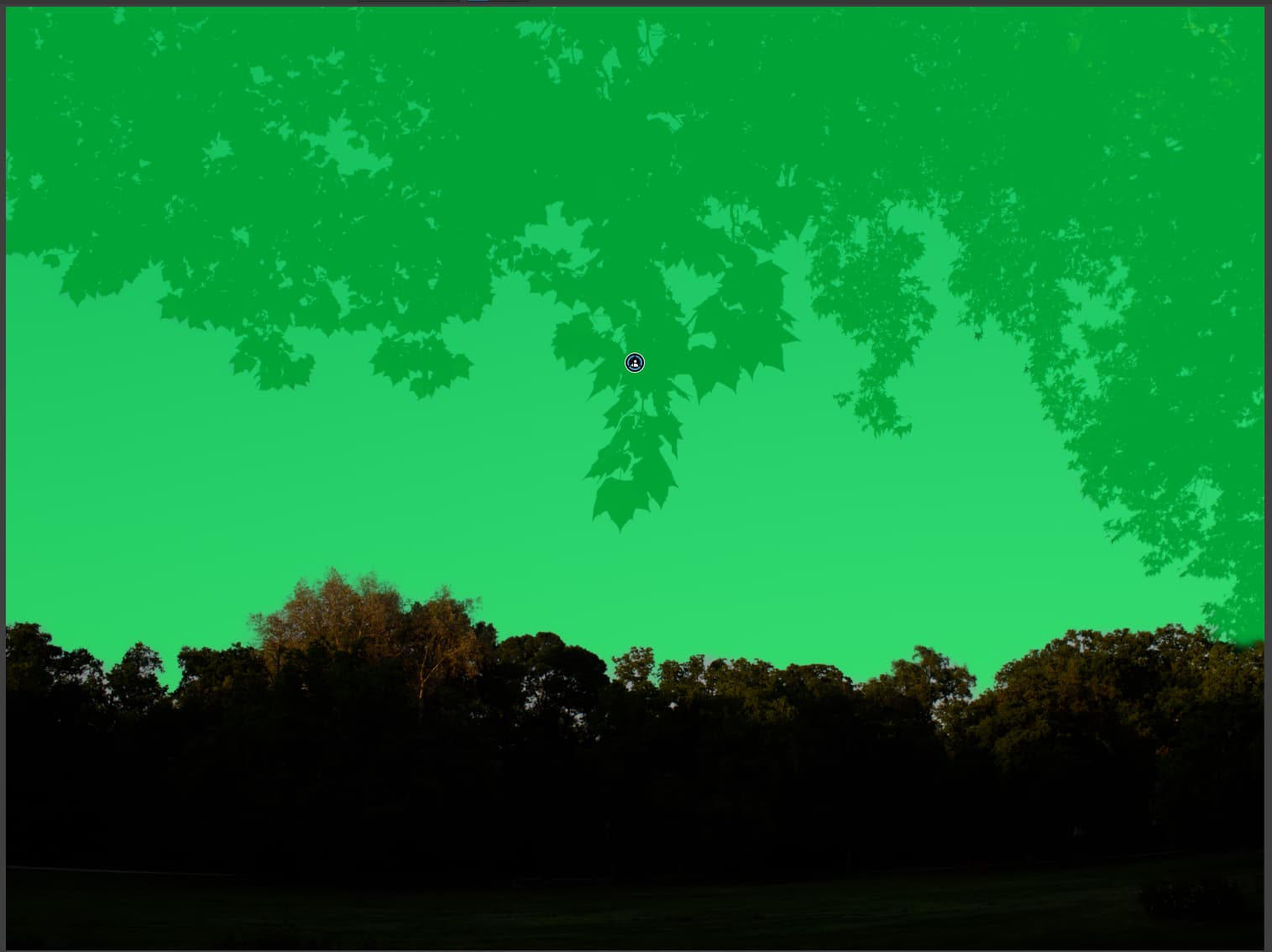
Seems its works upright, less care about thinks in the top.
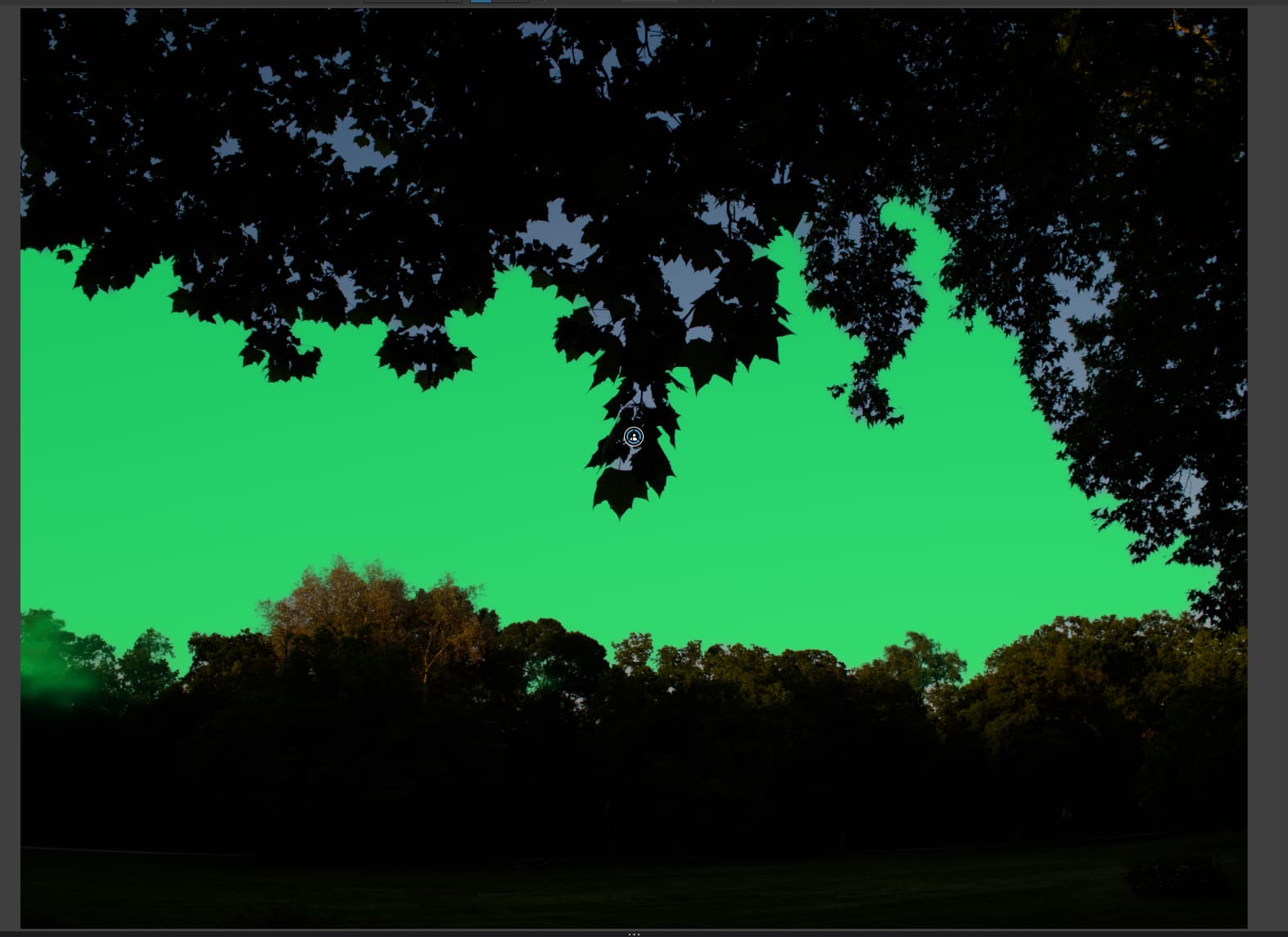
Area (Box) selection in the middle (real sky):
1 Like
Funny thing there is… I’d still rather use a control line, dropper-select the sky, and then play with the Luma/Chroma options to get it to only select the sky rather than any leaves. Shouldn’t be too hard, given the contrast in the leaves there.
2 Likes
Works fine for me on both my M2 Air and M3Max MacBook Pro.
1 Like
Be careful with that statement.
It reminds me of German shepherds. They suffered greatly from hip disease due to prolonged inbreeding. Now it’s a breed characteristic and those animals have difficulty walking.
George
I deleted my earlier post so as to expand on my experience with PL 9.01 (Mac OS 15.5 Sequoia):
I’ve been using the trial edition of DxO PL 9.01 for about 3 weeks now. There are a number of new features, though I agree that most are not compelling for me, personally. I also fretted because DxO recommends 24 GB of RAM with Mac OS, and I was worried because my 2024 M3 MacBook Air came with a maximum of 16 GB. Nevertheless, I have had no problems with either the AI masks or other new features.
In the past, I’ve had my own problems with DxO, such as their limited new OS support. Nevertheless, I appreciate their fully functional trial edition, which is quite generous in that it enables me to fully evaluate new functionality before making a commitment. In terms of upgrading from PL 8.5.1, I’m not yet convinced, as I quite like the U-point system for masking, which I find to be easy and intuitive. I expect I’ll wait until all the bugs get ironed out, but I certainly don’t feel cheated.
2 Likes
Guess DXO won’t leave out the AI features in 9.0 because they need to SELL lots of licenses. Leaving it to 9.1 means they can’t mention that it has AI at launch. Meaning less sales. They’ll rather put out a broken product and get “valuable feedback” aka product testing done by their customers who pay DXO for the priviledge. LOL. Guess I’ll wait a few more months before upgrading. Let others go forth and clear the mine field. LOL. Also having watched a few reviews on YT, none of them mention the AI feature is broken.
2 Likes
Mine isn’t broken either. Works pretty well
Little lurking here most of the time because ive bin shooting too much burst modes on car events en there where two camera’s involved so lots and lots of culling, organising, preparing…
( ive have about 2 years of backlasch of rawfiles to catch up.)
Ive never used plv8 at this moment more then few time’s quickly…
Saw few YT reviews of pl9 's AI masking…
That’s a apeal for repetition work as car shots are. But as always new shoes aren’t fitting comfortable. It seems to have rough edges which needs to sweeten. For me personal pl10 is maybe de new upgade. First ive have to get experience again in editing in plv8.
See if the database engine is now good enough to replace good old adobe bridge. As first library managment.
Is the AI ( masking)the only new thing in the application? That stacking in filmstrip is nice we asked for years for but no reasone to upgrade.
Anyway i hope to get starting to edit in october november…
( Can anyone tell me why any planning of agenda gots jammed by new entry’s that life throws at you?
Every time i think i have time something else claims priority… 

Funny you mention car events, I was just editing a shot this morning from Goodwood!
And speaking of AI masking, I found that copy/pasting AI masks wouldn’t necessarily result in the AI mask from the “original” edit recognising a similar shape in the next image.
In other words: I had an AI mask of a car (which selected it very well, and very efficiently, using “object select”) which I copied over to a new image. In the new image, the AI mask decided I didn’t want the car selected, but rather the road on which the car was racing (!)
For huge numbers of shots, this means going back into each one and tweaking any mask selections.
I find Photolab good for precise work, where each image is a precious jewel, rather than mass work where you’re trying to get a good look across 100, 200, 1000 shots… quickly and effectively!
You can see what’s new in Photolab 9 here: Quoi de neuf dans DxO PhotoLab 9 ? - DxO
The big new feature is AI masking, which isn’t necessarily working well.
There’s some workflow improvements, but their value depends on whether you’d use them. I’m not sure I will.
There’s also new things you can apply in masking (like lens sharpening corrections and noise reduction) which could previously only be applied image-wide. Again… I’m not sure when I’d not want noise reduction applied to my whole image.
There’s support for Apple formats. I don’t use Apple products.
There’s support for X-Trans sensor denoising. I don’t have any X-Trans products.
So yeah, there’s new features, but the value to you may vary depending on what you use and how you use it!
1 Like
Are you a Mac or Windows user?
Well this is basicly a manual paddle on a automatic gearbox…( to keep it in car thermology.)
Prime and aspecially prime plus special ( the other one, v3 i believe, is its secrect power that it is done before demosiacing and only target the noise in the rgbg before its converted to RGB pixel values. This is object edge and plain restoring. So why would you decide your self to target a area?
( if needed i could use good old NIk to send a tiff over for some detail denoising after the dxo denosing. But i believe the fine tuning tools inside denosing of dxo are good enough.( only thing i wish i had was a preview of exported jpeg if i hit a button to activate. Except exporting and deleting again.)
Other minor issue was the CA reduction only is done in 75% zoom rate so no overal look. ( yes we have looking glass now i believe)
And local lens sharpening… eh that’s same as using upoint microcontrast i think.
( see micro contrast in magic want modes it changes accoording to its needs in the lens and image values.)
I agree what you say about every image is a stand alone development in dxo.
What i would like is a Ai which marks unfocussed/unsharp images and similair images so you can quickly review those and pick and delete. I believe lightroom has this.
Now i
Start with win verkenner to sort and quick cull of bad shots.
Then run it in Fast Raw to catch the good , the bad and the ugly in the raw files.
Then add iptc with bridge.
And finaly open dxo to edit the bunch .
The first two steps could be done inside dxopl but i like fast raw viewers real exposure feature and the edge detection and WB natural with low and high exposure tap to see flaws and potentional in the bad and ugly.