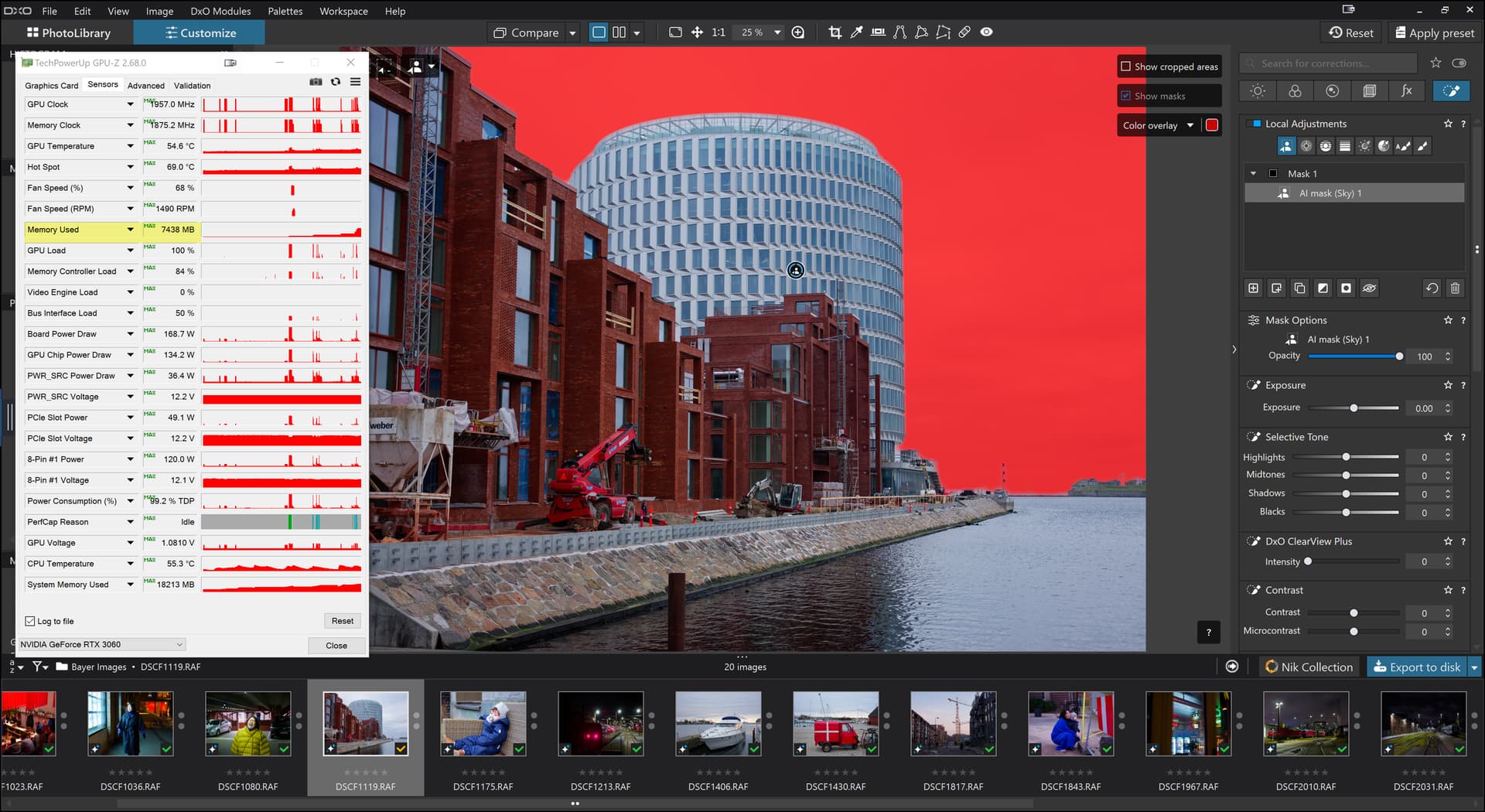
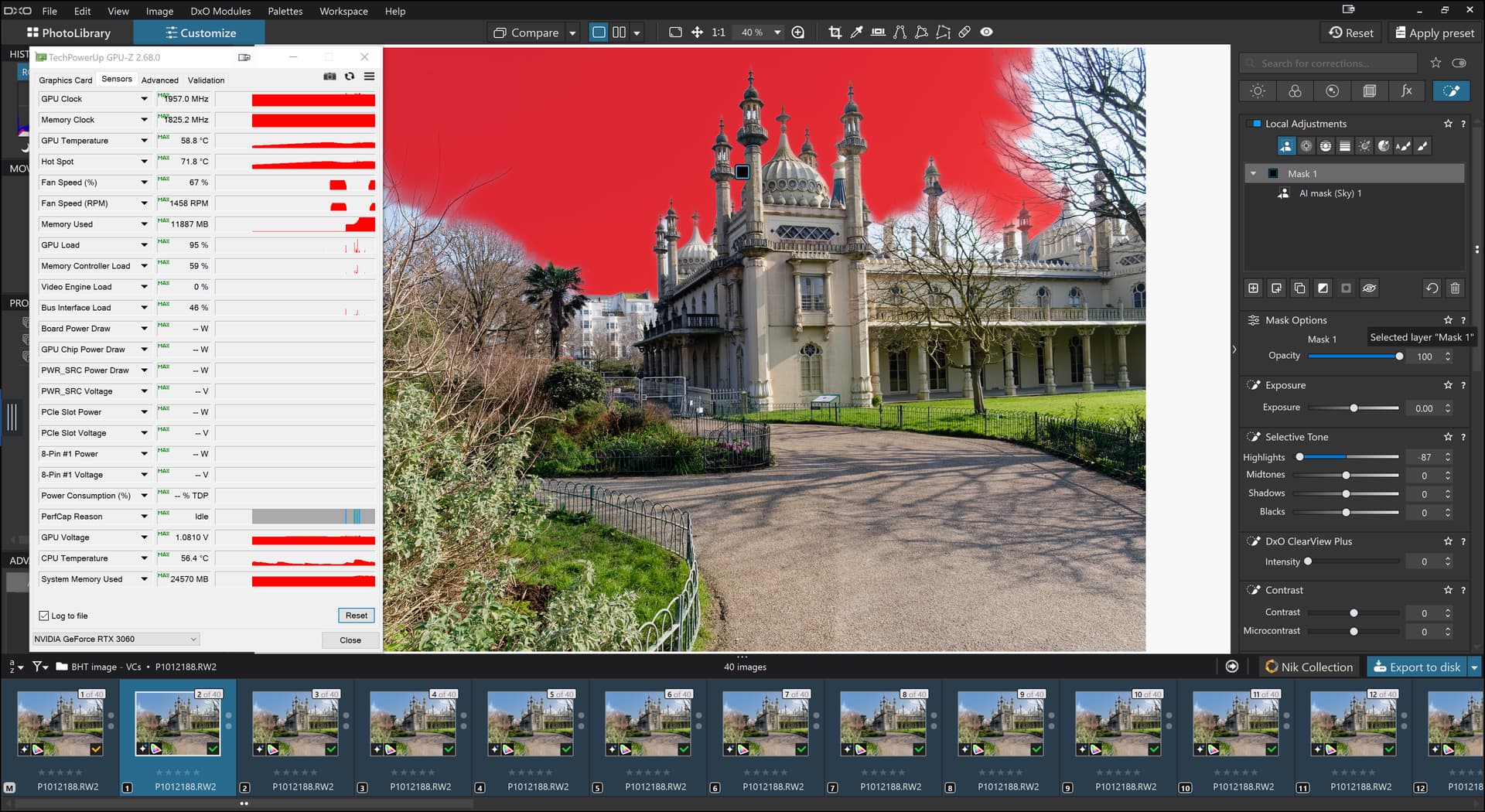
PL9.1.0 Win with NVidia 581.42 Games drivers still fails

@Labuzan That is a really ancient driver, a search indicated it was used by Noah when designing the Ark, sorry 2023 but I am glad it works for you.

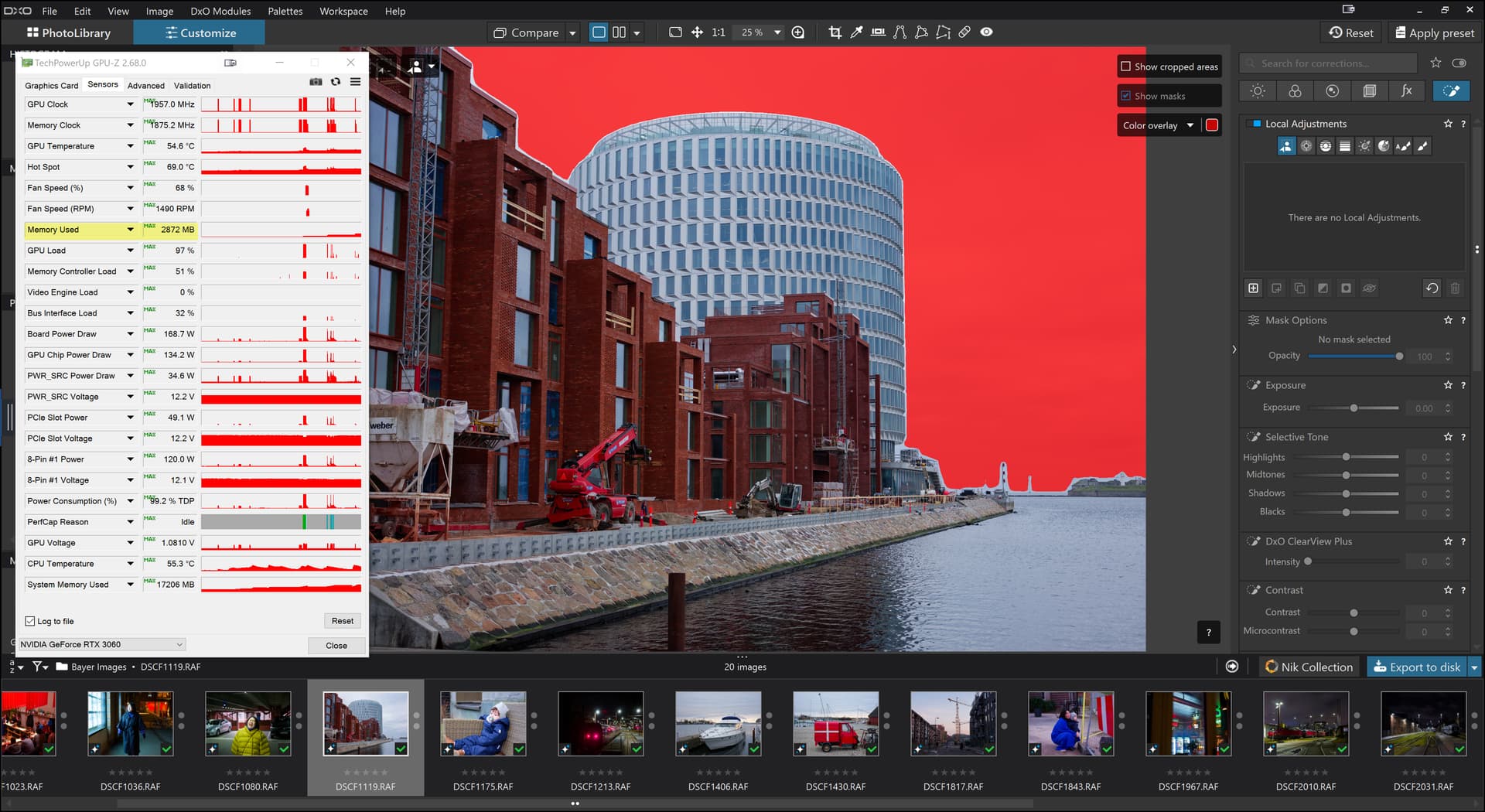
@adi99 The 577.00 is a relatively new driver can you manage to get back to an earlier version, i.e. will the NVidia software install and earlier driver. Many of my tests indicate that PL9.X is consuming a lot of memory very rapidly.

You could try my “trick”, providing you can get your machine in and out of “Sleep” mode easily and successfully every time. “Sleep” appears to clear the GPU VRAM and so you need to do the following

  1. Select all the images you are going to export and leave PL9 in that state, i.e. ready for just the export command
  2. Put the PC to “Sleep”
  3. When the PC is sound asleep, wake it up and it should return showing the images you selected
  4. Do nothing, absolutely nothing, except select ‘Export’, changing the location and the suffix doesn’t seem to trigger any GPU VRAM usage increase, in my case.
  5. Export and see if the export process can now complete successfully.

Yes its a pain but if you are trying to get JPG images to review then you may be successful. I have a 12GB GPU and a 16GB GPU (and a 6GB GPU which has now been retired!?) but not an 8GB GPU and have seen the memory usage under normal use rising to 12,000MB and 15,000MB and wondered how much does PL9 actually need?

Some users are surviving well on 8GB VRAM but …

@adi99 It is as I stated above and I was going to make a Topic entitled “Is PL9 playing fast and loose with GPU VRAM” but users experience are very varied.

The drivers of “choice” appear to be 573.24 and my 3060(12GB) appears to be able to handle my “problem” image successfully on that release but Nvidia won’t load that driver version for the 5060Ti(16GB) at all.

Plus tests I have done with 576.02, 581.29 and 581.42 on the 5060Ti(16GB) are showing 10 second differences from one release to the next!?

@Wlodek But why can I clear NVRAM(with Sleep) and successfully export images with just about 6GB VRAM, i.e. the AI required to render the image for export must be included in that VRAM usage.

But if I make a single edit then that figure will jump, potentially above 8GB.

It would appear that we have AI for export + denoising + AI for screen which will also need to handle denoising for the Loupe etc.

The NVRAM appears to be getting hit twice for AI, possibly even for NR(!?), i.e. is it using two discrete AI models or even the same model twice?
1 Like

Its dose the trick! Export work with even 4GB GPU (AMD Radeon)
Note: try only 1 (one) photo, 20Mpix, one (single) simple AI mask, DP3 export (tiff)
Update: works on 20 photo (orig + 19 virtual copy)

That’s just workaround for driver GPU memory leaks problem. Note that many NVIDIA drivers have problems with waking up from sleep mode in certain configurations, causing Windows black screen, so it will not work for some.

@Wlodek It doesn’t work for my i7 with a 2060(6GB) (another one, not the “retired one”) and the last DxPL release that it got was PL7! It can put it to sleep but there it will stay and nothing will wake it, except the classic IT solution of “Turn it off and then turn it back on again” i.e. the whole PC!

Fortunately the 5900X and 5600G have keyboards with a separate ‘Sleep’ button and both come back from Sleep quickly and with a mostly empty GPU!

@andras.csore I’m glad but users need to make sure Sleep and wake work on their PC.

It is no cure for the problems that are being experienced just a usable (maybe) workaround but needs to be repeated for every export and there is still the issue that PL9.X might still try to exceed the GPU VRAM on offer during an edit session.

I was writing this on my i7 when it “dumped” with “CRITICAL_PROCESS_DIED” oops, so I needed to wake the 5600G and finish it there.

1 Like

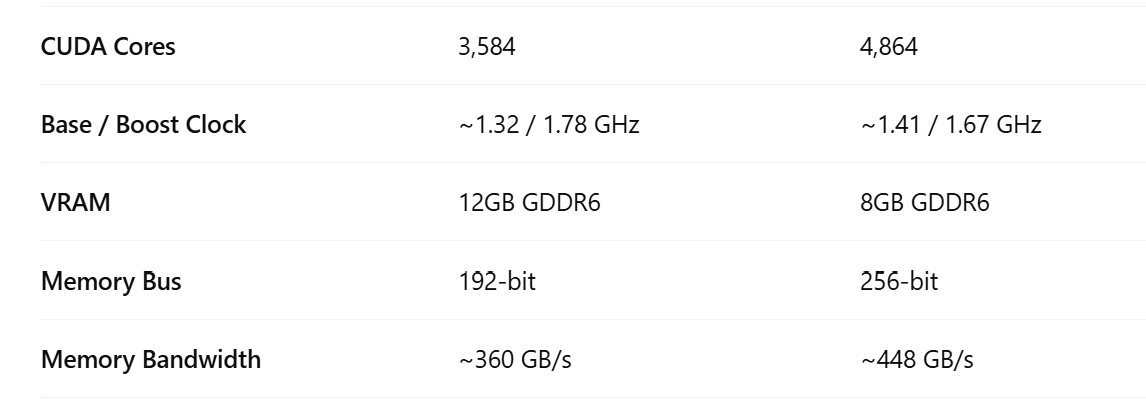
The problem with the 3060 12GB despite more VRAM than the 3610 Ti with 8Gb might be the memory bus, bandwidth and amount of cores. It is faster.

Even if it might work with the AI-presets with occasional problems the freehand masking is so much faster to export and render high res previews even with Deep Prime-rendering that it is an easy choice not tho use the premade AI-mask presets and it doesn´t prevent me from what I want to achive with my editing. I don´t feel I have to sacify anything at all as long as editing a single picture at the time.

The true cost of this unsolved problem for many of us inkluding me is not being able to use the premade AI-masks to speed up batch updates using AI-automation.

1 Like

Thanks for the updates, Bryan - - I won’t be taking up PLv9 until it works properly with latest Nvidia Studio drivers … so, I’ll be keen to know when that’s the actual case.

2 Likes

@Stenis My test image that causes my problems is using the premade “Sky” AI and it works fine with the earlier drivers on my 3060(12GB) but failed once on the 576.02 drivers and certainly cannot handle the latest drivers.

I have rerun the test a number of times (on 576.02) and it has not failed once since that single failure.

When I bought my 3060(12GB) card it cost more than I wanted to pay, £339 but I decided that even the 3060Ti was out of my price range so stuck with the decision to buy the 3060(12GB).

That was back at the beginning of 2023 and since then more 3060’s have come onto the second hand market and the new price has dropped by almost £100 from the price I paid.

Your 3060Ti(8GB) would have been my choice if I had more money at the time I made my purchase back in 2023 but when my 2060(6GB) GPU failed to handle PL901/902 I decided I needed a better card and also the biggest card I could afford, i.e. DxPL has gone from a relative miser with VRAM usage to a real greedy “pig” that almost seems to have an insatiable appetite, at the moment.

So my purchase of the 5060Ti(16GB) was me “hedging my bets”. It can handle my problem image with the very latest drivers , as far as I can tell, with no apparent issue and the 3060(12GB) can also handle that image but only with earlier drivers.

That “restores” a situation that I wanted to have, i.e. that I had a main machine and a working backup.

That your GPU is superior to mine I do not doubt but at this moment in time that buys you a better throughput but only if you can get PL9 to behave itself. Both my machines appear to be able to handle an image that I have that can cause grief with the wrong drivers.

Hence, the reason I have been very guarded in some of my comments about what a user looking for an upgrade should choose! The 5060Ti(16GB) is actually slower than a 4070 but those tend to “only” have 8GB, as does the 5070, I believe, you need to go to a Super or Ti models to get the 16GB, although I think I have seen comments about 10GB and 11GB(?) GPUs.

Currently DxO are certainly causing no end of problems for Laptop users who cannot easily upgrade “just” the GPU.

But it is also true that some users on “skinny” GPUs seem to be able to process images so I downloaded a Trial of PL9 and loaded it on my i7-4790K with a 2060(6GB) on some very old drivers (566.14) and it failed during the export.

Please see my test on my i7-4790K which failed with my “problem” image but worked with @Allan’s image containing AI masks on “ancient” 511.09 drivers PL9 on older computers - #44 by BHAYT

Unfortunately I cannot “Sleep” and then wake that machine successfully, which clears the GPU VRAM, but terminating PL910 seems to clear most of it down.

So I have installed 576.02 and tested again and it worked for a single image export but then failed on another export. So the 2060(6GB) appears to be as dead as a dodo with respect to my “problem” image but not for certain images!

Hopefully DxO will fix the problem(s) soon and you and others can enjoy any and all AI masks with impunity.

@John-M Currently it appears to be the type of AI mask you are using, what drivers are installed and how much GPU memory you have, other than that it is fine!?

1 Like

The problem still does not only concern nVidia. In the case of AMD and Radeons with the latest drivers, I still have the same issue (in version PL 9.1). Predefined AI functions do not work. For example, I select “sky” and get a crash during export… When I create a mask of the sky with the AI “manually,” everything works fine. I also don’t see any significant performance improvements between the original PL version and the current 9.1.

1 Like

@nemo It is interesting and relevant to know that you are suffering similar problems with Radeon GPUs.

However, changing drivers can change things for users of NVidia cards as the tests I have made have shown. Why that is the case I am not sure?

My “problem” image uses the the “Sky” preset, deliberately i.e. because it sometimes causes problems and sometimes doesn’t, depending on the GPU, principally memory, and sometimes on the drivers installed.

Sadly it doesn’t work particularly well because it cannot handle the boundary between bare branches of trees and the sky. Plus it doesn’t understand the notion of there being sky shining through an open object, e.g. a minaret.

For some images it can do a good job

but this is hovering Sky

and this is Sky preset

but for my “problem” image we have this with the Sky preset

When all the tests pass without incident I will consider PL9 “fixed”, at least as far as that issue is concerned. So the clock is ticking as I have a 30 days trial version running on my i7 4790K with 2060(6GB).

I have a backup plan for that because I also have an intact, working but long retired i7-4790K and another recently retired 2060(6GB) which could be brought back into use if needs be and a long enough cable to reach a monitor!

I don’t expect any fix for the “missing” masked elements in my “problem” image any time soon.

1 Like

I’ve recently upgraded from my Win10 system …
image - image

@John-M Currently I have one Win11 machine, a low power eating small table top computer, and 3 Win 10 systems. We just moved my wife to a small table top computer so that she is secure on Win 11.

The i7 will almost certainly remain as Win 10 (it doesn’t meet any of the requirements for Win 11) but I need to either take out insurance on the other two or sign up for OneDrive to extend support for a year.

Both the motherboards etc. qualify for Win 11 so they will be moved over as and when I feel confident that nothing untoward is likely.

Didi you experience any issues, e.g. with licences etc.?

No - but I was meticulous in transferring them between machines.

Why would you need OneDrive ? … I run entirely in “off-line mode” - using a local acct.

One year of security updates from Microsoft.

Mark

Ahhh - To keep Win 10 going, I presume.

@mwsilvers Thank you for providing the answer to @John-M.

@John-M As @mwsilvers has stated, turning on Windows backup, with free 5GB of storage, is an alternative to paying £30 per system to keep Win10 Security updates going for a year.

There are various articles on how to meet the requirements while keeping within the 5GB limit. I only have until the 14th. October to set up one plan or another or upgrade to Win11

I actually dislike what Microsoft have “tinkered” with in Win11 but have managed to turn the clock back on my (and my wife’s) BosGame “toy” computers so that the main interface is Win 95 (Open-Shell-Menu) but I absolutely detest that some of the things I needed in setting up my wife’s computer are not where I expect to find them.

Win11 is probably the largest con on the planet, rendering countless machines redundant unless their owners choose a " hacking" path and all for the sake of helping their partners to sell a new generation of PCs, laptops etc…

PS:- We have strayed slightly off-topic which will annoy the Topic “owner” no end or it would if I wasn’t the “owner”.

3 Likes

Firstly, re: W10 ESU
Though my PC is W11 compatible I have decided to use the ESU offer.
When I clicked to enroll I was told I can do so without charge and Win Update page tells me that I am indeed enrolled. However, I don’t use the MS Account at all for anything other than for occassional access like getting the ESU.

Next, in regard to PL9
As mentioned I am on driver 576.02 and all seemed fine…but have now seen and oddity.
I exported a processed file and got the desired jpg, no although I had accessed PL9 since AOK
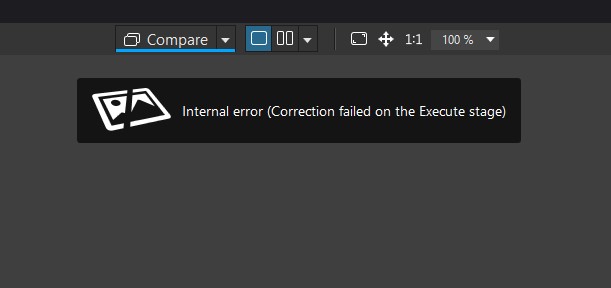
However, now when opening it the raw I was working on is the focus of the opening and the preview fails to load I get this message.

If I select another file all is well.

Any thoughts on this one please?

Edit ~ just looked again and when opened with a differet file as th starting point, then clicking on the odd file…the preview is built. Closing and reopening PL9 it works OK
NB this is on v9.0.2

@BoxBrownie Thank you for the info on Win 10 E$SU offer I need to investigate that further on all my machines.

Most of my testing is now with PL91 the error you are seeing is one I am getting bored with seeing during various tests and is a symptom of the mess that is PL9. It might be worth going to PL91.

However, my “problem” image seemed to work O.K. on 576.02 but then threw a “wobbly” on one export and has worked successfully since. That was the first image and I believe that the PC had just woken from a sleep.

I don’t know that there is anything which will guarantee it will work, even my 5060Ti(16GB) may just be “lucky” rather than impervious to the issue(s).

You could try copying the image and DOP etc. to another tests directory and see if it opens successfully. If it doesn’t we then have the possibility that the DOP has become corrupted.

However, with your current test PL902 is most likely taking the ‘Settings’ data from the database and not from the DOP!

Sorry, my “Crystal” ball seems to have clouded over today.

1 Like

@BHAYT

I have been discussing ESU over at one of the photography fora here

https://www.talkphotography.co.uk/threads/remember-folks-w10-support-ends-soon.768229/post-9657559

Where another member suggested it is an EU ‘thing’ where ‘we’ are not charged for the ESU…perhaps he is right ???

NB for fear of stating the obvious, you need to be logged on on the PC with your MS Account. This aspect raised a questions or two in my mind and I was in online chat support with MS about this and I was reassured on two questions…

  1. That once I have enrolled I can revert to my preferred ‘Local Account’ logon.
  2. And that the free upgrade to W11 will still be available for compliant W10 systems. The caveat it seems is likely that I would nee =d to do that before the ESU expires on Oct 13th 2026

HTH :slight_smile:

PS I will update PL to 9.1.0 before my trial expires in a few days…at the moment I am unsure whether to pay the upgrade price as just maybe Black Friday will be better. Having said that I have a couple of images to get printed in time for a December exhibition and if I think my PP will benefit from having PL9 I will buy it sooner than Black Friday.

PPS I first checked whether v9.0.2 would choke on the image and it did this time. So, I have updated to 9.1.0 and it did the Full Preview AOK though it takes approx 5-8 seconds compared to approx 3 seconds for an unprocessed image.

None to sure why this time difference would be present unless it relates to that it is cropped…PP’ed with Prime3…AI masked etc.?
I sincerely hope that whatever the reason DxO manage to improve the overall performance sooner rather than later!

:rofl: … (Followed by some verbal padding to satisfy the min 20 char reqmnt).

1 Like

I’ve been using a trial which expired today and apart from the keyword Ai masks, due to having a Nvidia 3060, it has worked very well. However, This weekend I went to use the non keyword masking and got the same failure. I rebooted the program and tried again with the same result. After a number of attempts the masks worked fine as usual. Not sure whats going on now as I’m not doing anything different. Trouble is I can no longer test this out as my trial has finished. I was actually going to purchase and now I’m not so sure.