@adi99 “But if @Wlodek told you he would have to “kill” you” to use the old spy thriller cliché.
Plus it doesn’t seem to be quite what I expected, so I set the parameter to 60 and the current export worker terminated but was immediately replaced by a new copy, actually the new one was started before the old one terminated.
But in the process terminating the first copy released a large chunk of VRAM.
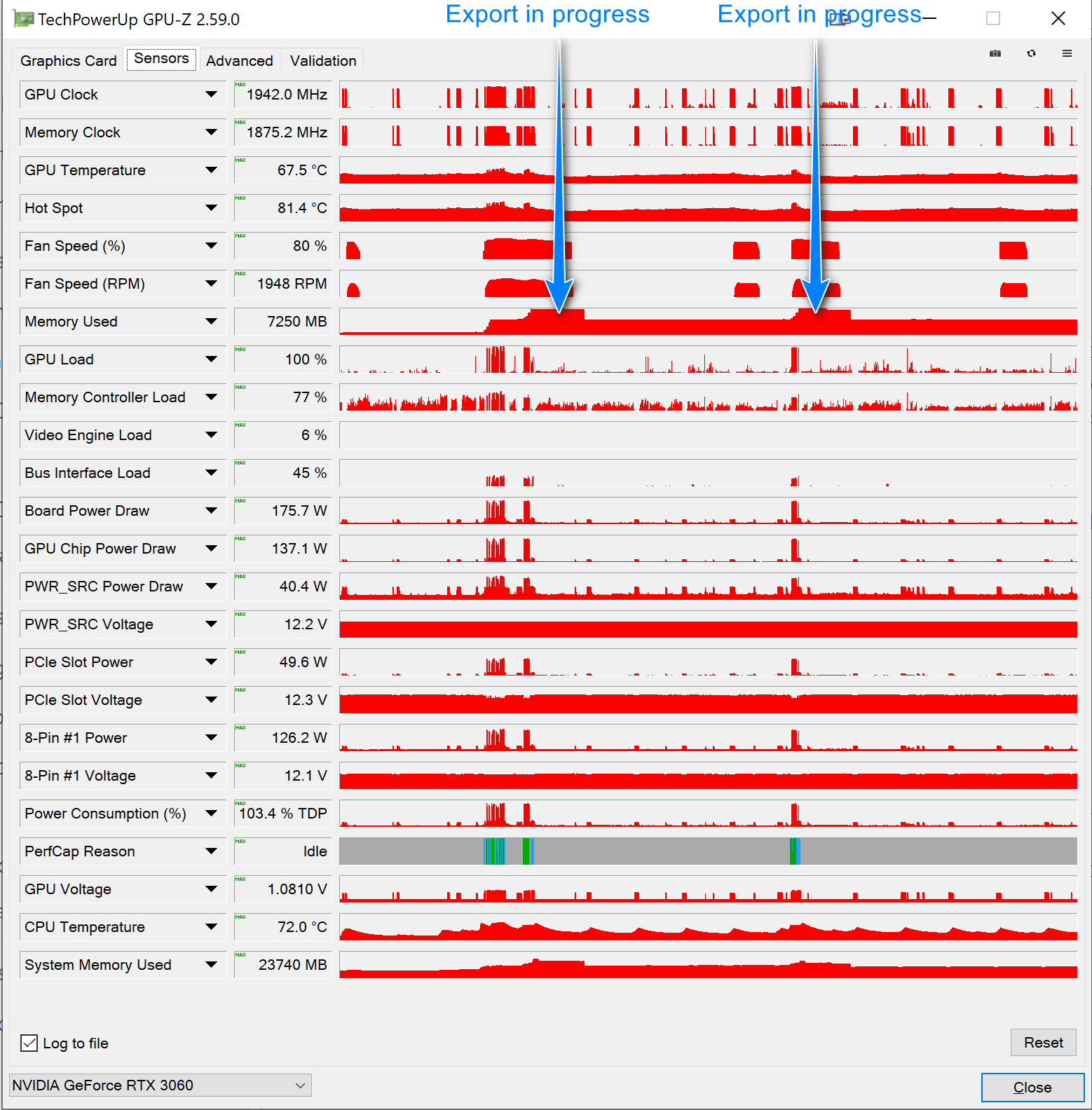
As @Wlodek indicated tampering with a products parameters is potentially “dangerous” to the stability of the product and the developers may well move the parameter somewhere else, or "bake it into the product itself, i.e. there is a risk that it will become a self-defeating exercise.
So I used my “Sleep” trick to clear VRAM and repeated the tests and PL9 failed!
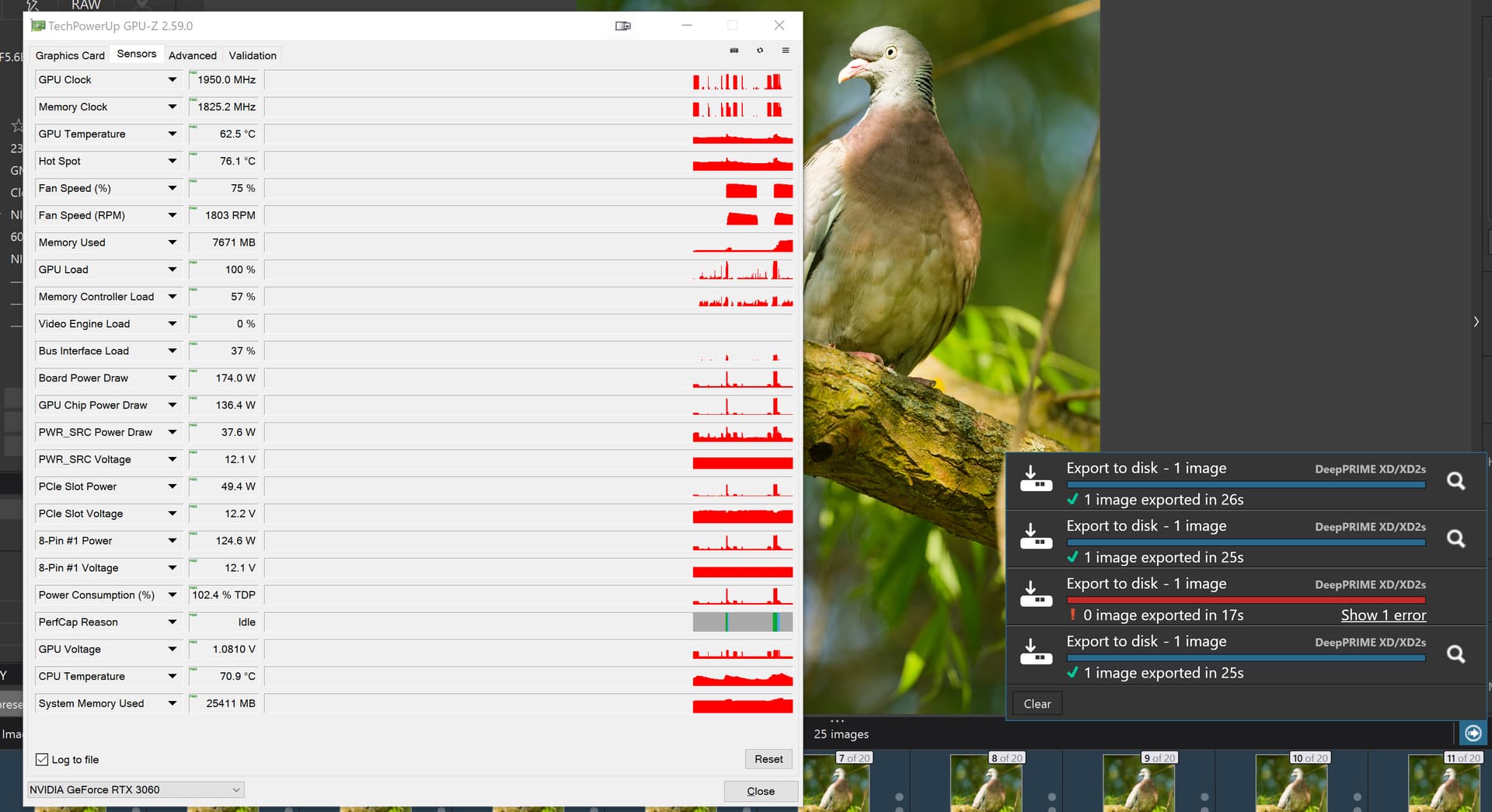
So I just repeated it again and this time it worked and so did the “faster” auto-terminate and VRAM went down from 7671MB to 1441MB but if you don’t need to save that VRAM, i.e. you are going to do an another export does it help.
If the only way that you can make edits and do exports is to get them to use VRAM alternately then
- Make an edit
- Set everything up for the export
- “Sleep” the machine
- Wake the machine
- Immediately export without making any edit changes whatsoever
- Export and if you have adjusted the timer then your precious VRAM will be returned and you can conduct some more edits
- Repeat and/or wait for DxO to make all elements of the process less memory hungry and/or put the access to the parameter in the public domain.
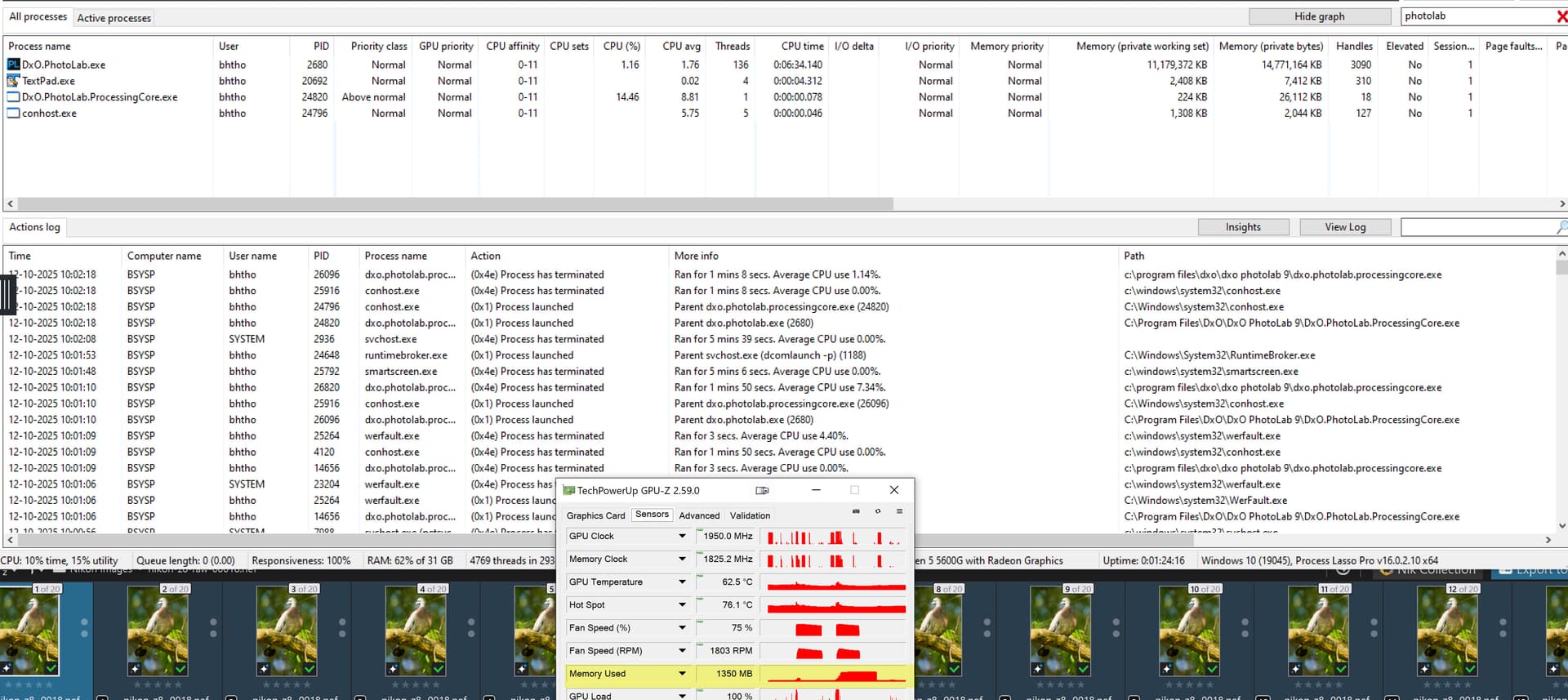
@adi99 I can’t tell you either but look in the most obvious place and use a good editor to locate the value given already. Plus make a copy of the original config file before you do anything else.