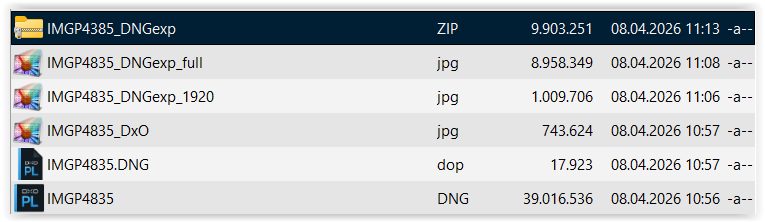
Since the latest PL update to v9.7.0 Build 643, export images are rendered as undisplayable “dark frame” full-res JPEGs (total blackness) of oddly small KB sizes, a behaviour I have never experienced before on my Windows 11 machine running a GeForce GTX 1660 Super graphics card.
For an illustration of the issue, please refer to IMGP4835…, which I have made available in all its relevant forms here:
Naturally, this prevents me from exporting any developed DNGs as JPEGs, taking away a piece of key functionality, and I hope that the engineers will devise a meaningful fix.
Thanks indeed for your prompt feedback, Wolfgang. Retried this morning with various files, including the ones above, and everything worked just fine. Feeling a bit stupid now for raising the alarm.
I have this hunch that maybe I would have had to reboot the computer after installing the update or something. Will cancel the bug report I did file on the support page at once.
Well, there could be AI compatibility limitations which I’m not aware of, as I still have to encounter them.
Honestly, I still use DeepPrime 3 for denoising, which I’ve dialled in so that it gives truthful as opposed to made-up detail. Also, I perform most of my local corrections either with SmartLighting or ControlPoints, which both work like a charm, so I haven’t been compelled to try the new AI masks yet.
As you’ll sense, I’m not as hot about AI as the new magic bullet for everything as some, but let’s not blow up this thread with a needless rant.