I am currently using PL 7. I am considering upgrading to PL 9, but I am concerned that it may install ‘over’ my PL 7 installation which I want to preserve. How do I ensure this does not happen and my copy of PL 7 remains on my pc?
It’s not an upgrade in the usual sense, it’s more like a new installation which will additionally migrate some metadata from your previous installation, keeping old stuff in tact.
I have PL7,8,9/Win on my PC. Installation files are completely independent. PL9 installation will make its own copy of your configuration and database, while thumbnail/preview caches are not migrated (would take too long in too many user cases). The thing in common are DOP files containing corrections info (duplicated in the database). Note that PL7 may/will have problems reading DOP files produced by PL9, but PL9 will read PL7 DOP files without any problems.
EDIT: The above is for Windows. Not sure about Macs but very probably it’s the same story.
@Draig By default, it will be installed in a new folder located alongside the older version.
Please note: The DOP files differ in their content. If you still need your original PL7 edit, work with copies, at least temporarily.
1 Like
I have PL1, PL2, PL3, PL4, PL5, PL6, PL7, PL8 and PL9, all installed at the same time. When you buy or upgrade a major version, it is yours for life.
2 Likes
Not really for upgrades, since you lose the license for the old version and can’t activate it on another computer. As clear as mud in the EULA, but Support is very bone-headed about not moving old activations after an upgrade.
The old software will continue to run where already activated, although when DxO introduced license management in PL7.7 they also gave themselves a way to prevent this in the future. Whether or not they will remains to be seen.
Has anyone using PL >= 7.7 tried to move an activation for a version they’ve upgraded past?
1 Like
On my Macs, license management looks “normal” and PL8, which was upgraded to PL9 can be used as expected…but I’ve only tested on the two Macs I’ve had for a while.
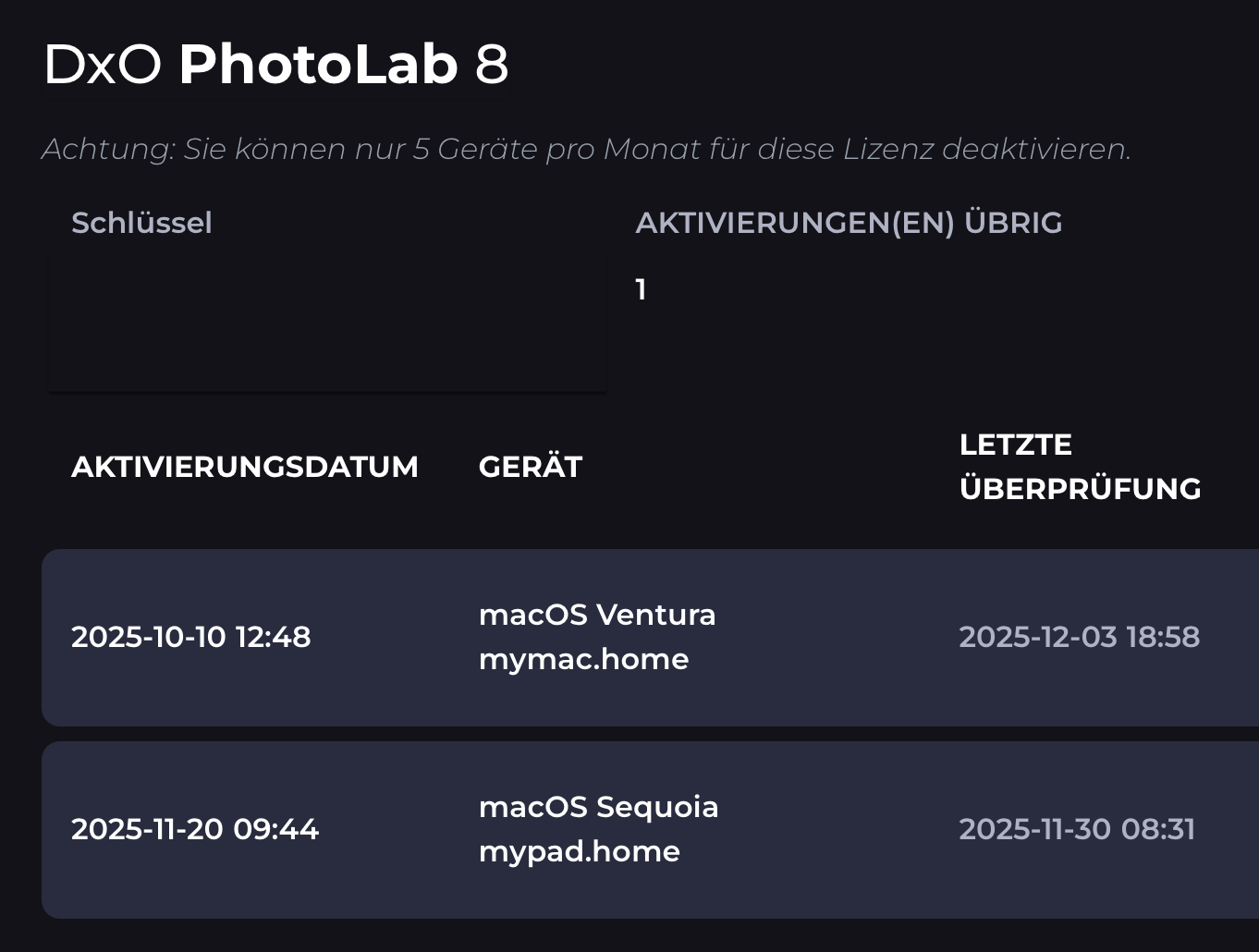
Funny details:
- Neither of my Macs are running Ventura or Sequoia now. Possibly, the Macs were first seen by DxO when I tested them with said OS versions.
- The lower install seems to indicate that PL is installed on an iPad. This is clearly not the case, but occasionally, macOS uses whatever it comes across and I’ve had my iMac presented as an iPhone. Info about this strange naming pattern can be found out there.
…only in your DxO shop account. If you back up the proof of purchase messages showing the keys, you can activate and deactivate devices during whatever time period is understood by DxO as “perpetual”, at least that is what I see on my Macs.
You mean you can deactivate and activate your PL8 licenses with the new interface, even after you upgraded to PL9?
If so, then that’s a positive change. Support would absolutely refuse to free up an existing activation for an old version (pre PL7.7) after an upgrade in the past, so if you were out of activations and wanted to move an older PL to a new computer you were out of luck.
(I have yet to upgrade to PL9, and probably won’t given the current state.)
Yes, things happen. Please try the feature through your shop account or here.
License management is not possible for older products. The switch to the new possibilities came in 2023 - with(in) FP7, PL7, PR3 and VP4. Can’t say for NC though.
Yes, I know (and have used) the new management page, but I didn’t expect it would allow you to manage activations for a version you’ve upgraded past. (Eg. PL8 after buying an upgrade to PL9.)
In my case, I haven’t updated PL7 past 7.6, and I haven’t upgraded from PL8 to PL9, so I haven’t had anything to experiment on. (Although I might as well update one of my PL7 installations to the lastest and then see if I can move it to another computer.)
1 Like