Hi all, before this latest update I always saw the Nik Collection/Export to disk inthe Customize area with an open image, now it been moved to the top of the Photo Library. Is there a way to move it back? It seems easier to use these with an open image. Thanks.
It s on the top right side of the Image viewer. If the image browser is closed you won’t see the Icon. The other possibility is that you deselected the icon in the General tab of preferences. The Icon has also always be on the top right of the PhotoLibrary.
Mark
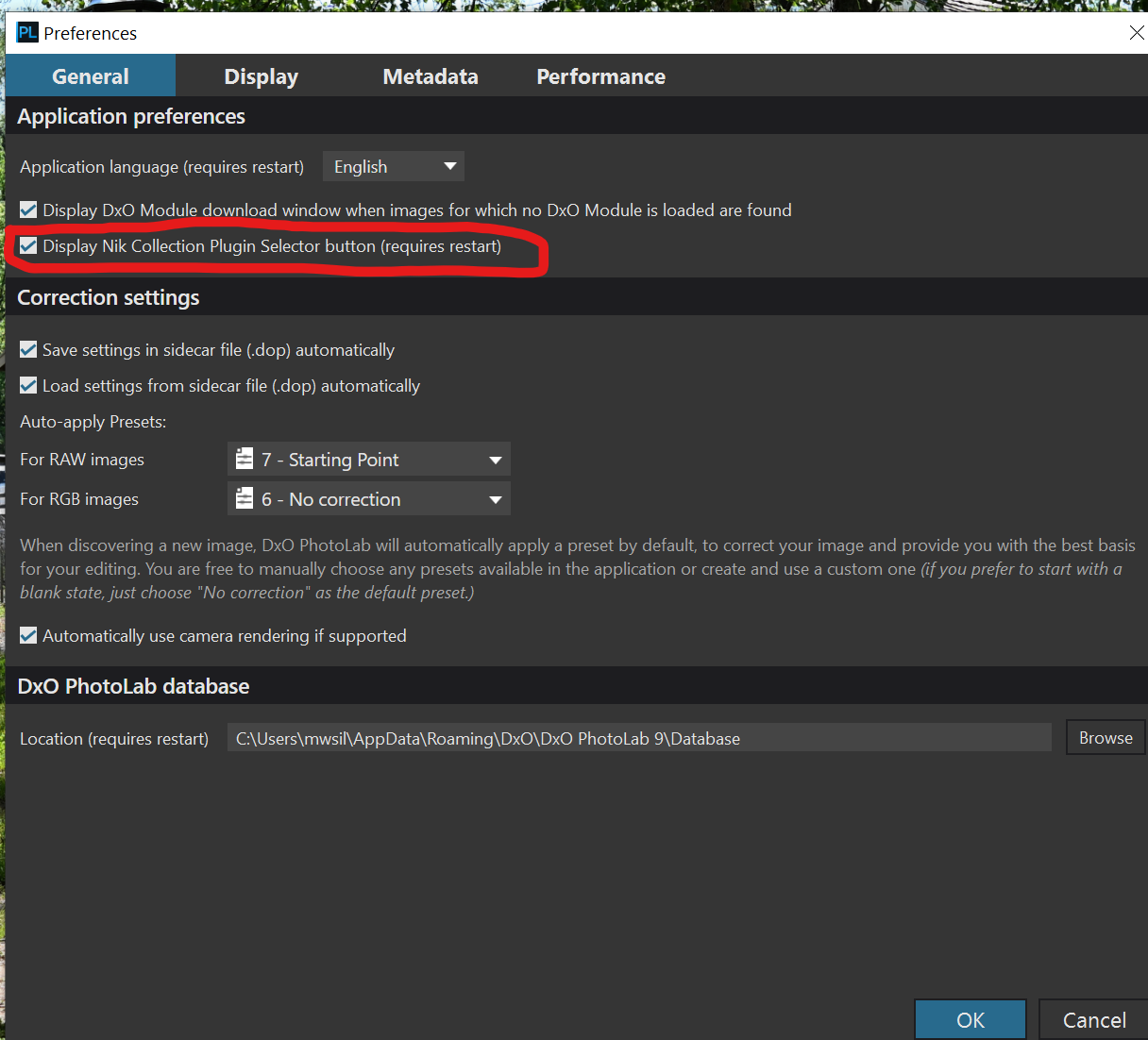
Thanks, Mark, yes, I see it in the PhotoLibrary now, but, before the latest update it was in the bottom right of the Customize panel. It was never in the upper right in the PhotoLibrary until the update.
I have used every version of PhotoLab since version 1. The Nik Collection button has been available in both the PhotoLibrary tab and Customize tab for years. Since you have been only using it in the Customize tab you probably overlooked it in PhotoLibrary.
Mark
1 Like