I’m downloading and installing PL9.3 as I write this. Not that I have had many problems with PL9 after upgrading GPU, but I know others have had their fair number of problems.
Release notes here: PL9_release-note_win_EN.pdf
I’m downloading and installing PL9.3 as I write this. Not that I have had many problems with PL9 after upgrading GPU, but I know others have had their fair number of problems.
Release notes here: PL9_release-note_win_EN.pdf
And now I have tried it on two photos. One of them with three Keyword AI masks and DeepPrime XD. Everything worked just perfect. Subjectively, I feel it worked quite a bit faster as well
Good stuff, will give it a blast
When exporting photos from PL9.3 as a jpeg, the image is distorted. It seems as if the geometry functions are not saved when the image is exported (MacOS). I had to revert from a backup to PL9.2
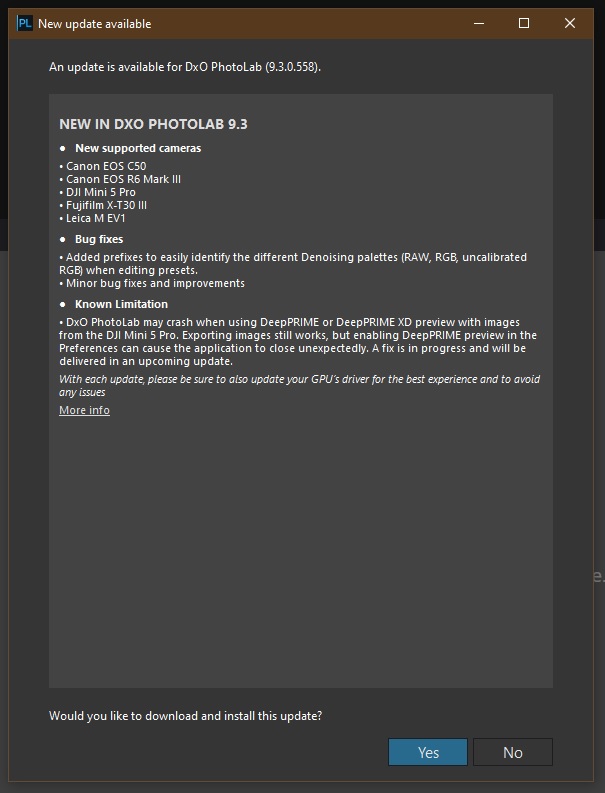
Can’t see any reference to 9.3 there, but there are some in the update prompt:
I had some serious performance issues in 9.2.1 - so much so that I downgraded my version.
Let’s see how 9.3 works out…
When I export jpegs (also MacOS) in version 9.3 pictures are visibly less sharp than in previous version. Nothing has changed with edit options.
Possibly Mac only (based on a test of one exported image from yesterday using 9.2 and another today using 9.3) - doesn’t seem to happen on Windows (to me.. so far..)
Starting to get a bit annoyed now at Photolab, it’s getting worse per patch. Still having problems with rendering, and now a lot of my images are looking awful? They seem like they are pixelated and not sharp. Think I’m going to have to roll it back. I’m on windows.
9.3 works nearly perfect to me, on win11
Tahoe 26.1 here on Mac Mini M4 Pro (24GB). Everything works like a charm.
I’ll run more tests to confirm:
Windows 11
EOS R6 Mark III. The DXO DNG (Denoise & Optical Corrections) are not exploitable:
Just checked few jpeg exports from PL9.3, PL9.2.1, and PL8.11/Win. No visible differences found.
If anyone has different experience, please provide samples, including the raw.
PL9.3 works with macOS Sonoma on a iMac that does not quite meet min. requirements. AI item detection is slooooww, but everything else seems to work as expected.
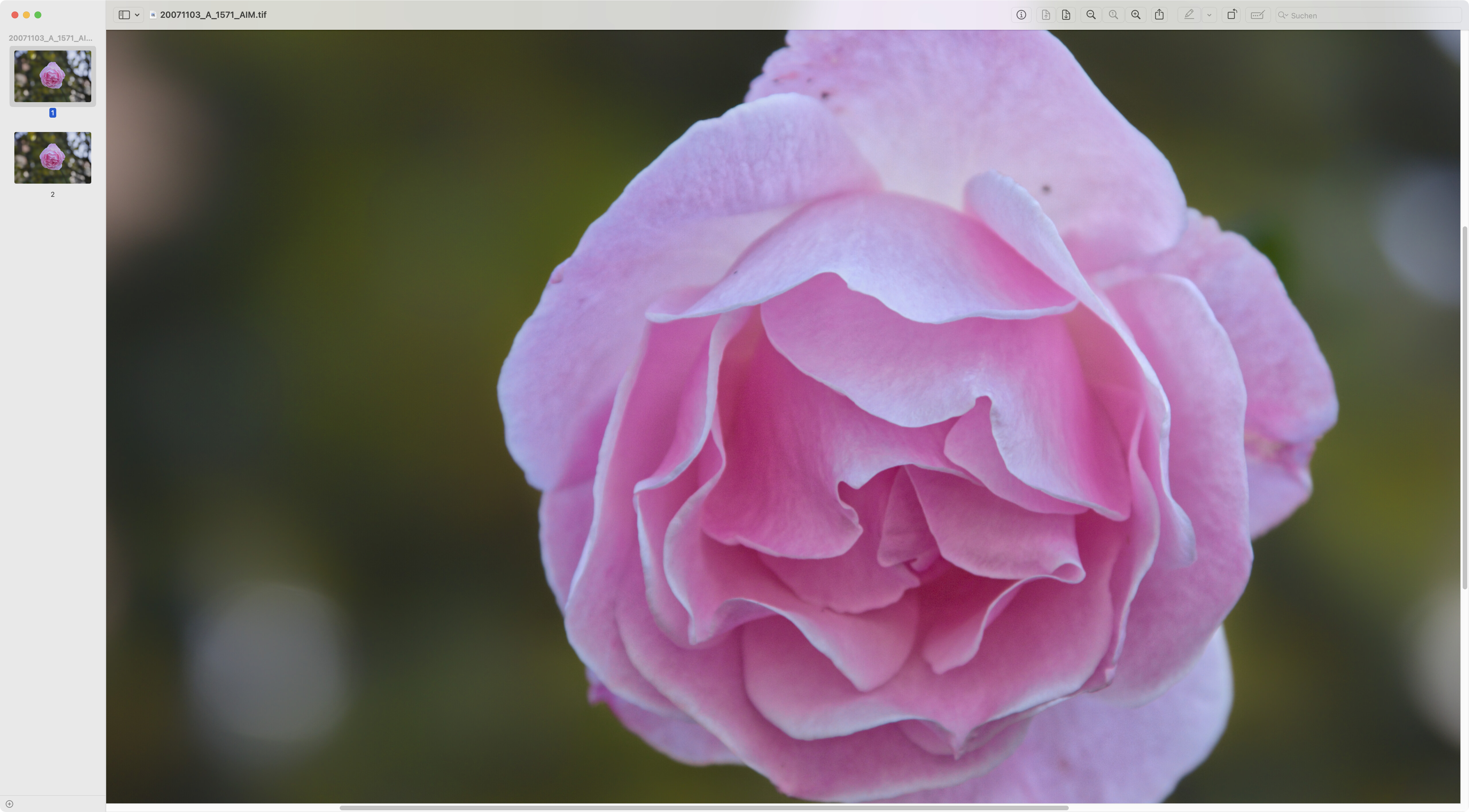
Screen capture at 100% of an exported TIFF showing a rose (detected by the AI “Find Flower” feature and an inverted AI “selected” mask for the background)
Yes! same for me and distortion correction seem inactive… in my case (macOS Sequoia).
EDIT: Color issues was user error - I unintentionally applied a preset without noticing. (Thanks history for proving that I’m the problem)
I haven’t exported any photos yet, but I’m already not thrilled with the update: Colors seem to be “off” compared to pre-update. I’m also noticing a significant delay in loading virgin photos when simply cropping, let alone when I have denoise enabled.
Win11
RTX 5070
32GB DDR5
Exports in TIFF format are noticeably less sharp with this latest version 9.3 (macOS Sequoia). However, geometric corrections work as expected.
Can you elaborate on that, providing examples and NVIDIA driver versions used?
NVIDIA Studio Driver v591.44
When getting an example, I realized I’m dumb and somehow unintentionally applied a different preset. What was once a well balanced skin tone turned orange - history showed that I changed presets (editing my original comment to correct my statement about colors). Still having an issue with delay when cropping (virgin or altered photos)
Not sure what you mean by that. How may I try to reproduce it?
Usually it’s enough to diminish saturation and perhaps increase luminance slightly in the Orange range, but for islanders, treated daily by large doses of ocean wind and spirit, you may correct the hue range towards the Reds 
There is definitely a problem - my exported images are not sharp at all when compared to those from 9.2.1.
Really strange that DxO seems incapable of new releases that don’t break basic functionality.
I will stick with 9.2.1 for now.