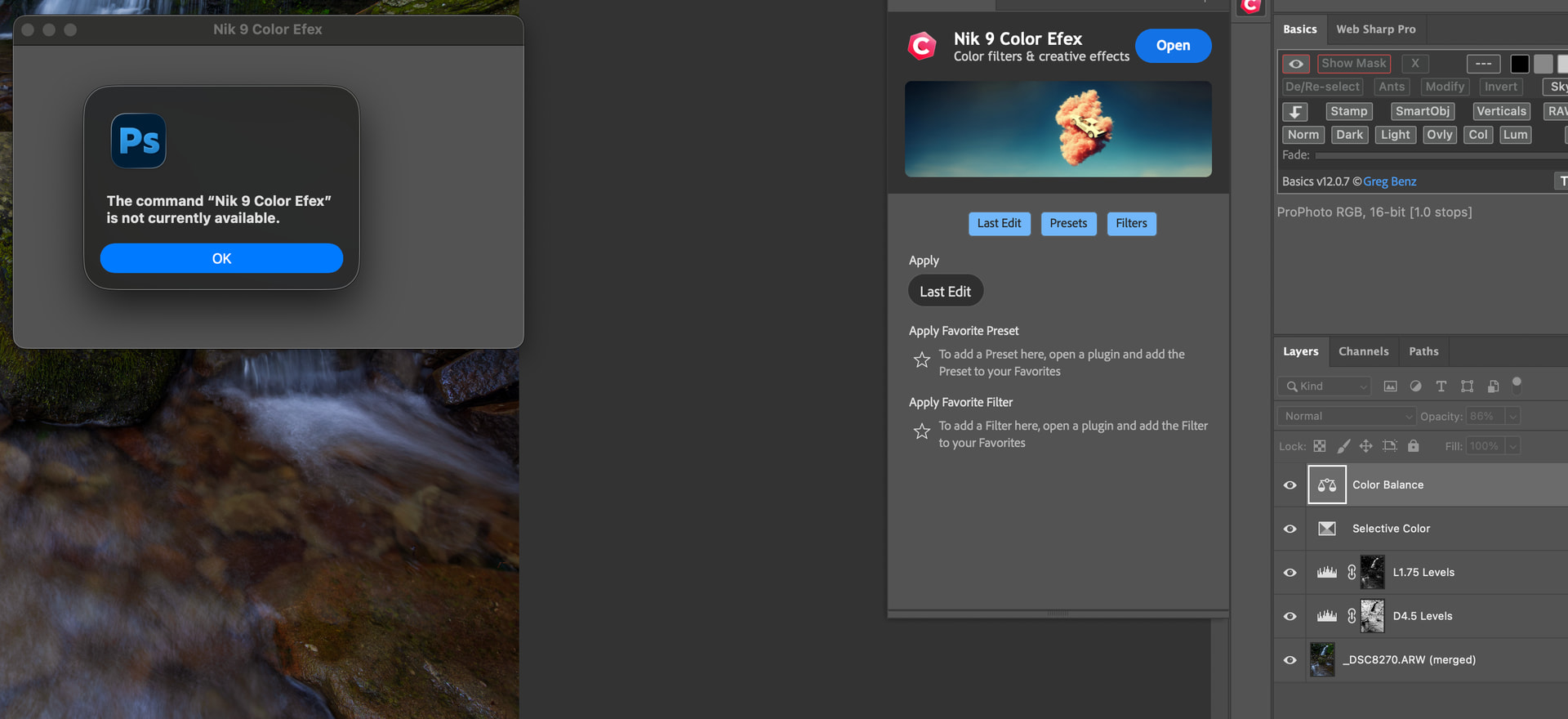
Hi, running version 9.1 on my Mac Studio running Mac OS 26 and PS version 27.9.1 - when I add a few layers to my edit - as seen in the screenshot - I try to run NIK v9 and get this error below -it doesn’t matter if I chose to select the two layer in the Nik dialog box that comes up - I still get this error - If I use nik from the start it seems to work - I will say I have always used it like I do in the screen shot and it had always worked up till now - is there a NIK v9.1.x that we are waiting for?
I had the same problem on my Mac Mini M4 Pro with Mac OS 26 and PS version 27.9.1. I tried uninstalling and reinstalling Nik 9.1 but I was having the same problem with Nik and other plug ins that I use. So to fix the problem I went back to the previous version of Photoshop to version 27.8 and the problem is gone. The problem is with Adobe not Dxo. I hope this will help you.
Thanks - I was excited to see that PS just got updated yesterday - but then I realized its 27.9.1 - I assume we will have to wait for another PS to hope if fixes the issue then…..