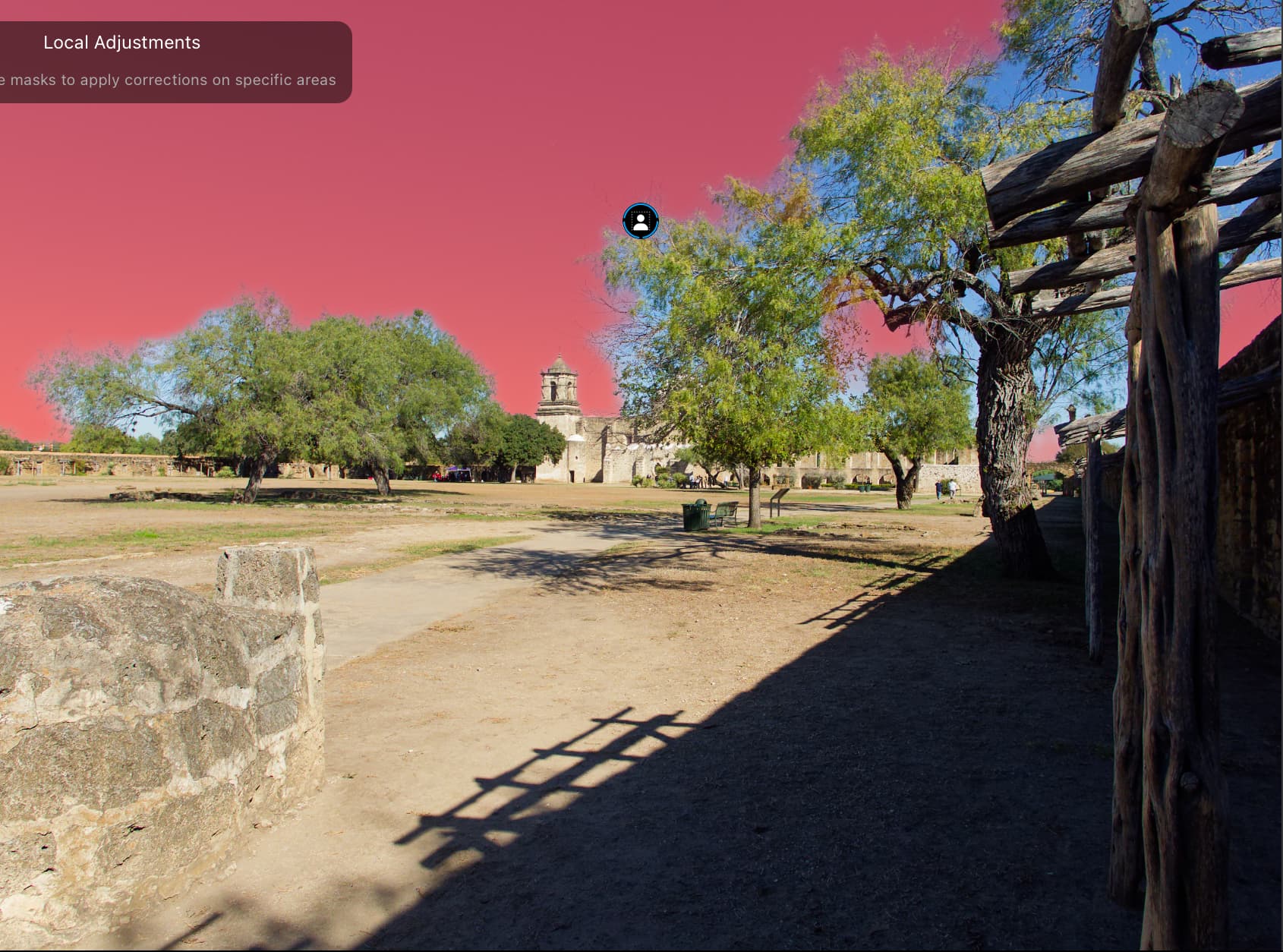
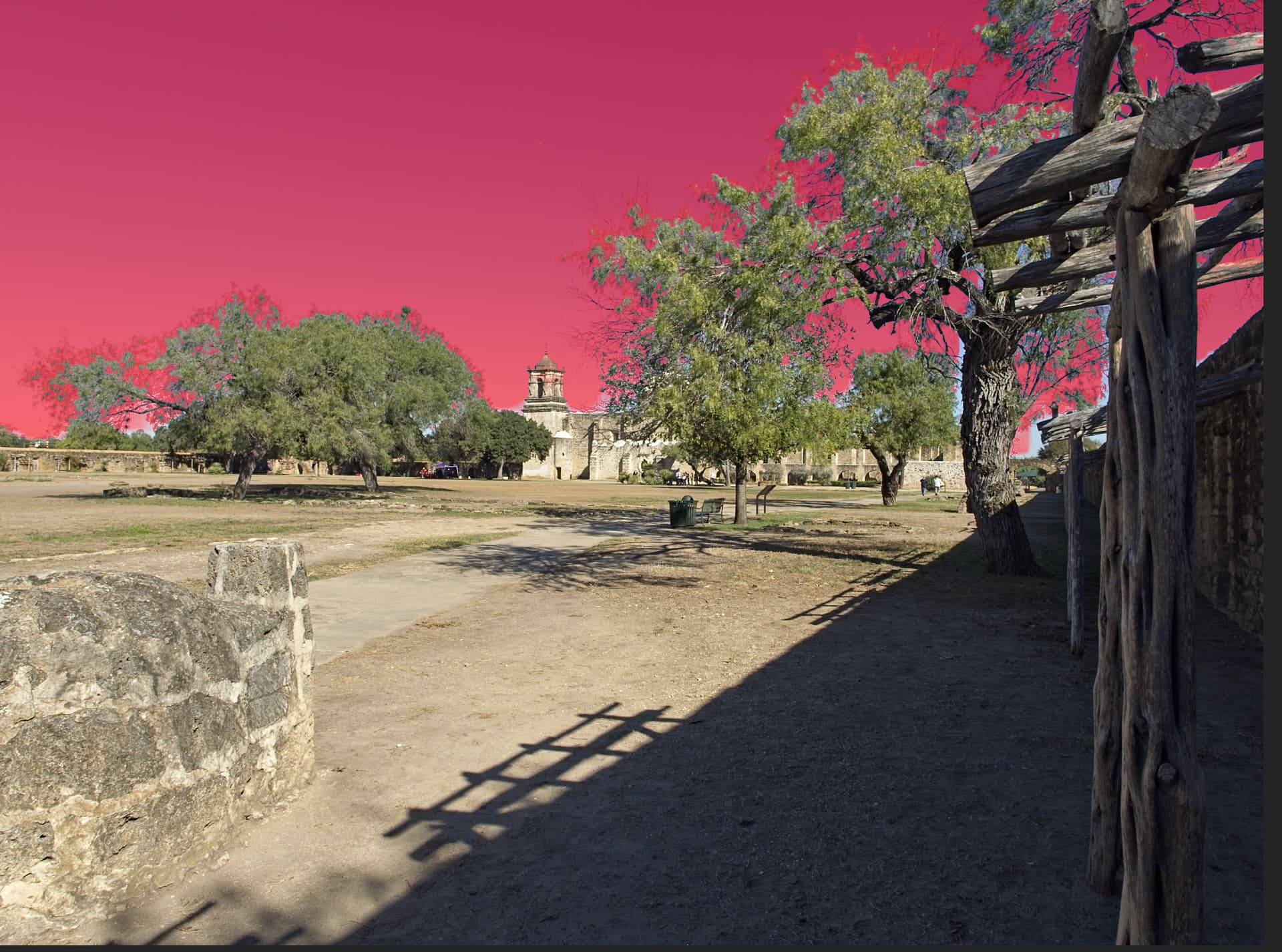
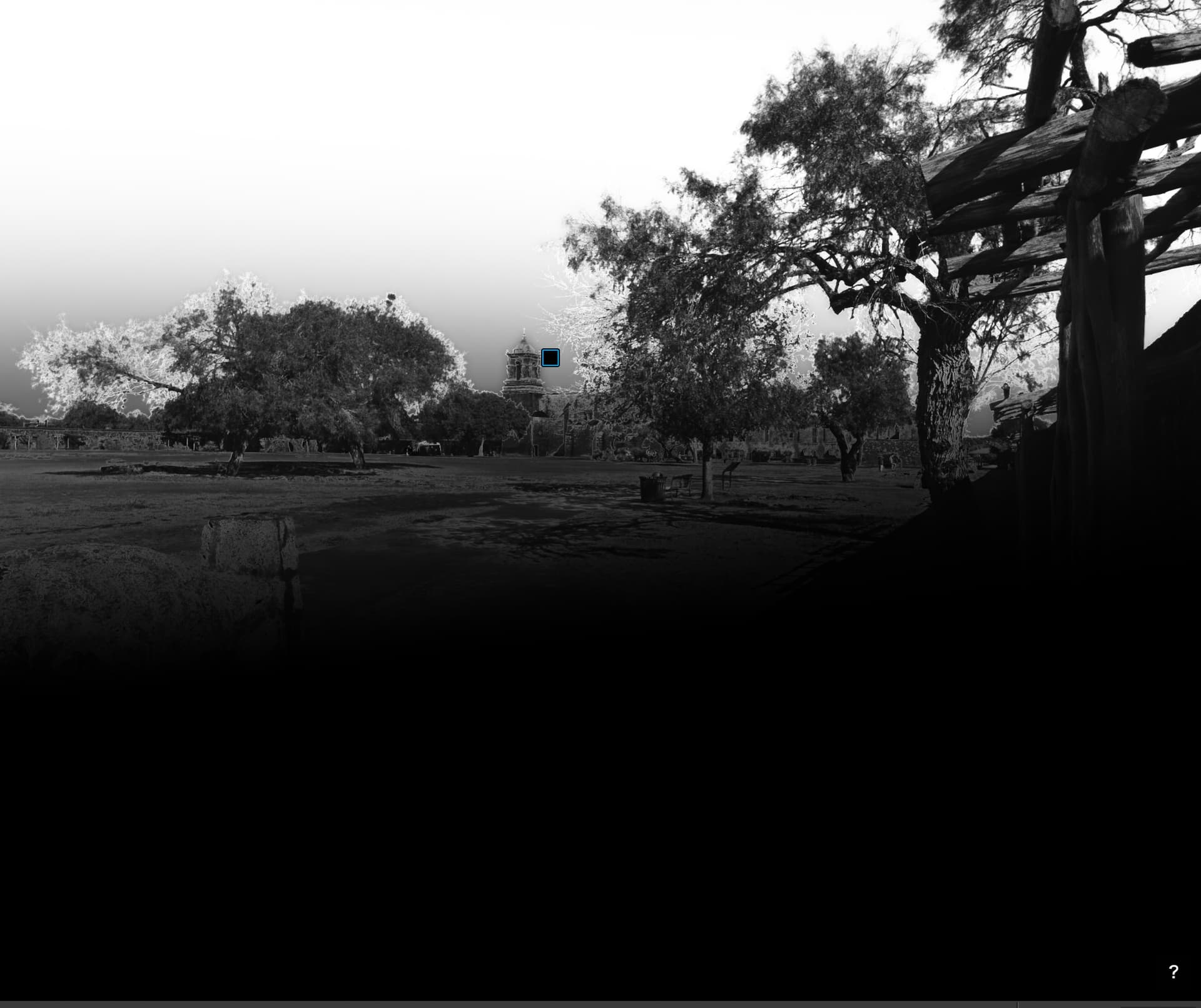
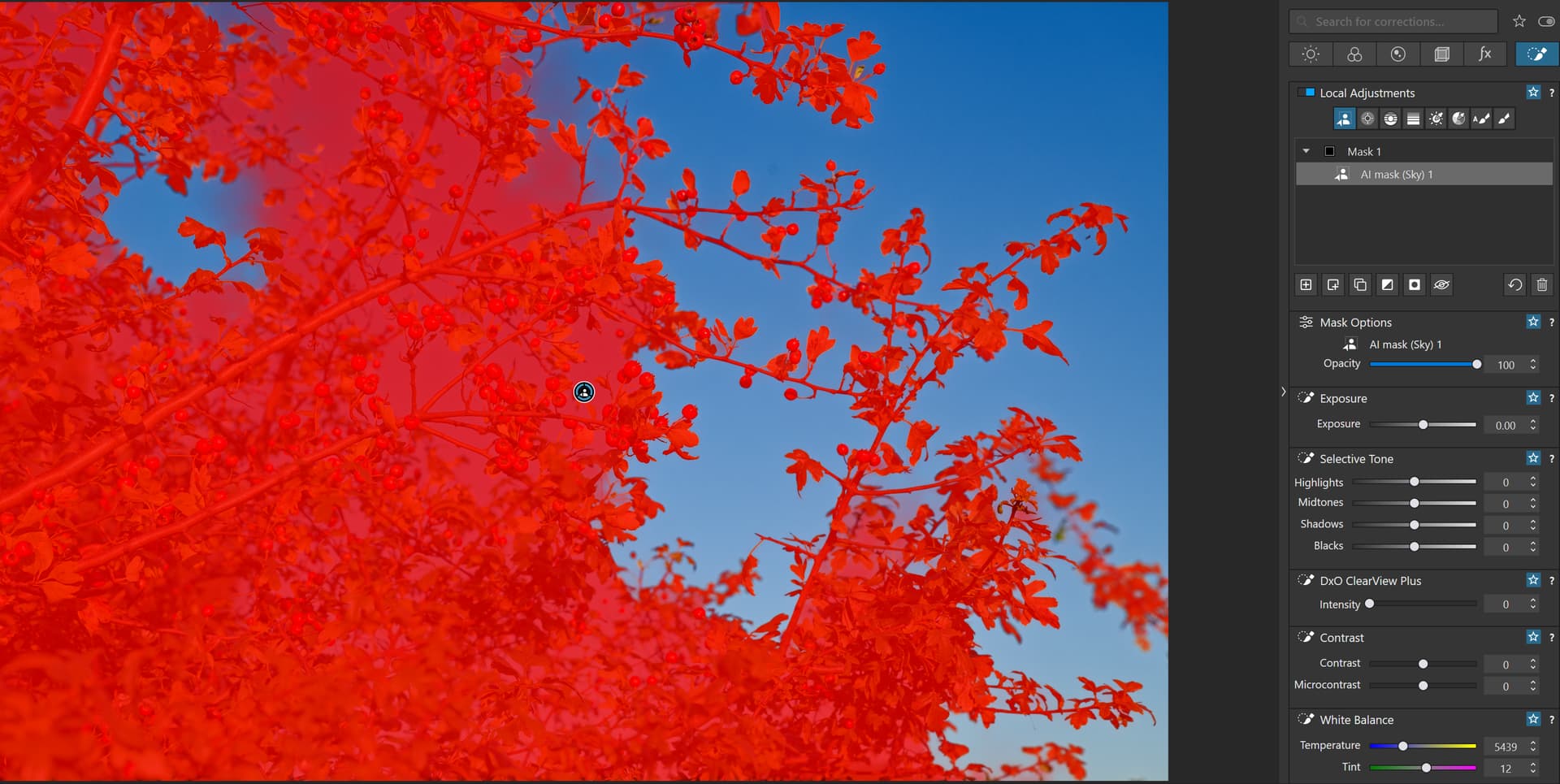
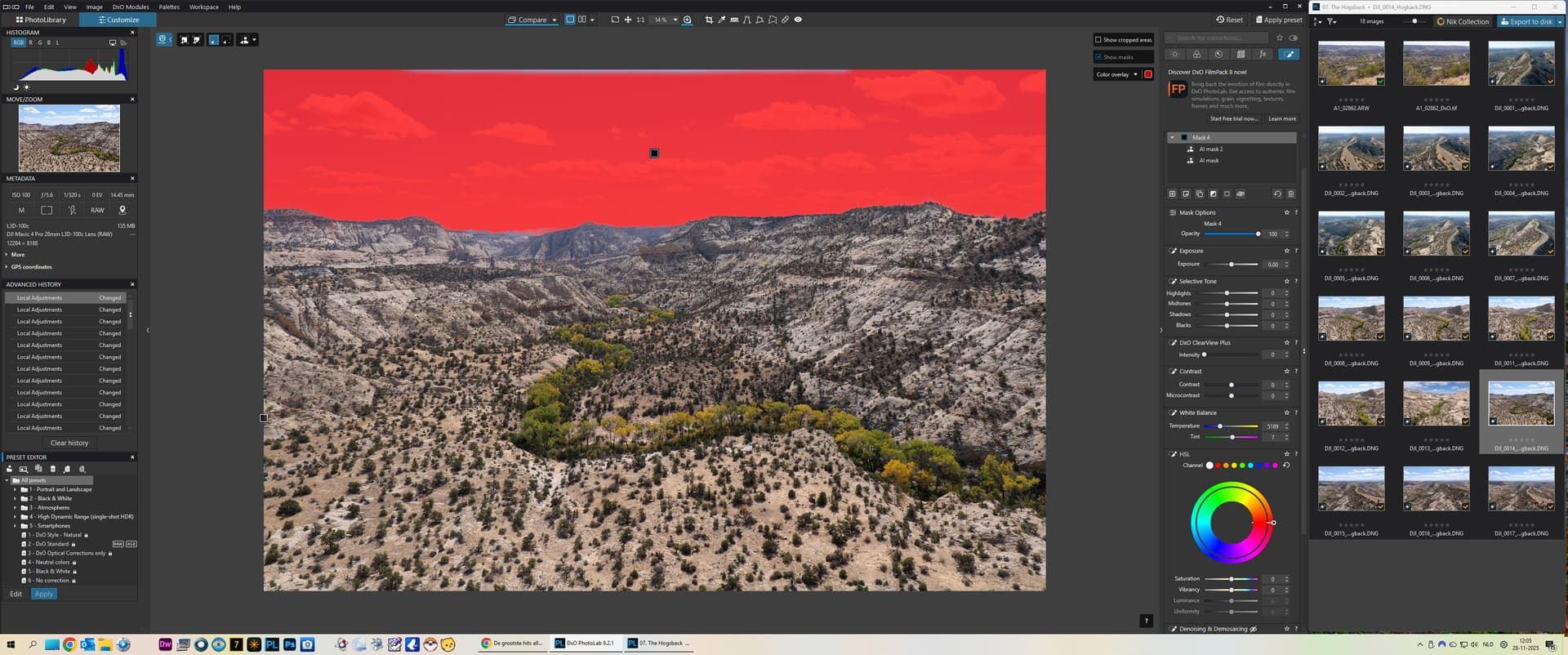
I am trialing PL9 and am really surprised at how bad some of the masking is. While the object stuff seems OK the attempts to mask the sky have just given pitiful results with huge halos around the tree branches and large areas completely left out. I had expected better from Dxo, especially considering how helpful some of the other commercial masking tools are in using AI.
The only bright spot in this is that I was able to use the tone masking to improve the mask, but I can not believe how poor some of this assisted masking turned out to be.
I skipped PL8 because I did not see anything that was worth the upgrade for me and I will probably upgrade to PL9 because I will lose the ability to upgrade if I wait for PL10, but I am really disappointed.
See the screenshots below. One is from PL9 and the other is from On1 Photo Raw. The second is not perfect, but it is far and away better than the one from PhotoLab 9.
This has been brought up a few times since PL9 was released. The new AI masks are sometimes very thorough, but in general are not going to make other masking tools obsolete. We will often need to combine them with other tools using the new submask feature - or skip them altogether. In my experience, Control Lines are a much better way to mask sky when there are complex objects like trees present. Have you tried that approach?
You may also take a look at https://www.youtube.com/watch?v=z63uPh2h6o8 (Recreating Each of Adobe Lightroom’s A.I. Masks in DXO Photolab - InDepth Tutorial) by Andy Hutchinson, e.g. “Sky Mask” section at 08:35. The tutorial is dated July 2025, so before PL9 arrived.
If you have Capture One or Affinity Photo, you may try to use their AI masks on the sky with trees You’ll see that AI masks are still not the best tool for this kind of selection. There are not too many cases in general yet where they work fine, without having to fine-tune them patiently.
When I saw how bad the sky mask was I turned to the hue mask and that worked almost perfectly for that photo, but that is only because the sky was cloudless and almost the same shade of blue throughout. When I tried it on another image with clouds the results were poor in both cases.
I have tried the submask and that is definitely a help, but the lack of PL’s ability to properly mask a sky is disappointing. Especially because other software like On1 Photo Raw does a much better job and I have always thought of PhotoLab as being better than most other photo software, with the exception of CaptureOne which I also consider to be first class.
Of course PL’s masking is better than CaptureOne’s (or so the CO trial tells me) but it is sadly behind other software.
Exactly,
The AI masking is great for certain things, but for skies I still use the control line as it’s better to my eye’s nearly 100% of the time. Selecting something using the rectangular AI object selection though… That’s great!
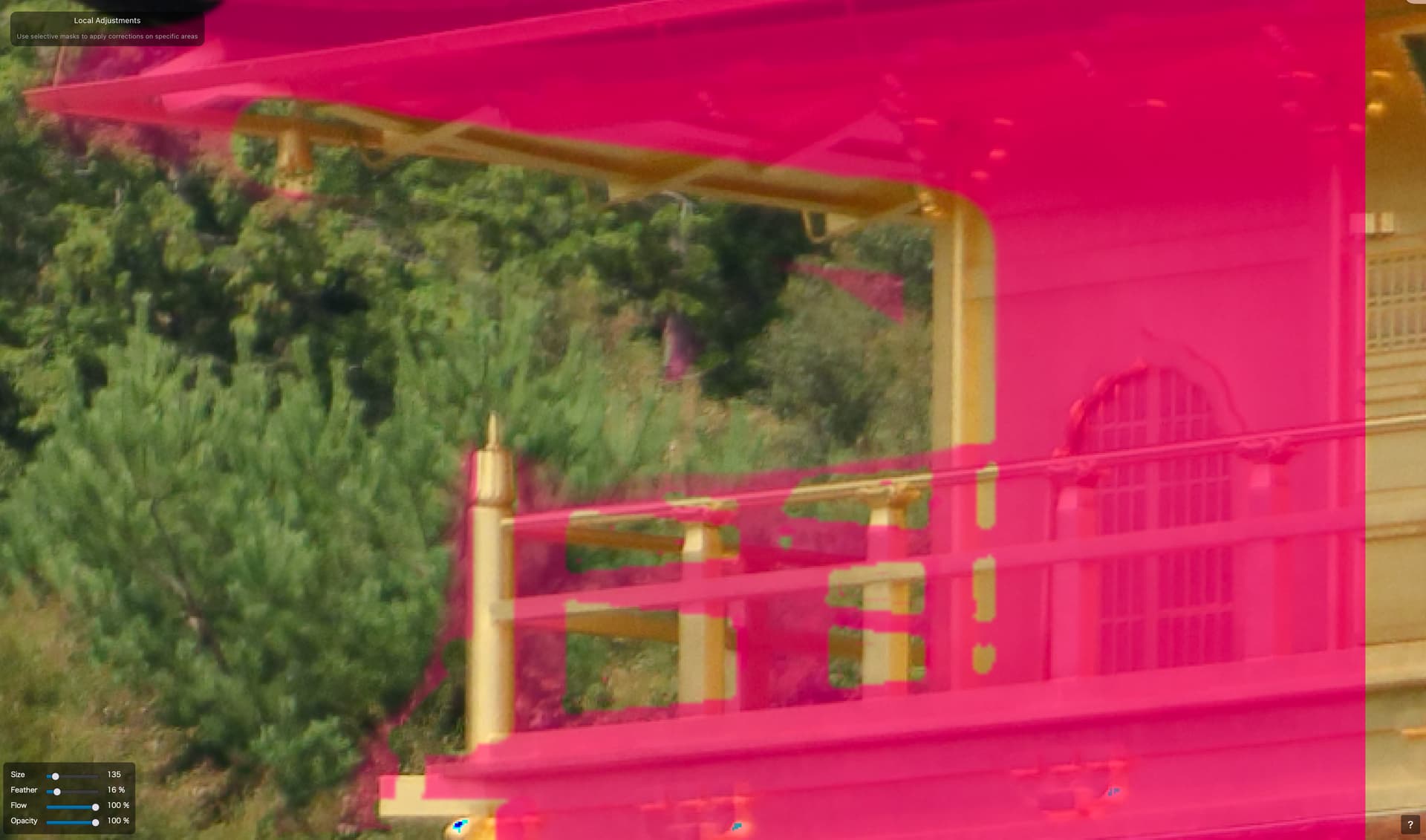
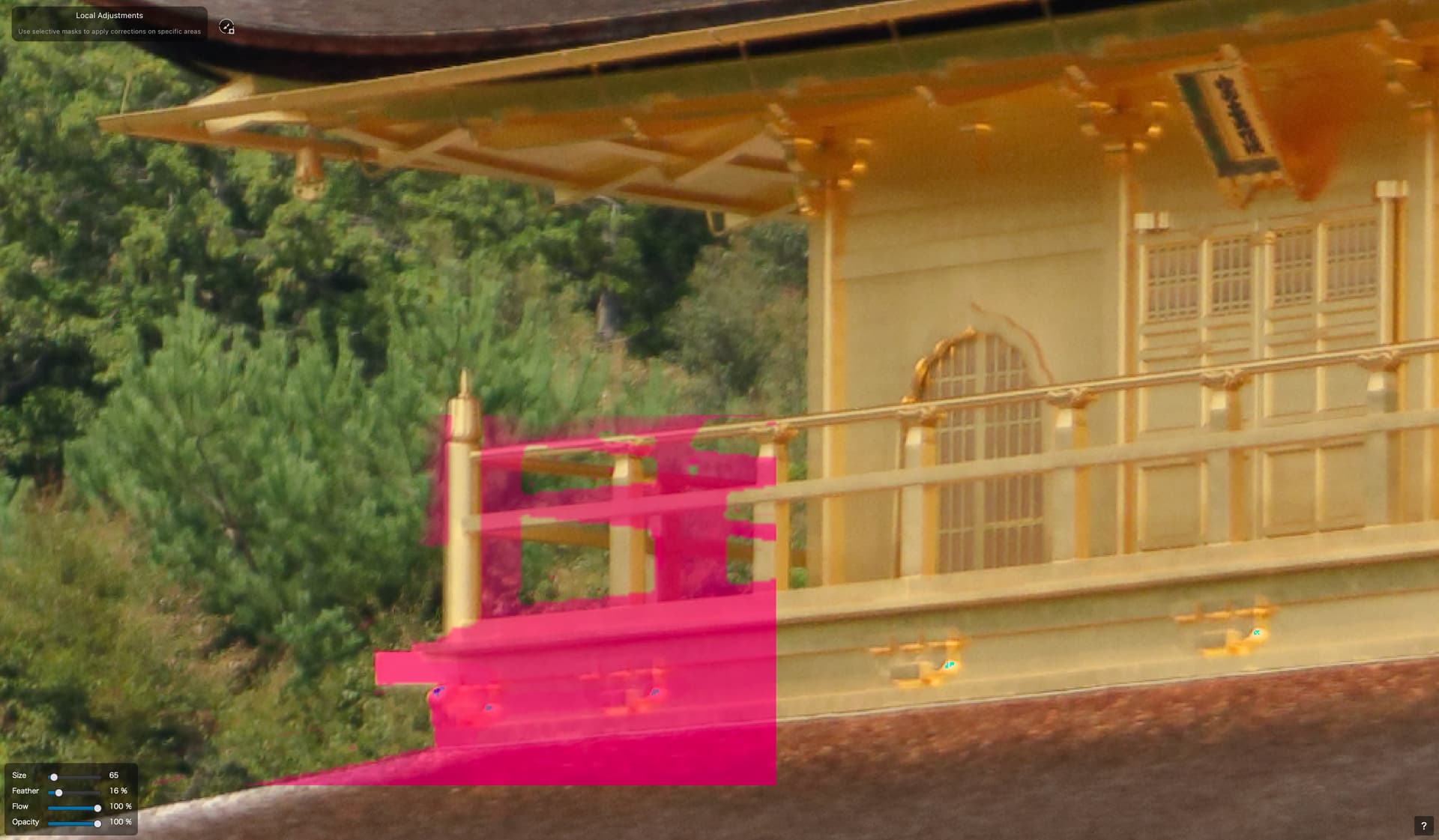
I had painstakingly brushed out the areas of foliage between the railings. While brushing, I did notice the brush seemed to be behaving oddly. It was affecting an area significantly larger than the brush circle indicated. But I persevered.
For what? This horrible mess! I’ve zoomed in and out and panned and all my other brushwork is as I would expect. Just this bit… the fiddliest bit… is all screwed up. It’s not like I can use the AI tools to reselect those bits, either.
Oh, and selecting by colour is not a terrible option, but there are other things in the image that fall in the same tonal range that I do not want in the mask.
Note, also, the failure to render part of the mask on the right hand side. This is also a regular pain when working on masks.
I have tried the control lines and while they gave me a better result in some photos they still had their issues. I have attached a B&W mask image and you can see that while it covered more of the sky it also included parts of the branches of the trees. The halo around the trees should not exist.
As I tried to explain in my earlier posts it is not so much that there are not other ways to do the masking. It is rather that the sky mask, which should be perhaps one of the easiest mask because it generally contains similar hues, had really poor results. Yes, I can use the hue mask, or yes, I can use the control lines, or yes, I can use multiple control points (as I have in the past). It is just that the mask produced by the sky control is just so poor, and for me that is one of the most common masks I use.
That is very kind of you, but it is not that I can not get the area masked using other methods. It is just that what is supposed to be the proper way to mask the sky just does a terrible job on some of my photos. Actually on most of. the photos I have tried it on.
As I said I can use other methods, and some of them do a decent job. It is just that PhotoLab, which I think is generally considered one of the top photo editing workflow tools, just could not seem to get the sky masking to work properly.
As it is now I just use another method like the hue mask, or send the image to another editor or workflow tool to do the masking and sky adjustment and then return it. That works, but I should not have to do that.
I am a long time user of Dxo’s photo editing tools going back to the early years of Optics Pro and I consider PhotoLab to be the easiest workflow tool for me to use, but that does not prevent me from seeing some of its failures.
I have my concerns too. I would only upgrade from version 8 because of the AI masking, especially skies. I have asked for a few new options, having the ability to use the folders list also in the “Customize” section (I do a lot of stacks and stitches) and a better way to use two monitors. That would make me upgrade too.