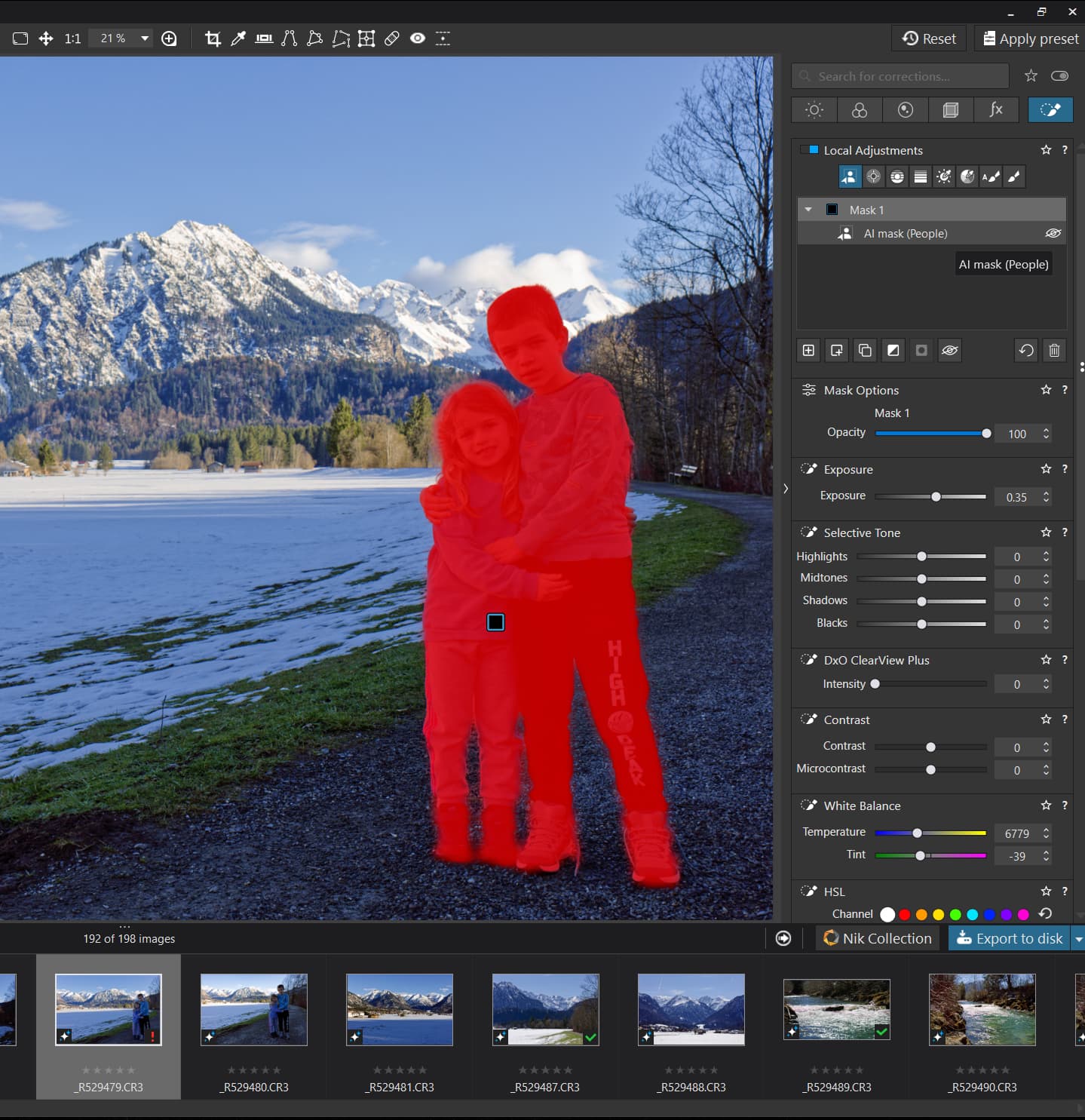
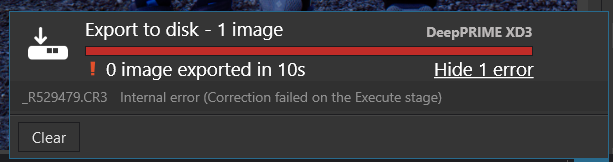
Photolab Latest Update Unusable Due to Constant Crashes (Win 11)

I updated to the latest version of Photolab 9, and now I can barely use it. I actually subscribed to Lightroom today because of it.

I am getting crashes over and over, especially after using denoising. Windows Security sent a popup about some PL feature or other being blocked because it wasn’t trustworthy. I changed my Nvidia driver, increased my cache size, and tried all the other tricks that are supposed to fix this buggy update, and nothing works.

Is DxO working on this or not?

I’m not going to keep making changes to my PC to make one program work. Programs are supposed to be made to work with hardware, not the other way around.

Sorry to hear that. I hope you enjoy Lightroom. But if you want to work on getting PhotoLab 9.5 to work correctly, you’ll need to provide more information here or to DxO support, since not everyone is having the problems you are. Let us know your computer specs (CPU, RAM, video card, driver version) and what version of denoising you’re trying to use. A sample RAW image file might help, too. What error messages are you seeing, exactly? Hopefully, from that info we can suggest what might be going wrong.

Please be aware, there have been several inflammatory new-topic posts to this forum recently by new users that don’t appear to be real. For this reason, if you don’t post a reply soon I will flag your post for review by DxO staff. Please don’t take this personally. None of us here are DxO employees. We want to be helpful.

3 Likes

I’ve never, ever, seen an error like that with any version of Photolab or its predecessor, Optics Pro.

You are using a genuine DxO installer, i.e. one downloaded from the DxO website or did you get your version from a third party website?

1 Like

@Egregius Are you taking bets on whether this is real or a “pigment” of someone’s imagination, i.e. a “hatched” job!?

@Canon_Fodder I would like to be proven wrong?

It depends on if you have submitted a support ticket and supplied them with needed logs.

Feel free to attach additional details such as versions of OS, App, drivers etc and perhaps we could help out in finding what might be the root cause for this.

I would guess that the new users who are complaining are new because, like me, they had a sudden problem with Photolab and joined the forum seeking help. Any new problem with a product is going to drive new people to join related forums.

“Inflammatory” lies in the eye of the beholder. I haven’t said anything a reasonable person would consider inflammatory.

I have had Photolab for two months, and it ran fine until I received the update. It gave me Windows Security warnings which appear to have ceased. It also crashed repeatedly, especially when using denoising. A number of times, the entire monitor screen has gone completely black, and I had to bang on the keys until I could get a screen that allowed me to sign out of Windows.

I notice that there was a long thread last year from beta users, having what look like similar problems.

I tried a number of suggestions to fix Photolab, but as of the time I posted here, nothing had worked, and I was fed up. I assumed DxO had employees monitoring this forum, as is customary with corporate forums, and I also thought there had to be other people who had posted about similar issues and received responses, so this is where I came.

Yesterday on the DxO site, after coming here, I found a suggestion about changing the settings on my swap file, so I did that last night, and since then, I have not had any problems. I don’t know if this is a permanent fix or not.

As for Lightroom, I chose Photolab over it because it seemed to me that Photolab was generally superior, and the difference in noise reduction tools was extreme, so Photolab would allow me to shoot at higher ISO’s. I was considering adding Lightroom because it appears to do a much better job with skin problems, and I regularly photograph someone who has been having breakouts. When Photolab started driving me crazy, it gave me added motivation to add Lightroom, since I didn’t know when the Photolab bugs would be fixed.

Now I am planning to use one program for skin and the other for everything else.
We will do our best to help, but to do so, as already requested, please can you gives full details of your hardware, or at the very least, details of the graphics card in your PC. Photolab 9 is very, very, GPU hungry. Most problems with PL9 stem from too lowly a graphics card.

As I’ve already posted, that’s really odd. I’ve never seen anything like that. You should report that to DxO via this page:
https://support.dxo.com/hc/en-us/requests/new

I thought it was odd, too.

I don’t know if I will need more help, but here is the copy from the computer’s Best Buy ad: “ASUS - ROG GM700 Gaming Desktop - AMD Ryzen 7 8700F - 32GB Memory - NVIDIA GeForce RTX 5060Ti 16GB - 1TB SSD.”

Try latest Capture One FaceRetouch for that purpose – it does a quick and good job imho. I use it sometimes on TIFFs exported from PL for final retouch. For taming harsh light on the skin, I prefer to use PL Microcontrast, Fine-contrast, etc. It works better for me than C1 tools. LR can produce harsh color transitions but that depends on camera/profile used, and it may suffice for lower resolutions.

What was the message in the warnings?
IIRC, I had one warning more than a year ago, complaining about some PL DLL. It turned out to be a false alarm caused by Windows security misinterpreting some binhex64 encoded data in DLL. No such problems since then on Win 11 pro, usually with the latest patches (and all security features enabled).

Search Internet for possible ASUS issues. IIRC, people had to disable some service or component provided by ASUS.

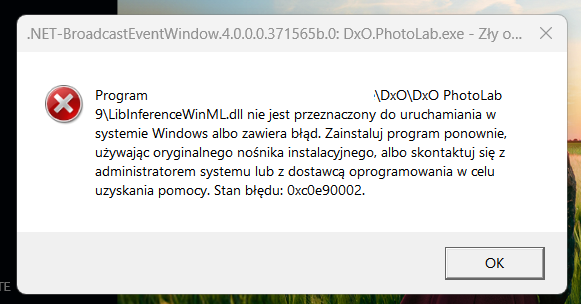
I can’t run Photolab 9.5 after update from 9.4 (Windows 11).

I have error at first start.

“The file \DxO\DxO PhotoLab 9\LibInferenceWinML.dll is not intended to run on Windows or contains an error. Reinstall the program using the original installation media, or contact your system administrator or software vendor for assistance. Error status: 0xc0e90002.”

DxO crashes every time on start.

I unistalled that version and installed again. No result.

I sent crash reports to DxO.

I came back to previous version.

Hmm, that ought to be more than enough for PL but there is a known issue with RTX *60 models, see the note in this post from DxO:
https://forum.dxo.com/t/important-notice-some-nvidia-drivers-windows-are-causing-problem-to-ai-masks-in-photolab-9/

1 Like

As I said, please don’t take what I wrote personally. It was in reference to prior new topics that turned out to be wild goose chases. You’ve demonstrated that you’re a real person describing a real problem and have been very rational about it. Thank you! I found what you said to be very informative and interesting.

I’m glad you found a probable cause in your swap configuration. That’s a relatively easy fix, albeit a frustrating one that shows how complex software systems can be. We don’t want to have to work “under the hood” as computer users, but sometimes we have to.

With an incoming blizzard giving me some extra free time today and tomorrow, I’m about to put PL9.5 to the test with my own photos. Hopefully I won’t experience any new problems like you did.

1 Like

Its not uncommon message during/after install apps in Windows, and especially newly installed apps in starting - and can be a tons of reasons for that. I think it high chance nothing about DxO. Try to turn off Antivirus, firewall, but high chance its Windows built-in protection the cause - like Windows Smart Control try to prevent to use the file - try disable / setup something like: Intelligent Application handling and similar. May also group policy / security can be a reason, etc.

Try setting your page swap file size to auto. Fast and easy. Can’t swear it works yet.

Thank you. I unistall 9.4 version and turn off firewall and some scurity. Then I install 9.5 and now works.

2 Likes