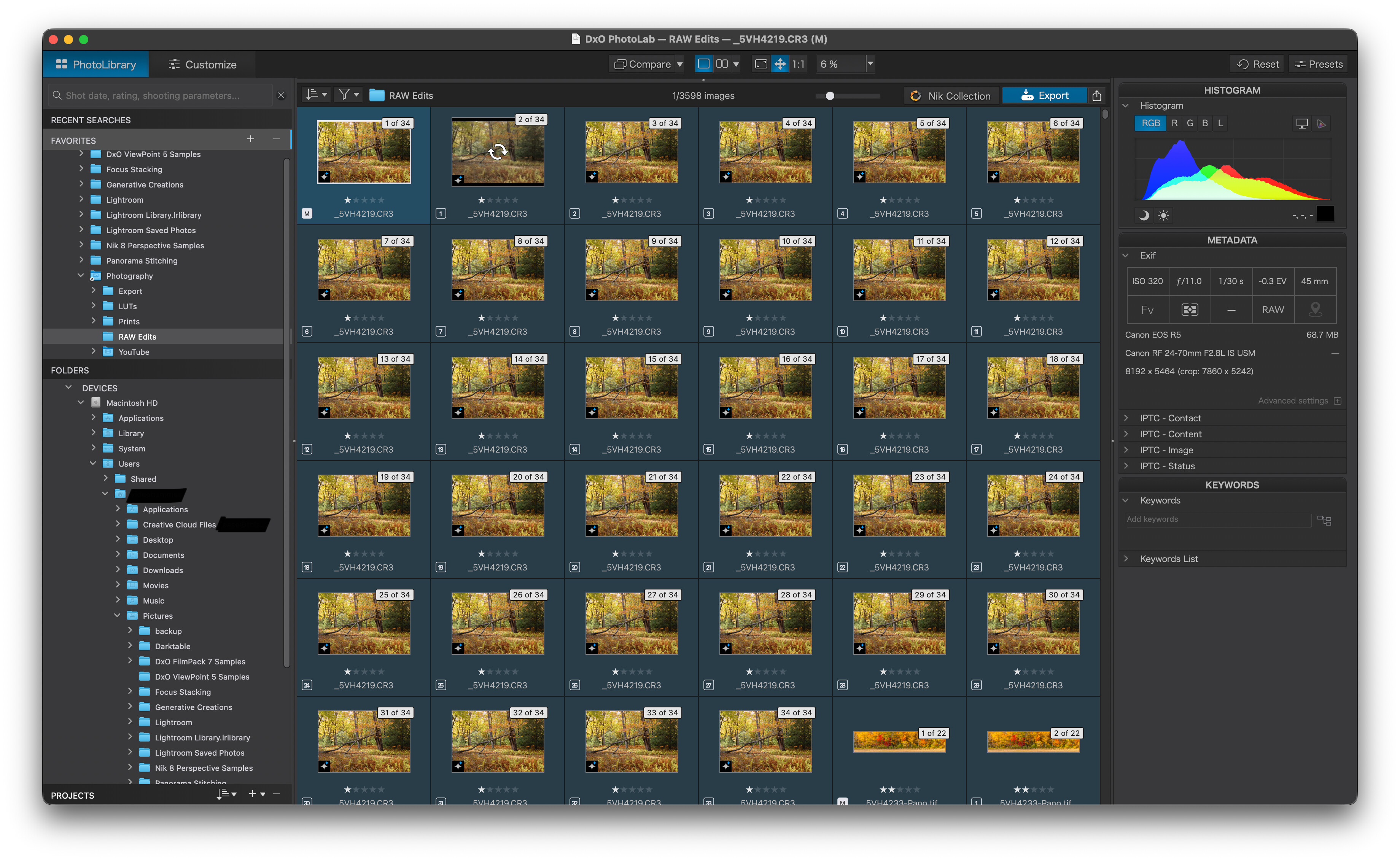
Opened up photolab today and my modest catalog (around 300 images) bloated to 3,000+ with a bunch of virtual photos in stacks? Program is unresponsive. I tried a reinstall but same thing. I attached a screenshot.
Welcome to the DxO USER forum, Rob …
Wow ! – It’s no consolation, but; I’ve never seen or heard of that behaviour before (?)
I can offer, tho, a process to help you clean-up the mess:
-
Select ALL images …
-
Right-Click (to invoke the context-sensitive menu) and select “Remove Stack” … This is necessary to enable the next step.
-
Use the Sort Images option (at top left of Image Browser) and select to sort by Virtual Copy Number
-
As a result of this sort order, all your (M)aster images will be grouped together, followed by all the VCs …
-
Select ALL VCs (but NOT the Master versions, of course) and press Shift-Delete to remove all the VCs
Note: These key-strokes are relevant to the Win version of PL - - I’m not sure about the Mac equivalents (but the sort by Virtual Copy Number may not be available for Mac)
- Don’t forget to reset your Sort order once you’ve finished.
@robgunnatkin , @John-M ‘s method is unavailable in PL on macOS (no sort by VC) and an alternative way can be chosen to get rid of the zillion copies. Read the whole post before doing anything.
I’d proceed along the following lines:
- in PL, select a folder that has no images, then quit PL
- duplicate the photo archive and remove all .dop files from it
- reopen PL, select the new, copied photo archive and have PL index it - and the VCs should be gone.
CAVEAT: Doing the above rids your photos of all things you did to them in PL, e.g. ratings, keywords, edits etc. If you want all such info to be preserved, select your original folder(s) and remove the VCs manually.
I ended up manually going through and deleting the duplicated virtual copies in stacks. It took me over an hour of tedious clicking. I did it this way because I do have important images with virtual copies and stacks I wanted to keep.
Luckily my library was on the small side and hopefully a bug like this is fixed or doesn’t happen to me again.
Assuming you didn’t “hit the wrong button” or some such user error that caused all these VCs to be created, you should also report this as a bug to DxO, in case there’s something they need to address in the software.