The Photolab 9 manual indicates file support for HEIF (heic) files, but none of mine are viewable. This is not a workflow stopper for me because I shoot in raw, but create a subset of photos to put in iCloud for convenient viewing after they are edited. I take the export (TIFF) from PL9 and convert to HEIC using Graphic Converter (12), then import into my iCloud catalog. HEIC keeps the file size minimized and offers better (10 bit) color than Jpeg. Keeping the actual raw files in iCloud would be a failed “IQ” test, not only due to size, but bc Apple still refuses to render Fuji Compressed raw. So, it would just be “nice” if I could still view those files in PL9 when looking through the Photo Library folders of those I have done conversion on. Is this a bug, or am I missing some documentation explaining WHICH HEIC files are supported? The error message is: “The operation could not be completed. In block load, In block operator () (the file referenced) in Block MainImagein Block LoadDXOImage {path reference] [fmt=HEIC] Cannot load image data. File is damaged or not supported” thanks if anyone can explain this…gary
I’ve got no problem viewing/editing HEIC files produced on the iPhone with DxO PL 9.3.1. Perhaps the Graphic Converter app is producing non-standard HEIC files?
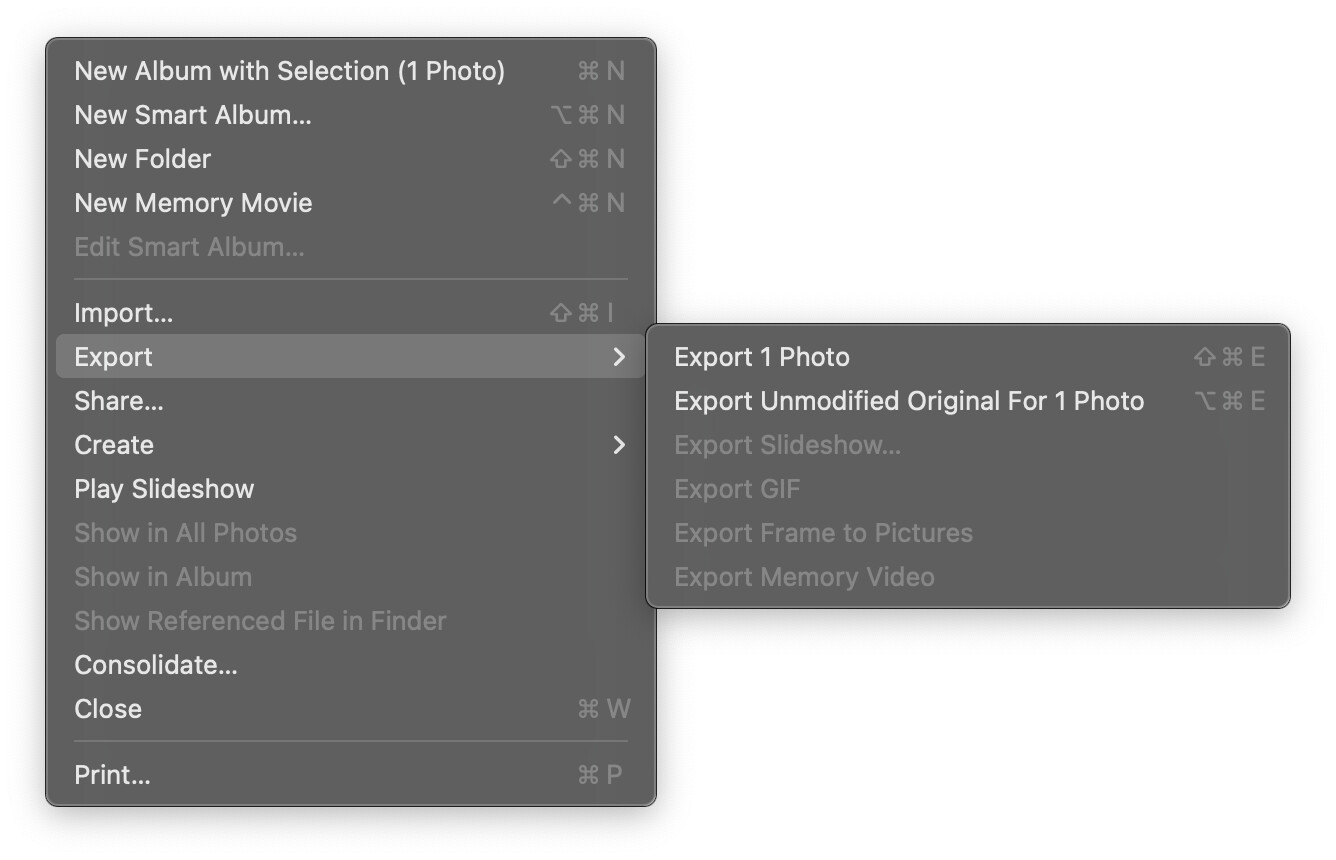
I sometimes export iPhone RAW files out of Photos. When PL 9 came out I tried some of those but couldn’t open them. Some research resulted in the knowledge that instead of a vanilla export the “Export Unmodified Original” must be used. Those iPhone RAW files can then be opened by PL 9. Perhaps Graphic Converter has a similar command?
So that is correct, that HEIC files directly FROM the iPhone are indeed seen by PL9. Since I don’t actually capture iPhone photos in HEIC, but instead shoot Pro Raw…I was unaware until you posted this. I have no intention of wasting detail by actually shooting in HEIC, so I’ll need to investigate why files converted by other software are not compatible….thanks
The only files supported are:
- Those from supported camera/lens combos, and
- TIFF and JPEG.
You may think you read about HEIF and DNG support, but those are qualified. HEIF must be original from supported phones, DNG must be original from supported camera/lens combo or created from a supported camera/lens RAW file by Adobe DNG Converter (also Lightroom and Photoshop as they use the same engine).
Okay thanks. That saves me a bit of investigative effort. So it clearly IS a DxO issue, but since I am not processing HEIF files, but rather just viewing them after conversion it is only a minor inconvenience. I have very few of these anyway in the totality of files seen by DxO. The only ones that are there were converted from old film scans. Nothing taken digitally was captured in HEIC, but I did configure my iPhone to capture a couple test photos in HEIC (before switching back to Pro Raw)..and those did appear as normal in PL9. So…thanks again for the clarification…gary