Is the most current 595.79, as advised by Andy Hutchinson?
Yes, it is the NVIDIA-driver 595.79 (Studio).
I just checked again the difference in export times between PL 9.5 and PL 9.6. with the St. Pancras image (PL 9.5 w/ X2Ds, PL 9.6 w/ X3D, all AI-masks activated).
PL 9.5: 145s; PL9.6: 35s.
–> Export acceleration in PL 9.6 by a factor of approx. 4 - that’s really great.
In my experience XD3 has significantly more fine detail than DP3 but DP3’s level of detail is still quite good for many situations. When cropping, especially larger crops, in my opinion, XD3 is the much better choice. However, use whichever you prefer. There is no right or wrong.
I installed the up to date driver v595.74 and confirmed that PL9.5 started AOK
Installed PL9.6 and noted it went very quickly and the only significant addition was the 219MB of the XD3 Bayer modules.
Launched the program and it crashed……of note I have ‘Full Preview’ turned on (have had that setting for ages and it has been fine IIRC up until now) it seems that it was that that crashed it!!! Note ~ it was the same image I had successfully worked on using v9.5 and wanted to see what DP XD3 could do for that one too?
I would welcome any thoughts as to what is happening.
PC
Win10
i5 CPU
RTX3060 12GB GPU
and plenty of disk space.
Apart for uninstalling and starting with a fresh install, is there anything I can do?
FWIW I don’t ever recall PL crashing on me
TIA for your help & suggestions
EDIT
I tried it again and this time got a ‘crash report’ dialogue box which allowed it to send………………hopefully when I chase DxO they will have an answer?
Edit
Does anyone have any feedback as to how quickly support respond? Granted it has been less than 24hours……………….but I do wonder when I am likely to see a reply???
Update
I heard from support and they sent me their ‘diagnostic.exe’ file and I have now sent them diagnostic report.
I can only hope for a timey response with a solution ???
I went to one of my go-to test images and there was a clear difference between the two. Really clear. When zoomed to 100%, fine lines were substantially sharper with XD3 than 3. I also noted that some lines seemed to move slightly, but that is due to how fine the detail is and the fact it was architectural (at a great distance) so obvious when a repeating pattern wasn’t repeating perfectly.
Same on my M1 Max MacBook Pro. I primarily shoot Fuji so I’ve had the option to use XD3 for a while, but I’ve mostly passed on it and stuck to using XD/XD2s simply because XD3 takes too long. Unless they’ve massively improved XD3 performance… guess I won’t be installing anymore updates.
@mwsilvers@zkarj Do you have any examples to illustrate the point? Not doubting you - just that in my own “peeping” I’ve struggled to see meaningful differences. Maybe I’m looking in the wrong places, or not utilising it correctly!
(I tend to keep NR set quite low - around 20 seems ample for most conditions where I’m not shooting in real low light).
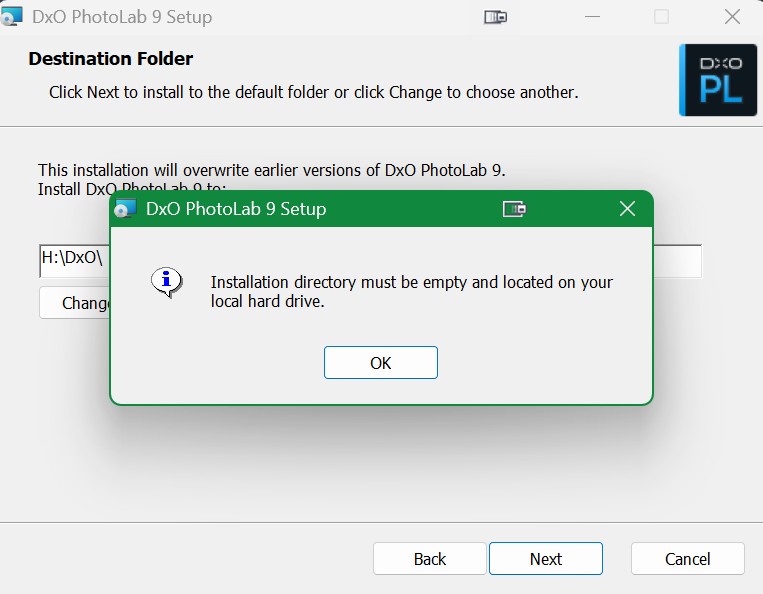
Installation directory must be empty and located on your local hard drive.
I think its not related with DxO - i see this problem in various other software’s in the past. I suggest to try google it (the message), and try what you find. As i remember, most of the suggestions not helps, but the end of the day some of it do the magic.
The drive is fine with windows. I should have mentioned I only receive this error with DXO. My H: 4TB SSD is used for caching huggingface models and symlinks for heavy software to keep my appdata folder from getting too bloated (DxO is using my C: drive appdata folder). My C:\ drive is only 500g but I have 50-60TB directly connected in my PC case. I also have a 36TB NAS which I only use for backups and is only networked when needed, not through windows, so H: should be recognized as local because my system would not run correctly if not. Environmental Variables are all set properly. Everything runs pretty flawless with the exception of the update installing due to ….reasons above…. I can probably figure it out but I thought I would check here first incase it was a common issue with a common fix.
Please check, using ‘System Information’ Components->Storage->Drives. ‘Description’ should be “Local Fixed Disk” and ‘Volume Serial Number’ present and non-zero.
Stenis
(Sten-Åke Sändh (Sony, Win 11, PL 6, CO 16, PM Plus 6, XnView))
34
It is very good if people will be able to use even the predefined AI-masks with only 8 GB VRAM. Then it will reasonably in par with Lightroom and C1.
If it gets faster it will be great even for people using dynamic use of Deep Prime even for the previews.
It looks very promising. Sorry for DXO they didn´t manage to fix these problems already before the release. I wonder how many they have lost due to all the AI and GPU-driver-problems.
Meanwhile DxO has published a new white paper on DeepPRIME: https://www.dxo.com/news/deepprime-xd3-fourth-generation/
I was a bit surprised for certain details to appear there. Still, it’s a public read, so you can’t expect too many hints. One may start reading with the last paragraph
It all depends on the subject, camera, lens, image noise level. IMHO, the differences between XD2s and XD3 are more subtle than between XD2s and XD. For the latter pair, the Intensity slider behaved very differently and you could restore the texture better in XD2s, while avoiding excessive microcontrast created sometimes by XD. The differences between XD2s and XD3 are less evident to me but surely there are some in tiny details, if the RAW is noisy enough and/or the image has very high DR. You may also check blue sky with enough “microclouds”, or wide angle “poor” lens at the corners, even at low ISO.
I’m using DP3/XD2s in roughly 60/40, maybe 80/20 proportions, but most of my shots use very high ISO. I’m mostly using “good” lenses, so I rarely see certain features of DP3 or XD3 related to demosaicking. YMMV.
Thanks for the link and overview, I’ll sit down with that article in due course but did skim the final paragraph and it makes sense.
I think your above comment about lenses etc. may be very true - I most use Canon EF L glass and am pretty happy with its quality and sharpness. I’ve also been (mostly) shooting in well lit conditions lately. DP3 has done fine for this.
You use a very low setting, I tend to use the default setting of 40 most of the time, especially in low light which is where the majority of my images are captured. I also crop a lot, and sometimes very significantly. In those situations the difference in fine detail between DP3 and XD3 is very visible.
I’m going to have to go back to PL9.5. My GPU (Radeon 780M) isn’t compatible so I’m stuck with very long processing times as it uses the CPU and I’m not about to upgrade my PC, so that’s the end of upgrades for me for the foreseeable future. Previously the GPU was in the “not approved but useable at your own risk” category and in practice it worked just fine. Only problem - where to download PL9.5 as I haven’t kept a copy of it.
Turns out the GPU is compatible, up to a point. But I had to set Windows ML Acceleration to Compatibility Mode to speed up processing, otherwise it’s agonisingly slow. And even then it’s considerably slower than I was experiencing before PL9.6.
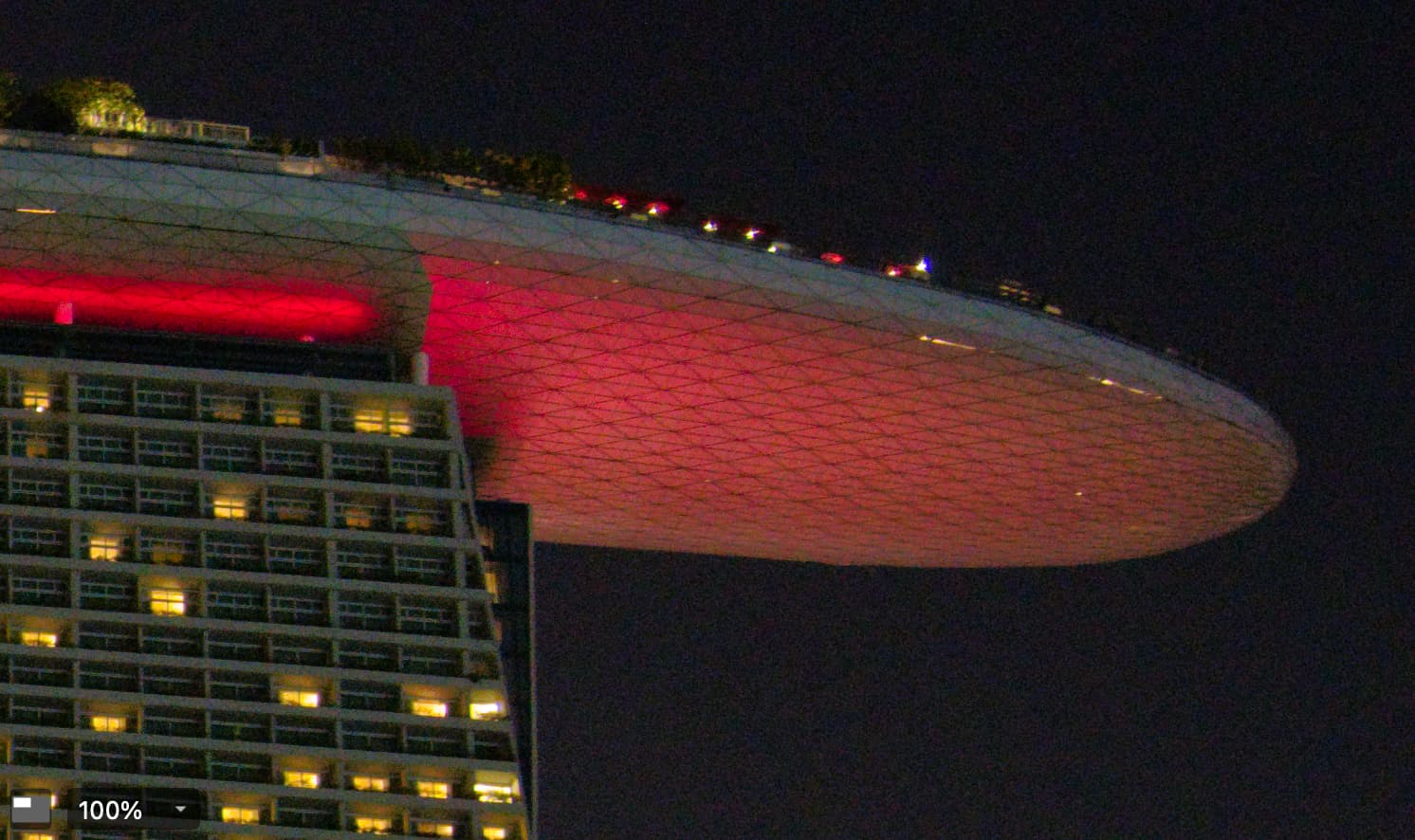
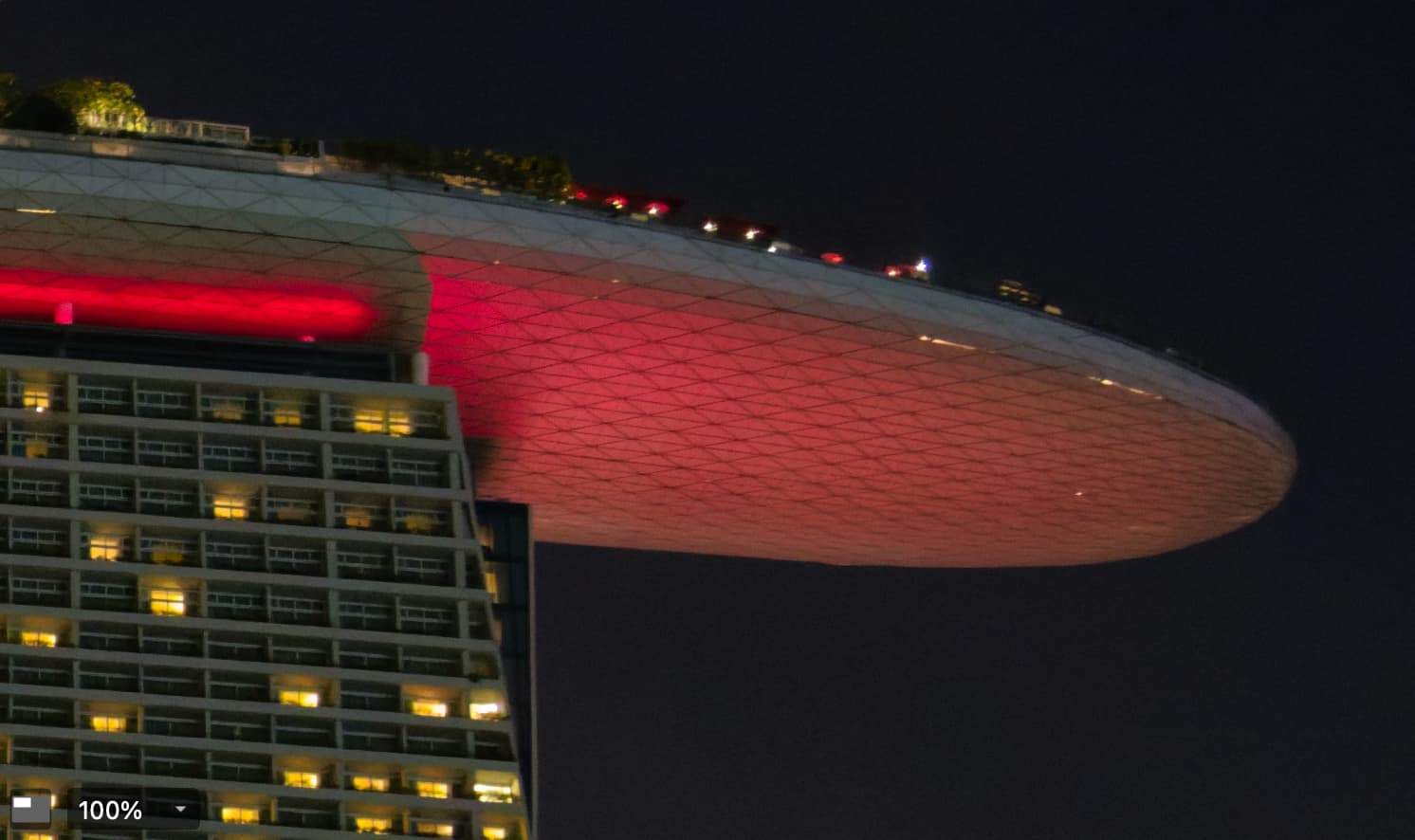
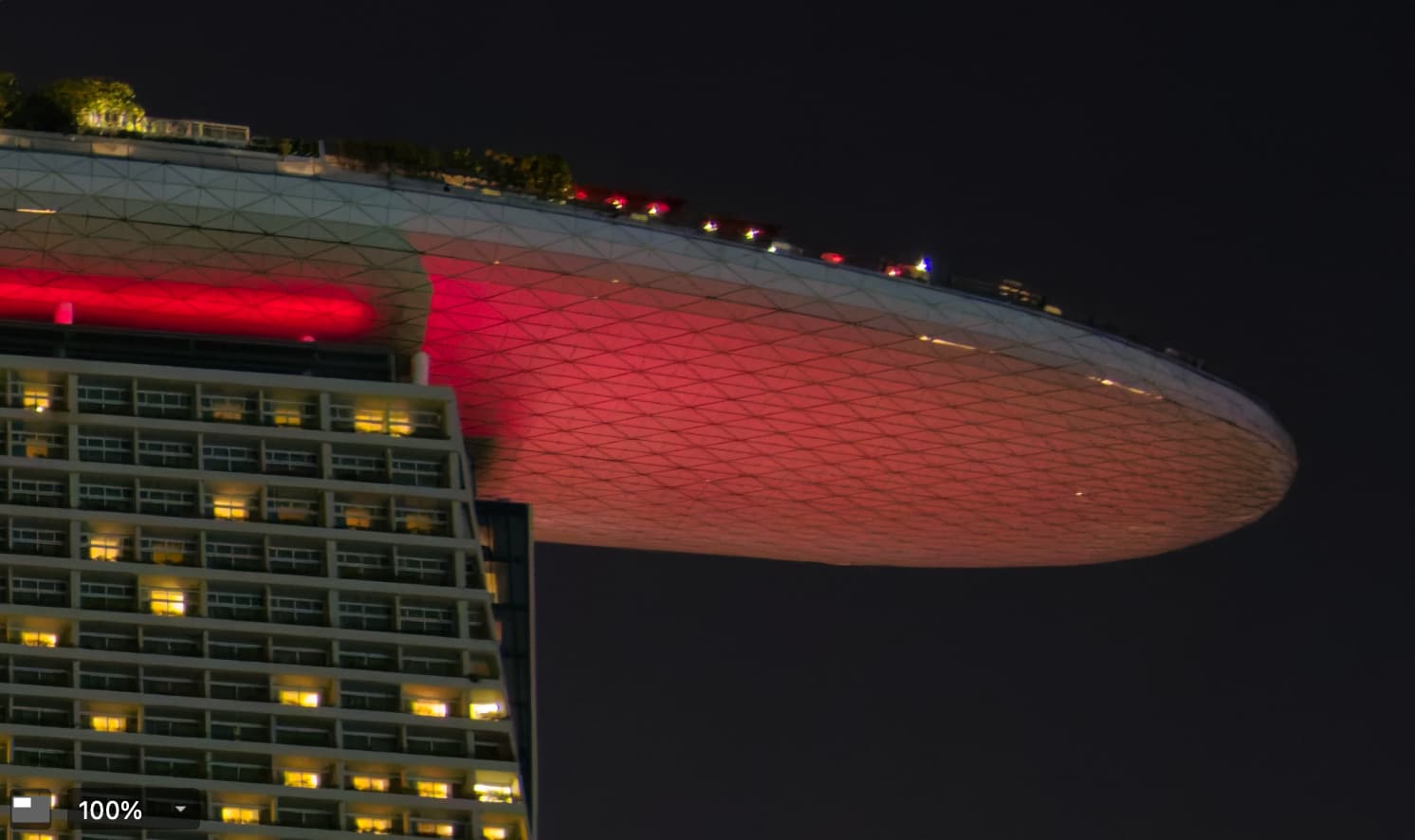
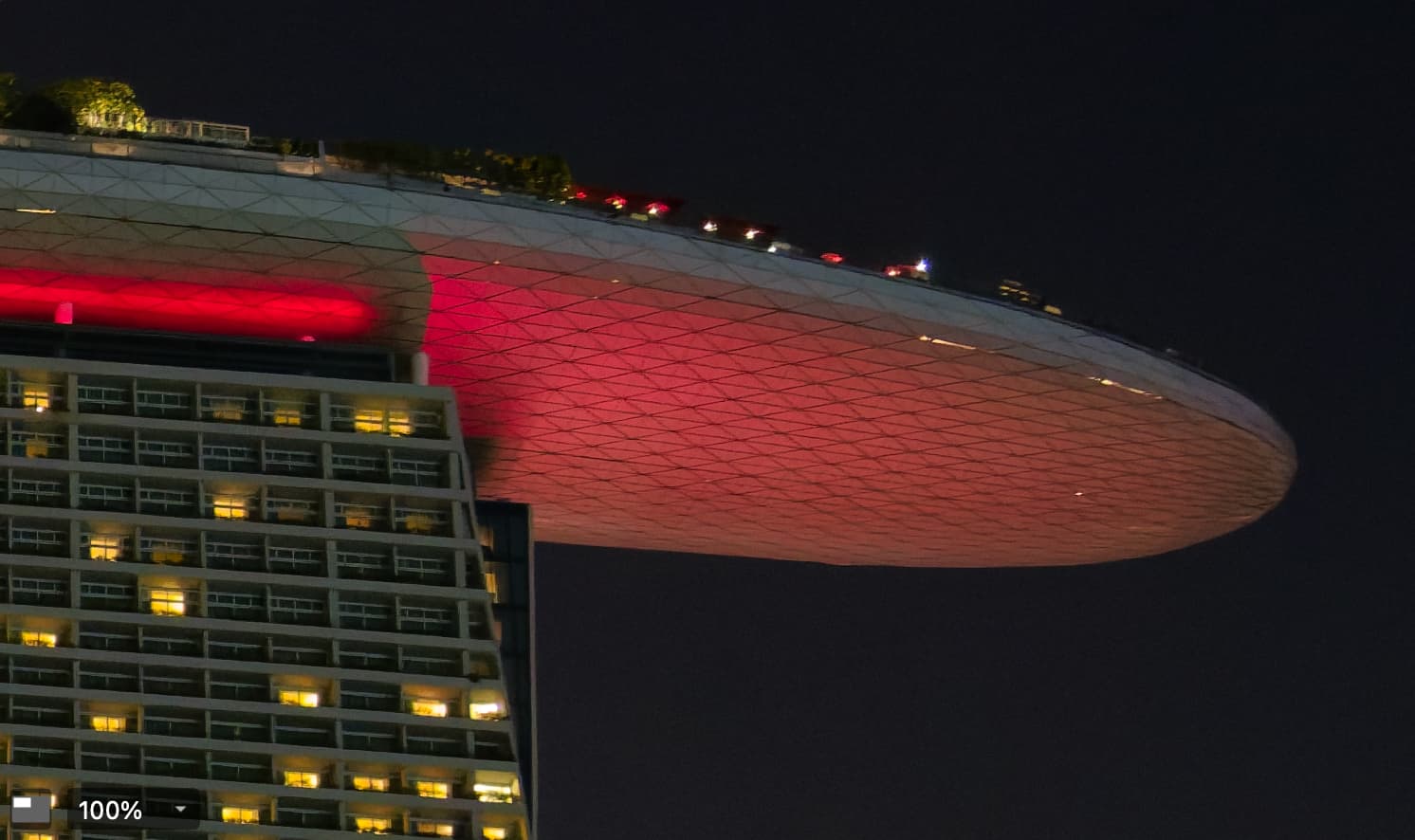
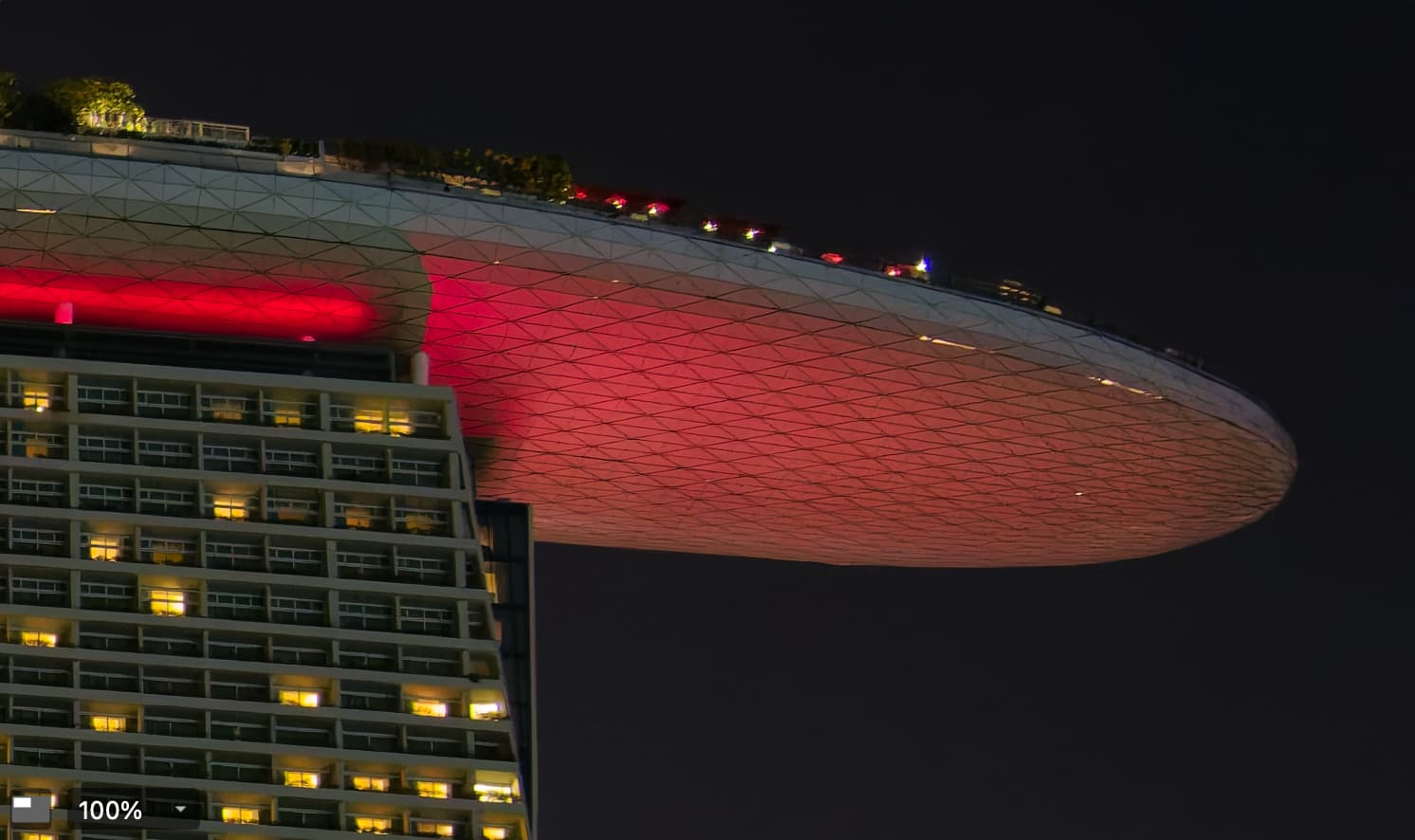
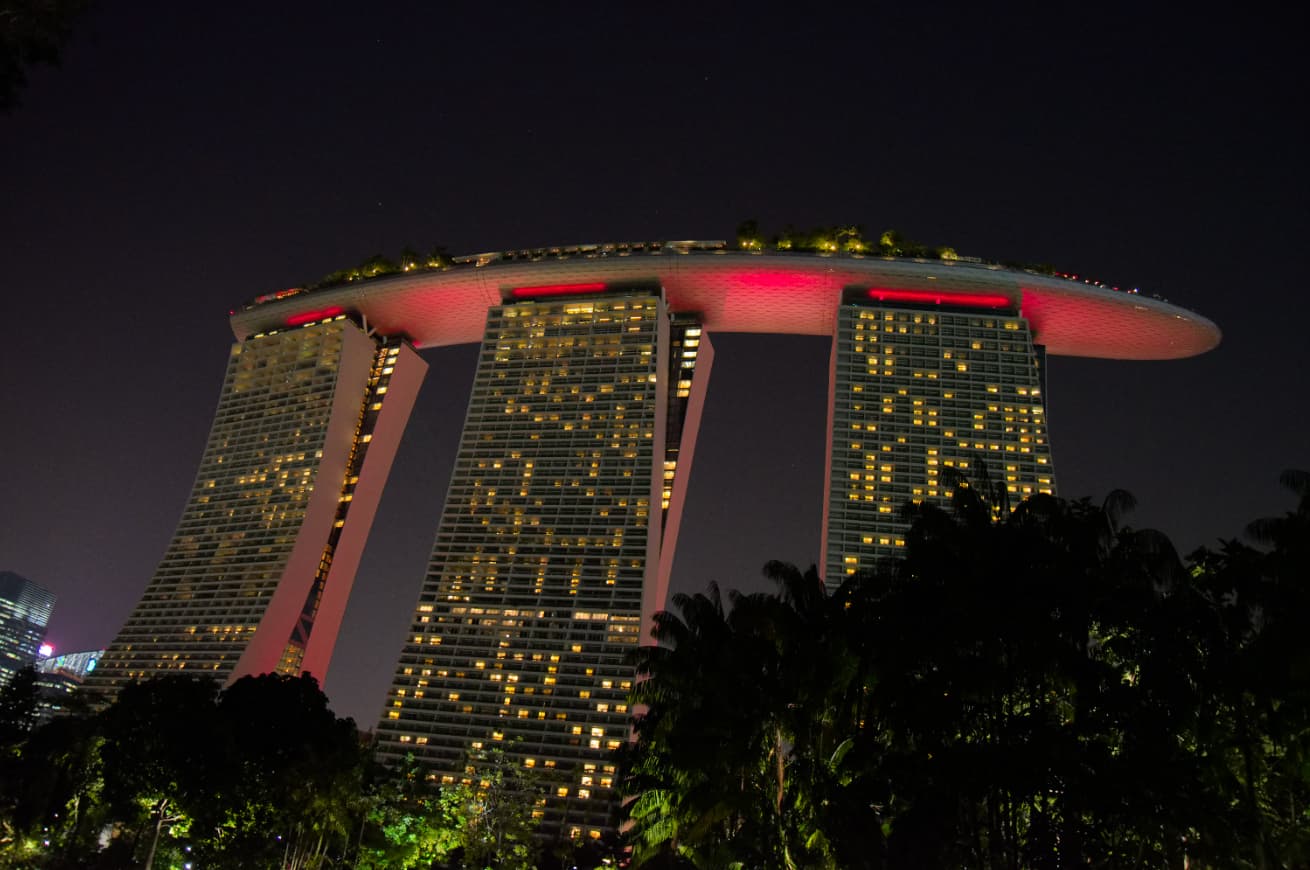
I created a virtual copy of this 2019 shot of the Marina Bay Sands Hotel in Singapore, then applied the “No corrections” preset. I enabled Smart Lighting because it was under exposed (intentionally so).
Here’s a 100% Loupe view with nothing other than the Smart Lighting, so you get a sense of the noise.
The main area of difference is out near the tip of the ‘boat’ where I think the panel lines are more clearly defined. This is visible without LSO, but I think with LSO on, it’s a more striking difference.
The fun comes when I zoom beyond 100% and I can see the actual lines are, in some places, not lines at all, but line fragments. But… in the end, it’s the perception of the detail that matters.
For context, here’s what the full (24 megapixel) frame looks like. The details are rather small, but again, the perception is what matters and I think XD3 (and XD2s before it) do show more detail even at the full frame scale.