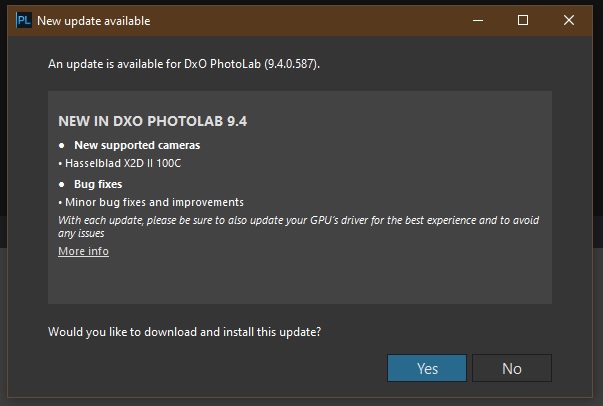
Release Notes: https://download-center.dxo.com/Support/docs/PhotoLab_v9/release-notes/PL9_release-note_win_EN.pdf
Nothing concrete in terms of what the bug fixes and improvements include, if anything.
Release Notes: https://download-center.dxo.com/Support/docs/PhotoLab_v9/release-notes/PL9_release-note_win_EN.pdf
Nothing concrete in terms of what the bug fixes and improvements include, if anything.
Just to mention it, my experience tells me to restart the PC after the upgrade. At least if you are using Windows.
One of my updates needed a reboot anyway.
PL8 and FP7 - also new release as expected.
I had to download the DXO Camera/Lens Modules again after the update.
Mac OS Tahoe 26.2
I saw that after another Photolab update too.
I downloaded this and it downloaded ‘new AI model’ too. No problems so far
Down loaded and installed. So far all seems ok and AI masking still works. W11 RTX 3060 Ti
I have no problems with 9.4 and Nvidia driver 591.74. with my RTX 5070 Ti and I am really pleased with how good it finally really is regardless if I´m using the premade AI-preasets in the drop down menu or the “hoovering method”.
… and the seamless integration with all the older Local Adjustment-tools is really lovely. Just sad that it took so long and that some people with low end gear still have problems. The goal must still to be able to use the AI-functions fully out even with say an RTX 3060 with 8 GB like Lightrooom ans Capture One can offer.
Does that include even when you use the premade AI-presets in the drop down-menu and not just the hoovering masking method?
FWIW I only use the “square selection tool” for AI masking. I find it generally accurate and fastest to render.
Stenis, although I don’t use the AI masks very often, they do work with the latest Nvidia driver and PL9 for me.
OK , great that seems like an improvement 
Not sure if it is related, but since the upgrade (MacOS) from 9.3 to 9.4 I noticed some images are hidden in folders. I knew there were few more image in a folder but they didn’t show in the UI. When I selected all (command + a) and exported to jpg, the missing images were processed, and they are in finder visible. Just the Photolab UI did ‘see’ them.
Sounds like you possibly have a filter set, which results in exclusion of some images … Check in the status-bar above your Image Browser (for number of images selected)
No filters. There were a lot of other images from the same camera and shoot.