I upgraded from PL8 at couple of days ago. Today I had a rather big session with close to 7,000 photos. Each time I try to clone an image it stops responding for a couple of minutes and then crashes.
This doesn’t reproduce in PL8 (I still have it in my laptop)
Running configuration: Win-11 25H2, i7-12700H, 32GB, NVIDIA RTX 3060, 6GB
Welcome back to the DxO USER forum, Luis.
What do you mean by “clone an image” ? … Which action in PL are you applying ?
1 Like
I guess that 7000 photos is just too much for PL to digest.
Assuming you have saved with dop-files … OUTside of PL, you can try to copy a subset of less than 1000 images together with the associated sidecar files to a new folder, and then restart PL to let them recognize (automatically ingest in its database).
Thank you John-M
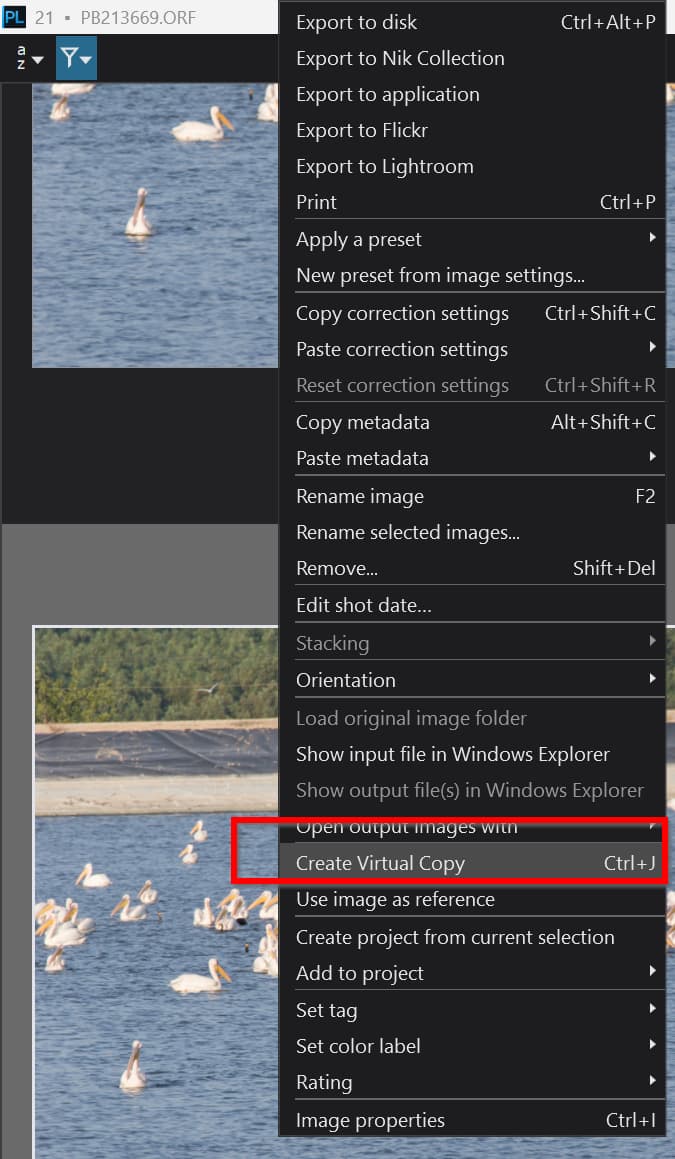
my bad, by clone I mean Create a virtual copy [Ctrl]+J
1 Like
Thank you @Wolfgang, I’ll give it a try, still it’s annoying getting such a regression from PL8.
Just be patient. I can’t test 7000 photo. But i does some test what may does similar. From 300 photo i create virtual copy, and again from the virtual copies create VC and so on. In the beginning its runs acceptable.
At 5840 ‘photo’ (300+VC) i create virtual from all.
5840 → 11600 takes 08:42
I quit from PL. just just for sure and create VC again from all.
11600 → 23360 takes somewhere 37:00 - 42:00
In the meantime PL looks ‘not responsive’, but in the memory usage of PL raised small steps (ends around 5.3GB?) so its works in the meantime. And PL comes back in the end fine. No crash
Now i have like Photo + 88 VC for each.
Create jut one (1) VC form the first photo takes somewhere 20sec with 23360 in folder.
Spec: below average PC, 32GB system memory.
I know its not exactly your case, but something.
@luisll you are starting with 7,000 photos.
- Exactly what is the “crash” that you refer to?
- Does PL9 manage to handle the original 7,000 photos?
- What camera(s) was/were used, i.e. what is the image size?
- Does PL9 fail on the first clone or after a number of clones (VCs) or were you actually trying to make a VC for every image, select all images and then create a VC?
- Have you applied any AI to any of the images?
I have 7,000 Olympus .ORF images on a USB3 SATA SSD and my 5600G is slightly less powerful than your laptop but my 3060 has 12GB of VRAM, which typically should not be an issue unless any of you images have AI applied!?
However, the drive with the images was attached to the 5900X so I did a test there.
@Wolfgang Actually I have managed with PL8 to load the original directory which contained the 7,000 RAWs above and 4,000 JPGs, i.e. 11,000 images in total and I am not sure but I believe I last used that large directory with my 5600G and the 3060(12GB).
I am not going to say it is a wonderful experience but it didn’t fall over but that was on PL7 and/or PL8!
Just tried it on my 5900X, about twice as powerful as your laptop and the following happened
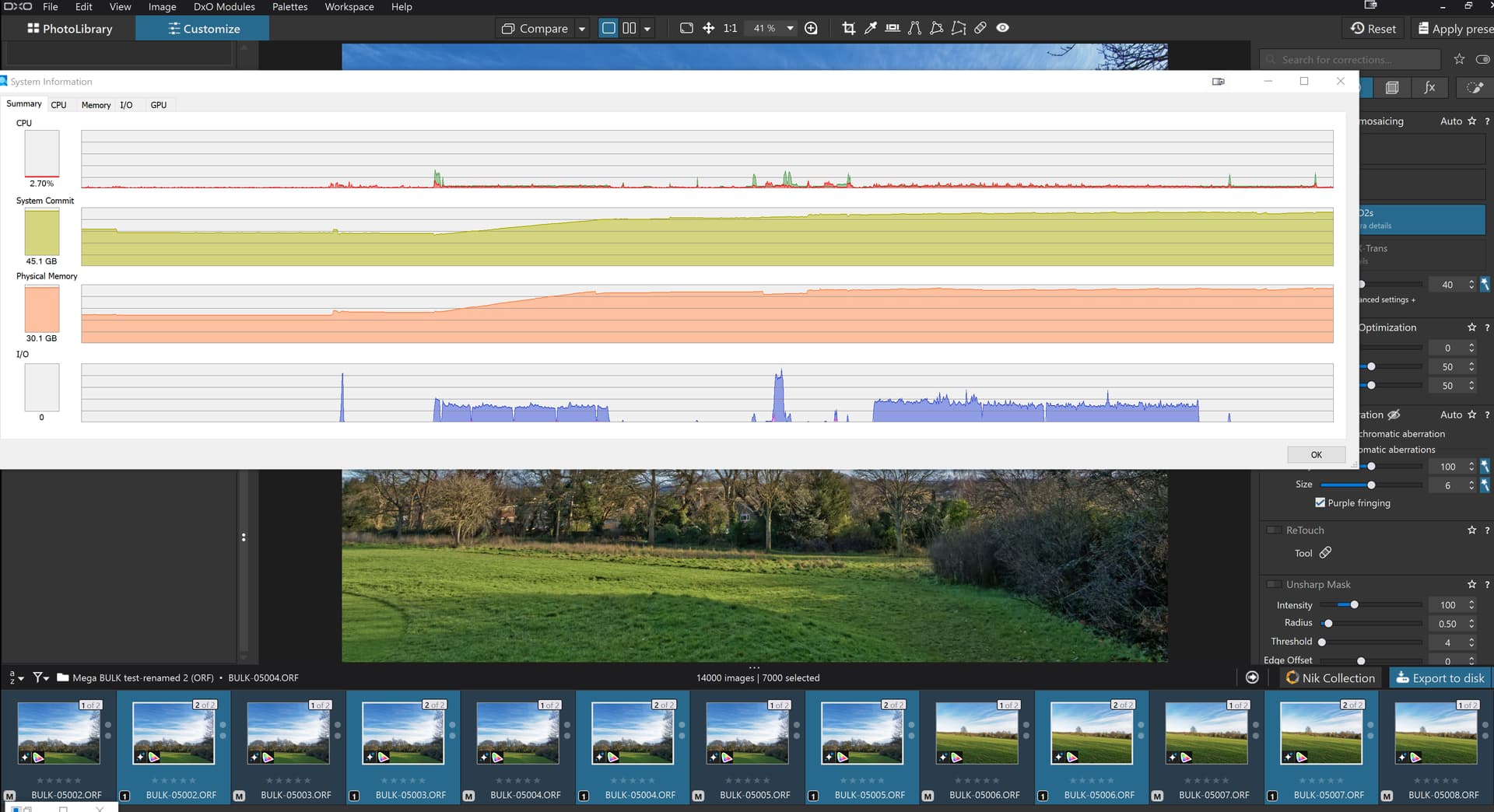
- To load 7,000 images with no DOPs from a USB3 attached SATA SSD took 4 minutes 29 seconds.
- I didn’t get the time for applying a preset to all the images but it was noticeable, i.e. minutes because a DOP is going to be generated for each of the 7,000 images and written to the USB3 SATA SSD in this case.
- To create a VC for every image took 11 minutes and 3 seconds
In this case the database and thumbnails and cache are held on my N:\ drive, a fairly fast NVME, certainly a lot faster than the USB3 SATA SSD or even a SATA SSD, i.e. 4.5GB/s Write and 5.0GB/s read.
The application was sluggish throughout but did not fail, but the preset I applied did not contain any AI and exporting will put a strain on the GPU and the export time will depend on where they are being written to.
1 Like
Thank you for you replies
@andras.csore , n the end I did all the editing on PL8 and it didn’t crash at all.
I created only few hundred of VC.
As per PL9, by unresponsive I mean that it shows the message (not responding)"in the title bar. and then few minutes after it simple closes the app. I tried same action on different photos at least 3 times, before I got angry and downgraded my self. It’s so annoying because on paper PL9 has some new great features.
@BHAYT :
- Crash as in: windows eventually closes the program,
-
- Does PL9 manage to handle the original 7,000 photos?: No
- What camera(s) used? : OM-1 Mark 2 all images raw (20mp)
- Does PL9 fail on the first clone or after a number of clones (VCs) , in the first or second VC, always one image at a time. After restarting PL9 it does show the VC
- Have you applied any AI to any of the images? yes, I have applied DeepPRIME XD/DX2s to some
I’m using a secondary internal SSD M-4.
Regarding the message “Not responding” → Windows not exactly know if something ‘really hung’ or not. ‘Not responding’ ‘message’ come up if application not send to ‘message queue’ (Windows thing) until like 5 or 10 seconds. May worth to check in this case of PL (what looks like a ‘hung’) the memory usage is changing over time or not, in the Task manger → Details, some memory column. And if you see some little ‘linear’ increasing → its works and ‘no hung’ (even Windows say ‘Not responding’). It’s not uncommon also in other applications. Regarding ‘simply close’ → strange. May worth to check in task manager how free the system memory.
Anyhow, i think its MAY not really about .dop file creating/modify. Seems .dop write quite fast. Seems more in PL database (SQL) part. May sound odd, but i see larger reads on SQL part - even its very-very fast, but a bit strange. And its may also explain why ‘virtual copy’ creation performance not linear (in my testing with VC). @BHAYT may its interesting to you (at least an idea/info).
Thank you guys, you’re amazing!
I just did the following:
- Reboot.
- Closed every startup app that I don’t need (docker, MSTeams, and others).
- opened greenshoot free.
- open task manager. added following columns: for Working set: Memory, peak, Delta, Active Private| Private and Shared), I/O: Reads | Writes and Other , GPU
- Waited the system to free all the resources. memory used 10.4GB/31.7GB
- started PL 9.2
- let it load the 6,880 images to load (some 40 seconds to render them.
- wait few more seconds until system stabilize.
- got somewhere in the middle, using the context menu, choose
Create Virtual Copy - start stopwatch (mobile, not on the laptop) and wait .
- take a few snapshot of the task manager detail. and monitor it. DxO.PhotoLab.exe constantly shows activity CPU, changes in memory and I/O
- after ~60 seconds. PL closes.
I repeated this activity twice with same results with similar time to crash. See the screenshots below.
On a fun side:
May sound odd, but i see larger reads on SQL part - even its very-very fast, but a bit strange. And its may also explain why ‘virtual copy’ creation performance not linear (in my testing with VC).
I do SQL for living and photography as a hobby, and again I’m dragged to SQL here  . One of the nicest challenges I get is to convert non-linear response time to linear one for orders of magnitude growth. Or in other words Performance Tunning.
Again many thanks for your dedication!
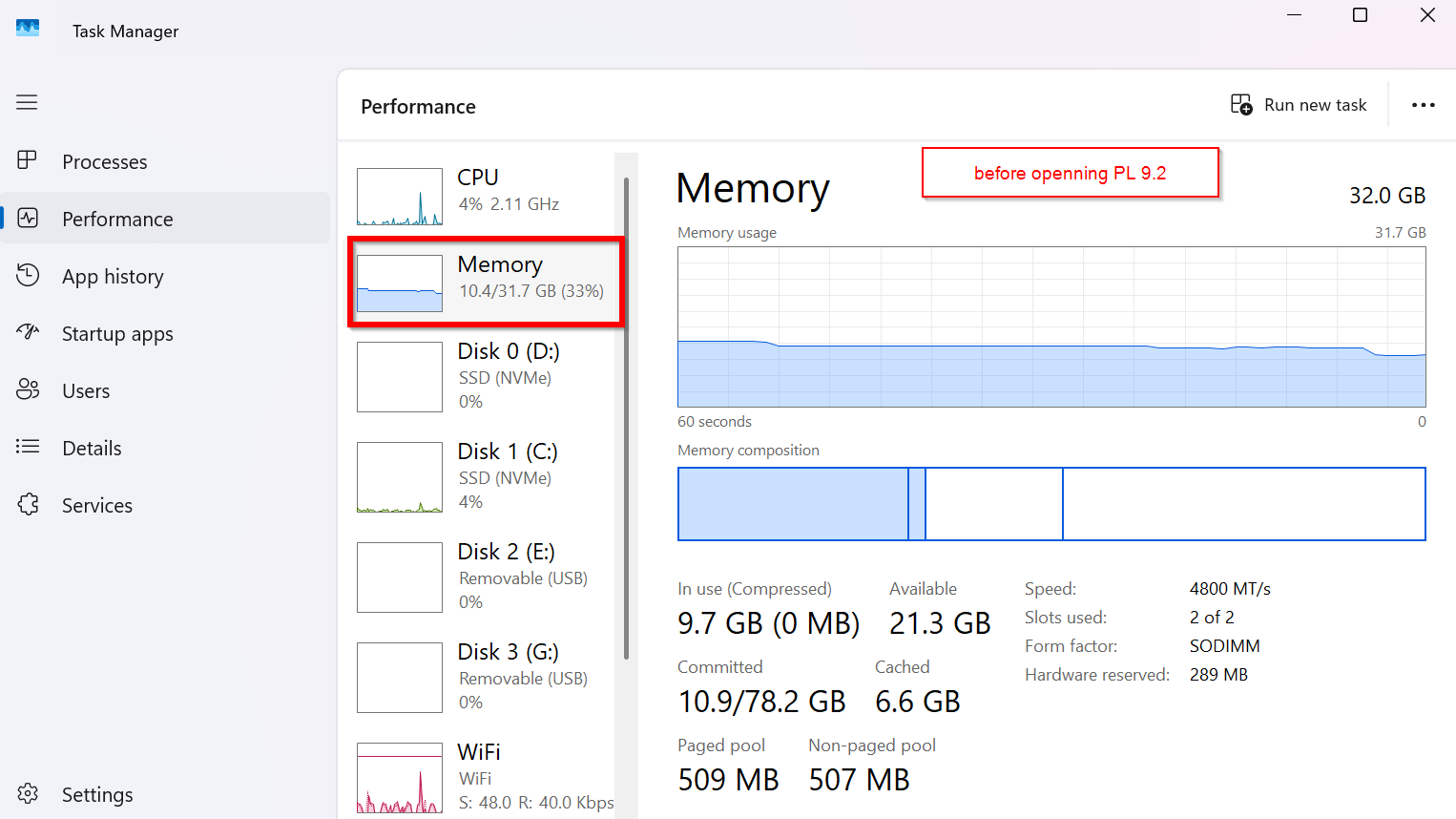
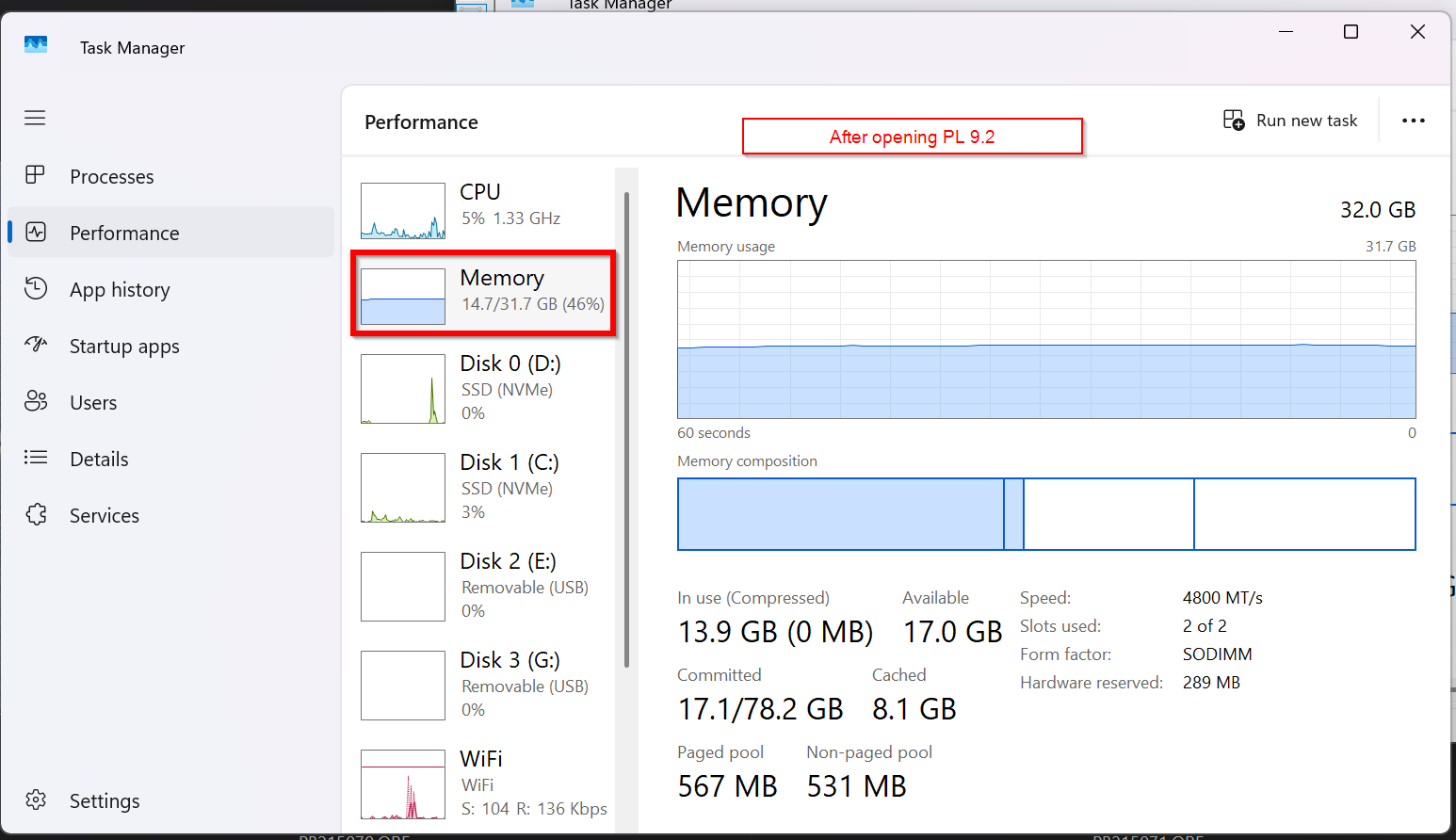


How many virtual copies were you trying to make? Hopefully not 6,880 of them in a single pass. Additionally, were all those 6,880 files in the same folder? Any more than around a thousand files in a folder has been reported as problematic over the years, and many people have noticed performance ssues even with fewer than 1,000 files.
Mark
@luisll Sorry about the “Inquisition” but I needed context. As you saw above I managed to run a 7,000 photo run successfully and I will attempt it today on my slower machine which is a 5600G with a 3060(12GB) and I will see how long that takes and whether it succeeds.
By AI I meant AI masking not the AI that is used for Noise Reduction.
I moved the SSD with the 7,000 images to my 5600G with 3060(12GB) yesterday and was surprised when the load kept going after 7,000. It kept going because I have left the DOPs in place from the test on the 5900X and I had 7,000 images and 7,000 VCs which loaded in 14 minutes and 54 seconds with a number of l o n g stalls along the way!
I will clear the database and save the DOPs and try again.
The second attempt now without any DOPs kept stalling and finally stalled after 1,648 loaded and was terminated after 7 minutes!! I changed the USB3 connection after that run!?
The third attempt with a clean database, no DOPs and a restart took 4 minutes and 39 seconds to load from the USB3 SSD with the RAW preset set to ‘6 - No correction’.
A ‘Ctr lA’ to select 7,000 images and apply a correction to all the images took about 17 seconds but that may well have continued in the background.
With all already selected I executed a ‘CTRl J’ which started at 15:42:31 and the machine appeared to be asleep and the VCs appeared at 15:52, during the intervening period PL9.2.1 was unresponsive but still working (apparently).
However, working with the images, and then the DOPs on the USB3 drive was just so slow so I copied the images to the NVME and reran the tests.
This time the loading of 7,000 images took 3 minutes and 59 seconds but I haven’t yet managed to finish adding 7,000 VC. A run yesterday resulted in PL9.2.1 vanishing off into La-la land, doing who knows what!?
When I terminated PL9.2.1 I discovered that mot all the images had DOPs.
What I suspect has happened is that update from applying a new edit had not finished completing the creation of the DOPs when I started the addition of all the VCs and that second operation caught up with the first.
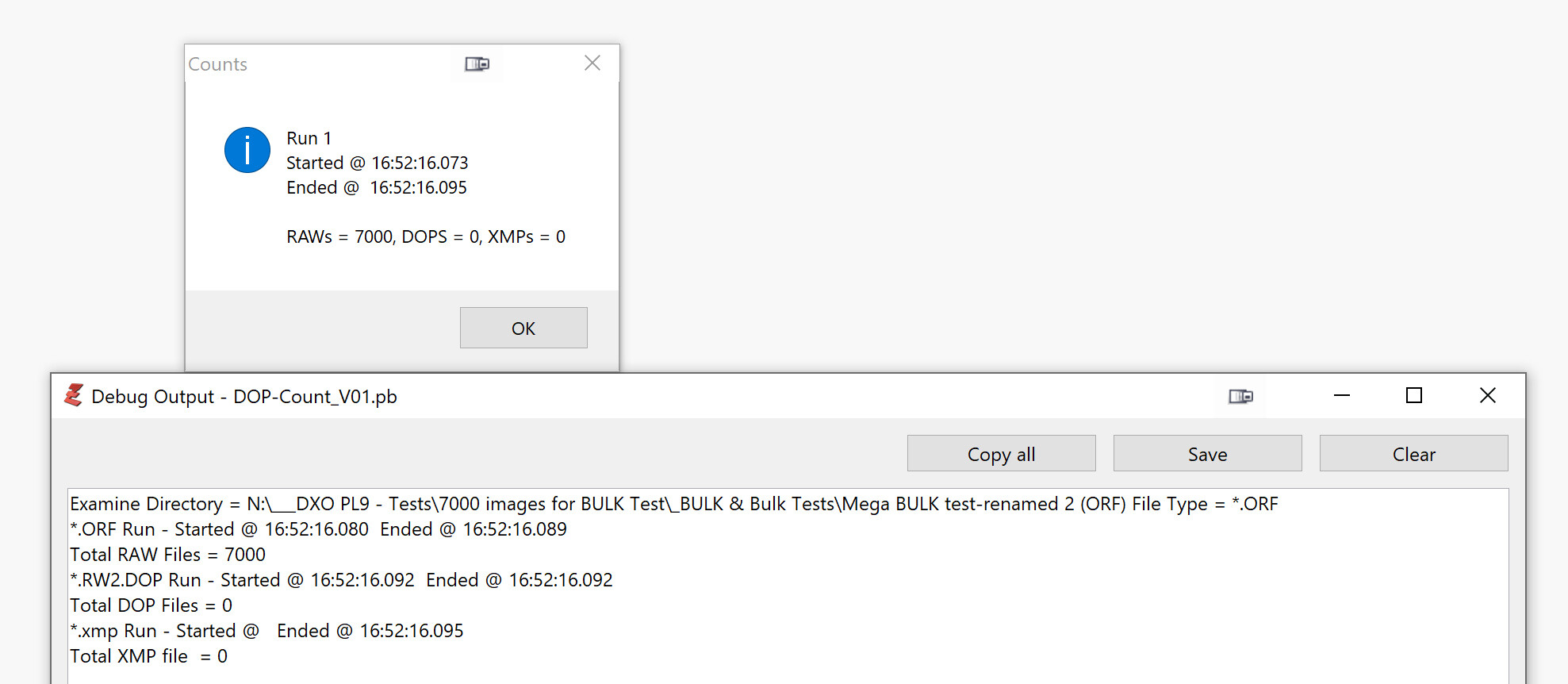
As a consequence I have written a program to scan a directory and to count the number of DOPs, RAW images and XMP sidecar files present.
I can then run that at any time to determine if the situation I suspect is actually what is happening. The first version of the program is now available and I need to transfer it to my 5600G and rerun the tests.
@mwsilvers Only by those with no “spirit”.
My attempts on my 5900X worked but the 5600G does get bogged down, I believe because PL9.2.1 isn’t handling overlapping tasks correctly.
just the one selected. Every test is for on a different one, maximum 2 images.
@luisll So your test is the teeniest weensiest bit less ambitious than mine!?
@mwsilvers It should actually be possible and is certainly achievable on my 5900X, which is roughly twice as powerful as my 5600G and the graphics card are playing no part in this exercise.
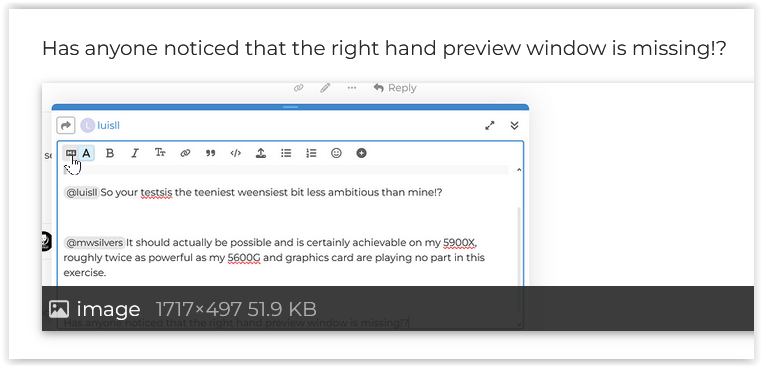
Has anyone noticed that the right hand preview window is missing!?

@Wolfgang Thank you.
Is that new or have I just been lucky and haven’t turned it off in the past!?
Regards
Bryan
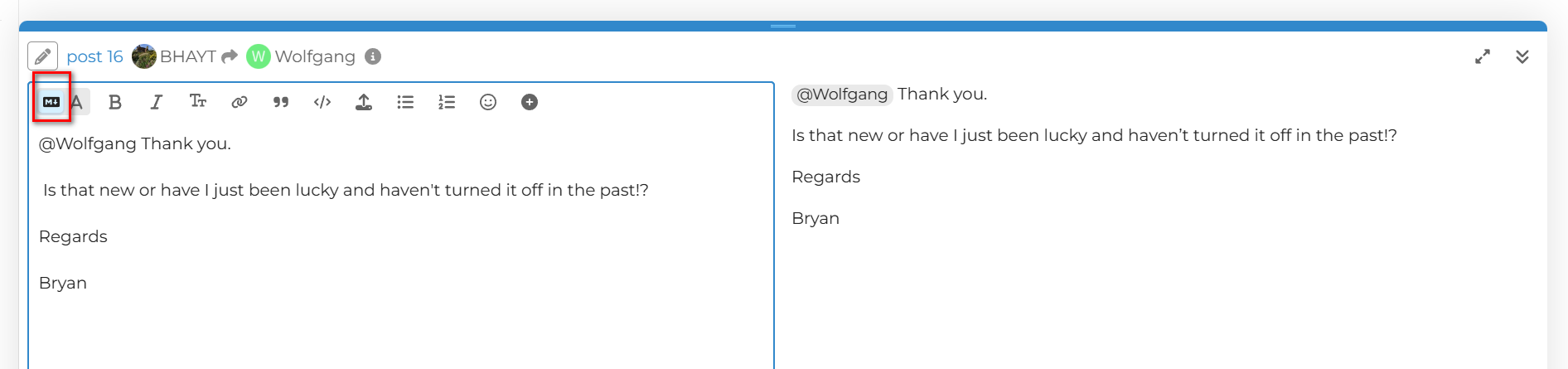
It’s new since … I don’t know.
I noticed different colors, restarted the computer (and checked it for viruses… ). Started wiriting and was surprised, but since I’m curious, I found out the cause.
1 Like
I found this had been changed for me earlier today. However, I don’t think it’s a new feature because the change reminded me I’d seen this before a long time ago, so I knew there was a toggle switch for it - somewhere. It didn’t take me long to find it.
1 Like
@mwsilvers and @luisll Well the load went reasonably well and applying an edit to all the images eventually resulted in all the DOPs being created (eventually, as shown by my program) so at least I didn’t seem to have any peculiar issues at that point.
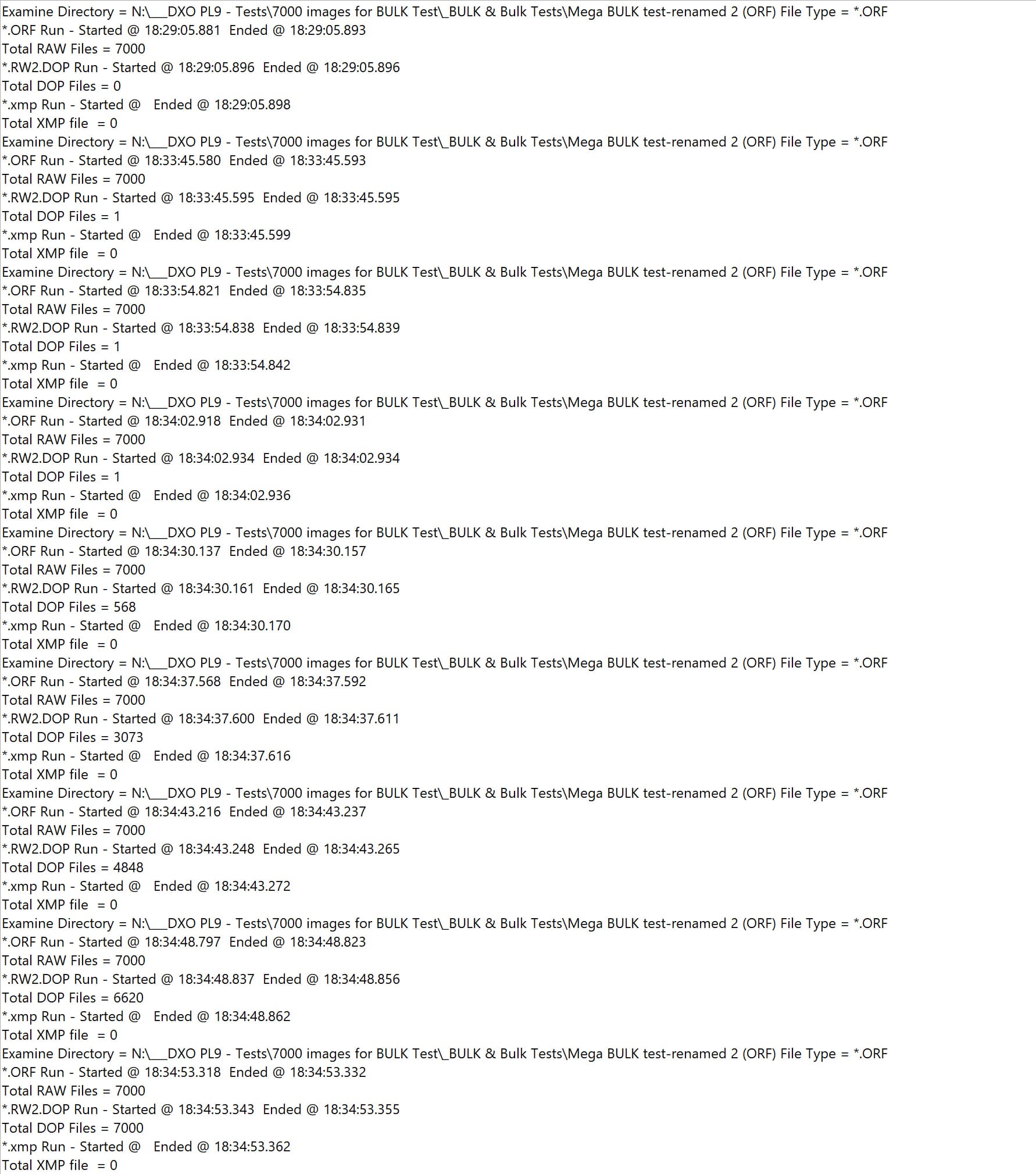
Now for 7,000 VCs
Well they are all there and PL9.2.1 seemed to react correctly and then went into decline but recovered
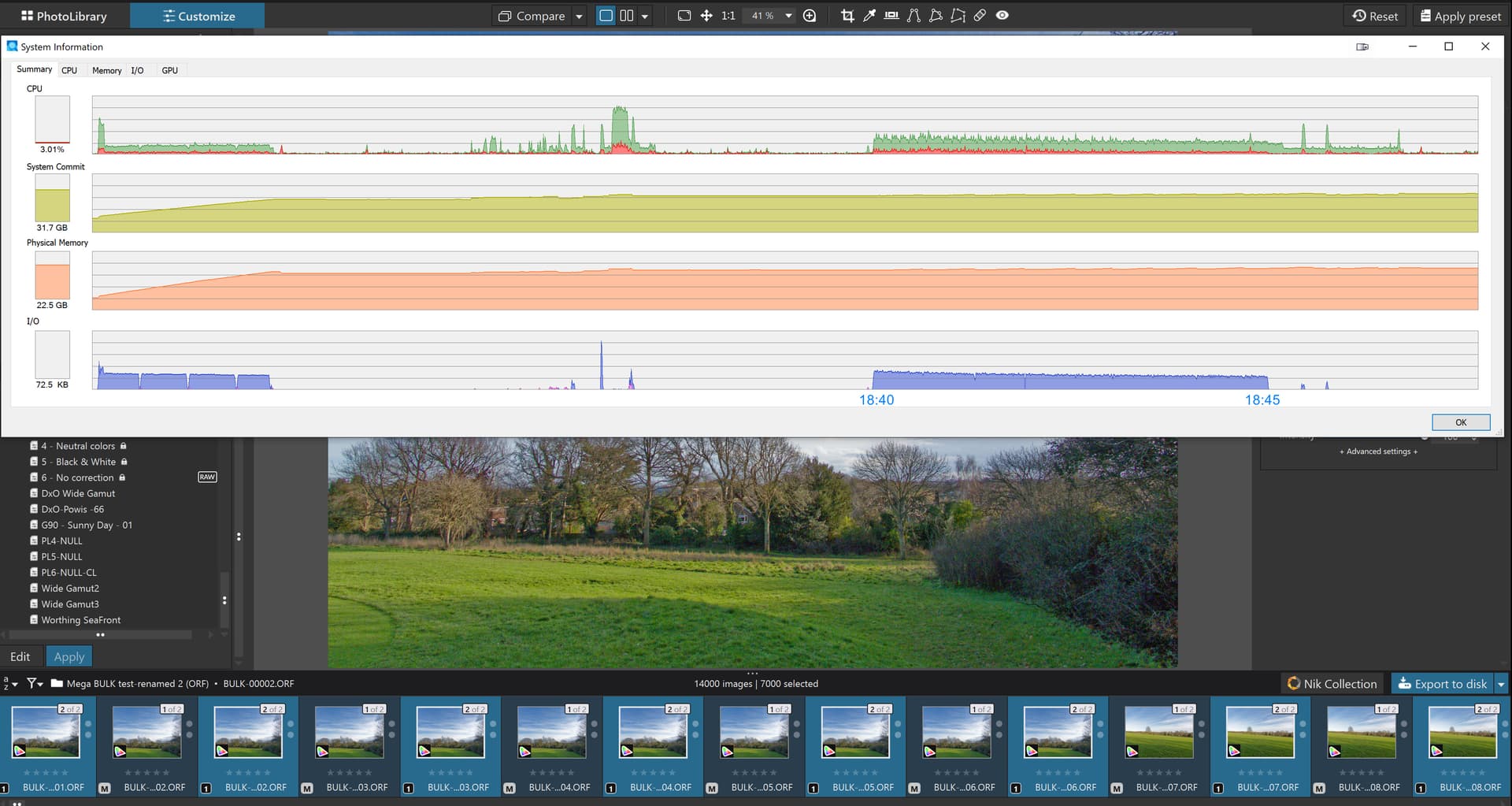
@luisll Sorry but I finally got there and that doesn’t answer your problem, fortunately I have another machine to work on while I was waiting for the program to finish what it was doing.
@andras.csore Why strange. The database has to create another 7,000 entries in my case and update the previous 7,000 and rewrite every one of the 7,000 DOPs!
@stuck I am really impressed, and humbled, that you and @Wolfgang sorted it out while I was trying to run my test. My multi-tasking skills have obviously gone into decline (a steep nose dive would be more accurate).
@BHAYT , I really appreciate our help and responsiveness!
By AI I meant AI masking not the AI that is used for Noise Reduction.
No, I didn’t use it in this folder at all.
AI masking on small folders and it worked like a charm.
- So do you suggest me to clear the database? I never did that. do I need just to rename the target file?
- Is it there a way to run it on a kind of debug mode? enable
log4netor something like that? It’s annoying that it keeps reproducing but I Win11 doesn’t catch it, norPL9catch that it failed. - As per your missing preview window, I do have it, but now I’m afraid to try the collapse icon

Thank you again
L.