Photolab 10 folder tree takes too much space, here a comparison with Photolab 5:
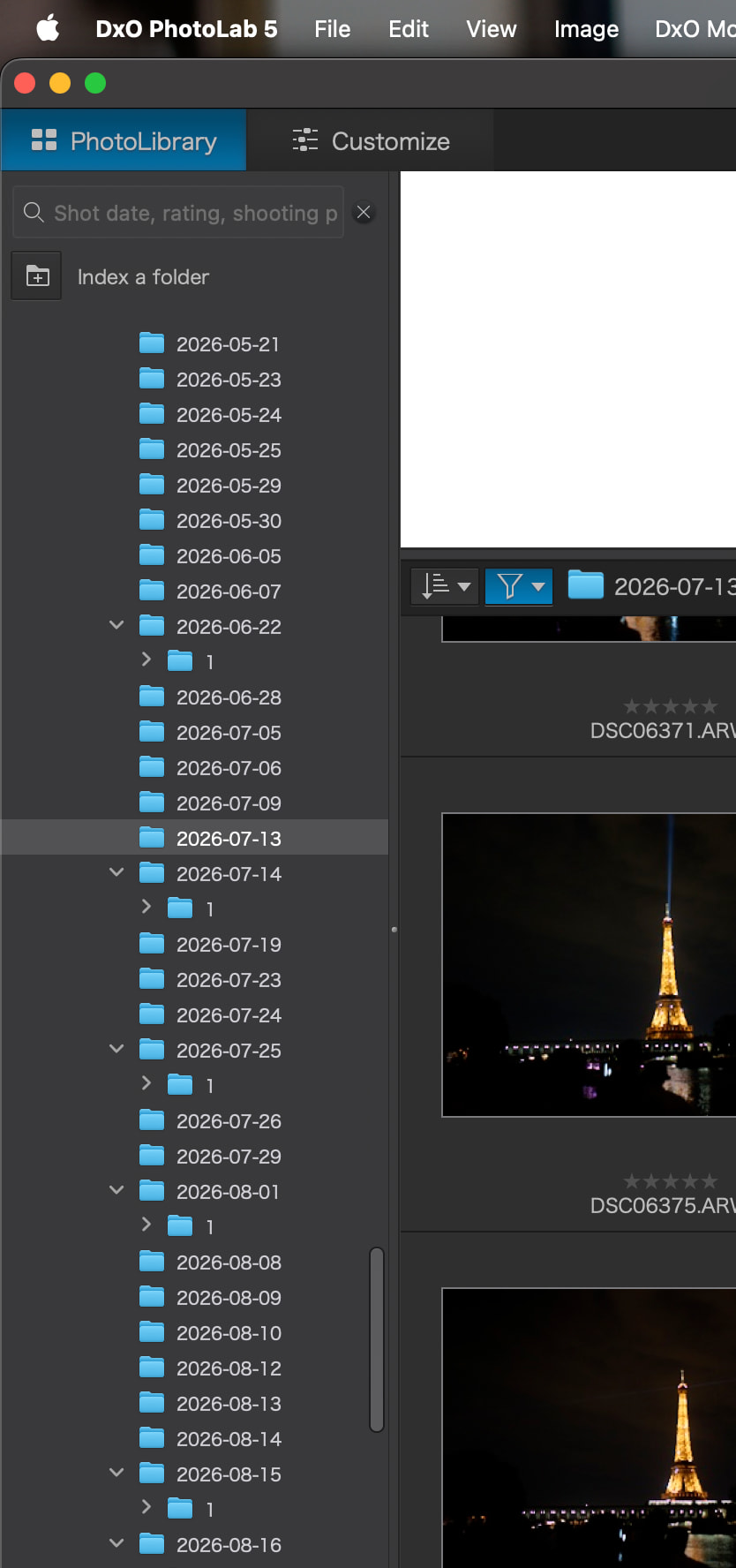
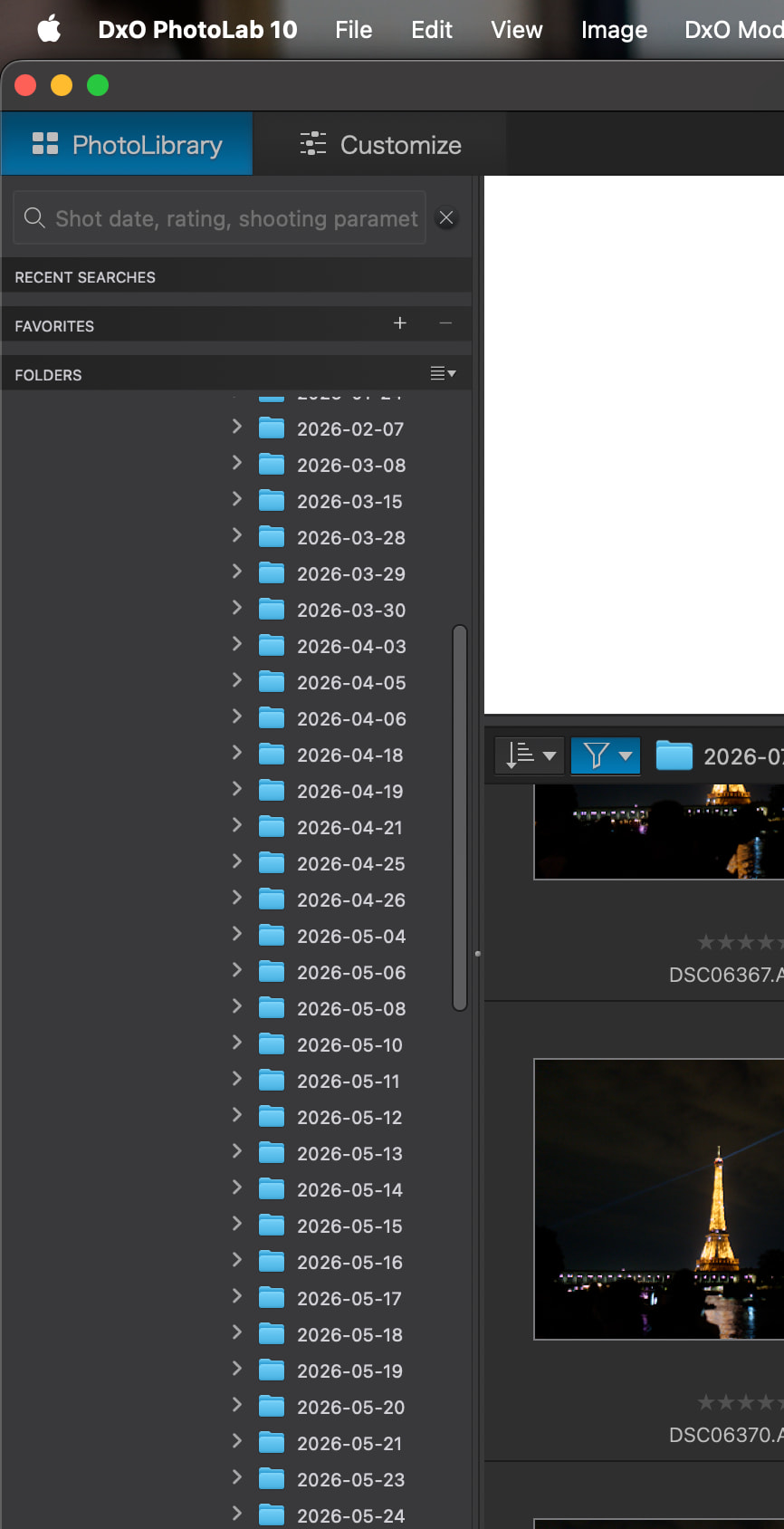
1 Like
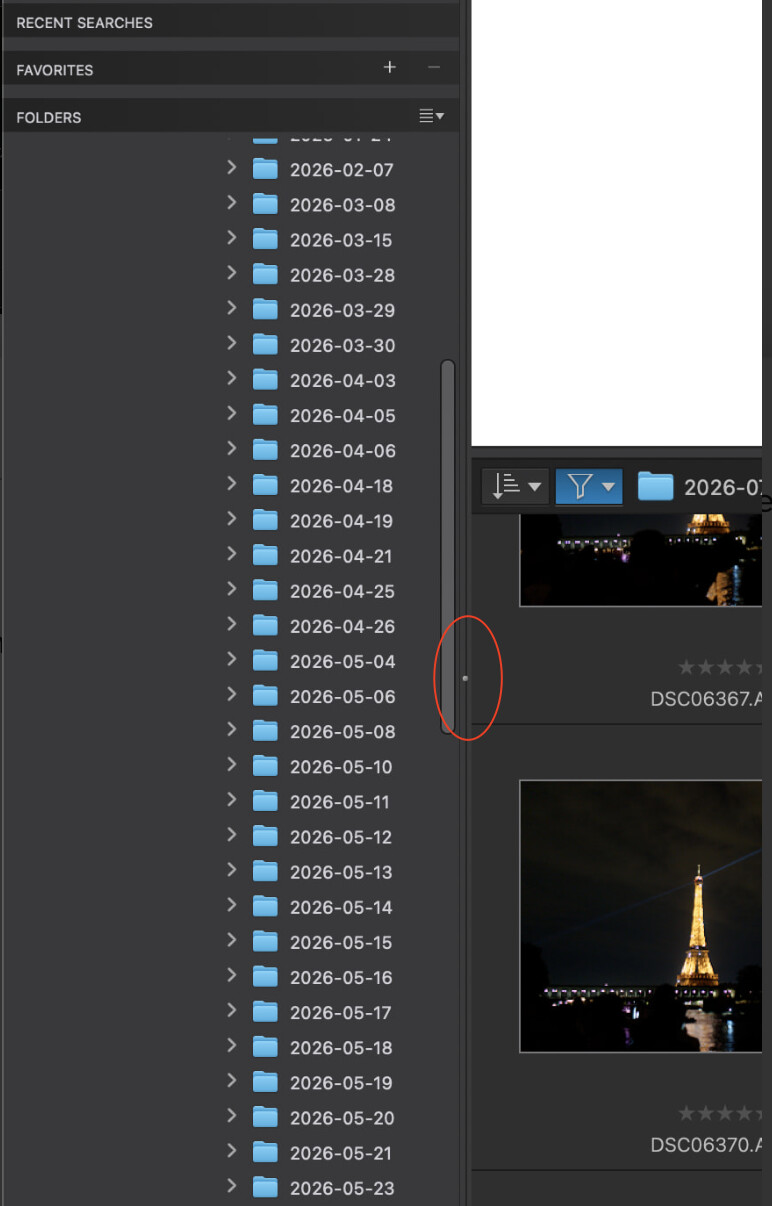
If you’re referring to the width of the folders panel (which I believe you must be, as vertically they are both taking up the same amount of space) then you can grab that tiny little dot in the division line (see below) and drag it to the left. That will decrease the width.
1 Like
If I do that the folder names will be clipped unfortunately
I’ve made a direct comparison in the Folders panel.
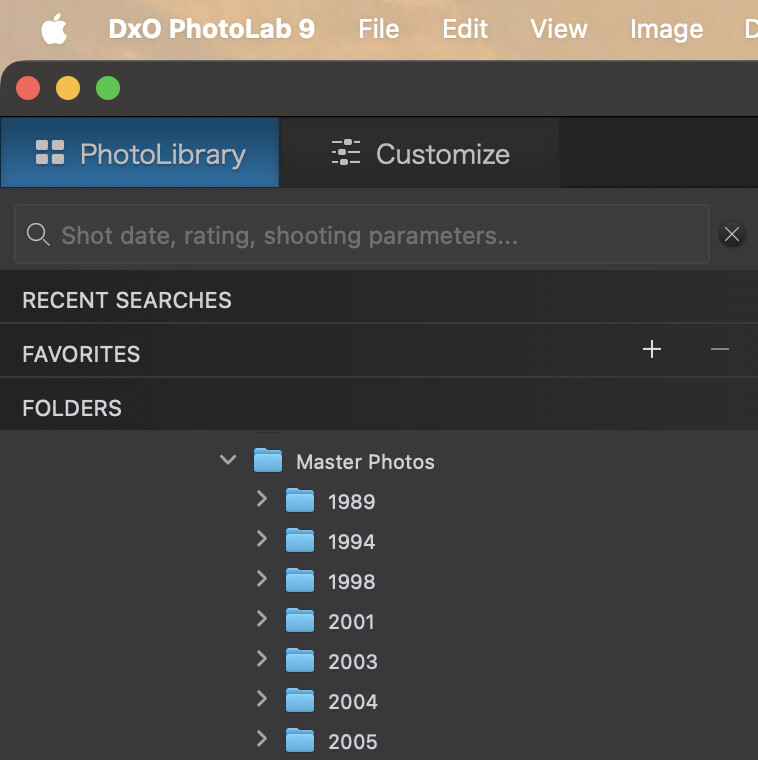
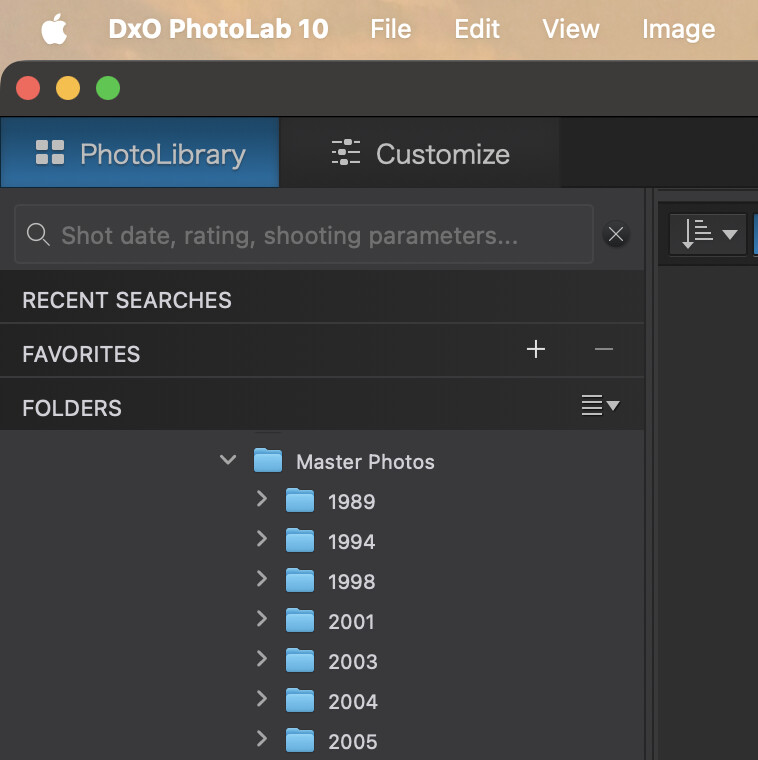
There is no change in the width taken from PL9. PL5 is a long time ago and things have changed. I cannot remember that far back how it worked then.
One thing you can do is add the highest level folder you use to Favourites. Then use that panel where that folder will be the furthest left possible.
The pane with folders in it is resizable. So make it the width you like, that’a all.
Try undocking the panel (been a while since I played with undocking so hopefully my memory is correct that you can undock) and move it to a second monitor if you have one.