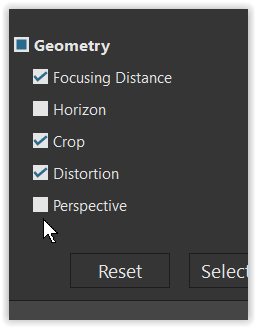
As per title, if I copy settings and paste to a different image, perspective correction will always be pasted, and there is no checkbox to disable it. Should be one in geometry settings, but there isn’t, and unchecking all geometry settings does not alleviate the issue.
MacOS Sequoia 15.7.8 on M1 Max, latest version of Photolab.
I noticed the same thing. I think you need a ViewPoint license for the checkbox (although perspective correction works without Viewpoint). Seems like a glitch in the paste dialogue.