For the entire year I’ve been using Photolab, I left the settings in the performance tab largely untouched. Like many others, I’ve been unsatisfied with the snappiness of Photolab on my system, especially when it comes to DeepPRIME processing.
To frame what I’m about to say, here are my system specs:
AMD Ryzen 7 5800H (8 cores)
32GB DDR4 3200MHZ SODIMM memory
No dedicated GPU, SSD boot drive and scratch drive.
Sony a6100(Which puts out 24.2MP lossy compressed RAW photos)
Recently, after reading part of the Photolab 9 user manual, I decided to change the AI acceleration from Auto(CPU), to "AMD Radeon™ Graphics), as well as setting OpenCL to On. Attached is a screenshot of my exact performance configuration.
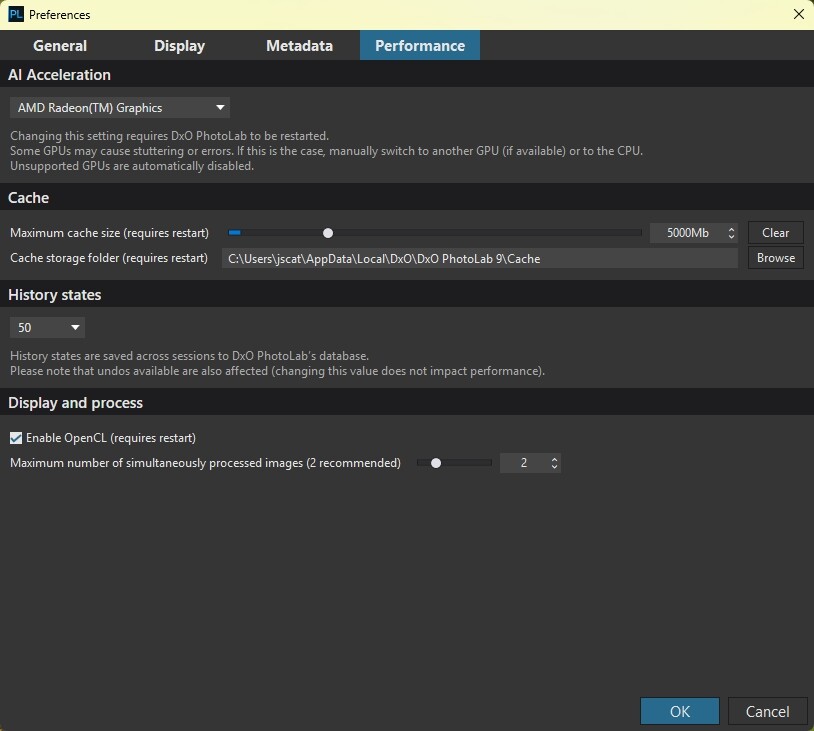
Previously, with DeepPRIME 3 processing, images took 1 minute and 30 seconds to process, on average, to export. Now, they take 21 seconds, on average.
Previously, with DeepPRIME XD2S processing, images took 2 minutes and 50 seconds, on average, to export. Now, they take 50 seconds, on average.
I’ve also noticed the image browser is much more snappy and loads thumbnails way faster, particularly with images that contain advanced local masking such as AI masks, which went from taking minutes to process(yes my computer is a relative potato), to 30 seconds or so.
In the Customize tab, the good news continues. Rather than adjusting a setting and waiting for the result to appear, the preview is rendered at what could be considered to be a non-slideshow FPS, across multiple different types of customization.
The program itself is also faster to load all modules after launching, and faster to display thumbnails in new folders.
I hope this helps someone out there, because man it’s been a struggle using this software that unironically costs more than my computer. I always figured I simply have a computer not capable of running the software, when in reality while the software perhaps isn’t the snappiest(I don’t have a good frame of reference, not having experienced the program on any computer with a dedicated GPU, let alone one meeting the recommended configuration.), it definitely runs like how you’d expect such high end software to run. Again, based on my limited experience with high end software and computer hardware.(I spent it all on lenses)