can do double duty when needed … https://www.youtube.com/watch?v=lX0MB7pJtKs
@mikemyers I have to totally agree with @Wlodek. This is not street photography, it is a snapshot of a street where the viewer has nothing to focus on and ends up scanning all over the place looking for something, anything, of interest to focus on.
It took me a few moments, but I found a “street photograph” along the lines of something Cartier Bresson might have found…

Not particularly amazing, since it is hardly the “decisive moment” but, at least, the man is now walking into the image rather than leading the viewer out of it.
When I saw the pic last night my impression was “chaotic”,
but then thought to give it a second chance.
Well, it is technically “sharp”, but looks unfocused, not connected, even overwhelmed …
Your Fuji is a small, unobtrusive camera and the 23mm APS-C focal length (35mm FF equivalent) works well for capturing images without excessive distortion.
Get close enough, connect with the people/situation, and bring home images that you want to keep.
Good - THAT is what I wanted to capture, especially “overwhelmed”.
Thank you all for the advice, but this (the final attempt) is almost exactly what I wanted, except the cow had almost walked out of the image area. I wanted the cow.
@Wolfgang’s words are what I was thinking, standing there. I only had three or four minutes, tried different angles, different compositions, and then waited for the fellow walking to my left to almost walk out of the image.
For me, it was the moment I waited for, before shooting.
The Fuji X100F has a single focal length lens - “zooming” is done with one’s feet.
All I can say, is there are lots of options for taking a photo, and THIS was exactly what I wanted to capture - and none of my other images came close. If there is a problem, as ;you suggest, that problem is with me. Reminds me of “Be careful what you wish for, as you may get it.” It is just what I wanted, but the cow was no longer in the middle of the street. …but without waiting for the fellow walking to my left, the image didn’t show what I felt. That person “framed” the image, as I saw it.
I wasn’t thinking “street photography”. The “chaos” (my word) is what I wanted, just like what you wrote. It was a photo of the entire scene, with no specific thing to focus on, again, deliberately.
Not sure what that means - the image “worked” for my intentions, but it obviously fails for other ways to view it. The wide angle fixed lens on the Fuji helped get me what I wanted, for better or worse.
… As a seasoned photographer you don’t want to get overwhelmed ( at least not to show in the pic that you are “lost” ).
This is a really confused pic, missing any composition. Even when it’s getting busy you want to translate it to the viewer, but not “Help, there is too much” … but that’s, what I ‘read’ from your image.
I’m sorry Mike. Surely you are a better photographer than this. The best that can be said for it is that it is a holiday snap that you can put it in your family album, but please don’t make any pretention that it is anything resembling photography worth showing to an audience outside your family.
I’ve done it before and I’ll do it again - post any more like this and I will completely ignore them.
Isn’t lossless per definition without any loss? If I use a lossy compression like mp3 or jpg I loose - depending on the codec - up to 90% of the original data and these can’t be restored. They are gone.
If I use lossless compression like the zip format, the de-compressed file is 100% identical to the original file.
Well, what you write is almost certainly correct, if I was trying to capture an image all of you think I was after. I was absolutely not “lost”; I got the image I wanted. Whether or not it is “good” or “pathetic” (or lost) shows me clearly what all of you think. I took a few test shots, then got the image that I wanted. For my intent, it is perfect.
The “chaos” and “lost”, and “confusion” were created deliberately, and the “composition” meant tying all those together into a single image that showed how I felt, the way I felt at the time.
Meanwhile, I also got lots of feedback by email. From my photographer friends in Colorado, who also make many long trips to the places I go in India"
"Fantastic photo of life in India! "
She got it, just as I intended, and she’ is familiar with this kind of scene, for perhaps 20 years now.
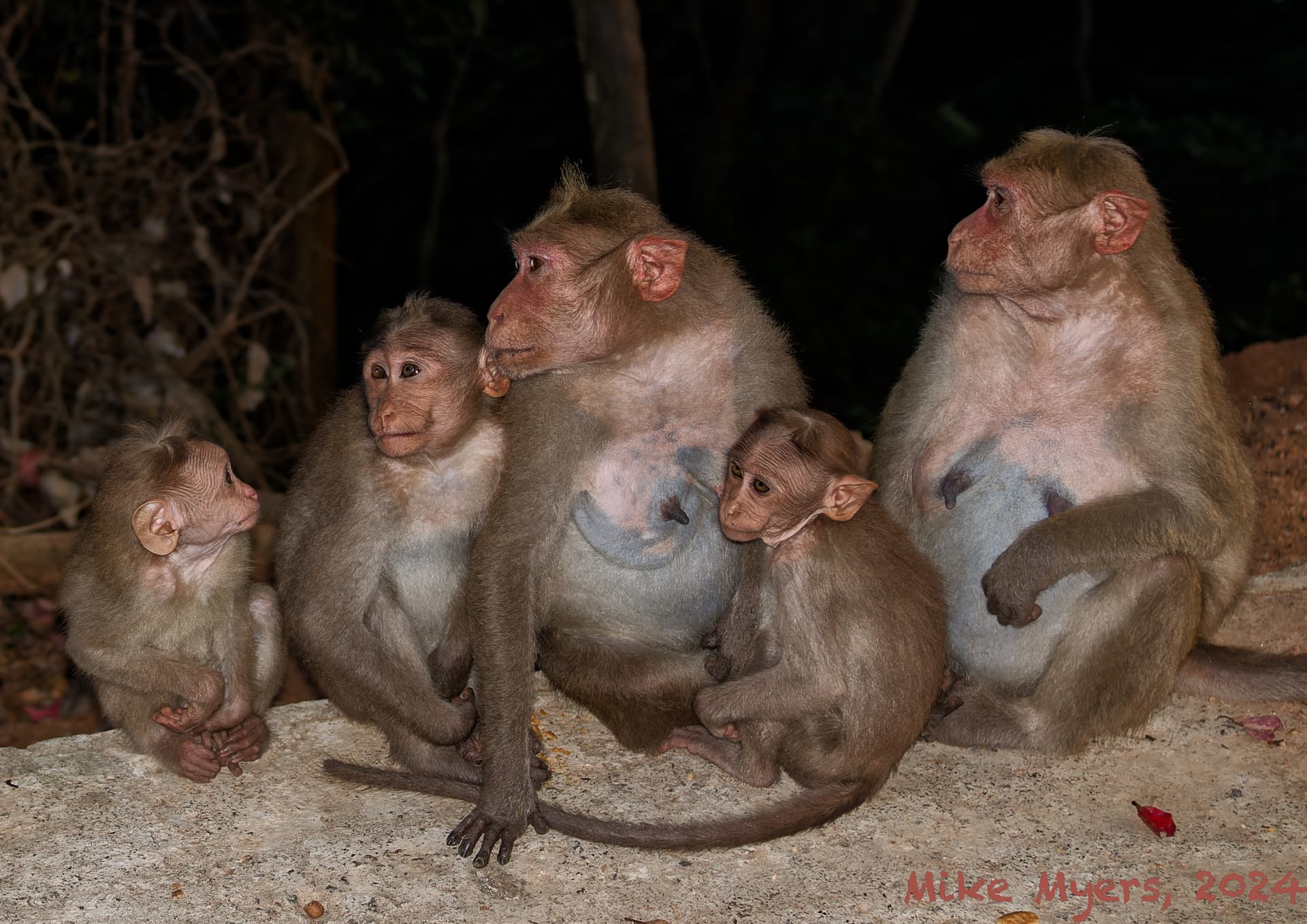
Moving on, to something quite different, shot through the side window of my car, to avoid any potential invasion.  It was taken on a narrow, winding road, that goes up to Alleghar Temple, close to Madurai, India.
Taken late in the day, as it was starting to get dark. My friend who was driving stopped the car alongside this family, and I took several photos of them, and their friends. It helps to zoom in close, to see the details. All I had with me was my Fuji, and I was resting it against the glass to stabilize the camera. The monkeys pretty much ignored us, and got on with their “monkey business”. I loved the way they were interacting as a group.
I took dozens of photos, maybe four or five interesting scenes, but this was my favorite. Because it was from the Fuji, I had to crop it quite a bit. My Df would have been a better choice.
As for me, I was mostly paying attention to what the monkeys were paying attention to, as a group. In retrospect, maybe I shouldn’t have rested the camera against the glass - that might have hurt the sharpness. Not sure. But if I was on foot, they’d never have allowed me to get this close.
This one photo made the whole day’s trip worthwhile, as I saw it. I went home with a smile on my face.

DSCF5882 | 2023-12-31.raf (25.0 MB)
DSCF5882 | 2023-12-31.raf.dop (14.5 KB)
I hope the monkey photo is more to your liking. Mine too. No interpretation needed.
A very different photograph, same camera…
DSCF5912 | 2023-12-31.raf (21.3 MB)
DSCF5912 | 2023-12-31.raf.dop (14.3 KB)
Our car had moved a little further down the road, and it was getting darker. I guess the monkeys are so used to seeing cars going up and down the road, they ignored us. This was the most interesting “pose” that I saw, but I think the previous image was “better” in many ways - but this one is sharper, likely because the flash fired. The Fuji X100 series does a good job of balancing natural lighting, and the small amount of “fill light” from the built-in flash.
The newest model of the Fuji X100 not only has a 40 meg sensor, it also has built in image stabilization - “IBIS”. It’s also around $1,500 or so, and will probably have an infinitely long waiting list to buy one.
The most difficult thing is getting a nice composition. Had my friends not been anxious to move on, and go out for dinner, I could have sat there for an hour.
Perhaps I will get back there for this summer, maybe another two months.
(Not to self - if I bring the D780, make sure I bring a “fill flash” and know how to use it.)
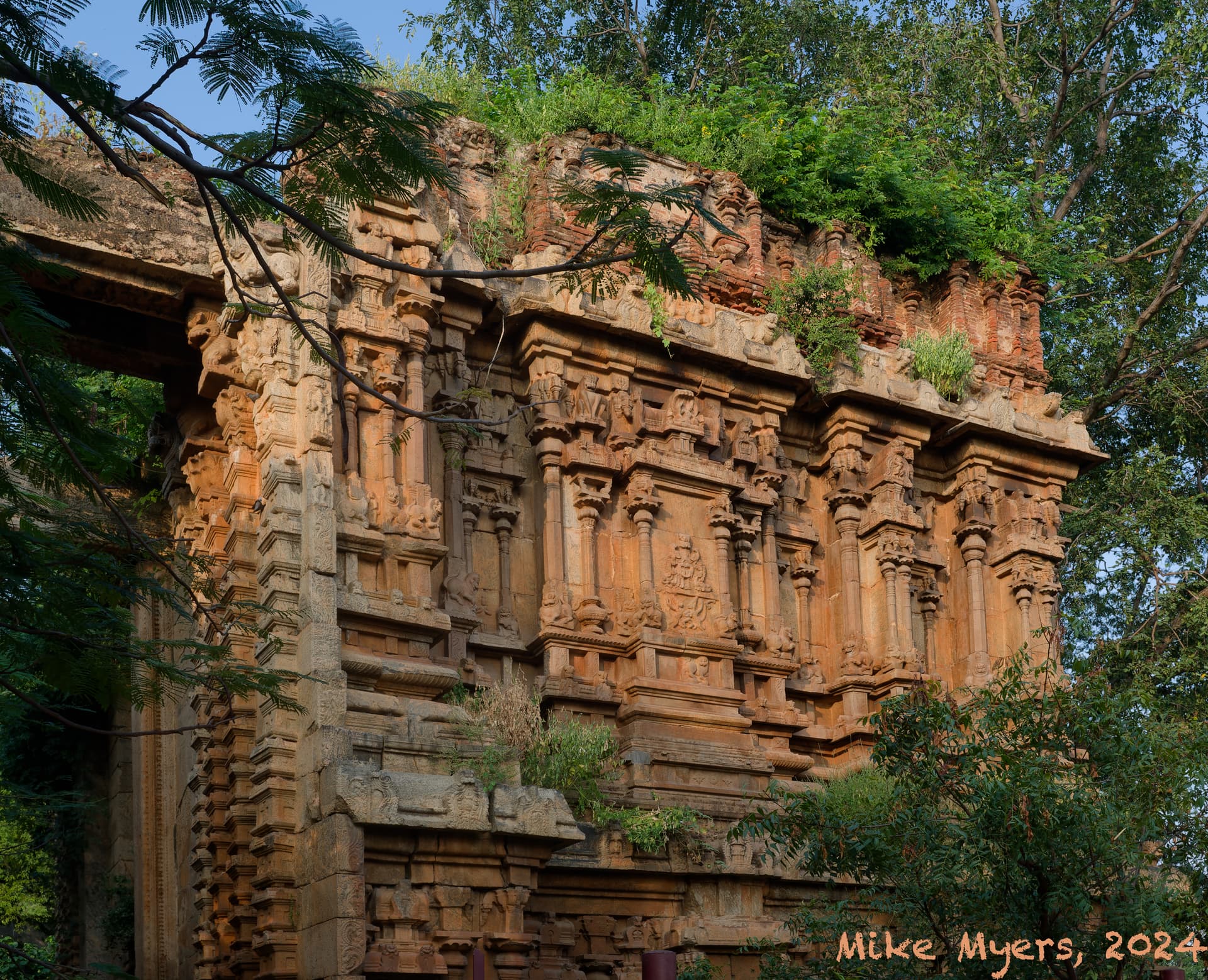
I also tried to take some photos that showed the ruins at Alleghar Temple. It’s difficult to “tell a story” when I’m just documenting history. The Fuji was much more suited to this kind of photo, than the monkey photos, and it didn’t take very much work in PhotoLab to get what I considered a perfect image.
DSCF5829 | 2023-12-31.raf (25.5 MB)
DSCF5829 | 2023-12-31.raf.dop (14.1 KB)
To me, this is a “typical tourist photo”, step back to get the wall, but not too far, and exclude any modern fences or other stuff. It’s a great photo to mail to friends and family, but it will never show up on my wall.
Way past my bed-time. Time to move on, use what I’ve learned, and take some new photos here in Miami Beach. On Saturday I hope it doesn’t rain again - the largest cruise ship in the world is sailing around 3 to 4pm, and I want to try to capture the whole ship with my 20mm lens - if the weather cooperated.
@mikemyers can I just gently remind you that these forums are not here for sharing your holiday snaps. Everything you’ve shown here so far seems to be adequately processed and you don’t seem to be in need of help using PL.
plus 1, I agree with Joanna.
Me three.
“Everything you’ve shown here so far seems to be adequately processed”
How does one get past “adequately”, to get the most out of PhotoLab, over and beyond what Adobe is capable of? Or, is that something the software does by itself, rather than by the user pushing it beyond “adequate”?
Practice, practice, practice.
The day software decides for itself what is adequate will be the day I stop using it. Otherwise, the only time you need to worry about being excellent is if you have an exhibition of large prints to prepare. “Adequate” is more than enough for sharing with family and friends.
One puzzle; almost every time I want to email a photo to “family and friends”, that photo looks much more impressive to me if I select “ClearView Plus” at the default setting.
However, if I do use ClearView Plus, I invariably get messages here telling me I ought not to have done so.
I suspect there are other settings that can replicate what ClearViewPlus does, but I’m wondering “why?”. That last photo I posted of the wall at an old temple looks better with ClearView Plus set at only 25, and better yet at 50. To my eyes, in one click, I have improved the image my “family and friends” are going to see.
I learned in the past that going overboard with that setting makes things look, well, un-natural. But you all probably the same version of PhotoLab as I’m using, maybe newer, maybe older - I am still on PhotoLab 6.
ClearView Plus gives the image more “punch”, even if I do it when everything else is done. Or back to this temple photo, from what @Joanna wrote, the image I posted is “acceptable”. But that one small addition, even if it is only set to “25” makes the image more like what I would want to share.
In India, I needed to come up with 25 to 50 images to go on the clinic walls, for patients to look at as they waited. On my computer screen (MacBook Pro, M2 chip) the images were more “impressive” if I used ClearView Plus as a final step.
If this is such a horrible tool, why is it listed so prominently in all the PhotoLab corrections? …just like other things, there are likely other ways to achieve the same final effect, but every time I “finish” editing, that one small tool, used in moderation, seems to improve the final image.
(Maybe the problem is me, not the tools. I see the effect of this tool as “icing on the cake”. Perhaps the rest of you just don’t like this “icing”, or perhaps you would rather achieve it by using the other individual tools, not an “all in one” tool.)
Indeed. That’s because you are using, as they say, a sledgehammer to crack a nut.
Try playing with the fine contrast sliders instead. You’ve got one for full range, one for highlights, one for mid-tones and one for shadows. Much more subtle and they avoid the halos that CVP can so easily give.
Because it does what it does, for the job it was intended, very well. And that job is to de-haze rather than sharpen.
On a small screen, you might think they look good but, if you try to print them larger, you often end up with something not so pleasant to look at.
As I said, it’s not an “all in one” tool. It is a tool designed for a particular job, but that people have misused in place of more refined tools that do it better when there is no fog to penetrate.
I will try this over the weekend.
I don’t print my images, nor do I have huge engagements made. Most of my images are sent to others via email, and that is a real limitation - I can’t send a dozen or so images to friends and family when they are “full size”. I guess I can fix that by going back to posting my images to my gallery at m.smugmug.com where people can view them at any size they wish.
I’m curious right now if using those three sliders will achieve the same effect I enjoy when I use a small amount of ClearView Plus.
Unfortunately, I don’t really understand how most of the PhotoLab controls actually work, only the effect I can see on my images. I’ve gradually learned how much to let my cameras do, and by shooting in ‘raw’ I expected my camera would just capture an image, just like with film.
One thing is for sure - when I email photos to friends and family, those images invariably look better if I use a small amount of "ClearView Plus (and over-use ruins the image completely - I learned that many years ago. If I can achieve the effect I prefer using those three sliders under “Fine Contrast”, that will help me decide what to do in the future.
(Making some good size enlargements and hanging them in my home might be nice, but all my wall space is otherwise occupied. In India, the hospital prefers printed images, but that is limited by how much they can spend.)
Not that it matters for my use of PhotoLab, but my current considerations for 2024 include whether or not to buy a better “fill flash”, and whether or not to upgrade to the new Fuji X100VI when/if it becomes available. Then too, my hospital wants me to get involved in creating 4K videos (so they can capture surgery videos that way), meaning I need to buy a 4K display. I found one that I can afford:
…but I’m wondering how well it will work with editing images in PhotoLab. I’m still using my 27" ASUS display for anything serious. No real rush on any of these.
Obviously not exactly the same but much more refined.
So, do what we do and swap things around every so often.
In that case, you should be striving for the best possible quality, highest resolution, uncropped images.
Your D780 can print to 24" x 16" (240ppi) without any enlargement, provided they are not cropped.
Using Topaz Photo AI, I can reckon on getting that up to 96" x 64" without any noticeable loss of quality, especially if viewed from a reasonable distance.
From what I read in this discussion, what you’ve got is perfectly adequate - just learn how to use it right and stop throwing good money after bad.
It might be 40Mpx, but it’s only an APS-C sensor, so less quality and more noise.
Also realise that it has a 35mm (full frame equivalent) fixed lens, so you are limited with wide angle and a depth of field that cannot be limited. Unless you are highly skilled and experienced at taking shots perfectly framed in the camera, you’re going to end up having to crop (again) and that kinda takes away from the 40Mpx you would be paying a lot of money for.
Don’t waste your money!!! I’ve found plenty of reviews on the web that talk about it being a marketing gimmick because the previous version is in short supply and folks are selling their old ones for the same price as the new, but secondhand.
Having seen your photography over the last few years, it is obvious that you need a zoom lens that will take you from wide to tele. You know, a bit like your perfectly serviceable D780.
Stop looking for yet another camera and learn how to better use those you already have.
Absolutely stunning, especially with the nano-texture glass. What do you think we both use here?