And how does it compare, in terms of sharpening quality/effectiveness, with Bicubic interpolation ?
John
And how does it compare, in terms of sharpening quality/effectiveness, with Bicubic interpolation ?
John
Big difference is that it’s configurable vs. having a baked-in strength. I recommend downloading and playing with it on your photos to see if it’s for you!
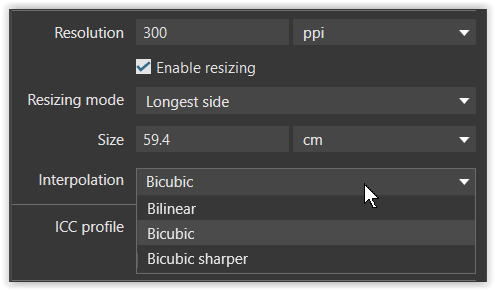
I need this feature, too… I’m in the process of making PhotoLab my default raw converter and this is, for now, the one major issue I still have, because I never really get the sharpness right with scaled-down exported images – either they’re too soft (bicubic) or they’re oversharpened (bicubic sharper). The raw converter I’m coming from (Silkypix Developer Studio Pro) has a separate, freely adjustable unsharp-mask step specifically for saving scaled-down images, while I would already be perfectly happy with a sharpness slider to adjust the amount of sharpness added in the ‘bicubic’ interpolation.
I need this feature too. After some tests I really don’t like the effect of bicubic sharper, it sharpens too much. For now I am exporting full size then to resize for web I am using AcdSee where I can use a custom action with a low level of sharpening
I find using the lens sharpness tool produces amazing results
Yes, reducing lens sharpness (‘global’ slider) to something like -1.5 gives me about the right sharpness in downscaled images when using the ‘bicubic sharper’ setting, and that’s what I’m using these days. Problem still is that I have to increase lens sharpness again when I want a full-size JPEG.
How many years it will take to implement better scaling algorithm like Lanczos?
You are the last RAW processor with only 2 options for image resampling…
Even free image viewers like Fast Stone Viewer offer 11 resampling algorithms.
https://www.faststone.org/FSViewerDetail.htm
Excellent to see this request being escalated - again.
Yes, I absolutely agree … My vote was added long ago !
How does exporting with PL7 seem to you today?
The bicubic option still seems soft to me, while the sharper bicubic option sometimes still seems too aggressive.
How do you behave…?
I’m new to PL7 and would like to use it as a single software for everything.
Thank you
Welcome to the User Forum, Daniele.
Yes, many of us agree with you … We can only hope that DxO will (eventually!) take notice.
Thanks, we wait… 
I’ve found Lanczos tend to oversharpen and add ringing artifacts/outlines to high contrast edges, which I’m allergic to.
Spline36 is better for downscaling. Sharp, yet natural looking without those dreaded dark+light outlines on edges.
Just digging up this old thread so someone will take notice and do something about sharpening in the app. It’s silly it’s been this many years for DXO users and it’s still bad.
PL offers output sharpening during export
and when printing via the print module

So, what are you missing?
.
And yes, it’s not as detailed as a specialized tool like… Nik Output sharpener,
where you have the choice (and the corresponding adjustments) for
.
Important note:
Sharpness should always be judged at the output size, whether for display or printing.
From my experience of regularly making large (A2 and larger) prints, DxO’s idea is nowhere near as sophisticated as Topaz Photo, which uses AI to optimise it, according to magnification, and allows multiple pass, localised, sharpening
Joanna - Do you have an opinion on the Nik Collection output-sharpener tool - - Is it any good ?
From my tests, not as good as Topaz.
Nik…
Topaz…
Note, Topaz also includes localised text optimization as a separate adjustment
Export an image from Lightroom to 1024 (longest edge). Then try and get close to it in PL without going too under or over sharp. Good luck.
Your comment sounds like you’re not expecting a satisfactory answer – and you’re right: PhotoLab is not LightRoom.
.
I still have LR 5.7, which offers three export sharpening modes: low, standard, and high. PL 9, on the other hand, offers bilinear, bicubic, and bicubic-sharper.
To enable a fair comparison:
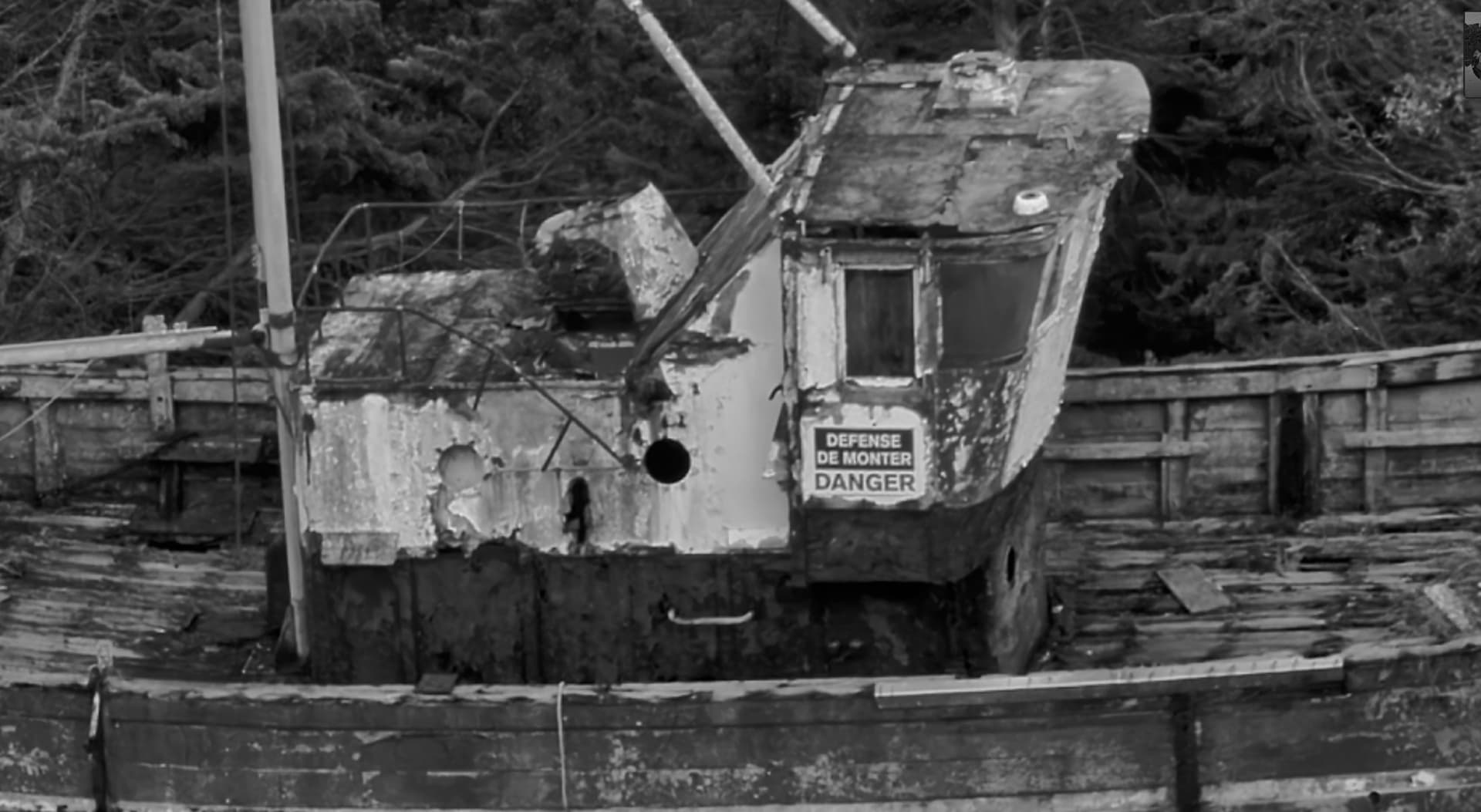
In PL I exported two different RAW files as full-size TIFFs,
which I then exported in LR as JPEGs (1024 px long side) with its 3 sharpening modes.
In PL, I used the RAW files from the same source and exported them as JPEGs (1024 px long side) with its 3 sharpening modes.
In short:
The results of the two software sharpening modes were not close. – As it turned out, the most suitable sharpening method depends heavily on the image (megapixels, lighting, image content, etc.), and LR’s standard sharpening did not always deliver the best result.
.
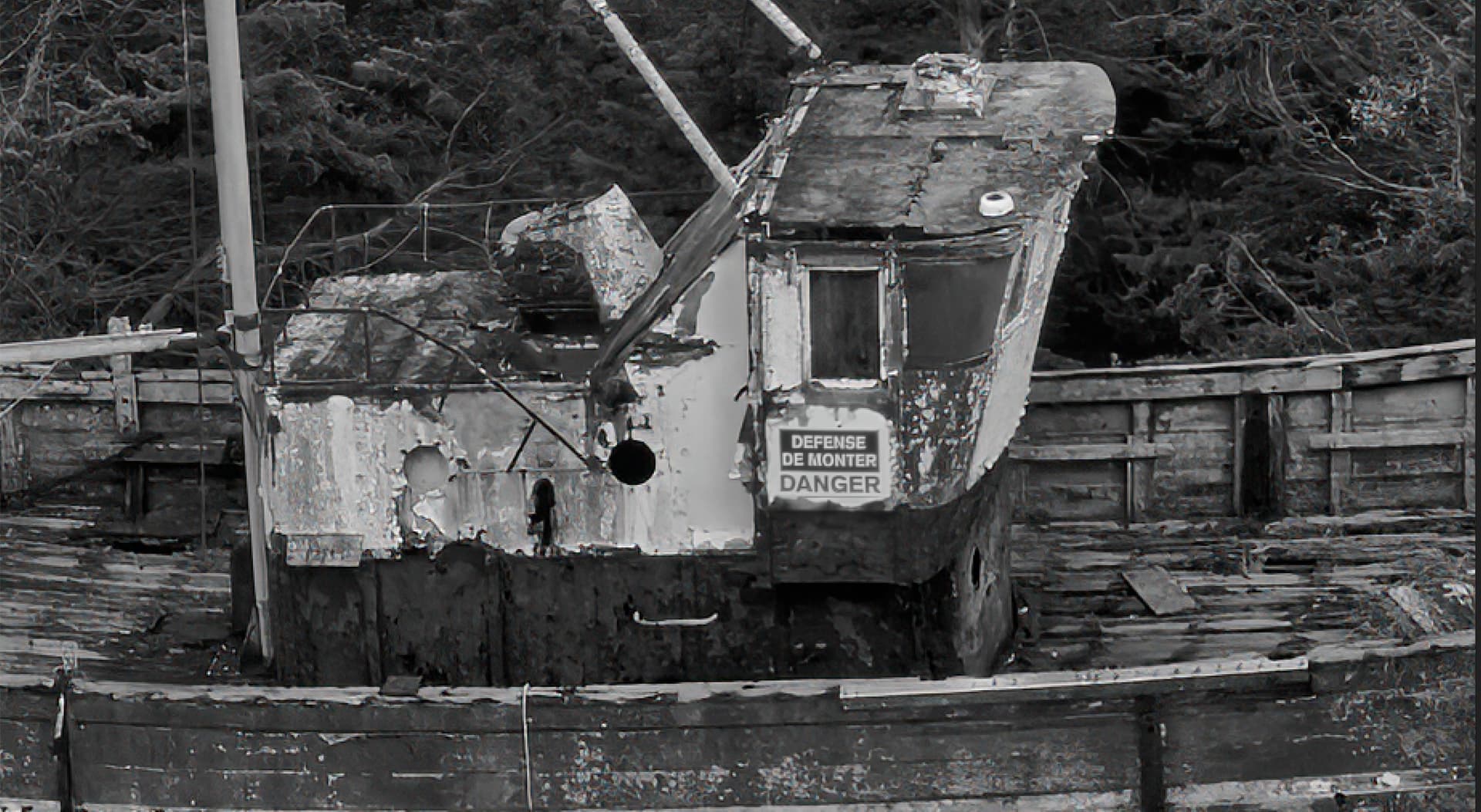
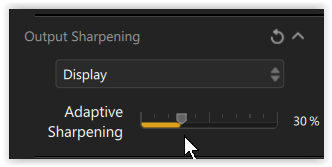
A long time ago, when I was managing a photography club’s website, I received all sorts of images to upload – from razor-sharp to slightly blurry or grainy, and in various color spaces. Back then, I used Photoshop to check and scale the images, and sharpened them in Nik Output Sharpener with the “Display / Adaptive Sharpening” option.
To repeat the process now with Nik 8:
In PL, I used the RAW files from the same source and exported them as TIFFs (as well as JPEGs, both 1024 px long side). – The optimal sharpening could easily be determined based on the final image size. Additionally, a 200% view can be tested, for example, when the presentation gets enlarged (of course not recommended).
Although using one of the preset sharpening modes is convenient (fast), I personally prefer to export the image to the Nik Output Sharpener, which I am familiar with, and adjust the sharpness in the image individually.

Are you applying anything specific to get it to do that? Or is it automatic while exporting?
(I have Topaz Photo AI)…