Easy and works.
Export ot Application →
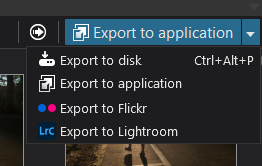
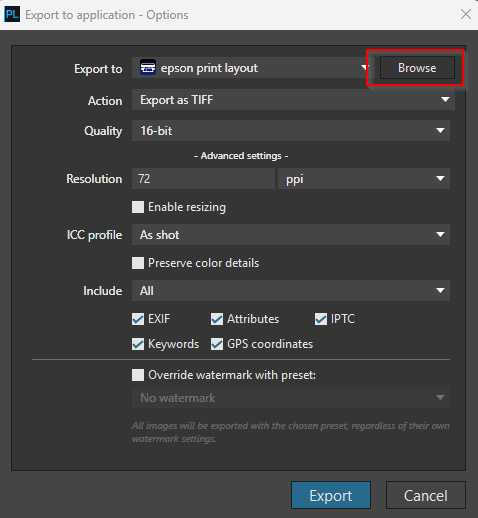
Browse the Epson stuff
I use Windows 11, but i guess similar in Mac.
Usually something like: C:\Program Files\Epson Software\Epson Print Layout
Choose Epson Print Layout. exe
Setup the export to Tiff, etc.
Export → Print Layout opened with the tiff.
Also works with multiple files.
I understand to use Epson Print Layout, I also use it (Epson SC-P600).
For those less familiar with and ask why this open with EPL nice: in LR/PS it has a plugin alike, you can choose in directly from the Export dropdown “Epson Print Layout”. Practically the same as this ‘Export to application’, but just put to the dropdown list without application browsing and so on.