I usually shoot OM System OM1II and OM-5 and always use the raw files from these camera’s. Bought a used E-PL3 for my wife to use instead of her compact camera as this camera also can shoot raw files. One thing I immediately noticed is how much sharper the JPEGs look even if I work on the RAW file. Added the DXO distortion profile and the color rendering first. Been trying several things (Smart Lighting, Clearview Plus but also the manual adjustments and of course sharpening a bit. It stays behind on the JPEG. What is even more noticeable is that a high iso photo looks way better in JPEG than the noise reduction options in PL9 can make it. Very strange as they are usually great. Could it be that the profiles in DXO are simply not great for these older camera’s?
I never experienced this with my old E-PL9, except to say that the in-camera JPEGs tended to be oversharpened, with visible artifacts such as halos (which one will also see on a TV with sharpening enabled). Can you provide a sample RAW + JPEG for the community here to look at?
Thanks for your reply. Here are the JPEG and unedited RAW. The JPEG colors are way too much but that is also the reason I need to use the RAW. I also have an older PL8 where I didn’t notice this issue. Of course the E-PL8 is already a 16 MP sensor while the E-PL3 is still the older 12. MP sensor.
EPL33024.ORF (11,2 MB)
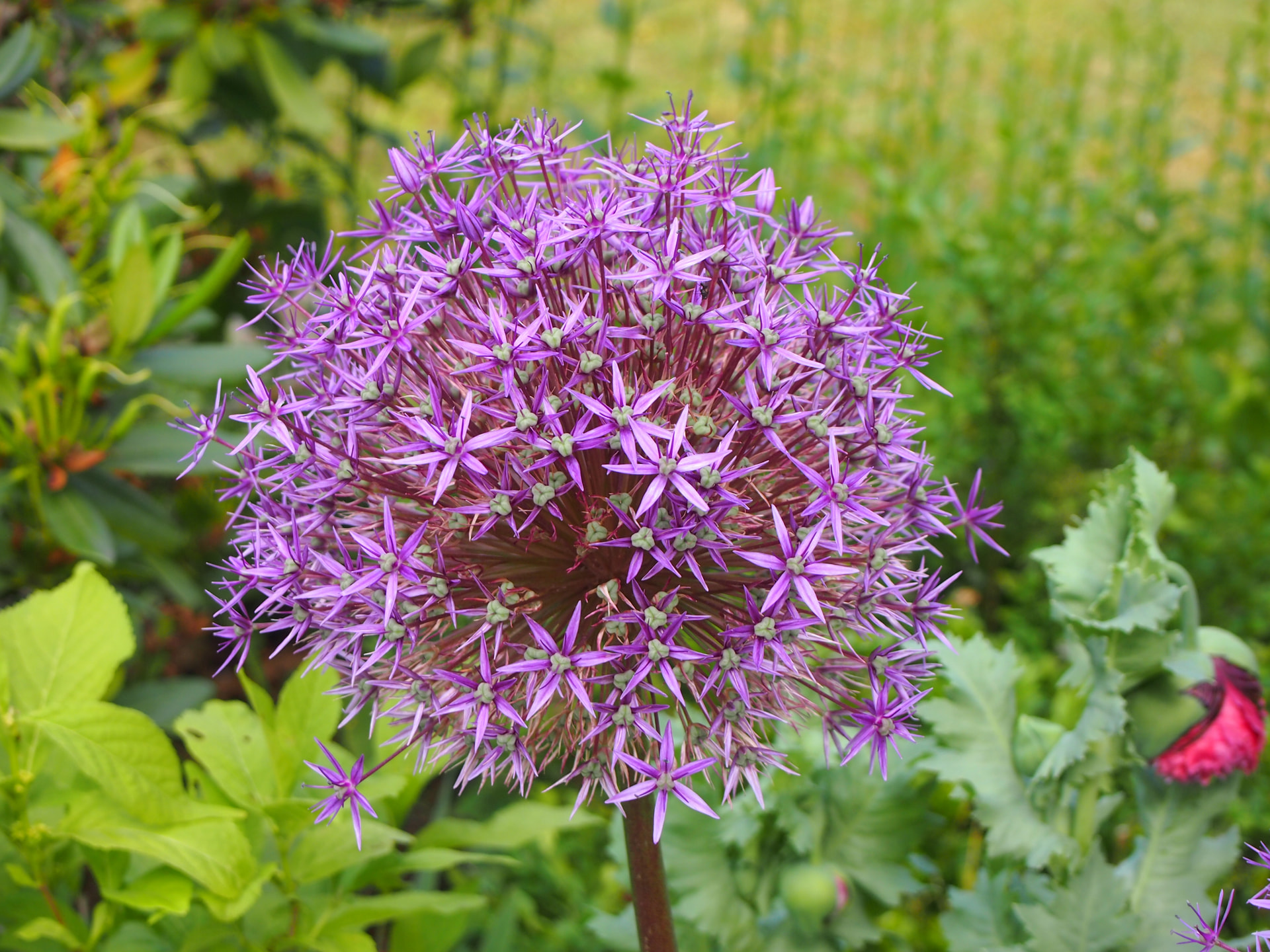
I suggest to try the OM Workspace (“Olympus Viewer” in the past) application to check the thing on the PL3 RAW (orf) - and you will see. OM Workspace can provide a result like the OOC jpg from the camera (of course, may a bit differ dour better processing power / possibilities). Also, not unusual the OOC jpg is a bit oversharped. Note: Oly Viewer can produce just incredible good colors.
I checked with PhotoLab 8 (a test bed while using PhotoLab 9 for actual work) and am not seeing deficiencies in sharpness. The Olympus JPEG has a lot more contrast and saturation, though, and adjusting these can give the impression of a sharpness difference. I suggest paying particular attention to the bug perched inside the one o’clock section of the flower cluster. You might also want to make sure that PhotoLab’s lens sharpness optimization setting is over 100. (I think 130-150 looks good with this image.) I looked at an exported JPEG, not the preview image in PhotoLab 8. (In PhotoLab 9 I can rely on the preview image entirely.)
The example jpeg posted is reduced size (1920x1440) so had some type of resizing algorithm applied.
-What algorithm are you using to get the jpg from PL - bicubic, bicubic sharper, etc?
-What denoise and optical corrections are you using?
My Mac exports a much sharper image (at 1920x1440) than the example posted using DeepPrime3, Optical corrections at default, Fine contrast at 25, and bicubic sharper (for reduction). No other adjustments. As noted, the colors are different, made no attempt to match the jpeg. Perhaps the difference is in one of these adjustments.
Hope this give a clue…
Thanks all for your help, appreciate it!
I tried a conversion in OM Viewer (both JPEG and TIFF) and they came out exactly as the original JPEG (to colorful but also looking sharp). Not user what happened to the JPEG I send the first time as I was under the impression it was SOO and the full resolution, I don’t think it was an export as I usually rename those. I’ll add the JPEG export from OM Viewer and the JPEG export from PL9. Distortion: based on DXO module, Color rendering: DXO camera profile (E-PL3), DXO smart lighting slight, Tone curve 61 /183 to get a bit more contrast. Sharpening 126. No resizing. Maybe it’s just me not liking it but let me know what you think.
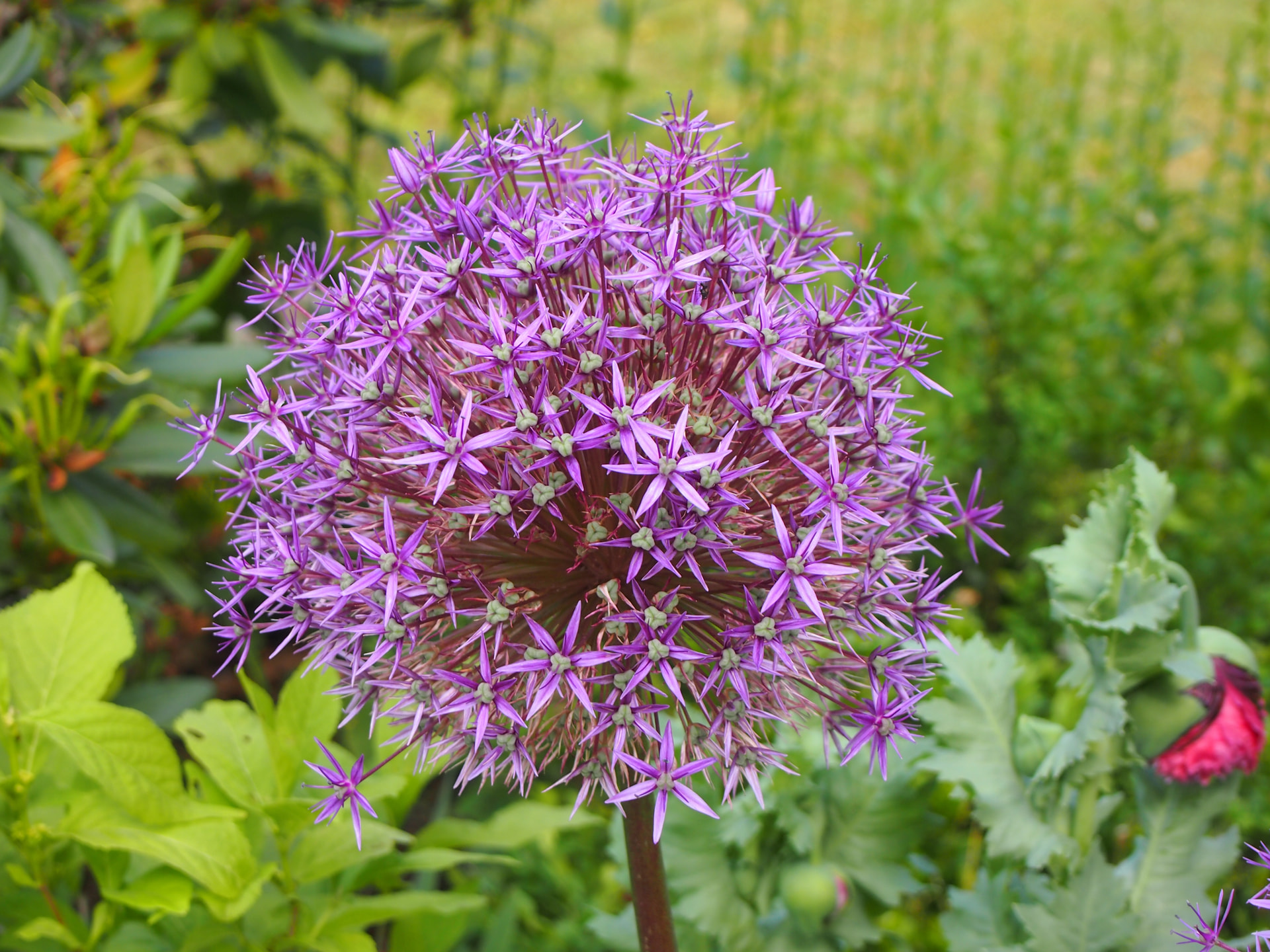
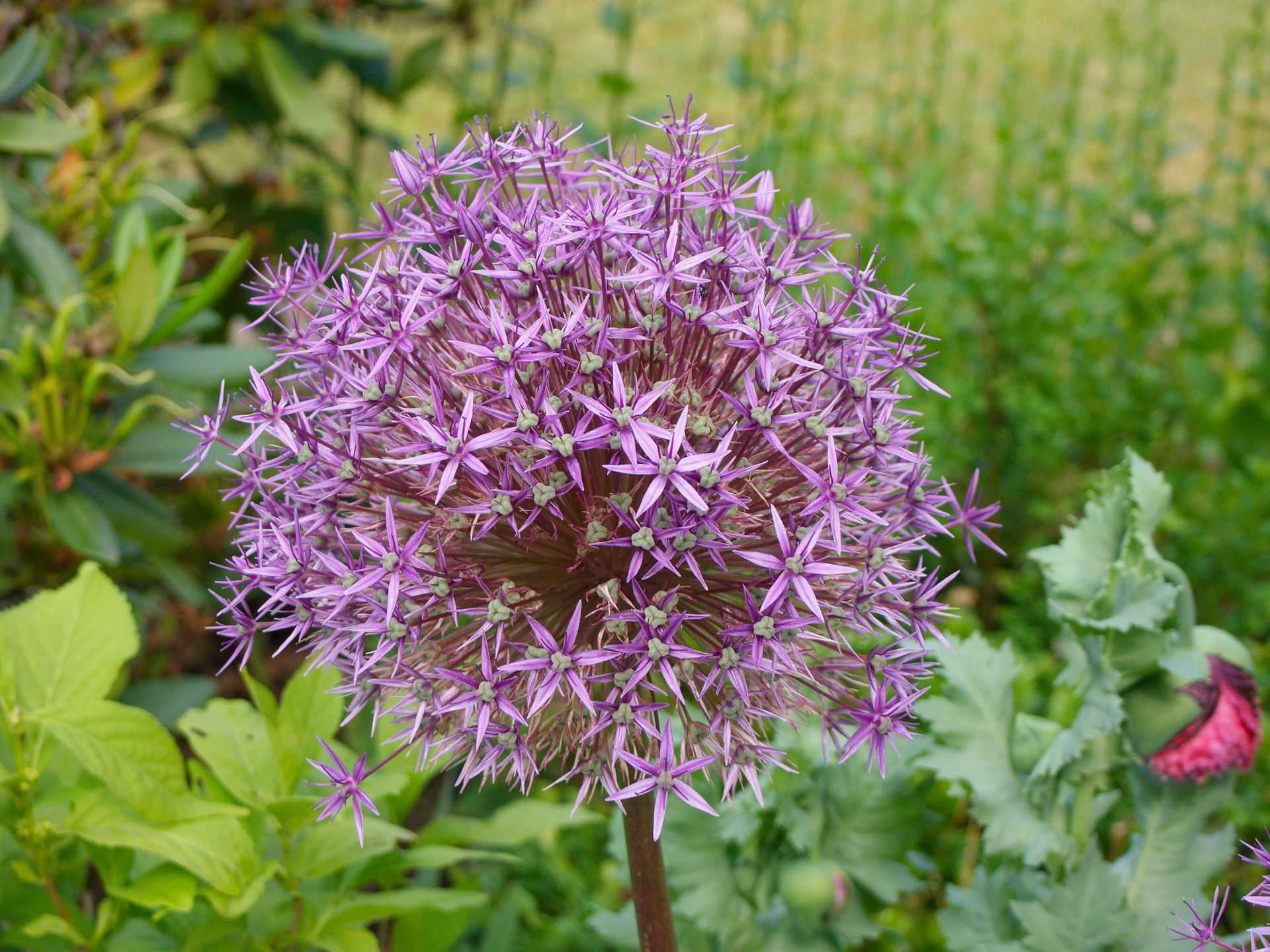
Well, I hesitated to jump in here, since I don’t use Oly…
Every converter handles colors and the like differently. So, if you want your image to look exactly like the out-of-camera (OOC) JPEG, then use that specific JPEG file or stick with OM Software—it’s as simple as that.
-
on the left: your OM export || on the right: your DxO export
-
on the left: your OM export || on the right: DxO 1920 px bicubic sharper *)
*)
Preset: “2 - DxO Standard” + Vibrancy +45 + DeepPrime XD3
Export: 1920 px long side + bicubic sharper
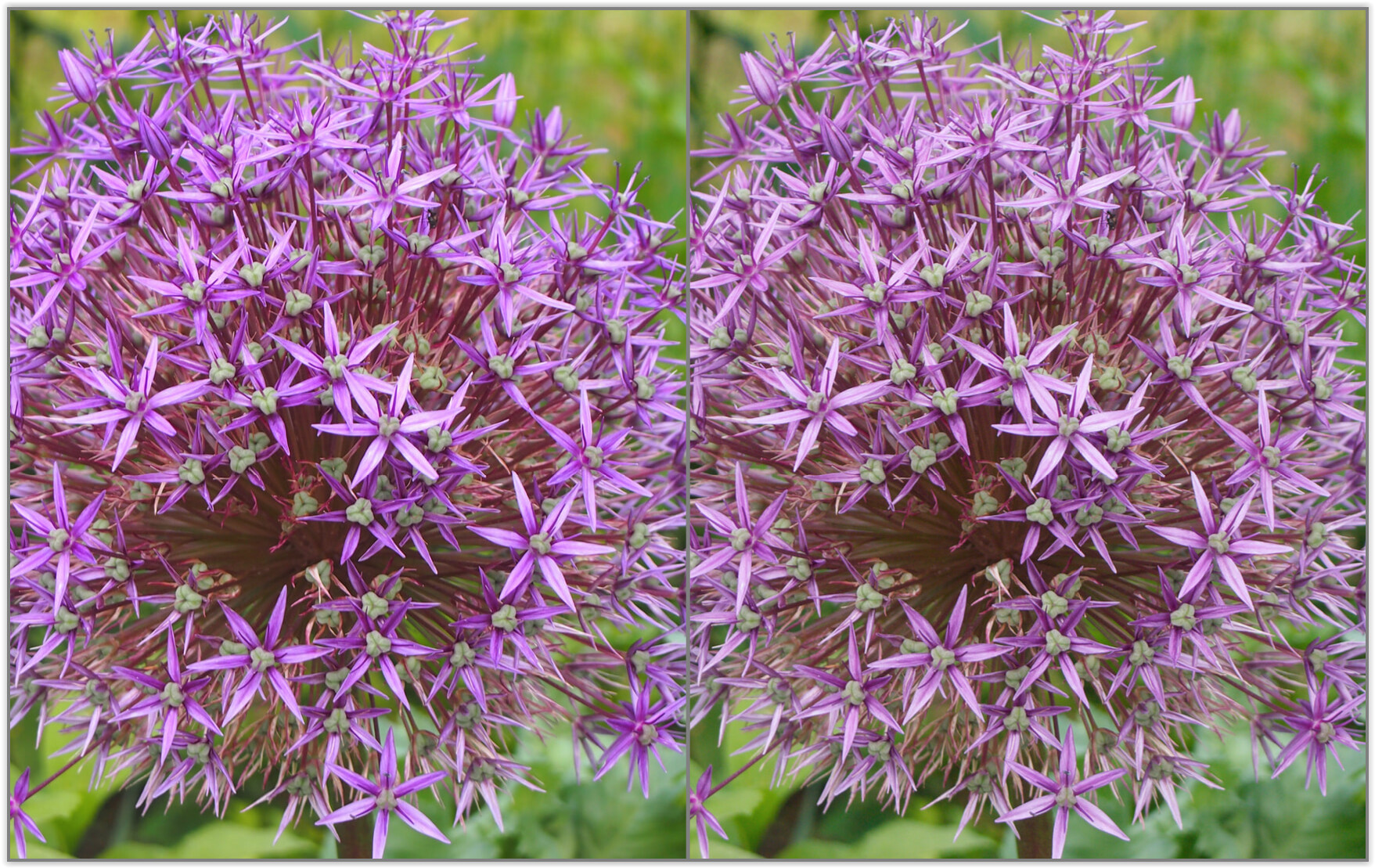
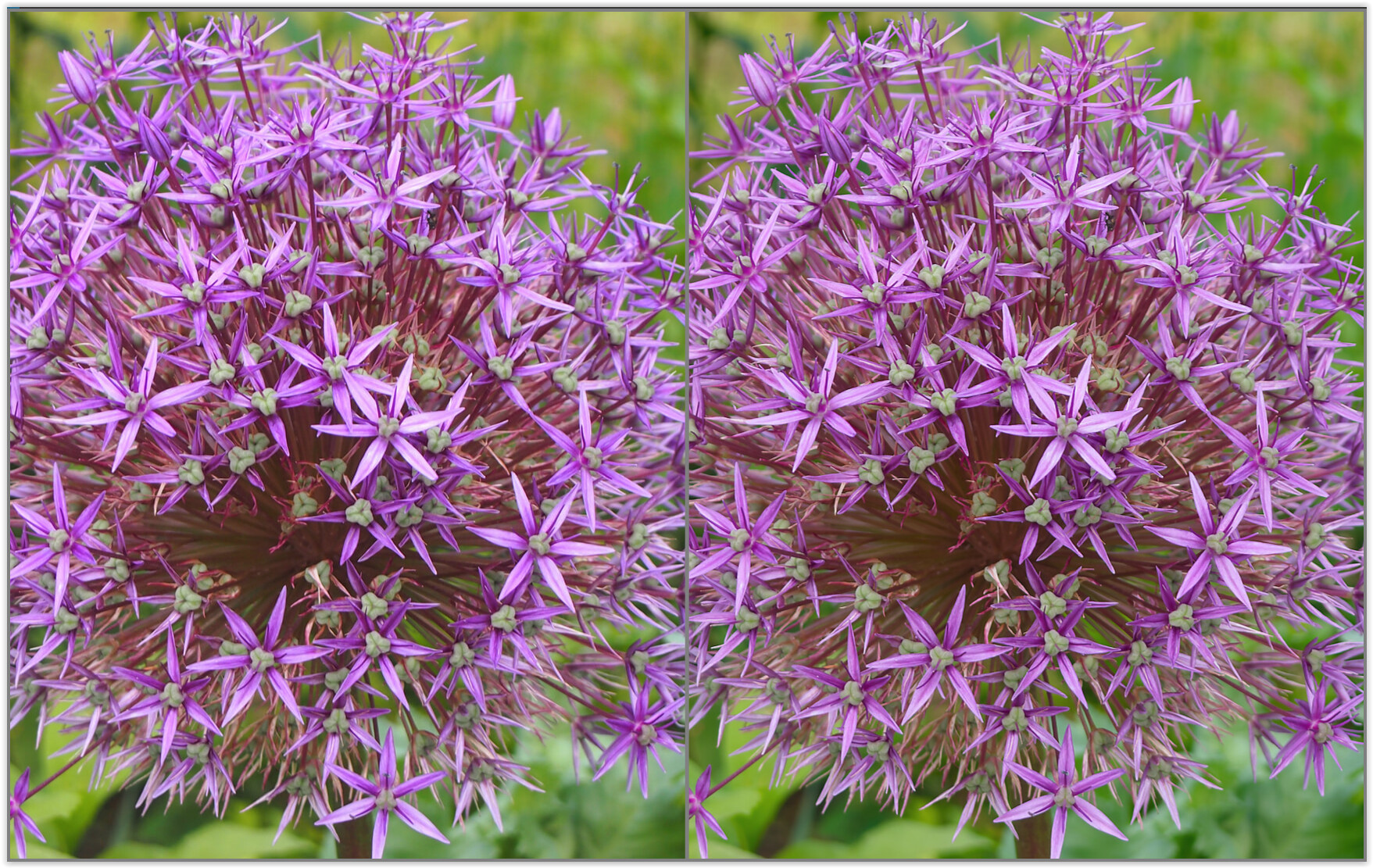
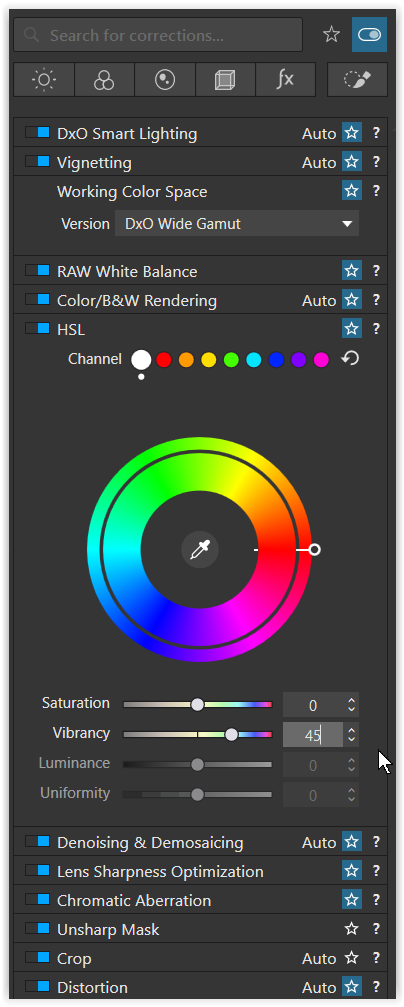
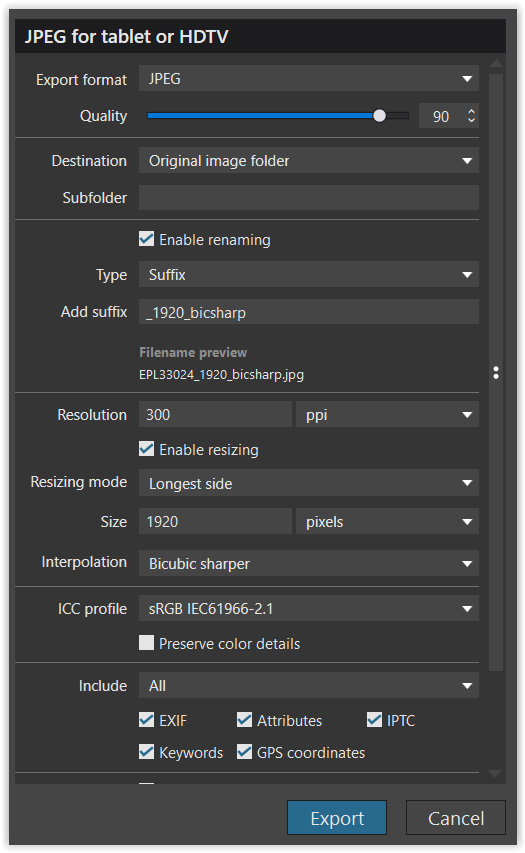
Switch back and forth between views to check the sharpness of both DxO outputs.
For optimal sharpness, always export at the target size where pixels are displayed at 100%. Then, check whether you are happy with the result or would like to make any changes.
Sorry, but that wasn’t my question. I was just wondering why the SOO jpeg seemed to look so much sharper then I could get the raw file. I’m not interested in using the OM software and will continue to use Photolab.
I guess it’s a optical thing because the SOO jpeg images are very over processed. I’m going to find out what’s acceptable to me and leave it at that.
Thanks for all the responses!
I would then check the camera settings and also swap the lenses to see if and what changes.
However as explained, always export at the target size.
As others have mentioned, OM/Olympus jpegs are over-sharpened and when magnified display halos and artefacts.
This recent thread in the DPReview forums discusses this issue: