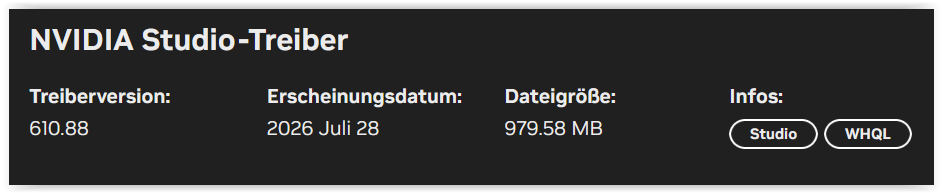
I installed the latest drivers for my RTX 5060 TI 16GB from Nvidia today. After the install, PL would not export. No error message and no export. After rolling back to the last Nvidia driver from July, everything seems to be back to normal.
I don’t know if this is something specific for my PC or if PL has a problem. Anyway, I would stay away from the august update from Nvidia until clarification of the issue.
My experience on my laptop, which has a RTX 4050 6GB VRAM card, is the same as @whs62, i.e. PL 9.11 build 578 would not export immediately after installing the latest Studio driver. However, all was well after a reboot.
I can initiate the export, but it doesn’t start. Laptop: MSI Titan 18 HX A2WJ with Intel® Core™ Ultra 9 processor 290HX Plus and GeForce RTX™ 5090 Laptop GPU.
Exactly the same that happened to me. I tried to turn the PC of and on but that did not help me. So, I downloaded the July driver version and did a clean install of the driver. Now PL is up and working like it should again.
@TorsteinH AMD Ryzen 9 9950X 16-Core Processor (4.30 GHz) - RTX 5060 Ti 16GB, and I had exactly the same issue, after installing the latest Studio Driver 616.56.
Reverting back to the previous Studio Driver 610.88, resolved the issue.
Re-starting the PC after installing 616.56, did not resolve the issue.
The auto update on yhe ap on two pcs didn’t come up with it after some hrs after the 3rd updated. I have never have them not get updated befor so wondered if the auto update was off. Tried the laptop and still not updating so odd
Yesterday, restarting my computer was enough for me, but today nothing helps. The export freezes and won’t start. I’m going back to the July patch. It’s driving me crazy, as the entire time I’ve been using v9 has been spent testing the software’s performance.
On my only one that updated its also not exporting. Reinstalled July and no problem. As whs62 has said its a bit boring/frustrating having endless issues with 9 as DXO have taken a different AI approach to others and clearly are not very important to Nvidia so are reliant to reacting to there driver changes rather than Nvidia taking PL in to account with driver changes.
As a rule of thumb , never upgrade your system (drivers, bios, etc …) unless something’s wrong, or unless it adds something for you. And never do it during a production if there is no problem.