Hi
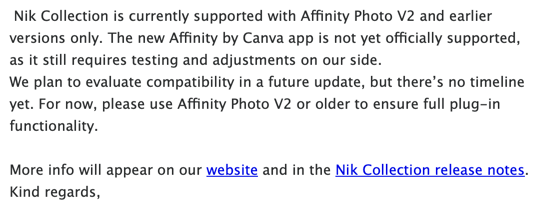
I have installed the latest version of Affinity. released in October 31th this version is the new Affinity by Canva.
I have the NIK collection since many years and am very glad with that. it worked on the Affinity V2
but with the New Affinity we can launch Nik Collection as plugin but the "Submit change " Button is hidden than we can not apply the effects made with Nik Collection it’s mean Nik collection can’t be used with the new version of Affinity
Hope a new version of Nik Collection will be released soon
Thank you
So do many people, even after applying the latest Nik update. If it’s an Affinity bug then there’s a good chance it will get fixed and the fix will work for all affected versions of Nik. It’s a Nik bug then it’s a safe bet only the latest version of Nik wil be patched by DxO, leaving those of use with broken older versions (I have Nik 6) high and dry.
Hi Stuck
Really i don’t know if it’s an Affinity Bug or a Dxo compatibility problem with the new version of Affinity. Dxo has released this few days a new version of Nik collection i thought that may be this version fix the problem but no it was not the case , than actually am still using the Affinity V2 instead the Affinity by canva.
I sent an email to the Affinity team support regarding this issue but no answer at this time
I have the same problem, NIK cannot APPLY the adjustment I’ve added to my image. I’d use DXO 7, which I also have, but it doesn’t work well with my Fuji XTrans images.
I’ll continue to use Affinity 2 until a solution is found.
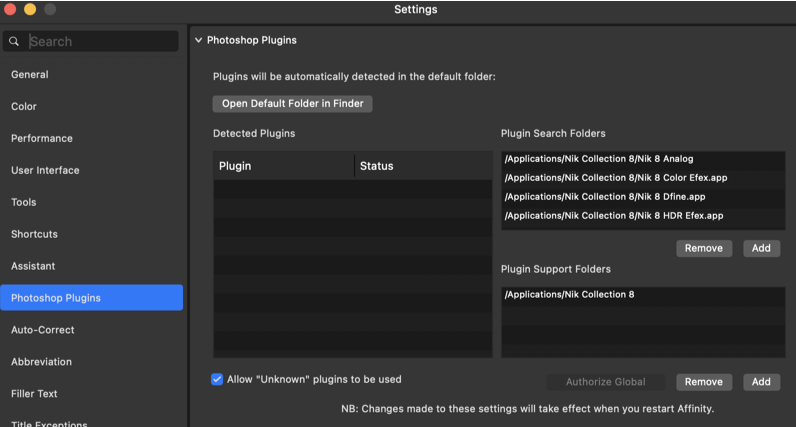
I’m having the same trouble with compatibility issues between the new Affinity by Canva, and Nik Collection 8 plug ins. I’m able to enter the location of plug ins under Affinity > Settings > Photoshop Plug ins, though the plug ins aren’t being recognized? I’ve left a Support Ticket request (and, follow up) with DxO, and hope that a fix is forthcoming, sooner than later…
Until the missing ‘Apply’ button is fixed, I have found the following to be a usable workaround.
After opening the Nik plugin in Affinity, I make the changes to my photo and export it to a file. (File type is your choice.) I then open that file as a layer in my Affinity document and do any further processing from there.
Yes - I just downloaded and installed the latest Nik 7 (and the latest update to Affinity 3 by Canva) and a quick test confirms that the Apply button is now present when using a Nik module as a plug-in.