Hello, I hope it’s just me not understanding something. I’m seing strange distortions when applying - well - lens distortion corrections to my photos made with OM-1 mark I and various lenses. The RAWs, when imported and with no corrections applied, look OK, if a bit… raw. But once I apply distortion corrections, lines and arcs of higher contrast get jagged. These artifacts are then amplified by other filters I apply and get even more pronounced. Do you, fine people, know and can tell, what I’m doing wrong?
New here, so I can’t attach more than 1 photo, but I’ll try to add a link to an album.
All pics are screenshots from a 200% zoom in DxO. The artifacts are visible in both UI and the exports.
You’re viewing an image at 200%, which makes individual pixels larger. So diagonal lines and arcs will appear jagged, especially as you increase microcontrast and sharpness. I see nothing wrong here. Does everything look OK at 100%?
I didn’t get anything similar with Nikon Z8. Sometimes I get 12-pixel jaggies for the edges of fast moving objects, where 12-row parallel readout mode is visible (used to achieve under 4ms of Z8 electronic rolling shutter readout time). However, your example looks very different. The vertical artifacts on the fuselage edge also look strange, like a hairbrush, comb-like, so maybe the problem is in raw data (?).
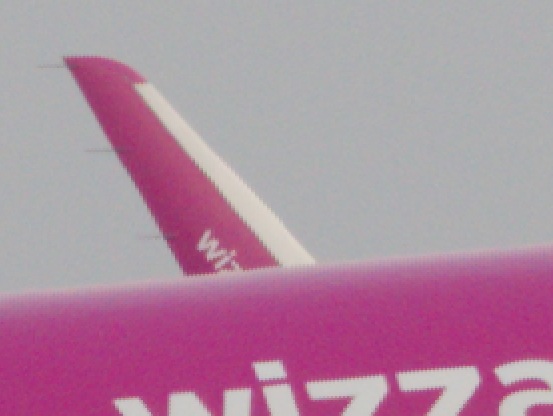
Yes. The difference between “it’s just 200% zoom” and the artifacts is clearly visible in upper (the former) vs. lower (the latter) part of the winglet on the attached sample.
Nope, would be great if it was that simple, lots of apps have problem with that. Unfortunately, this is a normal 20mpix RAW. As a sidenote, other applications I use for RAW processing don’t have this problem, it only showed when I decided to test DxO.
But! I’ll take a look into the moving vs. stationary part in the morning, because i definitely did’t see these (or as clearly visible, at least) on the nature shots I’ve been processing with DxO. This camera does have a pretty uncommon Stacked CMOS sensor, so worth exploring, thanks!
You may post the original raw for us to have a look.
Definitely it looks wrong, never got anything similar. Maybe it’s camera specific? I would escalate to DxO support.
The transition from smooth to jaggy looks too sharp for that, but who knows…
What other corrections were applied?
EDIT: I had a closer look at the linked photos. Never seen anything like this with my various Nikon raws (D700, D4, D780, Z8). Some parts look like a problem with “variable box size compression” (for whatever unknown reason) but the comb-like artifacts are even more strange. Maybe it has something to do with your OS/hardware(GPU)?? Does enabling DeepPRIME3 help? It seems it wasn’t used…
Anyway, I think DxO would be interested in your case, so please escalate.
In a rare flash of genius, I did two things. And then had to wait until next day to be able to post this, because newbie limits Anyways:
I went through my archive and found two similar pics from ca. 2 years back - different body, different make, Panasonic DC-GX9 - same problem
I disabled Nvidia card and enabled Intel - no change, except it then took ages for even the most basic corrections to render, so at least it’s not graphics card
I wrote up a bug report and I’m waiting patiently for a response.
 Anyways: