New Photolab v9

New Photolab update → V9

AI Mask: for advanced selections
Accelerate your editing with AI-driven subject detection and selection.
• Automatically select key subjects such as sky, people, clothes, background, hair, vehicles, and more. You can also use click on a subject or draw a bounding box to make manual selections.
• AI masks can be combined with all other masking tools for the most challenging situations.

Refined Local Adjustments with vastly improved masking system
Enjoy greater flexibility and precision in localized edits with a unified and intuitive masking structure.
• Combine all masking tools together (AI Mask, Control Points, Control Lines, Gradients, Brushes…).
• Sub-masks let you create more precise masks for each image.
• Easily access actions such as Invert Mask Effect and Duplicate Mask.
• Gizmo displays have been redesigned for clarity and usability.
• A one-time engine migration is required to edit local corrections created in earlier DxO PhotoLab versions.

Localized Noise Reduction and Lens Sharpness Optimization
Target specific areas for denoising and lens sharpness using masks.
• With the Local Denoising and Local Lens Sharpness Optimization, it’s now easier than ever to fine-tune your
most challenging images.

Images stacking in the Filmstrip
Organize your images more efficiently through stackable thumbnails.
• Virtual copies are automatically grouped into collapsible stacks.
• Manual controls include: create, group, ungroup, sort by date, and re-stack virtual copies.
• Stack display states (collapsed/expanded) are preserved across filtering and project navigation.

Advanced Batch Renaming Tools
Rename images (inputs and outputs) consistently and efficiently using a flexible token-based system.
• Leverage metadata tokens (e.g. Exif, IPTC, shot date, counter) and custom text to build naming schemes.
• Create, save, and reuse custom renaming presets.
• A Find & Replace function is now available in the export dialog, with optional case sensitivity and live
preview.

Support for Apple ProRAW and HEIF/HEIC Image Formats
PhotoLab 9 offers full compatibility with Apple ProRAW and HEIF/HEIC.
• ProRAW images from iPhones can now be opened and processed, with built-in tone mapping enabled by
default.
• HEIF/HEIC image formats are now fully supported.

Enhanced Noise Reduction with DeepPRIME 3 & DeepPRIME XD3 X-Trans
• DeepPRIME 3, introduced in PhotoLab 8.5, takes our machine-learning-based approach to RAW conversion
one step further: our new neural network performs denoising, demosaicing, and the correction of chromatic
aberrations simultaneously, and with unprecedented efficiency.
• DeepPRIME XD3 X-Trans follows the same approach but utilizes a significantly larger model and more
training data. As a result, it retains eXtra Detail, while also delivering silky-smooth bokeh for all Fuji X-Trans
RAW files.
• The original PRIME denoising, revolutionary when introduced back in 2013, has now been retired in favor of
our more advanced DeepPRIME technologies.
• A live preview option allows you to visualize both global and local denoising effects at any zoom level.

Lens Sharpness Optimization V2
Experience enhanced image detail thanks to the latest improvements in DxO’s lens correction engine.
• The calibration process and the sharpening algorithm were reworked from the ground up to ensure
homogenous results across all camera gear and shooting conditions (feature will roll out progressively).
• The intensity slider now ranges from 0 to 200. 100 is our recommended default for optimal sharpening.

Quick Access with Favorites
Add folders, projects, or drives to your favorites for quick access. This makes navigating to your most-used
destinations faster and more efficient.

U Point feathering control
Diffusion slider has been added to fine-tune your masks using U Points.

Projects accessible in Customize tab
In this version you can access your Projects directly from the “Customize” tab. With this improvement, managing and
switching between Projects is easier than ever, streamlining your entire workflow.

Known Limitations
• AI Masks/AI Keywords errors with NVIDIA GPUs: With NVIDIA drivers in the 58x.y series (e.g. 580.97, 581.08),
AI Masks and AI Keywords may stop working after a few seconds, requiring a restart of PhotoLab. Please use
57x.y drivers (e.g. 573.24, 577.00) as a workaround. A fix will be provided as soon as possible.
• Bayer RAW files are not supported yet by DeepPRIME XD3 (X-Trans only).
• AI Masks/AI Keywords errors with NVIDIA GPUs: With NVIDIA drivers in the 58x.y series (e.g. 580.97, 581.08),
AI Masks and AI Keywords may stop working after a few seconds, requiring a restart of PhotoLab. Please use
57x.y drivers (e.g. 573.24, 577.00) as a workaround. A fix will be provided as soon as possible.
• HEIF/HEIC SUPPORT
o Performance issues on image first loading
o Lightroom IPTC tag not read
o GPS coordinates are displayed as 0 in Samsung HEIC images

1 Like

Wow! Just on this description plus looking at DxO’s site and demo videos, I think this is possibly the best release ever. Certainly for me (who started with v3).

However, just like when I was testing DeepPRIME XD2 and they dropped XD2s which was ‘better’, so I am looking at ‘better’ lens sharpness. How? It’s already so good!

I’ve only had a glance, but fully expect I will pay for the upgrade later today. Hooray for all my holiday photos — I leave in less than 2 days!

2 Likes

Has anyone seen details of the iPhone support? I checked the lens module database and it stops at the iPhone X still.

Exported an iPhone ProRaw image from Apple Photos to desktop as original. Showed in finder as DNG. Opened fine in PL9.

Checked all versions of DPL against macOS Tahoe (Beta 8 on a M1 MacBookAir 2020) and found the following, which is NOT to be understood as a guarantee for anything being equal on your Macs. After all, I tested with a macOS Beta here.

DPL9

  • Installs, opens and seems to work as expected
  • Demo mode needs an activation code

DPL8

  • Installs, opens and seems to work as expected
  • Demo mode needs an activation code

DPL7

  • Installs, opens and seems to work as expected
  • Demo mode needs no activation code - and can only be used once

DPL6

  • Installs, opens and seems to work as expected
  • Demo mode needs no activation code - and is accepted as of Sept. 3rd, 2025

DPL5

  • Installs, opens and seems to work as expected
  • Demo mode needs no activation code - and is accepted as of Sept. 3rd, 2025

DPL4

  • Installs, opens with Rosetta2 and seems to work
  • Demo mode needs no activation code - and is accepted as of Sept. 3rd, 2025

DPL3

  • Installs, opens with Rosetta2 and does not work acceptably
  • Demo mode needs no activation code - and is accepted as of Sept. 3rd, 2025

DPL2

  • Installs, but doesn’t open due to macOS not accepting the app

DPL1

  • Installs, opens with Rosetta2 and does not work acceptably
  • Demo mode needs no activation code - and is accepted as of Sept. 3rd, 2025

All of the above was tested after cleaning out anything DxO ahead of installing the apps from fresh downloads. I did not try to get DPL2 to run (by allowing security exceptions via macOS system settings) because I expected a fairly lousy user experience similar to what DPL 1 and 3 presented.

Similar tests with macOS Sonoma were less abysmal, but in view of the overall situation and DxO’s support matrix, I’d not want to keep anything older than DPL5. DPL versions 7, 8 and 9 seem to use similar APIs and are probably okay to stick to. Again, run your own tests and decide whether to upgrade your apps or get a new license (which is what I’ve been doing in the last few years). Good luck!

Thanks! I know a lot of people will really appreciate this, myself included.

1 Like

I was more thinking which phone models are supported? I don’t particularly care for myself, but my evangelism of PhotoLab in the past was often met with “why doesn’t it support iPhones newer than the X?” It would be good to have a definitive statement on model support. There’s an inference that late model phones are supported but I wonder about, for example the 11, 12, 13 etc models.

This might be useful: DxO PhotoLab 9 AI masking tools explained, with examples - Life after Photoshop

Caveat: I haven’t had a chance to review it carefully myself yet …

John M

2 Likes

As a follow-up to my previous post in this thread, I present what DxO calls system compatibility:

What I see (and have seen) on my test MacBook Air, more than the “compatible” versions of PL ran under a greater variety of OS-versions. often, the earlier dot releases were more tolerant than the later releases of PhotoLab. This might change if DxO changes how authorisation is handled on the server side.

Imo, the table has to be understood as a support matrix rather than a compatibility matrix. This means that if you contact DxO with an issue of whatever version combination you have, DxO will only help you if your version combination is shown as a check mark on green.

When you install and authorise with a supported combo and add versions as time goes by, PL remains usable over more versions of OS than shown in the matrix. My 2019 iMac runs all versions of PL under macOS Sonoma. Nevertheless: not green = not supported.

Have an M4 iMac with 16 gig ram. Images are on an external ssd. With V9 I see the spinning wheel (preview updating) every time I move a slider - be it editing a mask or otherwise. Are others seeing this apparent performance hit?

That’s probably the source of your problem … Better to copy/move images to a fixed drive before you point PL at them.


Edit: I misread the OP’s comment - I thought he was referring to an “SD” card.

Lr and ON1 perform just fine with images on a fast external ssd as does C1. So if this is the issue for me it probably represents the end game for PL. I never noticed this in version 8 - will check later.

Just checked with images on an old WD MyCloud NAS. The spinner shows on every change, but it’s less than 1/2 second each time…and I usually turn off information overlay and have never noted any undue delays while editing images on this low end NAS.

Performance on an external SSD should be very similar to what you’ll get with images stored on an internal volume, unless the connection isn’t good and/or it’s a crappy SSD. I usually use Samsung T5 and T7 SSDs as external drives, but always keep the images on the internal drive of my 5k iMac 2019. I’ve also configured the iMac to use 3 volumes. One for the photo archive, one for installer backups and one for macOS and everything else ( = the “Macintosh HD” volume).

I have been using PL for years with my photos on an external SSD without any issue.

1 Like

My mistake … (Adding this to satisfy 20chars minimum :grinning:)

I too use a T5 but also an older Toshiba. I think my test files are on the Toshiba so maybe that is an issue (although it is not so with Lr) - I will take a look and see. Just noticed the Samsung is now up to T9.

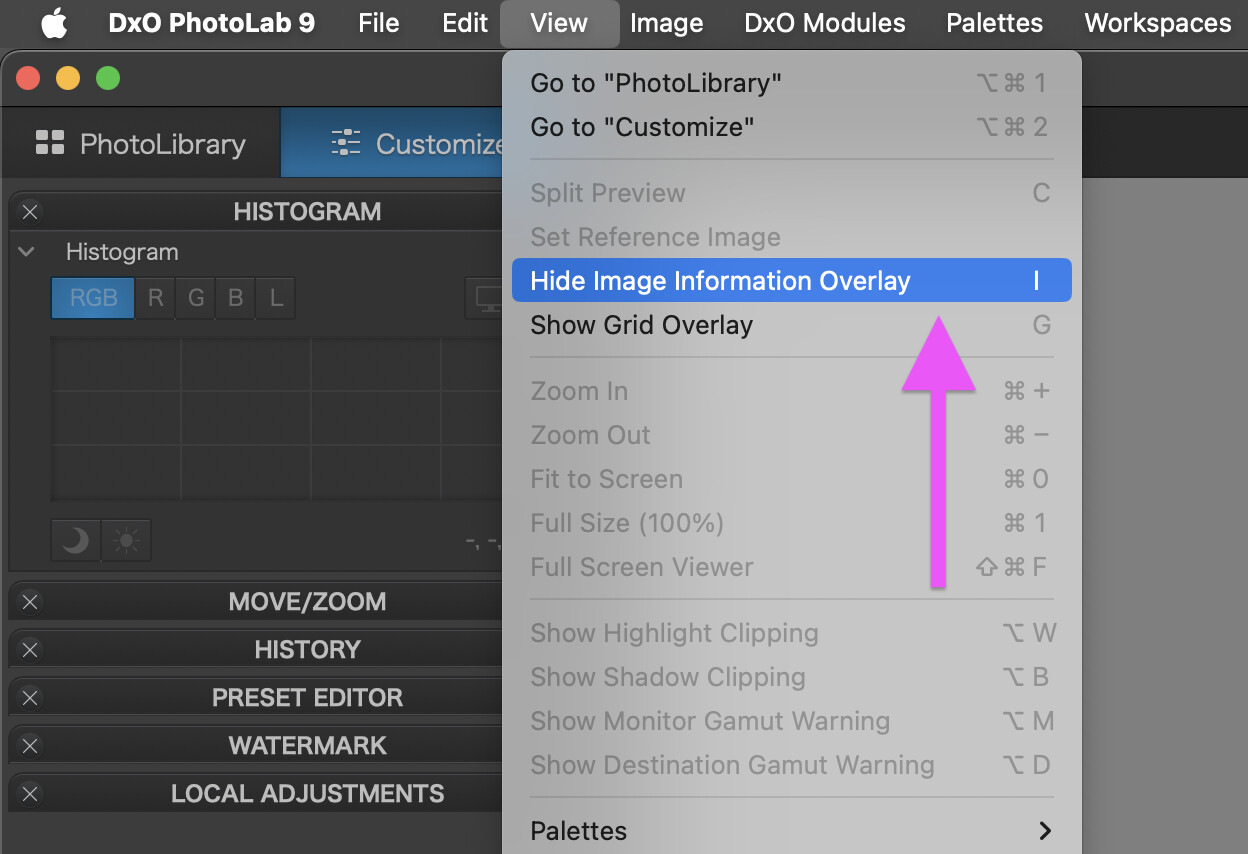
By information overlay - do you mean the spinning wheel? If so how does one turn it off.

The info can be toggled on and off by pressing the I key or with the menu:

2 Likes

Thanks Platypus, much appreciated.

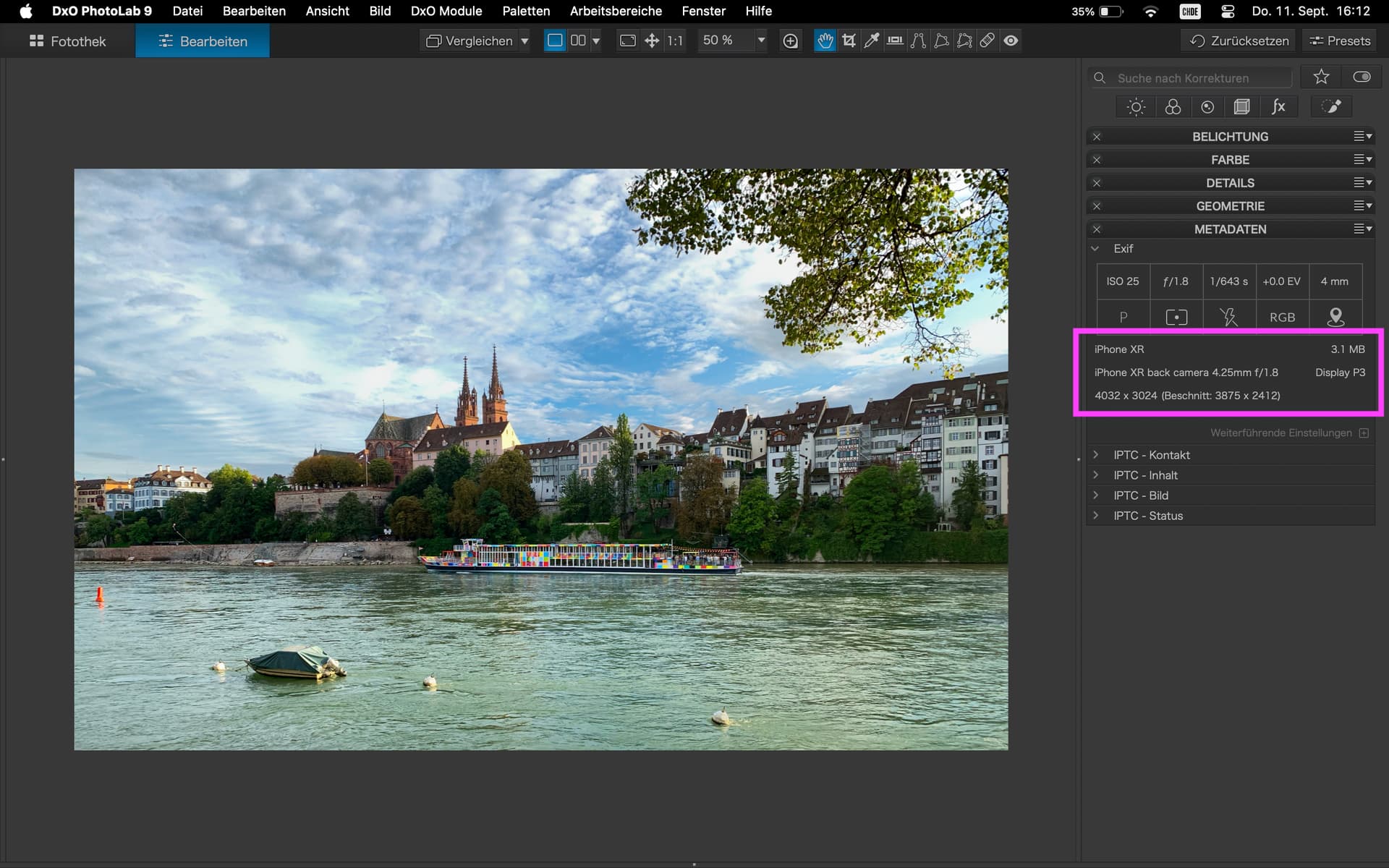
iPhone Support, e.g. HEIC files from a fairly old model:

As far as I have checked, DPL9 lets me use all tools on this ancient phone’s image. This includes AI masks. Used an AI sky mask to moderate the overzealous processing of the original file.

No, all images on external SSD. It’s very fast. No beach balls. M4 32GB.