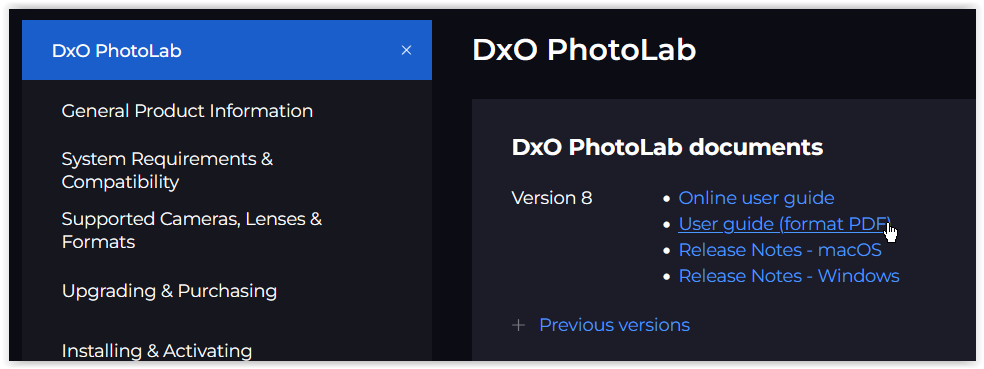
The first question for us to ask you is what platform are you running on, Mac or Windows, and what Mac or Windows operating system are you using. Since you are using such an old version I am trying to ascertain whether your current hardware and operating system will even run PhotoLab 8 Elite. The next question is what graphics card are you using, which will impact your ability to run the latest noise reduction algorithms.
You also indicate “sometimes the Colour Correction with film packs”. Does that mean you also have a FilmPack license or was FilmPack part of Optics Pro 10? I have owned a FilmPack license for years, but if I recall correctly there are some basic film emulations with PhotoLab even without a FilmPack license.
After Optics Pro 10 there was an Optics Pro 11 and 8 versions of PhotoLab with version 9 due this fall. Optics Pro 10 was released in 2014. There have been 10 newer versions since then including the soon to be released PhotoLab 9 . Over all this time there have been many dozens of new features and feature upgrades with more to come this autumn. Assuming your computer is up to the task of running PhotoLab 8 Elite it would be best for you to download the 30 day trial to see for yourself whether it meets your needs.
Keep in mind that PhotoLab 9 will be available in the next couple of months so while you can trial PhotoLab 8 now, I would put off purchasing it and wait for PhotoLab 9 to be released. Also understand that because you haven’t upgraded since Optics Pro 10, you will not be entitled to any discounts or upgrade pricing. From DxO’s point of view you would essentially be regarded as a new user. You might want to consider upgrading with Black Friday discounts in November.
Mark.
macOS® Requirements.
Minimum system configuration:
● Any CPU
● 8 GB RAM
● 4 GB available disk space
● 1280 x 768 display
● macOS 13.6 (Ventura)
● For DeepPRIME, DeepPRIME 3, DeepPRIME XD and DeepPRIME XD2s:
o M1 or Intel® Mac with AMD Radeon™ Pro RX5700
● For DeepPRIME XD3 X-Trans Beta:
o M1 or Intel® Mac with AMD Radeon™ Pro RX5700
o macOS 14 (Sonoma)
Recommended system configuration:
● M1
● 16 GB RAM
● 4 GB available disk space
● 1920 x 1080 display
● macOS 14 (Sonoma)
Microsoft® Windows® Requirements
Minimum system configuration:
● Intel® Core™ or AMD Ryzen™ with 4 cores
● 8 GB RAM
● 4 GB available disk space
● 1280 x 768 display
● Microsoft® Windows® 10 version 22H2 or 11 version 22H2 (64-bit)
● For DeepPRIME, DeepPRIME 3, DeepPRIME XD, DeepPRIME XD2s and DeepPRIME XD3 X-Trans Beta:
o Nvidia RTX™ with 4GB of VRAM with latest drivers
o Nvidia GTX™ with 8GB of VRAM with latest drivers
o AMD Radeon RX6000 series with 4GB of VRAM with latest drivers
o Intel ARC with 8GB of VRAM with latest drivers
Recommended system configuration:
● Intel® Core™ processor or AMD Ryzen™ with 8 cores
● 16 GB RAM
● 4 GB available disk space
● 1920 x 1080 display
● Microsoft® Windows® 10 version 22H2 or 11 version 22H2 (64-bit)
● For DeepPRIME, DeepPRIME 3, DeepPRIME XD, DeepPRIME XD2s and DeepPRIME XD3 X-Trans Beta:
o NVIDIA RTX™ 2080, AMD Radeon™ RX 6700 with latest drivers with 8GB of VRAM