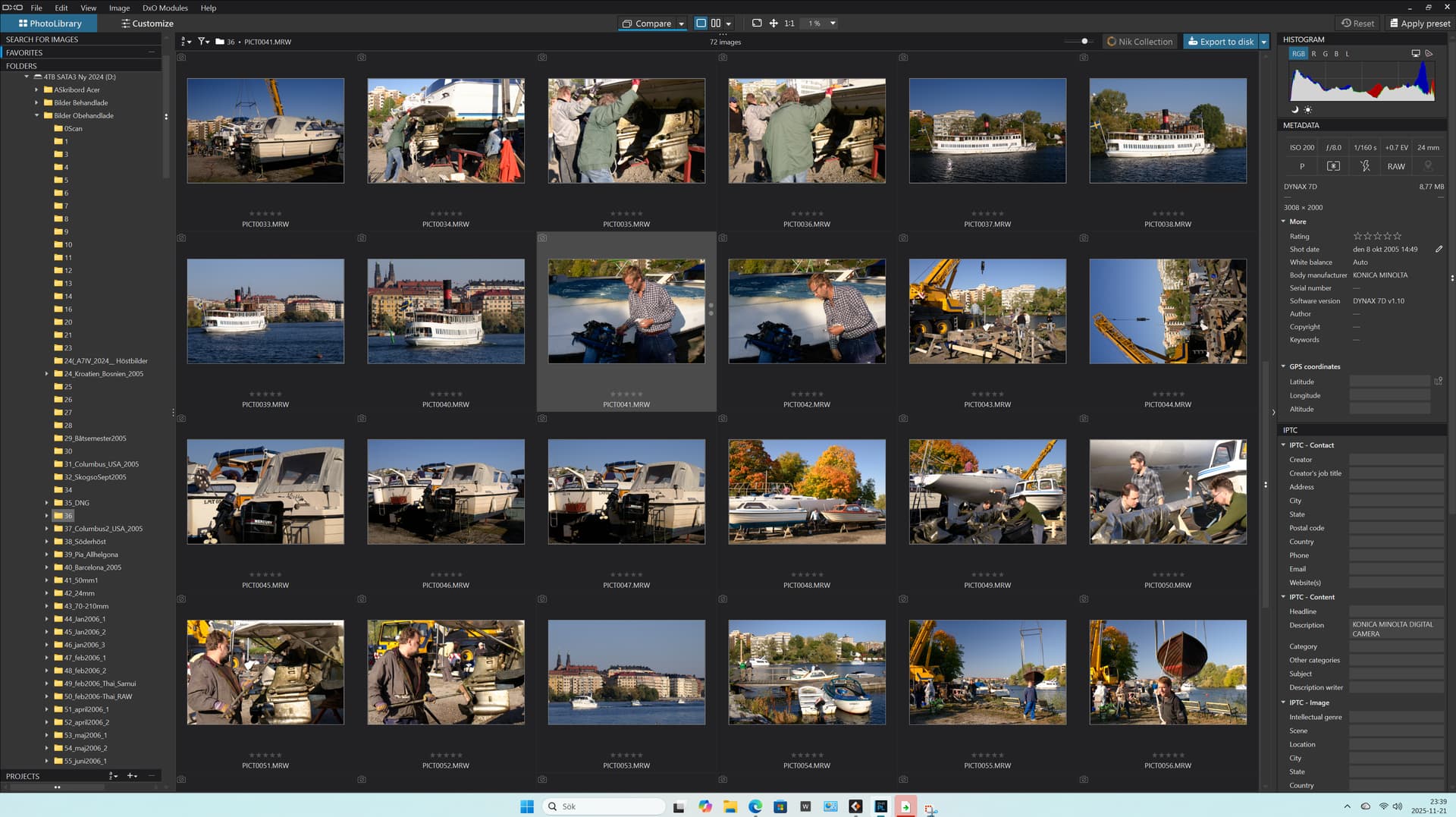
I’ve been looking at PhotoLab for about a week now on a trial install as a potential Adobe replacement. Though there’s a lot to like about it, I’ve been frustrated that it can’t work with MRW files, and disgusted that it can’t even show what they look like in the Library. I have a few thousand of these images that I took over several years, and my wife took for a couple of years after that. How hard is it to at least show the image in the library? I have used at least a dozen different image apps on our computers and have never run across a deficiency like this. Newer camera raws seem to render well, but I still need to be able to work with the older generation.
I haven’t yet even begun looking into working with the tens of thousands of family history images I have going back over 150 years; what surprises will I find there? I have many that need restoration work; is DxO going to be up to the task for that?
It’s pretty hard to seriously consider dropping the money on a “premier” image app that can’t do rudimentary functions found in virtually every other app out there, free or paid.
EDITED TO CORRECT (in light of subsequent post by @andras.csore)
The full list of cameras and lenses supported by Photolab is here:
Select ‘Konica’ from the camera brand dropdown, then look in the model dropdown for your camera (NB only five cameras are listed).
The thing to understand about Photolab is that it is primarily a RAW developer so it’s only really if you are starting from a supported RAW format that it becomes a potential Adobe replacement. If your RAW files are not supported, and it doesn’t look like Minolta RAW is supported, then PL is probably not for you. You could try suggesting to DxO that they do support that format your camera (via the ‘get in touch’ link on the supported cameras page) but I wouldn’t hold your breath.
Yes, PL can edit pixel based formats but I suspect you might find Affinity Studio would be a better choice for your vast collection of pixel based image files:
Thanks much for the insights - “The thing to understand about Photolab is that it is primarily a RAW developer so it’s only really if you are starting from a supported RAW format that it becomes a potential Adobe replacement” … I do normally shoot RAW, but I guess I was expecting too much of DxO to go beyond that for the archives I have.
I will look into the Affinity/Canva offerings, especially since they’ve made the major changes to their subscription models.
You could try to open your pictures with software of that Time ; I had a Minolta software for my A700, that is a more récent camera.
And then convert to tiff and work on it with PL.
Of course it needs an old computer!
Not tested…
PS l’iPhone est très intelligent mais ne s’aperçoit pas que je réponds en anglais. Comment fais-tu Joanna ?
If you don’t mind FOSS options, darktable supports some Minolta cameras. . Don’t be put off by FOSS, I’ve been using darktable since about 2016. It’s a very full featured app, even includes luminosity masking (although they don’t call it that).
I have a Minolta A2 and began using DxO about the same time the A2 was introduced (~2004). DxO supported JPG image corrections for the A2 from the beginning, but never added support for MRW files. As a result, I only have a few MRW files (only used JPG on the A2). It seems that DxO made a business decision back then on what raw formats to support, and the A2 MRW format didn’t meet their criteria. The A2 was ahead of its time in some ways, and was a useful travel camera.
As others have pointed out, there are other programs that do handle MRW raw files, so it should be possible to access and process them. I much prefer DxO PhotoLab to alternatives for shooting RAW with my current cameras (mostly Nikon).
Fujijon, Jch2103, and Escaich, thanks all for the response. I am aware of the conversion possibility from other apps to Tif; I was just surprised and mildly annoyed at the interruption that the extra steps to access those files presented.
Every other image processing I’ve looked at can handle the MRW’s. ON1, Lightroom, Digikam, Faststone, XnView, Topaz, Luminar, and number of others I can’t remember right now all open MRW files. Since I stumbled across this it appears that DxO is about the only advanced image app that does not support that format. Many I’m sure don’t have other features and capabilities that DxO offers but… Affinity is on my radar at the moment, partially for the relatively recent move to a free ownership model (AI capability excepted). I’ve moved on at this point and will settle somewhere soon.
That’s not quite right. PL does support RAW images from some Konica Minolta cameras. Use the link I posted earlier to find out which ones are supported.
I had a similar problem a few years ago (PL4) with NEF files from my old Nikon D100.
I found a “sort of” workaround by changing the camera model in the metadata but, although that allowed me to see the image, it still gave me an overall green cast, which was due to a different pixel layout on the sensor.
In the end, I put in a request for a module and this was finally supplied for the PL5.6 release.
I would suggest you put in a request and see what happens.
Stenis
(Sten-Åke Sändh (Sony, Win 11, PL 6, CO 16, PM Plus 6, XnView))
13
No problem with a KM 5D and PhotoLab 9: MRW raw files are supported, as are lenses with correction modules.
And it’s been this way since my first version: “DxO Optics Pro v3.5 Elite WIN32 3.5b” in 2006!
Stenis
(Sten-Åke Sändh (Sony, Win 11, PL 6, CO 16, PM Plus 6, XnView))
16
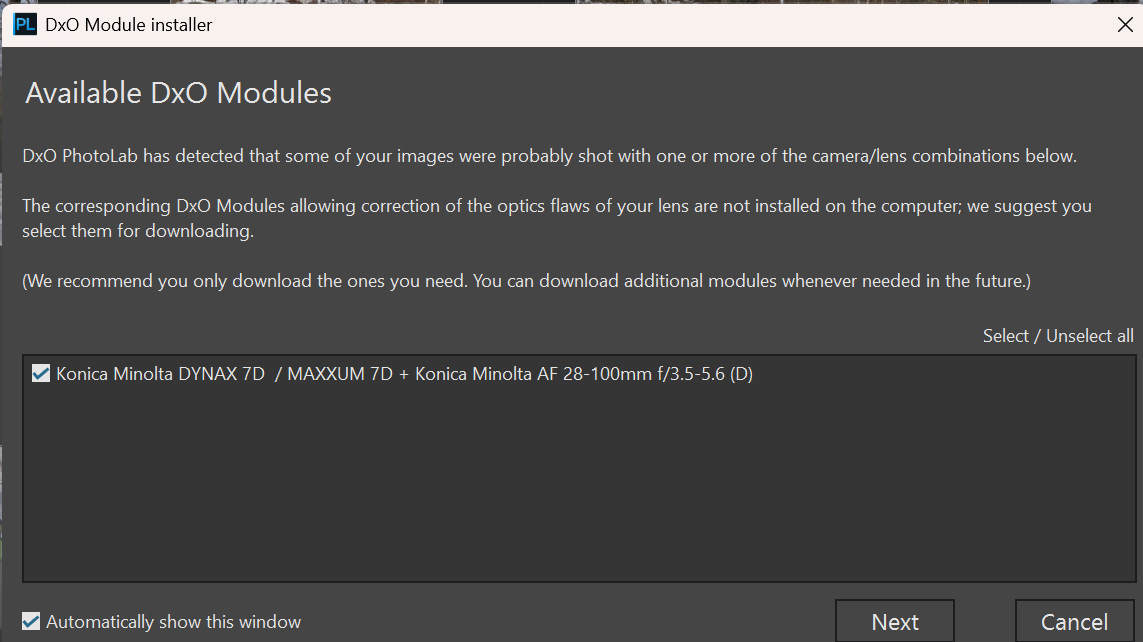
This is not a general Photolab-problem. There is a support for Minolta MRW and the camera (Minolta D7D - the first system camera with “Anti Shake” as Minolta called it) I used a few years after 2005.
That said there will always be an issue wether a RAW-converter will support older RAW-formats or not. Michael Reichmann at Luminous Landscape was already in 2009 a respected voice people read in the industry (he is gone since some years). He pushed for a common standardised RAW-format (Open RAW) in order to solve these problems but the camera manufacturers has not been interested and not the software industry either.
Everyone still has to live in a profile less vaccuum when they buy a new camera model until the manufacturers of non-proprietary RAW-converters hopefully manages to create profiles for those cameras and some has even experienced that support for cameras has been discontinued of different reasons.
 (although they don’t call it that).