After I moved some image files that were in projects, I noticed that the image is no longer in the project. Instead, PL offers a big black box with a question mark.
To be clear, the move occurred within the confines of PL from one folder to another.
The fix for this was to right-click on the question mark whereupon a context menu is offered. One of the options is to correct the image’s path. Choose that, and you have a list of folders where you need to find and select the directory to where the image was moved. When the correct folder is selected, the system finds all of the images moved there and the project is once again intact.
I haven’t been using projects all that much after not having found a lot of use for them. With a growing photo collection, projects are now useful for organizing and grouping photos in a way different from their hierarchical file system structure.
Do others use Projects enough to elevate this to a bug? I see it as a defect: the entire scope of the operation was within PL, and use of one feature (moving a file) broke another feature (Projects).
Just tested the move in DPL8.7.1 on macOS 14.7.6 and found that the project I used for testing always showed the correct preview and file, when I used “show in Finder”.
Note that I moved the image from one folder to the other in the “Devices” tree and that the two folders were in the same surrounding folder. Restarting DPL between the move and the move back did not matter. Things worked as expected.
I propose you try it with a new database. Quit PhotoLab and rename the DB. Restart PhotoLab and test again.
@RexBlock I don’t know what you did but for those running on Windows PhotoLab it worked just fine in my tests, as it appears to have worked for @platypus on his Mac.
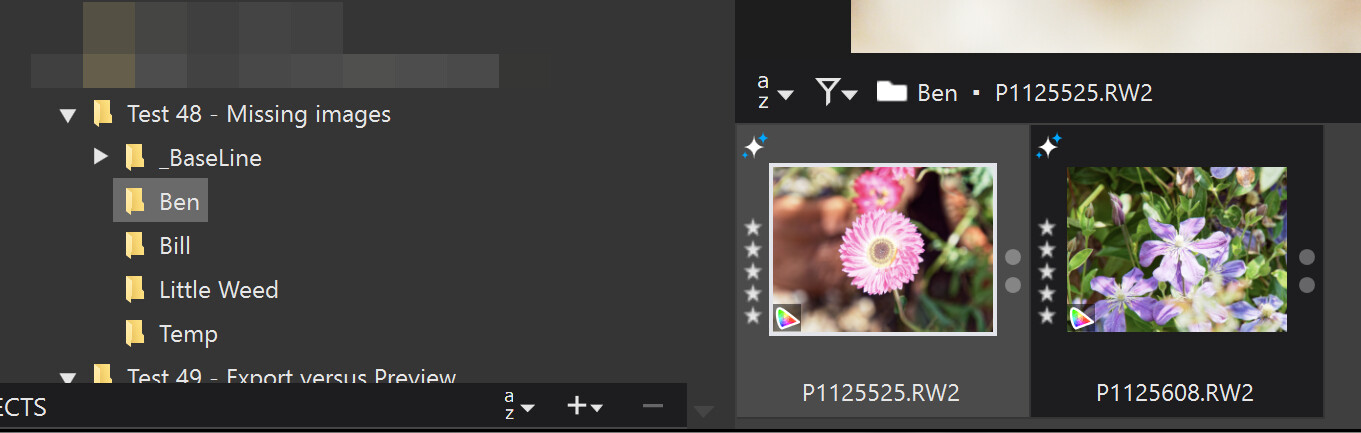
Using some image directories from another test named “Bill”, “Ben” and “Little Weed”, from an ancient children’s TV show called “The FlowerPot Men”, I created a ‘Project’ called the “FlowerPot Men” containing images from "Bill and “Ben”.
I believe that is what you said didn’t work unless you did a variant on the procedure I outlined above. The version of PhotoLab used was PL8.7.1 on Win 10.
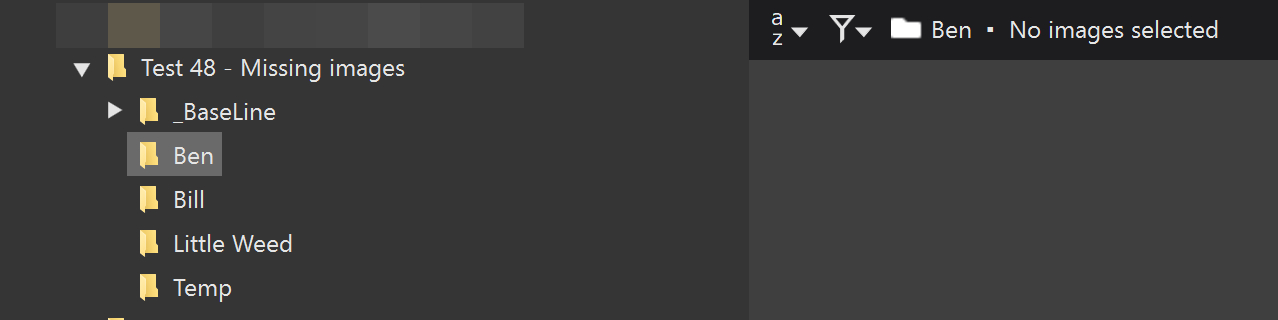
I then moved the images back to “Ben” externally to DxPL and got
(Re-)Discovering the images back in “Ben” made no difference to the state of the ‘Project’ and I would need to execute the procedure you outlined to fix the “pointers” in the database.
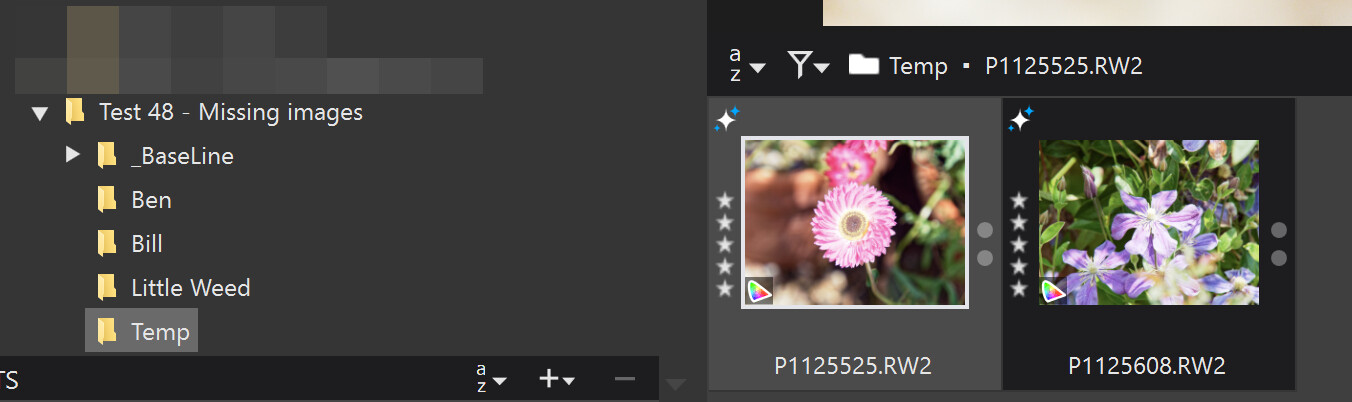
But after Shift dragging the “restored” images from “Ben” to “Temp” again the ‘Project’ did change but to
At this point my “head hurts” and the original ‘Project’ is now beyond reconstruction since any reference to the original ‘Project’ entries that went “missing” have gone.
Ah, yes, we already knew that moving files outside of PL (and even more so if PL is off) creates all sorts of issues in PL’s database.
As for now, PL has no means to reconcile its database with reality (the things that are on the drive) - and this keeps PL in the realm of raw developers unfit for any less than casual asset management.
So far, we have seen that moving images with PL works, both on Mac and Win computers, all while keeping projects intact, as long as we move images in the “Folder” section of the PL Photo Library (left dock). Moving images from folders to projects just adds to the projects and the source folders stay intact. Moving images from projects to folders moves the original files and removes them from the project etc.
The situation takes some getting used to and I’d never move images between projects and never EVER from projects to folders…but be that as it may, PhotoLab on my iMac seems to handle any such move correctly within the bounds of the implemented logic.
Why @RexBlock’s experience is different I can only guess: The DB might already be bananas which makes moving images unsuccessfully a symptom rather than a bug.
Delete the DB, but this can have all sorts of side effects, so make sure to have a backup before you jump.
Best is to create a “Photo Library” folder and subfolders. Under that tree ALWAYS move or delete images using DPL, never using the finder. If you do that all will be fine. If you move files around without using DPL, the database gets out of sync and DPL has no mean to know what you have done. It only takes a bit of discipline.
@platypus Thank you for reminding us about moving files around outside DxPL. You know that I already know about that and @RexBlock emphasized the point in the Original post.
@Martin868 Thank you for refreshing our memory we did know that and that is what makes the original post a problem, i.e. because there shouldn’t have been a problem!?
@platypus Your warning about deleting the database came too late! I had already deleted the database before repeating the test but I had taken a backup, just in case there was something useful in there.
The biggest problem associated with deleting the database is the loss of ‘Projects’
data, which is not held anywhere else, plus ‘Advanced History’ on the Mac.
I have snapshots of the database but all went as expected until I did the move of the contents of “Ben” within DxPL for the second time after I had moved the contents from “Temp” back to “Ben” outside DxPL.
That last move changed the shape of the database and DxPL appears to have done some garbage collection, which we have complained about in the past, i.e. that garbage was left in the database. In this case it has been removed and sadly that means that the “lost” ‘Project’ entries cannot be recovered.
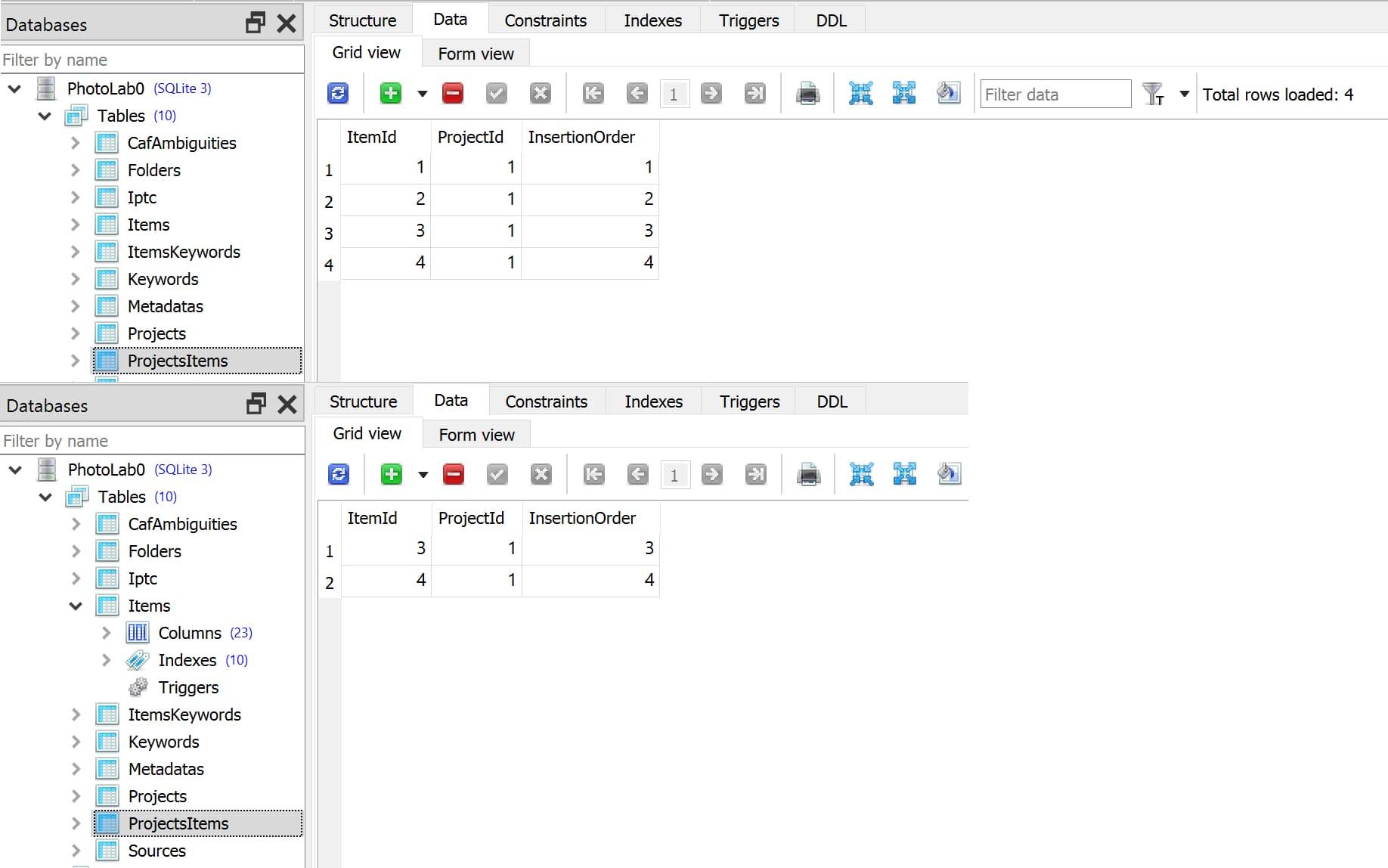
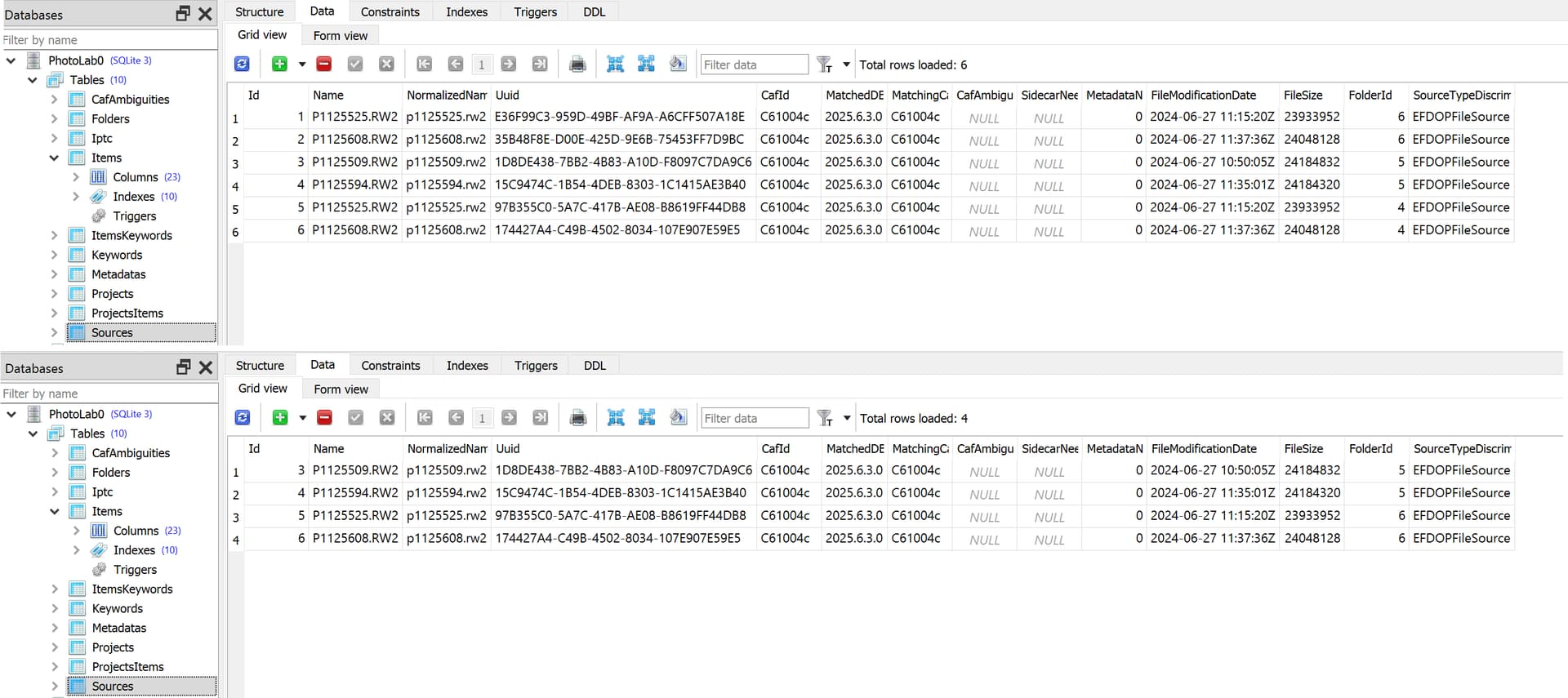
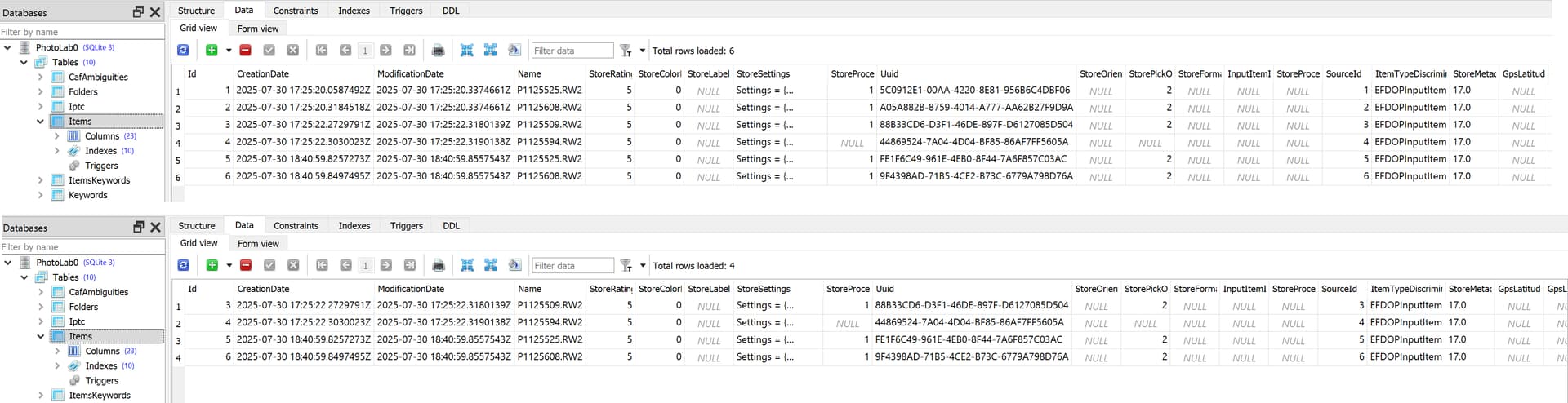
So we have data being removed from ‘ProjectsItems’, ‘Sources’ and ‘Items’. The snapshots show the “before” and “After” state.
All triggered by the ‘move’ from within DxPL and resulting in DxPL erasing the original “Ben” entries, and references to them, from the database,.
This was unexpected but the actual scenario only came about because I just wanted to see what might happen, i.e. I just expected that there would be no material change to ‘Projects’.