@LVS , @FrancisM The same way that Windows users have to do it. Effectively one photo at a time but at least DxO let us use Ctrl-A (on Win) and then drag 1 or hundreds or thousands of images from one location to the next, to copy or move.
In truth PhotoLab has the worst file and directory management command set of any Photo Viewer and editor in my possession, all the “Free” products leave it looking limited and amateurish and if you can’t successfully move things within DxO then the database is going to be useless..
So what is missing
-
Add to the current mechanism which only allows “Drag & Drop”, please note that the destination must be visible onscreen i.e. PhotoLab(Win) does not automatically scroll the directories displayed when you get to the end of what is currently displayed! The extension needs to provide ‘Copy’ and ‘Paste’ or ‘Cut’ and ‘Paste’ menu items (commands) at the image level, preferably including the classic short cuts of ‘Ctrl-C’, ‘Ctrl-X’ and Ctrl-V’ (and whatever the Mac commands are).
-
The ability to copy an entire directory using the aforementioned ‘Copy’ and ‘Paste’ or ‘Cut’ and ‘Paste’. At this point things get a whole lot easier for moving from one location to another, within or between drives!
-
Extend the command set of item 2 to allow the user to select multiple directories at the same time, albeit there might have to be limits to the number of directories that can be handled in one request that way.
-
Allow a user to adjust the database references via the PhotoLab GUI to replace the database entries located on A:\ to be located on B:, i.e. a “move drive” command , which is actually the easiest of all the operations to do programmatically!!??
I wrote the procedure that a user would need to undertake in the following Topic. My description was somewhat epic (in size) but the summary was a bit shorter albeit I needed to be precise because instead of a “simple” bit of coding by DxO (within their “domain”) I was writing up instructions for a user to “hack” the database!?
Any and all “hacks” of this nature should be unnecessary and I find DxOs attitude to improving the data handling within PhotoLab lamentable (I can’t use the exact words that I actually think, as you can probably guess).
The UI has got better over the years but is still lack lustre, e.g. this is what FastStone Image Viewer (free) can manage
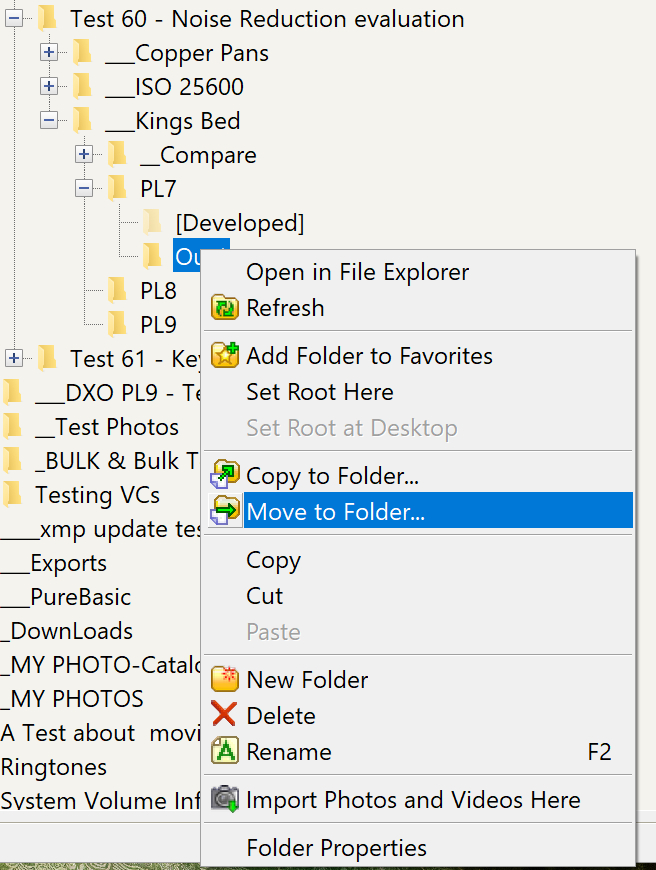
The post I was referring to is
So here is a simple snapshot of the Windows PhotoLab database that shows the extent of the adjustments that actually have to be made.
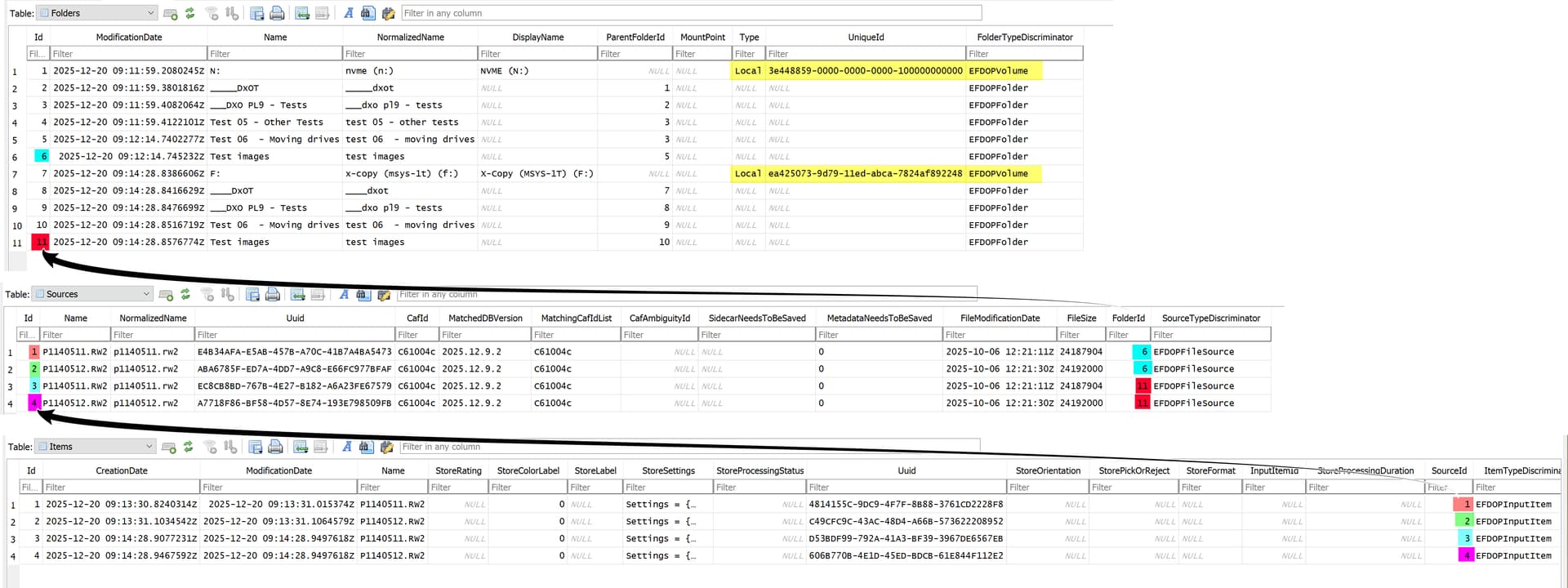
The example is actually the same directory copied to two drives, each with two images, on my system.
The key factor that controls the acceptance or otherwise of a drive into the database is shown in “Yellow” and represents the Drive identifier, which, at any given moment in time, must be unique to the Operating System, i.e. no two drives with the same id can co-exist on the system at the same time and no two entries in the ‘Folders’ structure can have the same UUID.
So when a drive is opened in PhotoLab, if the Drive identifier corresponds to a ‘UniqueId’ in the ‘Folders’ structure PhotoLab will continue as if what it is finding is part of that “Folders” stucture.
If not, a new drive entry will be added to the ‘Folders’ structure and any and all images discovered by the user will be added behind the new entry, even if all that data is already in the database but “belonging” to a different drive entry in ‘Folders’.
DxO have used that identifier to identify a disk in the database, not the drive letter, or so I believe, pre-PL9.,
So even if you copy all the data from one drive to another, take the first drive offline and introduce the second drive with the same letter as the removed drive, DxO will still see it as a different drive unless the Drive identifiers are identical!!
Hence. the fix is to replace the drive identifier of the old drive in the database with the identifier of the drive that is to be its replacement but I have run into problems with a test where I was trying to swap two drives and have failed on two attempts!?
I need to do more testing to see what is going wrong with my procedure or my brain or both or what has changed in PL9 versus PL7 where I did the original testing!?