Most of my images aren't worth a 15-minute loading time

,

Both these pictures are from a trip I did 2012. These days I used DXO Optics Pro. For those new to DXO I can tell you that we did not have any Local Adjustment at all - and that was a pain. Local Adjustments was a revolution that can’t be overestimated and it came to us with DXO bolting the U-point software they accuired from Google I think on to Optics Pro and renamed OP about the same time to Photolab.

I had used Local Adjustmentbrush with Lightroom earlier that was really poorly equiped - so poor that I installed a preset plugin that also improved the LA with quite a few really good new retouch tools. They were called SLR-Lounge. Unlike Capture One especially and now even Photolab Lightroom did not even have an open management-system for the layers. The layers were there in fact but just visible as small grey dots (almost like the dots we get with the Control Points. But even the Control Points creates a record in the layer manager. It was first with Capture One we got a really proper layer system with proper adjustment tools. Just a few years ago both Lightroom and C1 got AI-tools for local editing so this tech is really new for all users and most new to Photolab-users.

Even in C1 there is actually the same kind of division between premade AI-presets and freehand masking tools as in Photolab 9 and even there I prefer the latter. Working one picture a time I do use the premade presets just for the sceleras, pupils abd irisis retouching faces. All the rest I work as in Photolab almost with the difference that PL has submasks. Since just some moths C1 also have got a special Applet - “Retouch Faces” - that is just lovely.

The reason I now have to remake the postprocessing of these pictures you saw and rather do it in Photolab 9, is that it gives better image quality than with Capture One and Lightroom. There is a bunch of tools in PL that C1 lacks despite being far more advanced in many other respects. The old U-point tools like Control Point, Control Line lacks in C1 but Control Line issues can be met with Magic Brush in C1. But C1 doesn’t have three flavours of contrast. Fine Contrast in PL I think is indespensable an the new Lens Correction 2.0 and even Deep Prime can now even be controlked down to each single mask. That gives a lot of opportunities now that we have lacked before when everything was affected by general shharpening despite it wasn’t really what we wanted,

On top of that the new possibility to see in realtime ultra clean previews rendered by Deep Prime 3. That makes a world of difference when retouching a bird picture like that Lilac Breasted Roller or a “Blue Crow” freely translated from one of my friends more blue collar language. He happens to be a bird and snake expert. So for me Photolab 9 has changed everything and has given me that fantastic detail control I have been longing for so long. So now everything is there in Photolab 9 for me when taking on the task of postprocessing my old animal pictures the way I really wanted them. Before Photolab 9 that wasn’t really possible.
3 Likes

I just wish DxO would give options in settings to enable/disable some of this real time processing. Not one big switch but finer control over what is rendered real time.

Maybe they have and I missed it in my expired trial.

2 Likes

I suppose the big difference is that when you use the premade presets for say “Animal” that AI-preset AI-model has to try to figure out is there is animals in the motif and then apply a mask covering that or those animals (only).

If I use the other methods I myself is doing that process and just leaves to the system to figure out the edges of the object I´m pointing at. That is a much simpler task that takes far less recourses to accomplish.

The third way is to mark an area including the subjects to mask and that ought to land in between the other two.

I agree, but once it has found and drawn that AI mask further processing of the image (including export) should take no longer than a hand drawn mask.

1 Like

@LVS, It is more to it than that!

One of the great benefits with these premade presets is that they are more intelligent than the ones we create manually. That gives us (like in Capture One) that I think that was the first to offer this a possibility to paste those settings to another selection of pictures. Then it just tells the system to look for say animals and say even the background and then the AI-system will intellignetly find both the animals and the backgrounds in the other pictures and apply that. Next time it might be the face of persons, their hair or clothes.

Maybe you also remember that Capture one has a much more useful tool called “Match Look” than can copy “a look” from a master picture and propagate that to as many pictures you like of a selection. If you copy masks from one master in Photolab these can also be saved as a “preset” and be used “generally” and that creates a need to activate the AI-models to handle this. So, it will not do with just saving the last rendered pixel-set - it has to be possible even to process those preset masks in some situations.

1 Like

I think you have mis-understood my post. I am not referring to managing multiple images using presets.

Users have stated that using an AI mask slows down processing of the single image they are working on. It’s almost as if the software is redrawing the mask after each change, such delays are NOT occurring with a manually drawn mask.

Ohh, you already can do it in a way!
Just turn off a few thing you don’t want to apply …


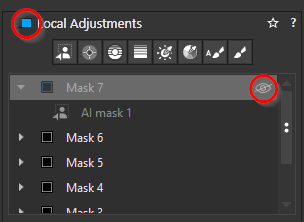
Feel this one AI mask slow, and you not need it now? Disable this mask.
Feel all mask slow you down? Turn off local adjustments.
And so on…
And at last, if you turn off like everything, all happen in a blink of the eye.

I think - as i do more-and-more ‘reverse engineering’ - PL is pretty fast (my standpoint of view, or at least acceptable performance) - even modest spec computers - and works logical ways. Lot of non-AI masks may takes an bit of additional time, but just okay.
At least until you start to do AI masks.
And AI masking - that’s what it is - its seems depend on GPU performance. At least i think only on this. Of course its may also depend on the ‘AI mask model’ size and stuffs like that, and also its (AI) prompt (like ‘keyword’ as ‘sky’ has different prompt (‘prompt’ is the AI mask parameter for the AI logic) than some manual AI mask).

Exports with DP (what is AI) is pretty constant performance - also depend on GPU performance.

So, i think overall we not goes too far with ‘fine tuning’.

No I did not mis-understand. I was just trying to explain some of the differences I think I have seen when using an AI-preset mask compared to when making a mask manually.

The first is far more prone to causing problems than the other.

1 Like

The trouble is:

All that needs to be turned back on (and we need to remember to turn it on, as well as going to the effort of manually turning it off) for every single image that we work on.

I believe what @GrahamB is suggesting is essentially this Performance Mode I dreamed up: a way to have PhotoLab render a lot less, or at a lower quality, all your image previews so that you can spend more time editing and less time waiting for it to update the exact details of every single mask or change you make.

Your solution there is a help. It does speed things up by turning things off, but it’s more a short-term crutch than a long term performance boost (in exchange for preview fidelity).

Your solution there is a help.

Yes. Its a help / workaround. That’s why a say ‘can do it in a way!’. Just in a way. Yes, ‘Forget things turn off and back’ is real world thing, etc.

I believe what @GrahamB is suggesting is essentially this Performance Mode I dreamed up: a way to have PhotoLab render a lot less, or at a lower quality, all your image previews so that you can spend more time editing and less time waiting for it to update the exact details of every single mask or change you make.

In a way, the ‘render’ the full 1:1 preview (in-memory) helps to ‘spend more time editing’ as its can display the exact things what you edit, and editing (like general exposure, etc) is quite fast. At least that’s can be one strong standpoint of view.

I think, if NO AI mask in the game, PL performance is quite good.
In the following i just discuss about AI mask (as in my opinion the other parts performance is good). Anyhow, i guess previous also talks about this (‘of every single mask’)

We come back in a way to the classic triangle: good-fast-in budget (cost).

  • Good → you need to best 1:1 view. If not good if the view can be an issue.
  • Fast → its fast if you has fast computer, fast GPU
  • Budget (cost) → fast computer, fast GPU :frowning: This things come on budget. And of course, your time also can count as ‘cost’ in a way.
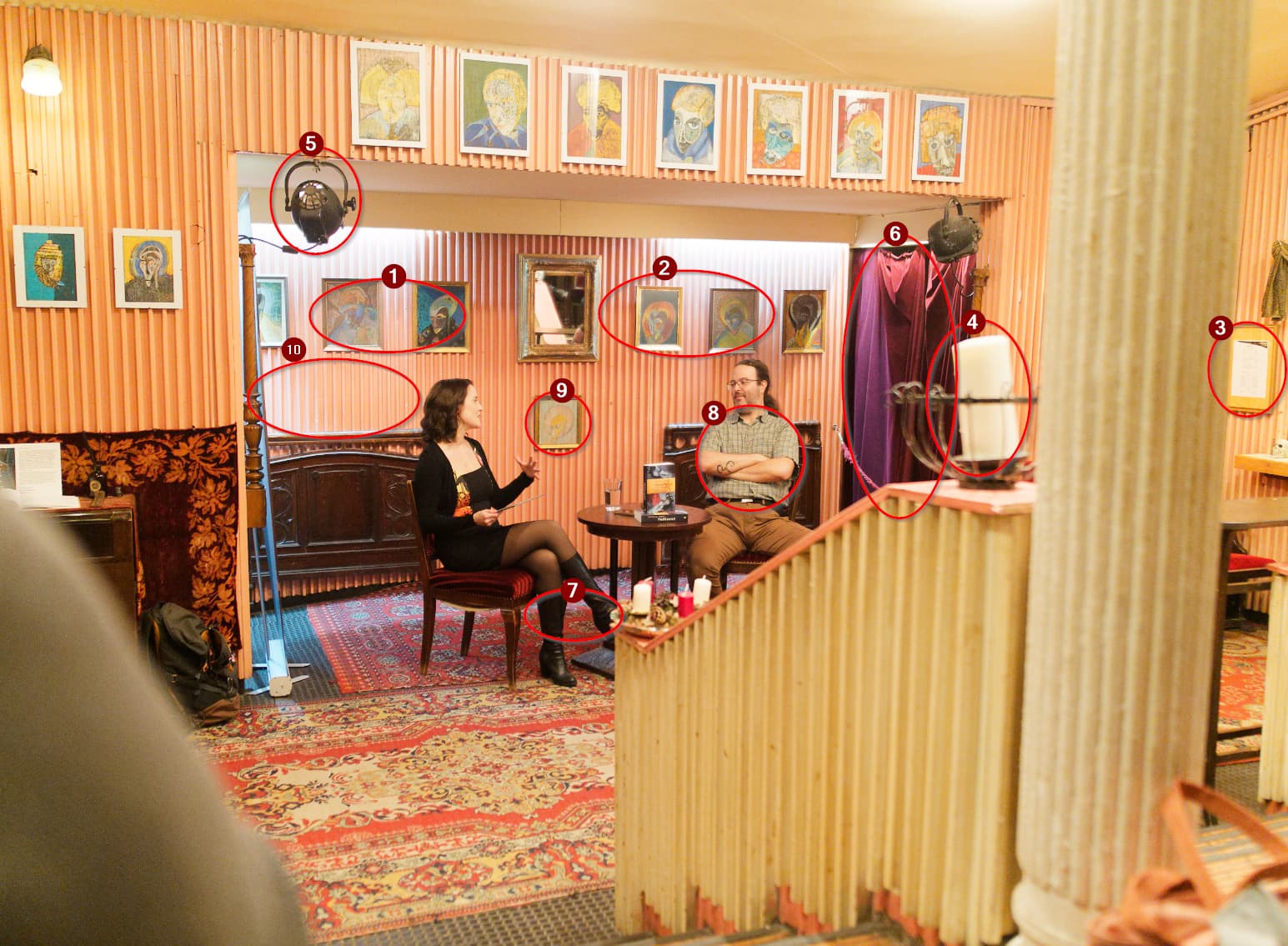
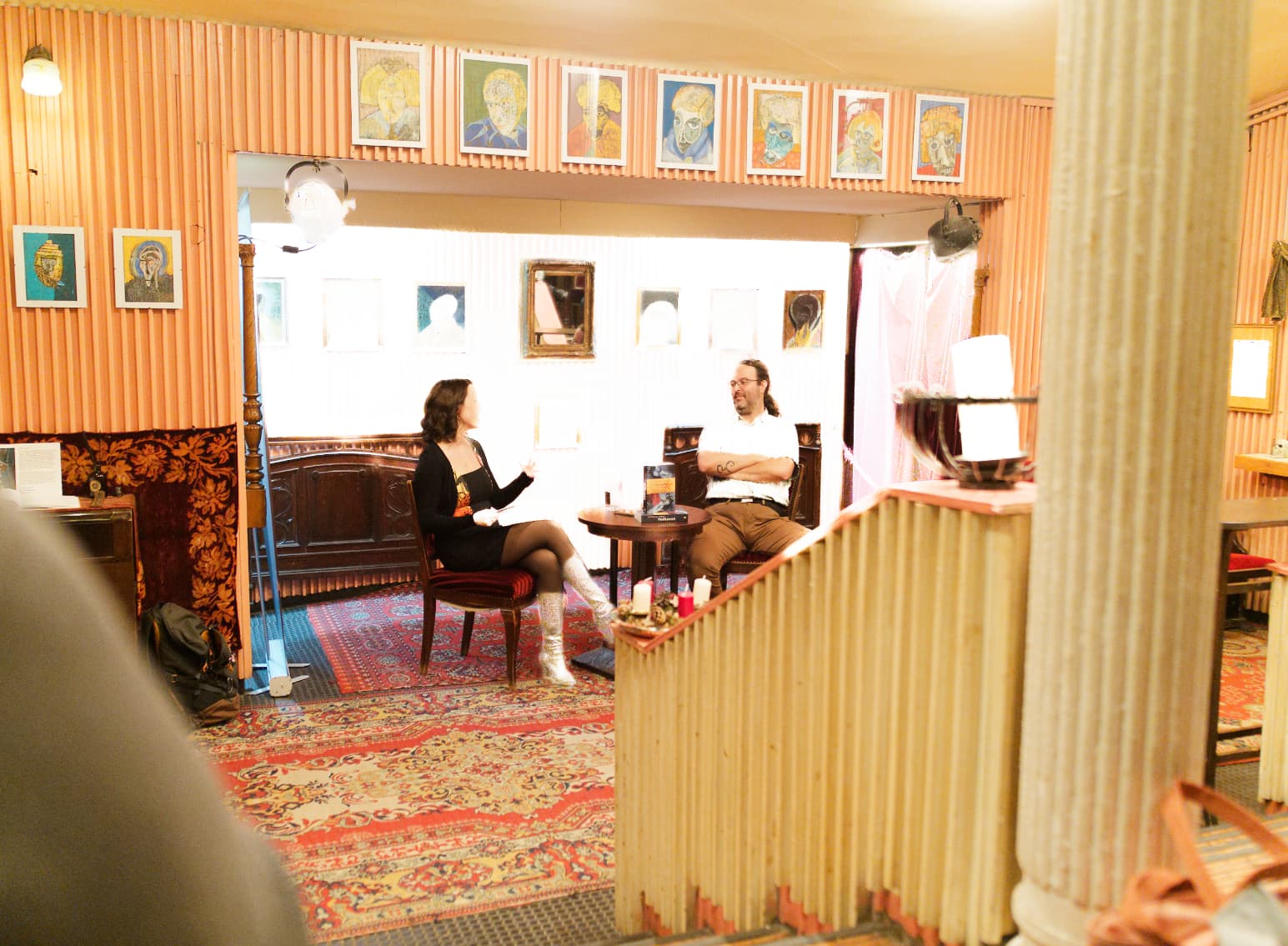
Anyhow, its can be interesting question, how each small ‘manual’ AI masks performed (in time to render the AI mask for 1:1).
Its may give some hint how ‘performance mode’ can be imagine.

I get one photo, add some basic editing (exposure, geo correction, vignetting, lens sharp, etc.). Deepprime rendering (screen) is disabled.
I add 10 AI mask - Manual (add a selection) mode.

In here i add some info where approx the AI masks


In here for all AI mask i put Exposure and Highlight to max, to see better where the masks are (where burned out) .

And i start to turn off AI masks one-by-one, and do some measurements.
Measurements not fully scientific of course, but i think its good enough. I do multiple measurements, sometime in the start of PL, sometimes I click back-and-thru some other photos or the same photo virtual copy (where some cases no adjustment and mask at all, some cases has Non Ai masks, some cases small AI masks, etc.).
I intentionally write measurements in ‘Units’, as exact times depend on your machine (mainly GPU)

You can see the results in the following table:


When all the 10 (ten) AI mask enabled, its (rendering) takes like 36 units, if 5 (five) AI mask enabled its takes 22 units, and so on. The ‘Delta’ show the difference between mask counts and performance diffs (units).

Seems AI mask (manual) performance more or less linear.

Note: i not calculate average via Excel math, but my best overview.
Note: some measurements show some case / constellation far faster than the ‘average’ - i guess its based on some AI mask (AI engine) or GPU driver or whatever internal caching.
Note: Delta largest (5) in Mask 7 - may the ‘High boots’ more complex to calculate, as other masks more simples.
Note: seems performance not really depend on the mask ‘area’.

So, as AI masks performance (manual, ‘add selection’) looks linear (alike) → one simple mask (layer) add approx the same amount of time to render (in real world differences may not really ‘feel’)

Now we know at least this (even measurements not fully scientific)

2 Likes