Limiting image count per folder does not solve my problem!
I opened 3 images through external selection from a local folder containing 300 images.
Then I wanted to open with external selection one single image from a NAS folder (\NAS\Images\ThisFolder) containing 66 images.
PL9 was no more responding. ProcMon logs show that PL9 reads several thousand other folders from \NAS\Images.
It took more than an hour. At the end the window 'Installer for DxO Modules was open. But PL9 was still no more responding.
With those numbers (400 images in a folder) you shouldn’t run into any issues. My 200 or 300 image folders are often from a D850 (large file sizes).
Are you on a Mac? Probably this happens on windows only.
I’m on macOS 14 (Sonoma) with a fast machine (M2 Ultra). I’m still using PhotoLab 8 as the pain threshold for early adopters seems quite high this year. The new AI features seem to be the ones causing issues so I’m happy using last year’s excellent features on a stable app.
ProcMon logs show that PL9 reads several thousand other folders from \NAS\Images.
I guess you see some similar like below example (procmon screenshot):
PL PhotoLibrary is in the ‘D:\Photos\PL9_Test\Folder_test_new300ORF’ folder.
It has one (1) sub-directory ‘sub300’

- line - PL check the subdirectory
- line - PL ‘open’ the directory (open for ‘Read Data/List Directory’, its does nothing yet)
- line - PL query the sub-folder (‘sub300’) for files metadata (like filename, creation time, etc) (note: not photo metadata, just as file metadata like filename)
- line - ‘NO MORE FILES’ → PL reads up all the filenames (list) in the sub-directory (‘sub300’ - 300 file .ORF)
- line - PL close directory
And you may see similar like this - thousand times - as i understand.
May worth to add and check the ‘Completion time’ and ‘Duration’ columns to see, where may some longer times (duration) can highlight problematic parts. As you see in the example screenshot, this sub-folder ‘file metadata’ query takes very little times (on local SSD).
p.s.: TID column (thread ID) may helps to filter down cases. In the example the 17728 is this this ‘Folder filename query and list of files read’ thread.
No! What I see ist that PL9 reads not only subfolders. It reads folders of the same level. That would include any folder under PL9_Test.
1 Like
Can you specify what you mean with external selection?
George
I selected one File within XnView. This single file then usually opens in PL9. The thumbnail bar shows only this file - when it works.
So it works. But sometime not.
George
@SchorschGaggo We need to get to the bottom of why you have these appalling times in order to avoid the problem in the future
So my tests have the following results
12,993 images from a USB3 attached SATA drive (an old slow one but actually they are sometimes the more predictable) took 7 minutes and 54 seconds with Digital stopwatch (some some slight overshoot due to my lack of reaction!!)
1,000 of the “same” images (copied from the USB3 drive to the NAS) from my NAS drive took 1 minute 18.487 seconds to load.
3,017 images from the NAS drive took (on the rerun just now) 4min 59.619 seconds and that included a few seconds because the NAS was “asleep”.
None of these figures approach yours but the NAS figures show the slower performance of the NAS with HDDs (JBOD) over a 1Mbit LAN via two “baby” hubs but that that is to be expected.
The machine on which the tests are running has little else to do except run the monitoring tools and PL91.

The database was emptied before that last test and it is located on a SATA connected SSD and the Cache is on a fast(is) NVME but I believe that is only used one the images or their thumbnails have been “visited”!?
However, I didn’t clear the cache before the tests, sorry!
The thumbnails shown above were rendered immediately they had been discovered but that process stops as soon as the 21 thumbnails shown have been rendered.
I have tried running “Procmon” but the sheer amount of output is … and it actually impacts performance.
All the images are from my Olympus EM1 MKii, so not very “big” and all are from just one camera and one lens.
What next!?
PS:- No test images have DOPs all have a “default” xmp sidecar and the application of the initial preset causes a change in sky colour so it is easy to spot when a thumbnail has been rendered.
PPS:- I also presume that you have reported the problem to DxO Support because there is no guarantee that they are monitoring the forum and have no responsibility to even acknowledge that a problem even exists let alone work on a fix.
1 Like
Thanks for the info, i test it, and its true.
Example:
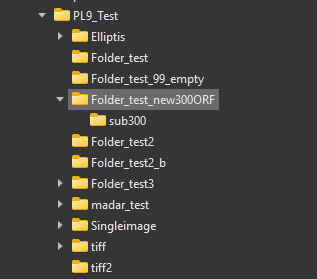
Folder expanded: d:\Photos\PL9_Test
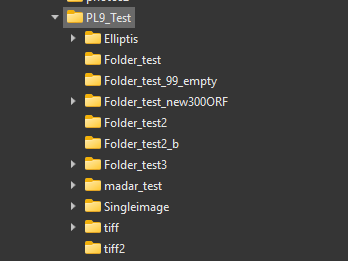
And trace show PL query for ‘filenames’ the 11 sub-folder:
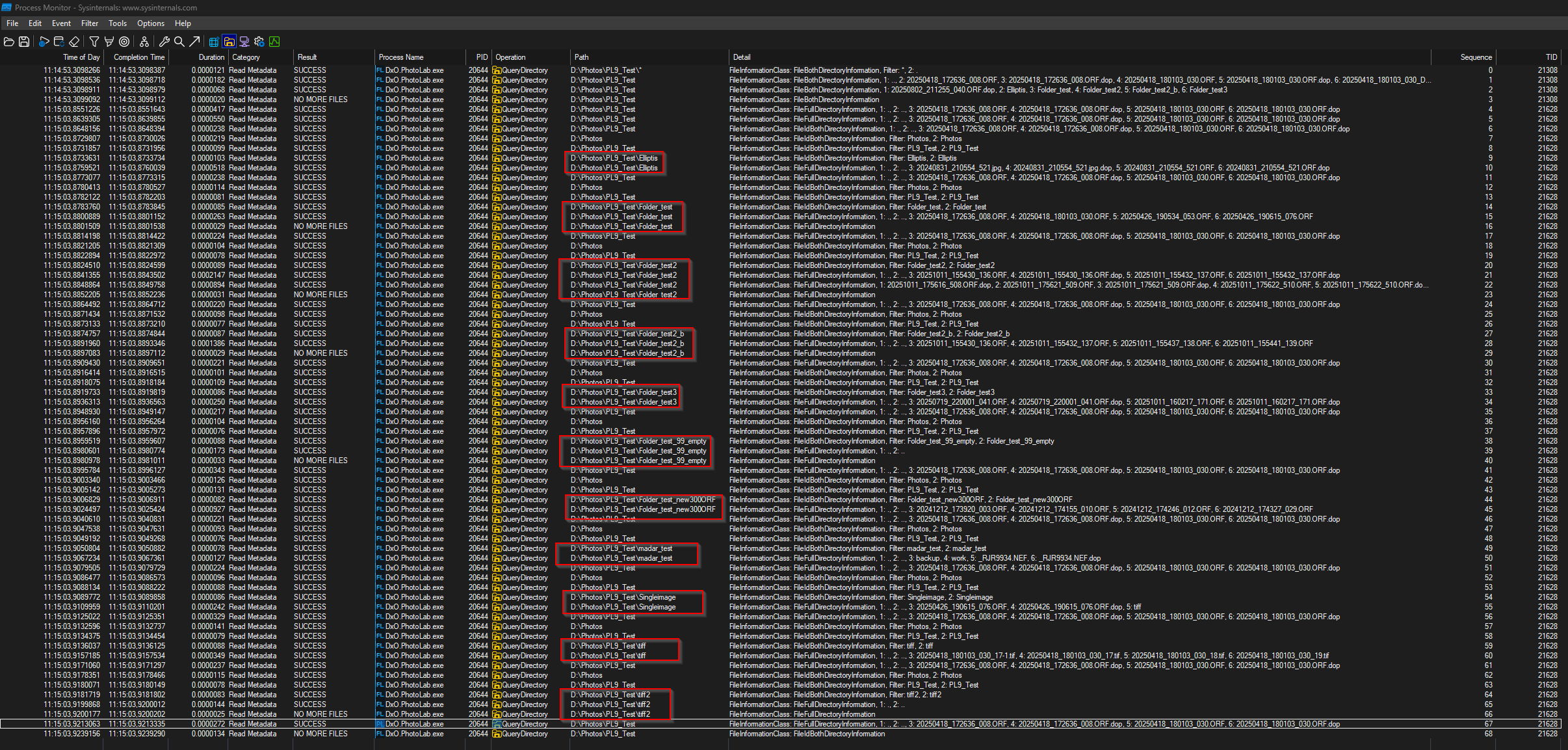
Note: i filter down to Operations: QueryDirectory for easier checking
However, its not query their sub-directories.
d:\Photos\PL9_Test\Folder_test_new300ORF\sub300
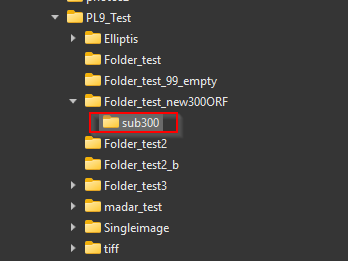
I suggest to check this ‘Operations: QueryDirectory’ durations? In my screenshot its very small values. May in yours it quite large?
@andras.csore On my NAS there are thousands of folders parallel to the one I am in.
NAS is not that fast as SSD. So this takes up to 15 minutes. And worst of all: I cannot abort or continue work on my image.
@BHAYT Yes I sent my logs and observation to support. They are very kind and thank for patience in every reply. They asked for GPU drivers and things like that. But no one ever lost a word about the file handling. Is this the intended behavior, that editing is blocked and thousands of directories are scanned instead.
If you work with a separate DAM, you don’t need data management in PL9. A performance I don’t need shouldn’t slow me down.
Managing images and thumbnails in an external DAM allows editing with different editors. In this case, it’s sufficient for PL9 to create thumbnails for the few images that are accessed.
Did a small test with PL on MAC:
- Deleted the PL9 database.
- Launched Lightroom Classic, selected an image and handed it over to PL9 using the plugin (via the command at the bottom of the Library menu of LrC).
- PL9 launched with the image in a project.
- Quit PL9.
- Had a look at ZDOPSOURCE in PL9’s database…and found that PL had catalogued one image exactly. Nothing else was added.
Using the transfer as described above does not make PL scan the folder in which the transferred image resides. Had it done that, I would have found entries for 60 images.
Caveat
- this test was done with PL on macOS. PL on Win might do something else.
- if PL has some look ahead functionality, it could start indexing the folder from an unknown threshold on. I did NOT test for that.
@SchorschGaggo it shouldn’t be! Why are any adjacent directories vaguely significant? Even if they are already present in the DxPL database they should not be accessed at all, the focus should be on the “selected” directory.
In the tests I have conducted the USB3 SATA SSD is in a directory with virtually no adjacent directories and close to the top of the hierarchy. On the NAS it is a similar story
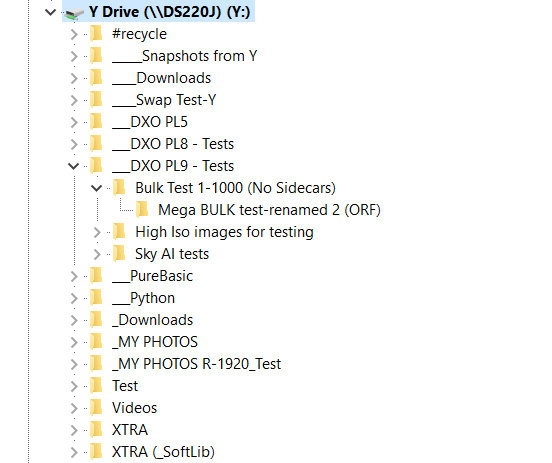
So what would I need to do to create an environment similar to yours? Potentially on the NAS to better approximate to yours.
To traverse a directory inspecting every directory before getting to the one you want is off coding and if it looks at any beyond the one it should be accessing really weird.
Have you tried this on PL8, which you may not have a licence for but worth asking?
@BHAYT I fear there is not much we can do except bring this findings to DxO support.
In best case this is simply a programming error and will be fixed.
It would be worse if DxO wanted to do it this way. But then the question arises: If it’s absolutely necessary to examine directories at the same level, why not also examine those above and those on other disks? And why does this have to be completed before the selected image can be processed? I can’t imagine that.
So I would be grateful if others would also submit similar investigations and findings to support.
I try to do some test with like 100, 500, 1000 folder, each with 1 (one) .orf. may also add and 1 (one) .jpg
Already tested:
- 1000 empty folder - looks fast
- 50 folder query with 1 (one) .orf (same ORF) in each folder, lens module downloaded - looks fast.
Note: i don’t have disk space for like: 1000 folder with 100 .ORF in each.
On my NAS there are thousands of folders parallel to the one I am in.
NAS is not that fast as SSD. So this takes up to 15 minutes. And worst of all: I cannot abort or continue work on my image.
So, some update about sub-folder number vs time to query them
Some test. Local SSD. I measure multiple times, and at least once after PC restart. I not goes to sub seconds (millisecs)
- 1000 empty folder - looks fast, like 1-2 sec
- 50 folder query with 1 (one) .orf (same ORF) in each folder - 1-2 sec
- 200 folder - 3 file (1x ORF + 2x .jpg) : 2 sec
- 500 folder - 1 file (1x ORF): 3 sec
- 1000 folder - 1 file (1x ORF): 6 sec
- 1000 folder - 2 file (2x ORF): 6 sec
- 2000 folder - 1 file (1x ORF): 12 sec
- 2000 folder - 1 file (1x ORF): 10-12 sec
- 2000 folder - 2 file (1x ORF, 1x jpg): 10 sec
- 2000 folder - 5 file (1x ORF, 4x jpg): 10 sec
Summary:
- Folder count vs time seems linear.
- Seems its not depend how many files in the folder (also procmon trace event durations suggest this)
Actually i think its pretty fast - at least in local SSD.
Why this ‘sub-folder’ query happen? I have no idea. May its just part of simple standard file query stuff (in one point of view folder act also ‘like a file’).
@SchorschGaggo
I guess yours may may related with NAS. Or who knows… Actually i don’t think its really related with PL, or at least not about folders. I suggest (previously highlight) to check event durations, i its like more than 0.01 sec is can be a ‘suspect’.
May i can offer for you: if you send a procmon dump file of this ‘15 minute’ (via some cloud drive, procmon with filter to: Process name: DxO.PhotoLab.exe and Save → Events displayed current filter filter), may i can take a look in the weekend.
From XnView Classic and XnView MP for me works fine with multiple selected photos (in the same folder). PL just open the selected’s fine. At least i try like 30 times, different folders, etc. Its also works with selected or tagged (checkbox’d) items.
Note: correct parameters pass to PL of multiple selected files example:
“D:\Program Files\DxO\DxO PhotoLab 9\DxO.PhotoLab.exe” “D:\Photos\PL9_Test\20250418_180103_030.ORF” “D:\Photos\PL9_Test_5310541.ORF” “D:\Photos\PL9_Test_6130037.ORF” “D:\Photos\PL9_Test_6130058.ORF”
I’ve run ProcMon trace for PL9.1 startup and the only image files read (i.e. ReadFile was used) were from thumbnail cache for filmstrip use and some raws in the last visited directory, probably just checking metadata for possible changes. Otherwise only filesystem metadata was read, required to display the directory tree in PhotoLibrary, so not too much to transfer.
NAS may be fast in terms of bulk throughput, but has much, much larger latency than local filesystem, which becomes the main factor for multiple non-bulk accesses. Note that anti-virus may also add considerable processing time.
There’s another important point here: if two people read the same data, like ProcMon trace, they may come to contradicting conclusions, depending on their insights.
Finally I was no more able to start PL9 - or didn’t have enough time 
PL9 was busy scanning thousands of my NAS folders. Deleting the database didn’t solve that. I had to disconnect the drive letter associated with my NAS. Then PL9 started fast again.
Are you sure that XnView have indexed correctly and that the green progressbar has reached its end before starting to import the pictures?
I have never any problems with this:
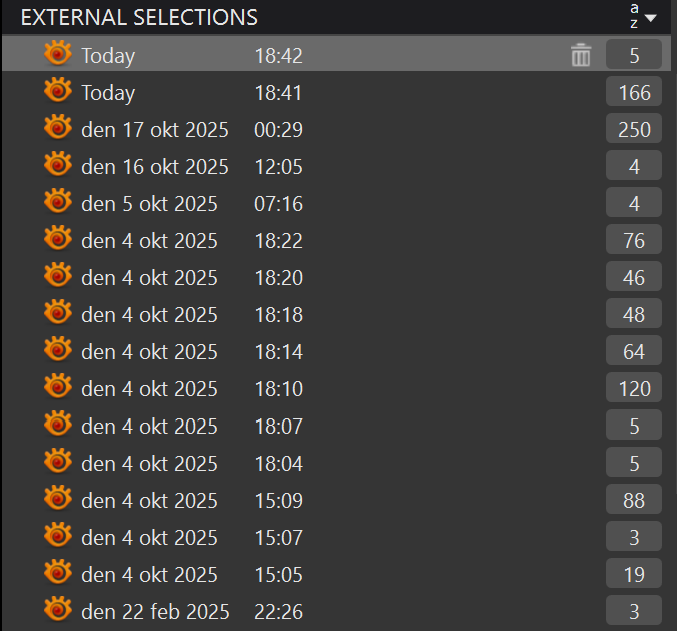
The only thing I think is a little odd is that XnView displays RAW with very washed out colors. The JPEG-files looks as expected - color managed with the current profile.
@SchorschGaggo I replaced “Procmon” for Nirsoft “FileActivtyWatch” (FAW) and set the ‘Advanced Options’ to focus on PhotoLab

I had already run FAW without the ‘Advance Options’ and then searched for PhotoLab in the output and in both cases PL9.1 is accessing the correct directory and not touching any other directory on my NAS was the order of the day!!??
This what the log showed starting, with the end of discovering some of the resources that it “needs”
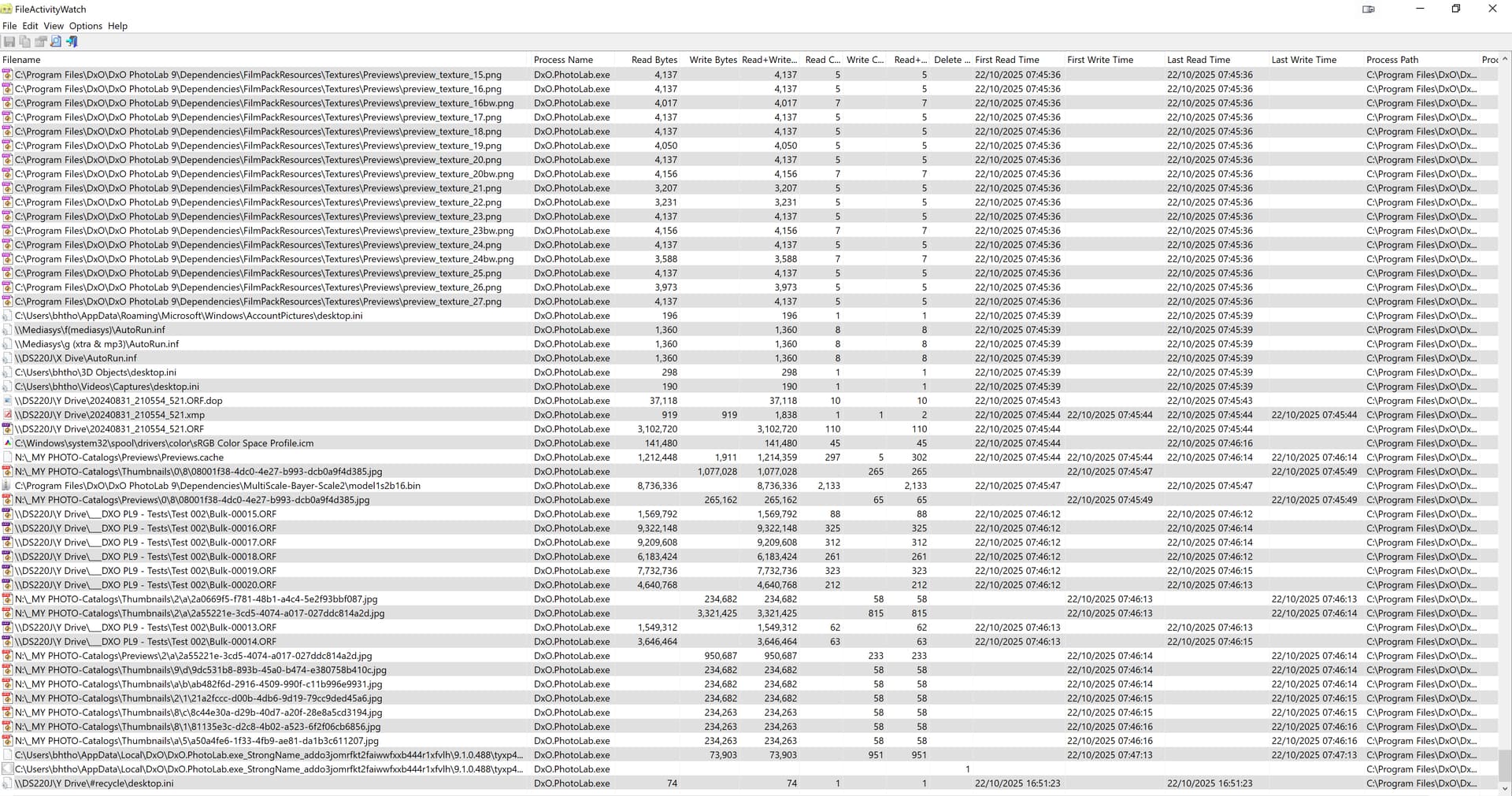
At no point does it read anything except the directory I chose in PL9.1.
The files are on my DS200J NAS drive. The read counts are really odd!?
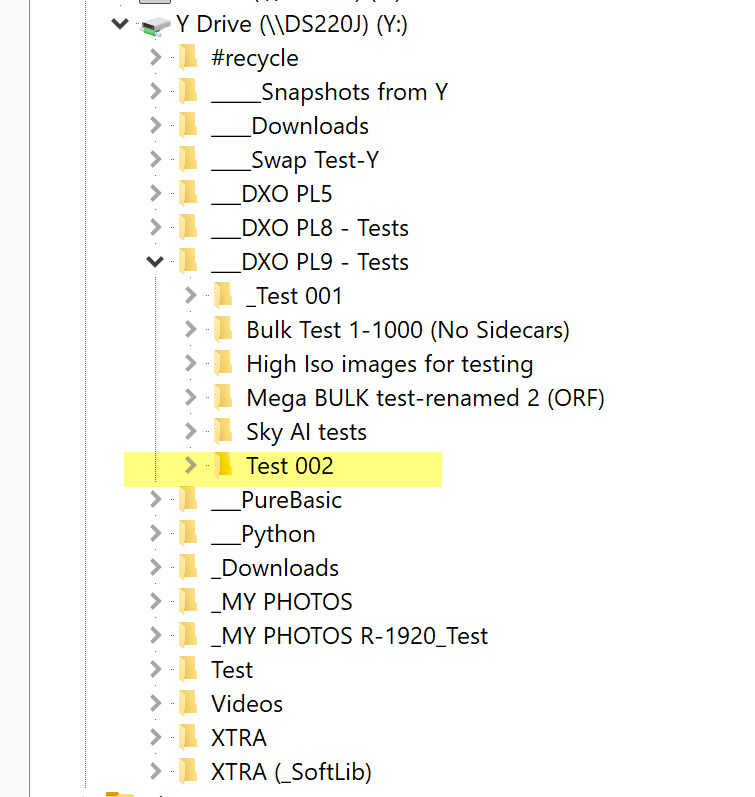
Why you are experiencing the problem I do not know.