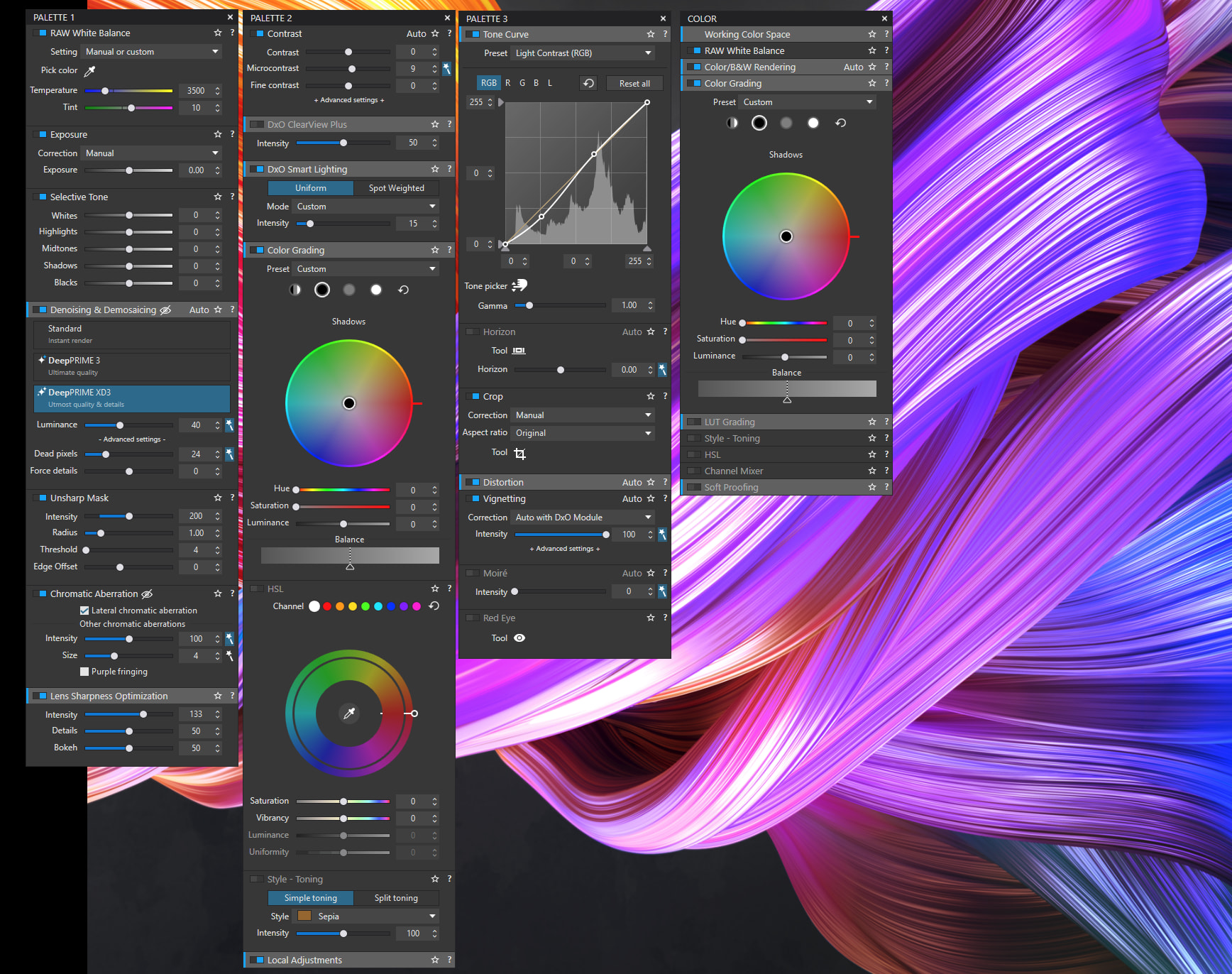
I’m running the trial of PL10 and wanted to see what the Color Grading tool would do for me. I have two monitors: the main one is for the image I am editing and the secondary monitor shows the floating tool palettes. The color grading tool is not included in the floating Color palette - it is only visible on the main monitor if I use the tool filter to display “Color” tools. Is there a way to include it in the floating palette or is this a bug?
Thanks. Very curious. Will keep digging in case I have missed something. Are you on the paid version, or just the trial?
After more digging I find I cannot modify any palette. If I try to grab and move a tool then I just get a kind of “No Entry” sign as I move a tool. Right-clicking on the palette title just displays a simple menu of collapse etc. No option to add or remove tools. Same behaviour on PL8 as well as PL10. Running Windows 11
@JeremySaul The 30 day trial is fully functional, so you should have access to the Color Grading Tool.
I have added a link to the online user guide:
https://support.dxo.com/hc/en-us/categories/360003943351
I would also take a look at look at YouTube.
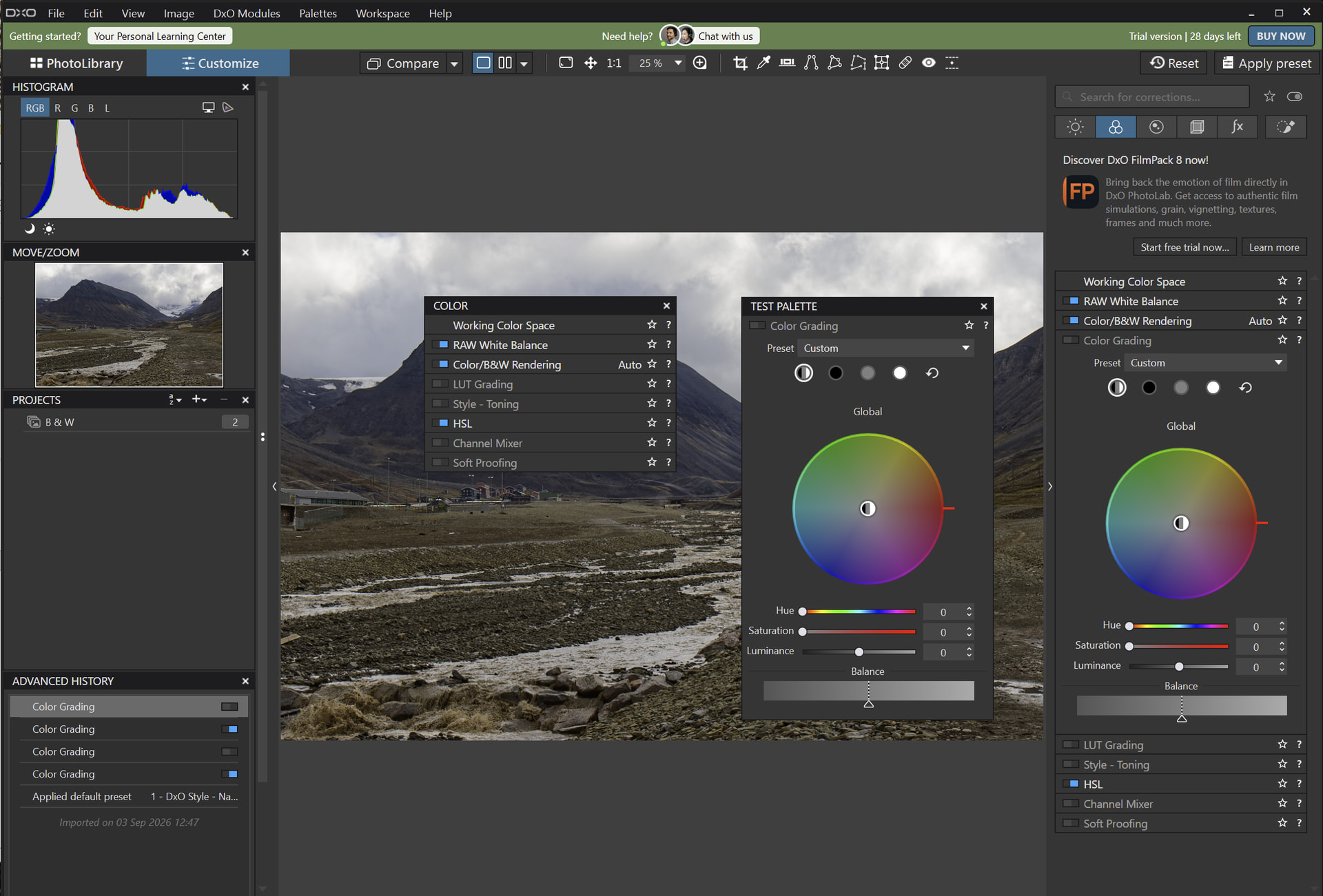
Have you tried reloading your workspace?
Many times! Makes no difference.
What is your specific PL10 build number?
My version is v10.0.0 Buid 143
Same as mine, so that is not the problem. When you installe PL10 did the database etc. get migrated automatically from your previous version?
Yes, I haven’t noticed any problems.
Mine did not migrate. Had to do it manually. Maybe that is a clue. I have asked DXO support for help
Have you tried reinstalling PL10 ?
After uninstalling PL10, rename the folder /Users/YourUseNname/AppData/Local/DxO/Photolab 10.
By installing PL10, it will attempt to re-import all your settings.
That’s going to be my next thing to try. I had been using PL8 (fully licensed) but had tried PL9. This wasn’t of interest in the end so uninstalled the trial version. When investigating why my database didn’t migrate I did find there were a few PL9 folders still on my computer so perhaps that is behind my problems.
Finally cracked it, but was a lot more complicated than I had expected.
I uninstalled PL10 and reinstalled it again, this time without the PL9 folders on my PC. From initial load Color Grading was present in the floating Color palette. However, my database and custom workspace had not migrated.
I took a copy of my PL8 database and used the “Restore database” function. This transferred my keywords etc. but not my workspace as this is in a separate file.
I looked at my workspace file in a text editor and compared it with the default workspace file from PL10 and found there was an extra section in the Color palette section. I took a copy of this and created a new version of my Workspace file with this addition.
I restarted PL10 and the Color palette included Color Grading in the DXO Advanced workspace. I then switched to my unmodified custom workspace and Color Grading disappeared Moreover, when I switched back to DXO Advanced it was no longer present there either! Only way to get it back was to edit all the workspace files manually to insert the missing section and everything is now good!
Will have to look to see if there are any other tools that have disappeared because they were not present in PL8. Does seem like a bug in that the built-in settings migration only works for consecutive versions and cannot reliably jump if one was skipped.
Thanks for your help.
Yes, you should be able to add tools to a floating palette if the tool is available in that workspace/palette setup, but with new tools this can sometimes be affected by a saved custom workspace from an earlier version.
Try this first: open the palette menu or the workspace/customize options and look for Color Grading there, then add it manually to the floating palette. If it still doesn’t appear, switch temporarily to one of the default workspaces and check whether the tool shows up in the Color palette. If it does, it’s likely your custom workspace just needs updating/rebuilding. If it doesn’t, then it’s worth reporting as a UI bug in the PL10 trial.
Thanks. As I mentioned above, my custom workspace lacked the Color Grading tool, having come from PL8. Having activated it the Color Grading tool disappeared from the built-in DXO Advanced workspace and I couldn’t get it back.
Maybe DxO should provide some basic training in computer programming as an option with photolab licence ?
Or they could create an uninstaller that cleans everything right ?