After moving the slider for brightness the software needs a few seconds until it can move the other sliders like shadows. That is really annoing.
Also the overall performance is very laggy.
If the export (especially with noise reduction) require some time - no problem. I can do something else in between. But normal usage should be really fast …
Perhaps your PC / MAC is somewhat old, what are your specs? To run fine PL needs an OK GPU with 6 + +GB RAM and enough system perhaps 16GB RAM. For more details check here: PL9_release-note_win_EN.pdf
You can see this even on very powerful computers. Unfortunately, when compared to Lightroom, Zoner, or even ON1, DxO PhotoLab doesn’t fare well in this regard. The results are great, but the sluggishness of the user interface is, unfortunately, a major drawback. And I don’t think there’s much hope for improvement here.
Woah - I suggest we step back a second and look at the complaint in the top post:
How many of us here are experiencing having to wait a few seconds before we can move another slider? Not me, not even close. Thankfully, reasonably good UI performance is possible. Maybe not as good as we’d like, but quite useable.
I would agree that some lagginess is normal for PhotoLab. Very laggy performance is not my experience, though.
There are degrees to these problems. Maybe the original poster can find a way to overcome the extreme slowness he seems to be reporting?
Even with those lowered I find PL still tries to render everything while I’m in the midst of working on an image.
For example:
Finish working on Image 1 and copy/paste settings on to similar Image 2
Open masks and delete the old specified submask mask areas for (an object)
Create new submasks and specify where the object now is in the image
Disable masks to speed up tweaking other areas globally
Tweak other areas globally
Reenable masks and tweak those masks any further as needed
Here’s the kicker: PhotoLab is going to re-render my image at every single one of those steps.
So even when I’m just deleting old un-needed masks and setting up new ones that better define what I want masked, it’s still trying to render everything every time I make a change.
I don’t want it to. I don’t need it to. I’ll be looking at that later, I just want the mask area defined.
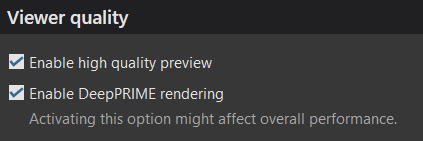
It would be fantastic if we could have a super-quick low quality preview option OR just turn off rendering entirely unless the user enables it with a toggle or hits a big red “render” button.
Similarly if we have to adjust the crop of several images but don’t need to make any other edits, it’ll still try and render everything again. I don’t need that. I have the image as I want it - except the crop - so it’s using all that computer power to show me something I don’t need to see, and it’s slowing to a crawl while it does it.
I have found PL to be getting progressively slower to the point that is now horrible to use on an M4 iMac. Yes only 16 gig of ram but other editors fly and other editors also have superior Ai masking. The lagging issue is terrible and DxO seem to have no intention to work on optimisation. The performance hit is just not worth taking, especially as DxO is imo nowhere near as far in front as it was - indeed in some area it “lags” behind.
but you have told us on many occasions that your hardware is ‘old’, in particular your GPU is below current min. spec. so surely delays in PL are to be expected?
Sure, but clearly I’m not alone in having issues, my GPU beats some newer cards in terms of horsepower, and there are arguments to be made in favour of optimisation passes.
Or else DXO can, will, and are pricing would be customers out of using their software, which will only hurt their bottom line too. Thanks to various factors, putting together a new high end system is bloody expensive.
I worked with PL again yesterday and this “few seconds delay” was not there anymore.
It also did an update at program start yesterday. Not sure if this is related - anyway this issue is fixed.
But still the overall performance is laggy.
For me it doesn’t matter if batch export take some hours. No problem.
But when you work on an image or when you browse through pictures it should be fast so you have a good user experience.
Agreed, it should be fast. However, the reality is that unless you have hardware that is in keeping with DxO’s recommended (not minimum) specs, PL is not the best user experience.
Maybe, I hate to be a cynic but they could just stick with RTX to try and reduce the inevitable issues with performance GTX users experience. It still works on GTX, it’s just the performance isn’t there.
The Mac M4 with 48 GB of RAM is equivalent to a truly high-performance PC running Windows. On new Windows computers with an i9 processor and a powerful graphics card, PhotoLab also runs fairly smoothly. I suspect that, aside from that, the sheer number of possible hardware combinations for Windows computers makes code optimization much more difficult than it is for Apple computers, which have fairly strictly defined specifications. That doesn’t change the fact that, in my experience, PhotoLab on Windows tends to be on the resource-intensive and sluggish side.
and never will be, no matter how much the code is tweaked because a GTX card does not have ‘tensor cores’, which are the hardware magic designed to deal with AI stuff.