Actually that’s not a bad idea. I may try that here or there. “Transient” VC to experiment and then delete when done.
Thanks for the comment.
Actually that’s not a bad idea. I may try that here or there. “Transient” VC to experiment and then delete when done.
Thanks for the comment.
@oxidant, @MikeR etc. while you wait for DxO to get around to any developments that might be useful, sticky notes, preserved histories etc. please consider a suggestion I have made before, namely to “steal” IPTC fields for storing notes/recipes etc…
For example the IPTC Content fields are always available even when editing a photo and are separately maintained for the [M]aster and each Virtual Copy and kept in the DOP and written to any exported image and with the latest change to PL5 even the [M]aster DOP data can be restored!
Just a thought!
I try to avoid to polute my xmp’s with remarks as “need cleanup” , “looks wrong need more local colorering” “best of the burst” those remarks are just for me to remember. i often let a image be for a wile if i can’t get my head around why i not satisfied or it’s a image that needs more then few minutes and i want to rush through the batch first develop most of them in basic manner and then return to the critic one’s at a later day.
So i try not to write on the envelope or box but stick a yellow on top as reminder this needs work 
The yellow sticker is a reminder but is not really explicit enough and I would neatly cut a piece of paper to fit in the envelope or box and write notes on that! The yellow sticker is a “warning” that “needs attention”, “more editing required”, “Hmm!?” etc. and the note gives more detail where appropriate.
@OXiDant It was just a suggestion and if you are not writing back to the image then it will stay in the DOP.
I rarely spend large amounts of time “agonising” over a single image unless it is really special. As I mentioned in an earlier post what I really want is a link to the last preset that I have used for an image to replace the “useless” (in my opinion) ‘Applied default preset’ by ‘Last preset applied’ and the ‘Last preset created’ would also be useful.
Using Virtual Copies to capture alternative editing ideas is a must but a quick note on why I felt one is “better” than another or what editing path I thought I was pursuing, would be useful. Keeping notes is useful and while I understand the idea of not “polluting” the metadata there is a lot is it going “begging” in my case.
Add a simple E123456 and tuck E123456 in my “favourite” outliner, e.g. Whizfolders etc. and/or a simple coding system might help jog my memory. I have been using Outliners since my MSDos days using Grandview and I used large quantities of “comments” when developing software and Outliners and Word documents when responding to RFIs or RFQs (Request For Information or Quotation) and when designing software!
In truth being able to attach a “sticky note” to an image pertaining to that image/the editing of that image and/or for a shoot or shoot section would actually be of more immediate use to me than retaining the history but both would be useful.
Other software may provide such a facility but I don’t necessarily want to have a mixed editing path so it would be useful in DxPL!
I used to use color labels in capture one for that kind of stuff. It was great to be able to group shots and then filter by ones that were already cropped or straightened and then needed image adjustments. Or which ones were done.
Sometimes I use the red and Green (good or bad) tags in PL but two colors is limiting and “red” basically means don’t process…. So…
Anyway I’d love for color tags to be a part of PL and based on the survey that DXO staff did some months ago it seems they may be considering this for a future release. This kind of thing is a great application for them.
i know, no worry’s.
i am often play with a image just for testing a editingskill or just see if it’s more interesting an other way.
(i don’t shoot much images lately, so i am updating old ones some times.)
Same here frankly.
(i use VC’s and backup dops to be able to restore a image or go back in time.) i don’t need 100 steps backwards to be stored.
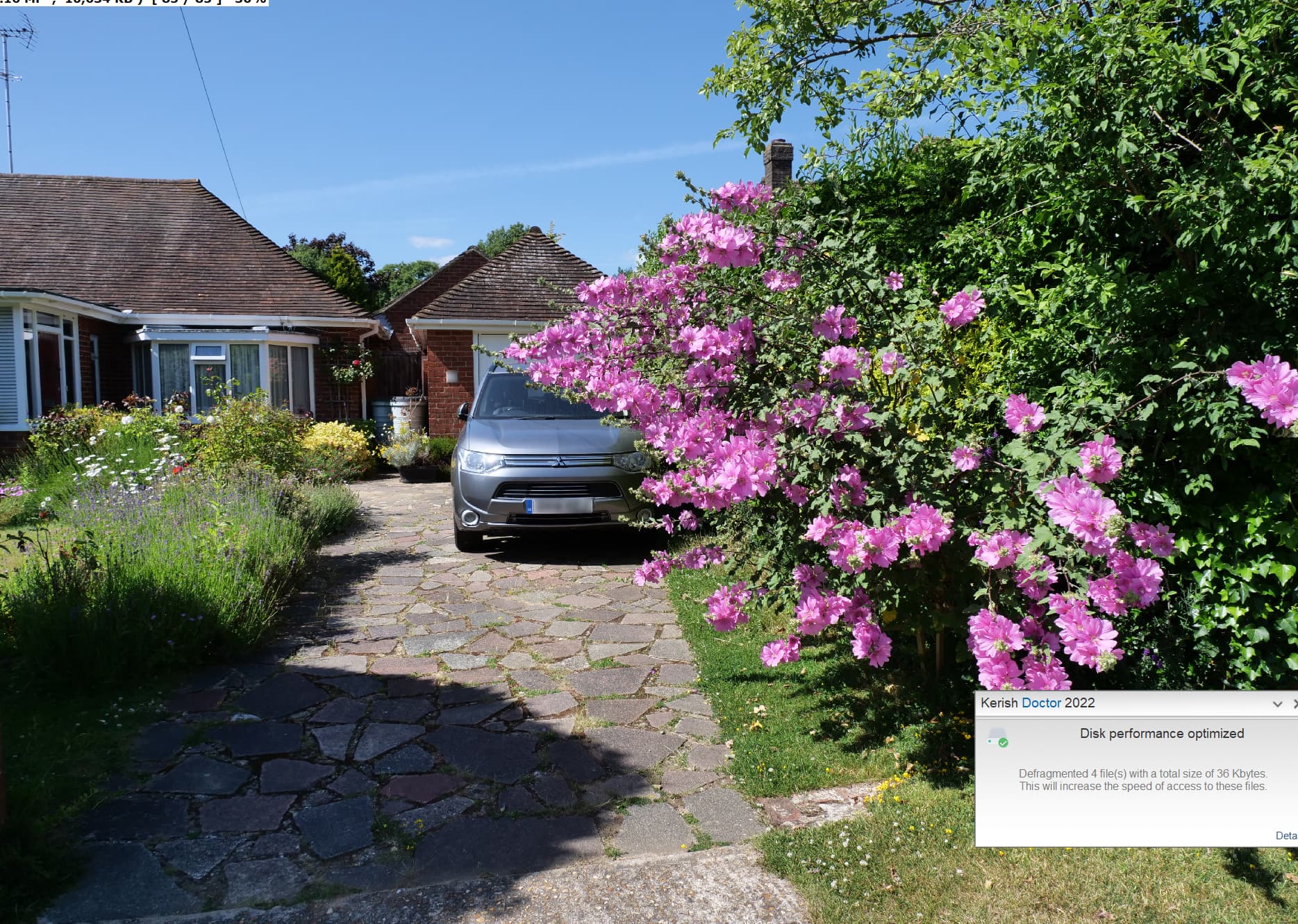
I am a “keen” gardener so even if not photographing gardens/landscapes or taking snapshots of the grandchildren etc. I still chronicle the passage of time and its impact on the garden like this beautiful “horror” (lavatera), right plant/wrong place (my own fault) and even retractable mirrors aren’t going to help! We do have a second car parked on the road but for local driving using the (trapped) PHEV is cheaper!?
Indeed, +1.
Photolab really needs History to be saved across sessions, it would be so simple to write it into the sidecar file, maybe with a user prompted confirmation, not necessarily by default. 
I agree. It should be saved in the dop file and made available between sessions. The number of times I’ve deleted my virtual copies as it is easier to start again, rather than trying to find where I went wrong using the local adjustments.
It would be nice, if history was updated only after preview is completed.
Otherwise history is full of entries you would probably never use.
Scrolling the Exposure or Horizon sliders being some of the examples.
Another method would be adding a short delay, say 100ms before recording
the cumulative changes. For now, I would choose the first method, which is
perhaps easier to implement and maybe less annoying.
DxO, please Denoise the History
I agree denoising the history would be useful…. If there are successive increases or decreases in the same slider either by the arrow buttons or the slider then those can be combined into a single entry as they happen…
But anyway the whole history thing needs to be reworked…. And there is no Undo…. That is another problem…
CTRL + Z on PL window, or do not I understand your point ?
And CTRL + Y = redo.
That’s really just a step back in the advanced history. (And step forward.)
Try to undo metadata changes…. I.e. have a whole bunch of images color tagged and mistakenly erase all the color tags. Try to undo that…
“Undo” also works very inconsistently when more than one image is selected. Sometimes the undo “steps back” in all images, and sometimes only in the one displayed.
Bump plus a vote.
Long wait for this feature in Windows, still waiting. A few days ago, PhotoLab crashed while I was pressing CTRL+Z multiple times, so the loss of history meant I had to undo my edits the hard way - in this case, by restoring my sidecar file from backup. I’m relying more and more on virtual copies, cluttering my image browser but reducing risks.
Hi, sorry I didn’t read the whole long thread. I’ve been using PL8 for a few months. It seems strange to me that such an advanced and efficient software does not save the history of operations.
is there no hope for a future update?
The Mac version has kept Advanced History across sessions since it was first implemented. It been almost 4 1/2 years since Advanced History has been available and we still don’t have a save history feature in the Windows version. I believe the chances of it being added in the foreseeable future is very low.
Mark
I think they have a cheek, calling it an advanced history in the Windows version. It is not even a history. It should be called today’s modifications. They are able to store the current modifications in the so-called advanced history window, then they should be able to save all that information in the DOP file and read it in on the next opening of the file.
As far as I understand it they are using the Windows operating system as the reason for not being able to!
The advanced History in Windows uses the normal Windows undo stack. At the time it was implemented DxO apparently ran into issues saving the history across sessions and being able to add to it in a new session.
I have no idea of the difficulties involved. I do know that some of the other software I have used like ON1 Photo Raw, and I believe Affinity Photo as well If I recall correctly, do not save edit history across sessions I am curious which photo editing software titles running on Windows do save edit history across editing sessions.
Mark
Noooo ! … I certainly don’t want my sidecar/.dop files “bloated” with this data (which, in my view, is completely unnecessary in any case … tho, I do understand and appreciate that others have a very different view on its usefulness).
It should be easy enough for DxO to add an option in Preferences to save history persistently or not, but given the number of times they’ve just changed things that should have been optional, that may be asking too much of them.