Is there a way to automatically set the curves to the edge of clipping?

This is for manual inversion of film negatives.*

Process:

  1. White balance against film base
  2. Crop as desired
  3. Invert the RGB curve
  4. For each of the R, G, and B curves, set them to the edge of clipping
  5. Then export as a TIF for further edits

Is there a way to speed up/automate step 4? The shadow and highlight clip preview on the histogram helps
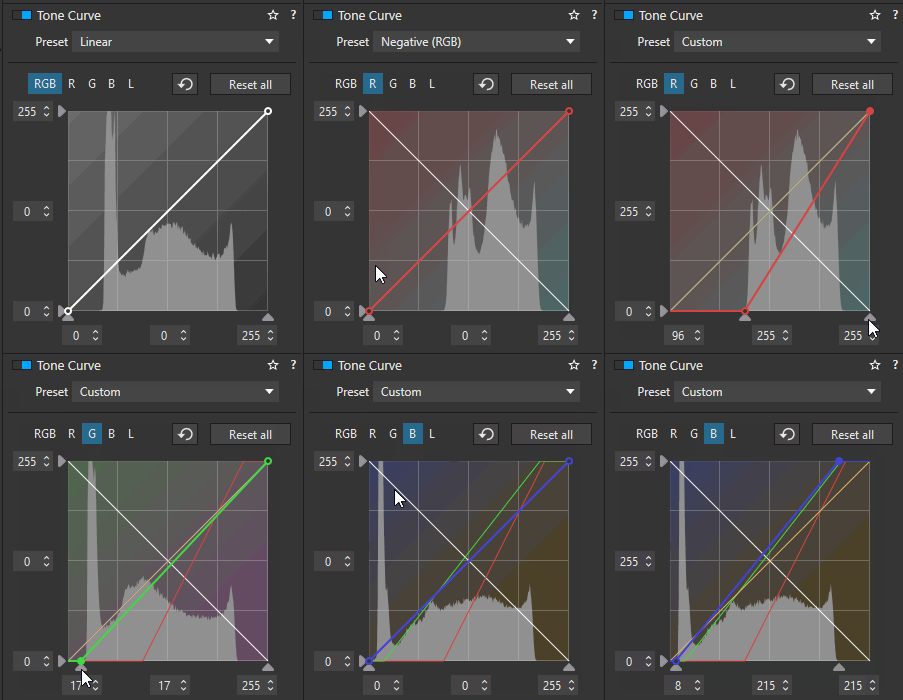
ToneCurve

*The negatives are camera scanned with a narrowband RGB light. Manual inversion gives better results than tools like Negative Lab Pro because such tools assume the scan used a wideband high CRI white LED light. NLP will support narrowband RGB, but that day will come after the standalone release.

Welcome to the DxO USER Forum, Joel …

Unfortunately, the quick answer is; no.

Thank you John. That’s unfortunate but not the end of the world. If DxO Photolab supported plugins, I would try to make something that did this!

Try smart lighting. Not quite what you want, but still worth trying.

Yes, I was thinking that too, but it still requires specific handling for each image … whereas, I think Joel was hoping for a way to apply a generic correction - batch-mode.

Another very useful feature would be the following, probably even more useful:

if you have a batch of photos taken in the same session, but with slightly fluctuating light and exposure, select them and with a click make them uniform in terms of “average density”

It’s actually the same request, but with a different approach. One based on “brightest point in the image”, the other based on “medium point”.

Very often I shoot bursts of sports photos in fluctuating light conditions, and for this reason I cannot set the camera on fully manual exposure, but I have to rely on aperture priority. The result is that there are small fluctuations of exposure between shots in the sequence, and an automatic “rebalancing” would be nice.

Yes – introducing Auto Contrast and Auto Tonal Correction à la Affinity or PS.