Hoping that it has become somewhat clearer to you by now, I have used your published photo to illustrate one of the possibilities.
→ VC 1 IMG_0036_2embrace the friendly sky.jpg.dop (105,1 KB)
.
I started with the AI mask (Background)
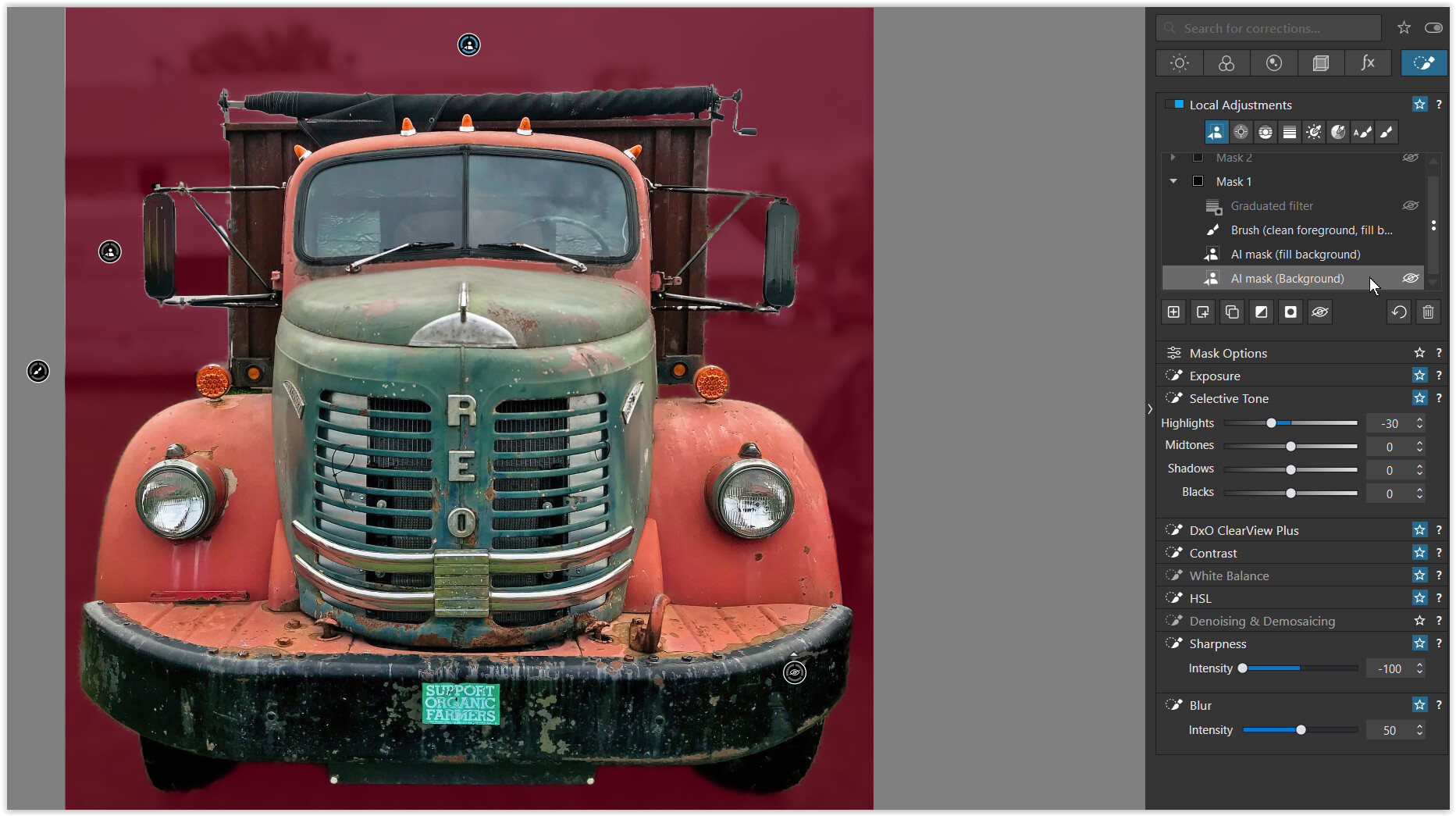
- the reddish overlay shows the selected background
(together with an additional AI mask to fill the bg selection on the left
and an additional Brush to subtract [ALT+…] foreground details / fill the bg),
which then gets → blurred
I added a Sub mask → Graduated Filter → Invert shape
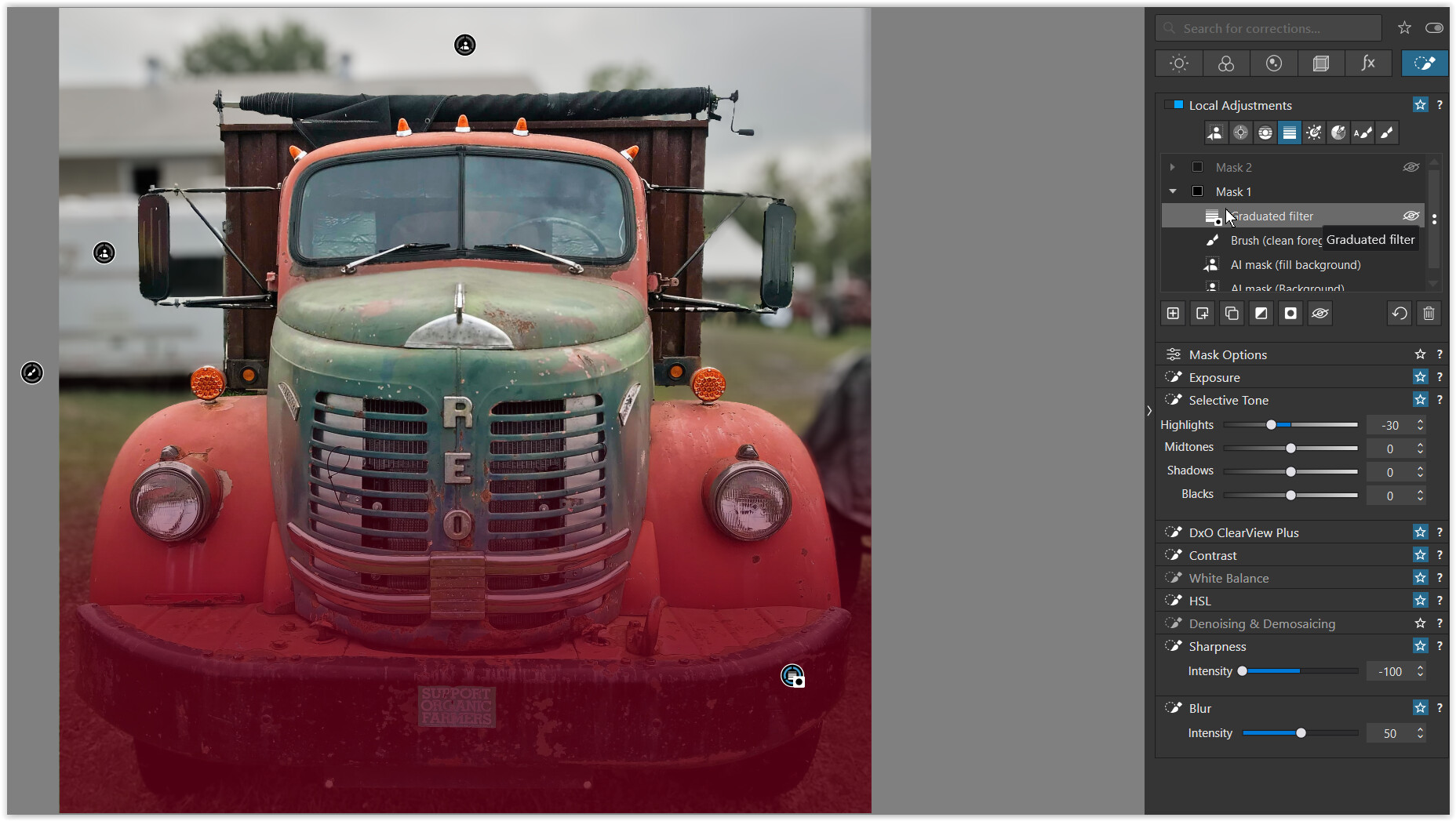
- the reddish overlay shows the Graduated filter (from bottom to top)
- and “Invert shape” excludes this area from the background selection !
I added a new mask to cover the subject
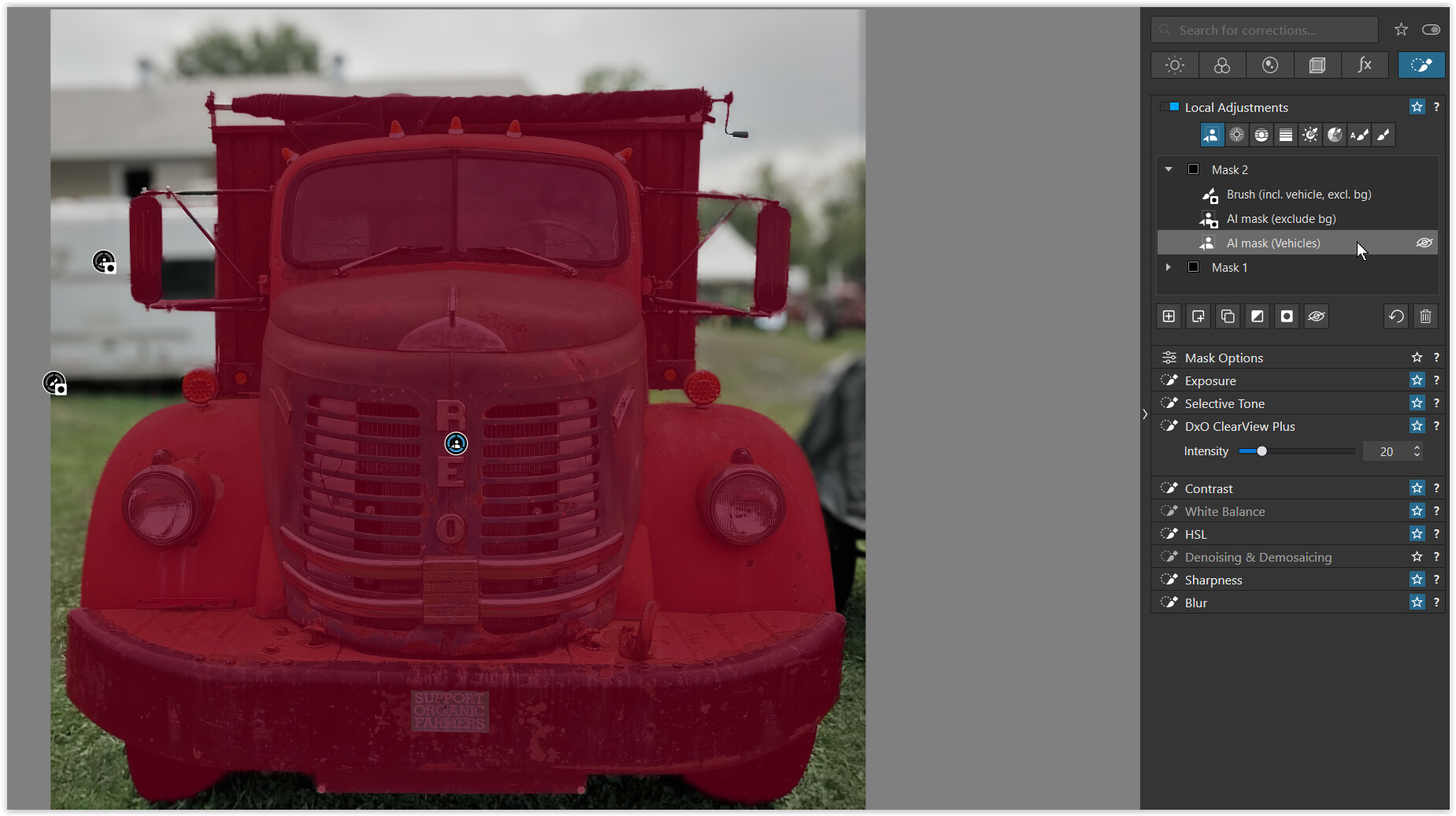
- used the AI mask (Vehicles)
(together with an additional AI mask to exclude the bg selection on the left
and an additional Brush to include subject details / subtract [ALT+…] the bg)
to then increase clarity → DxO ClearView Plus
the result
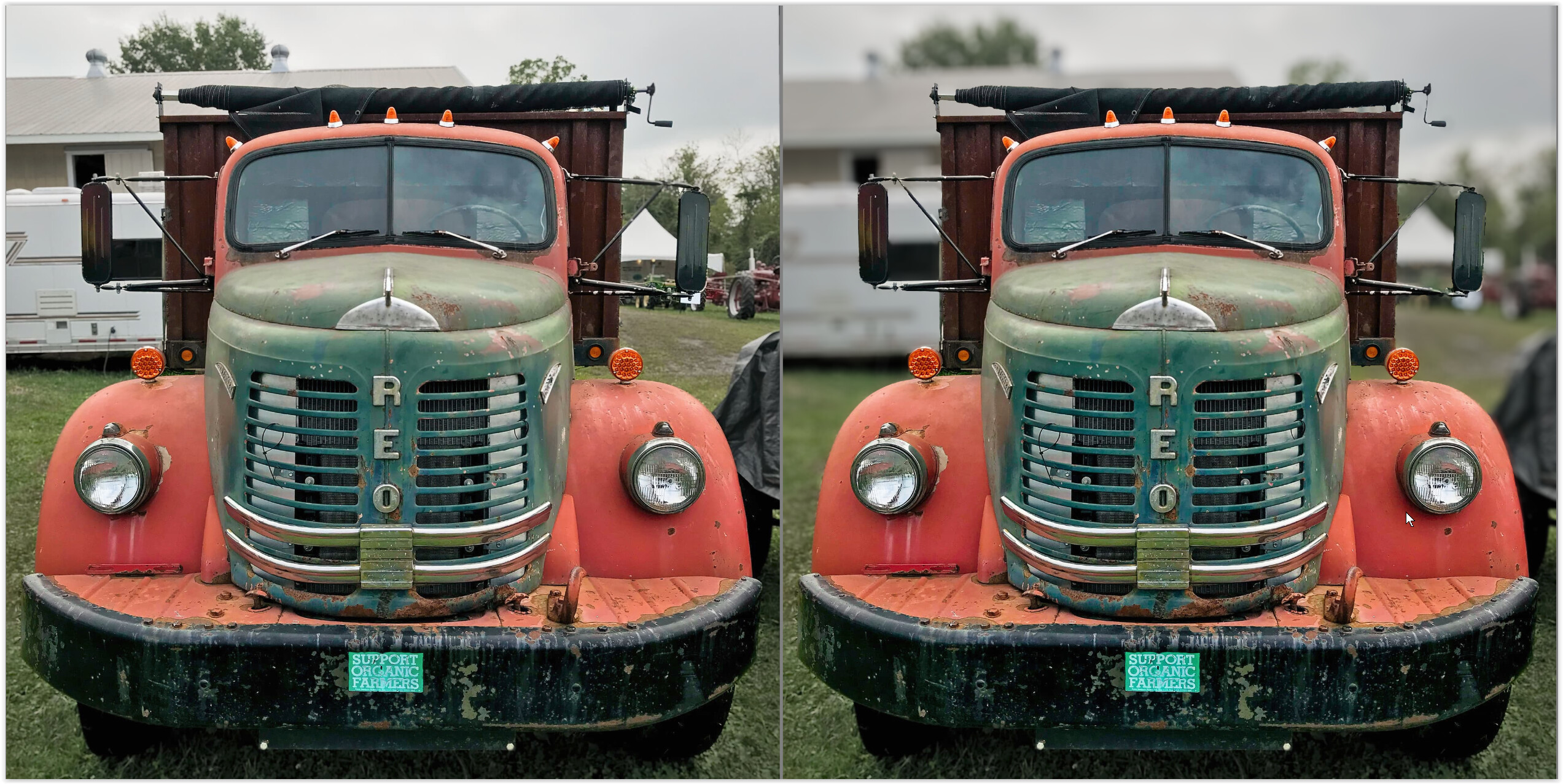
- due to JPEG compression / artifacts the selection is not as good
.
Have fun !