I think we can all find the exception or two where a given program does not perform as expected. That does not make it a bad program though. I do not photograph helicopters so I have not seen that particular problem. I have never has an issue selecting the sky though so I stand by what I said - it works well in many instances and I do prefer to PL’s masking.
I haven’t used LR in a long time but I think they use a lot of AI auto subject selections? These can go wrong and I don’t know if they can easily be refined?
You should try C1. It has basic subject background selection but the main selection method is to simply click on what you want to select, very easy and intuitive. ON1 have now adopted this method which puts you fully in control.
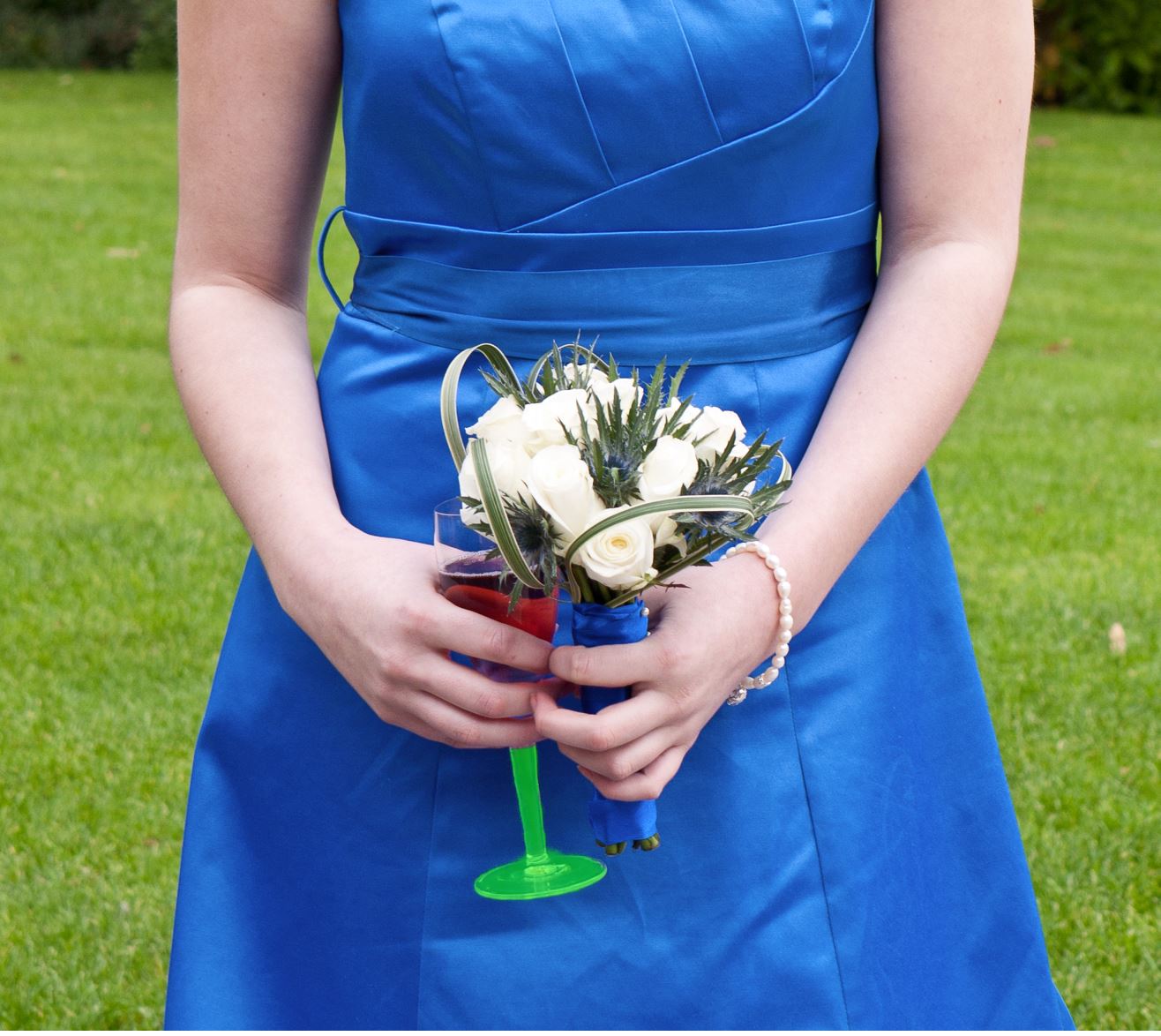
Here is an example where it takes 1 click to select the glass stem. Any mask in C1, unlike DXO, can also be easily feathered and refined if required.
I hope DXO will follow this approach if they do try AI masking.
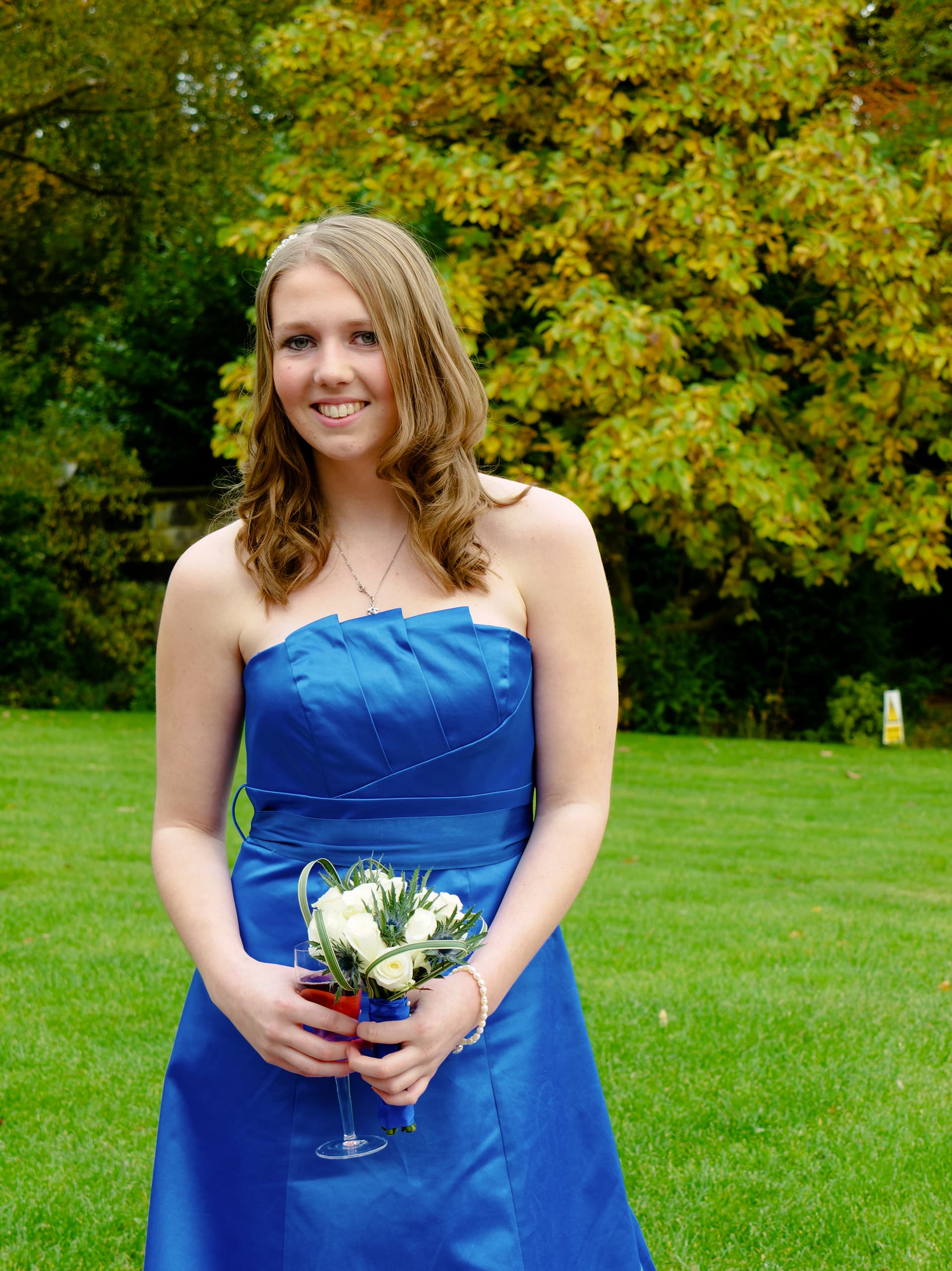
Such a selection can be done in DXO but it’s all about ease and speed. I want to select this, point and click not add CP’s add negative CP’s futz with luma and chroma sliders, or carefully draw an auto brush mask then futz again etc.
The point is that this is what everyone else is doing, not competing by offering similar to your customers is not a good business strategy.
I want DXO to strengthen and develop and will cross my fingers for V8.
Note that during last years Black Friday a new license (not upgrade) of C1 Pro was cheaper than the upgrade price for V7. DXO does not exist in a non competitive space.
2 Likes
What I heard from DxO in a webminar (less than 1 year ago I think) about AI masking, is that they can’t talk about it, but if/when (?) they deliver this kind of tool, they want it to be way better than what adobe produce.
Isn’t that a really stupid stance? Hasn´t almost all new features in any RAW-converter been subjects to structural growth and refinements?? What about for example PictureLibrary in Photolab or for example the new Local Adjustment-functions in PL?? They both keep hanging there without being able to do a fraction of what is possible in Capture One and Lightroom still it is good enough for many users and better than nothing. A third funktion is the “Retouch”-function that also have been the subject of refinement and today I think it is much better than the corresponding tools in C1 can offer.
I see how far ahead the latest of Capture One is over Photolab PictureLibrarry but that haven´t stopped DXO from adding these features in version 6 and 7. Why not just continue with that policy because that way even DXO will finally hopefully get it righter than were we stand today.
What DXO really have to do in version 8 is to promptly fix the problems the users initially find - as they even ought to have done with version 7. It is not at all OK to do what they have done with version 7 - where they basically have ghosted all their users and ducked all important outstanding issues in order to obtain peace and quiet in their R&D workshop focusing totally on getting us to upgrade to version 8 instead. Sometimes it almost feels as this is now the company’s main business idea.
“IanS”, writes “DXO does not exist in a non competitive space.”, and that is a point that is more important than we might believe. DXO is not just competing with price, licensing model and features. I have noted another factor that I sometimes value even higher. Since I subscribe for Capture One now I continuously get new features as soon as they are ready to ship. The backside with the DXO-licensing model is that you have to wait a whole year for them to fix known issues (best case) and the same goes for new features. Hasn´t the real cost of living with DXO:s licensing model licencing model already become too high?
Sometimes I get surpriced by all these Photolab users who are totally “hanged” on the price differences between for example Capture One and Photolab (and as if the prices of Filmpack and ViewPoint is never counted as a part of it all) and on top of that the fact that some Photolab users never seem to value their own time in that equation. The new AI-supported tools in both Lightroom and Capture One has changed A LOT but they are still just intergral parts of the new workflows these converters now posesses and these are far more efficient than the ones in Photolab many times.
Both Lightroom and Photolab has the same kind of design flaws too when separating global and local functions. Capture One has a huge advantage in keeping all their tools working consistently both globally and for local adjustments. Despite LR has good AI supported masking tools, not all these tools are available to my knowledge in the masks. That goes for example for the important color grading i think. To what I know Lightroom is also lacking a refinement tool for the refining of the selected masks edges. In Capture One even the picture itself is a layer - all is layers and a lot of the handling of the layers has been automated too the last years in order to increase productivity.
I still keep Photolab as a basic tool to create basic sets of standard processed 4K pictures for basic screen watch but I have since long used Capture One for more demanding jobs and the “PictureLibrary” in Capture One is just soooo much better when it comes to searching through my archive than Photolab and compared to DXO I feel the Capture One developers really have focus on improving productivity for their users and they are far more on their toes when it comes to deliver new and improved features and that you have to be if you want to be seen as a professional alternative.
The development we have seen the last years with PL version 6 and 7 when it sometimes has taken a half year to deliver camera profiles for new cameras is a total “show stopper/deal breaker” for more professional use of Photolab, that is severely risking Photolab to be permanently degraded practically to a converter for hobbyist photographers, still reasonably pleased with the good technical picture quality. It has to be seen if a user base like that will be enough for DXO survive.
I can see it on yours, and I’m confident I could mask the particular shot with PhotoLab. It was a test of LR’s AI, not an actual requirement of the shot.
My point is this should have been an easy win for AI, but it failed. No messy, fly-away hair, no complex demarcation between similar colours — bright white helicopter, smooth blue sky.
That was not the only shot I tried and some did work as I would expect, but I was severely put off by such a simple case not working.
In the end, nothing compares to DxO for me because of the modules and various versions of ML-based noise reduction. I’ve tried ON1 and I just couldn’t make my photos look anywhere near as sharp, which is very important to me.
Do I sometimes wish some masking jobs were easier in PhotoLab? Sure. But no matter what I do with LR or ON1, I can’t move past the basic quality of conversion.
Somebody at our club demonstrated AI selection of faces. The problem arose when he did it in a group of women in traditional Breton dresses and aprons. At which point, the AI recognised the two buttons at the top of the aprons as eyes and a crease across the waist as a mouth and, hey presto! a face 
My favourite ever, though it was not a “name brand” product, was picking a face out of the stem and handlebars of a BMX bike.
I decided to try the same photo again. The sky selection did actually work. Exposure dropped in the mask area to show what is selected.
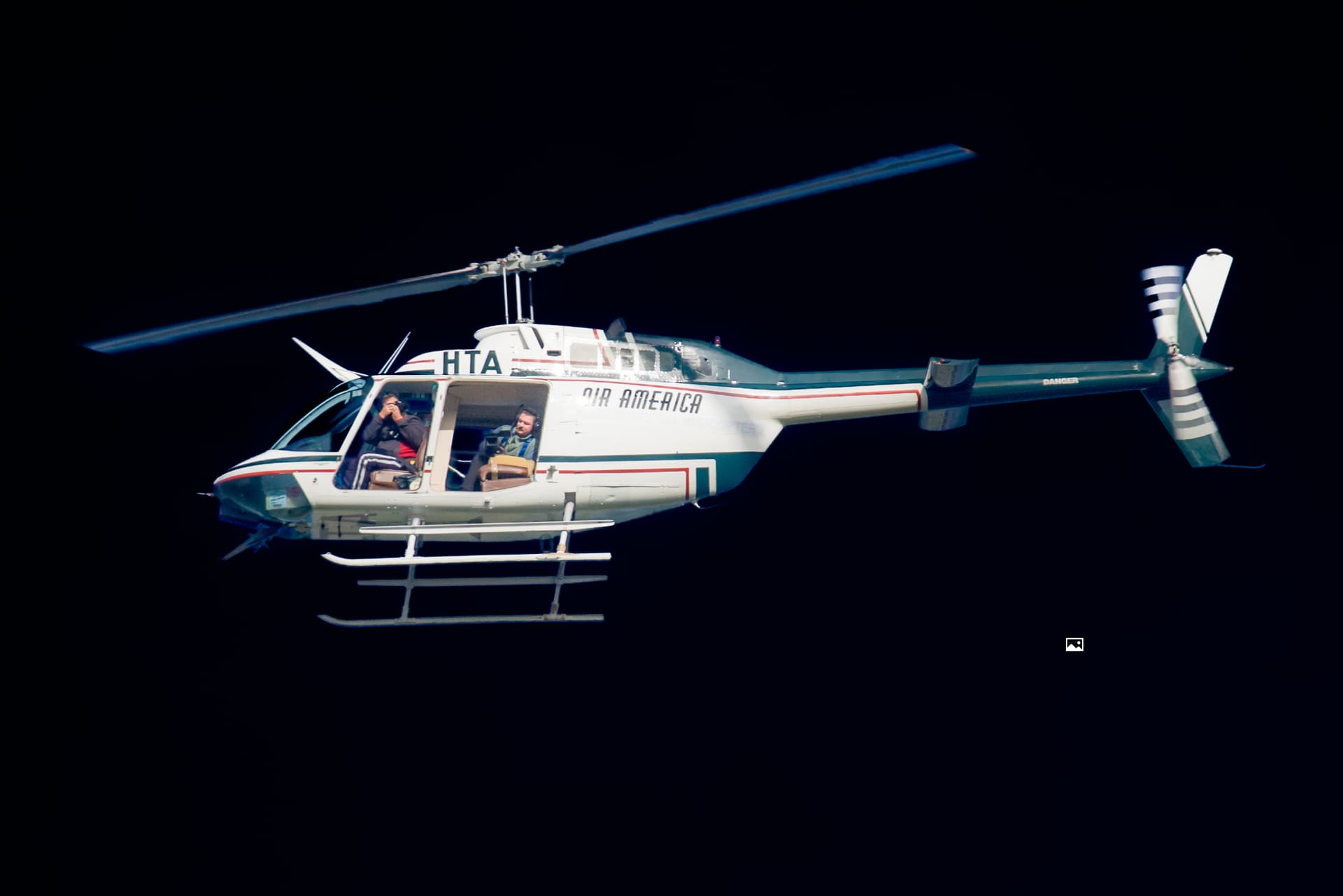
But the subject selection made the same error as before.
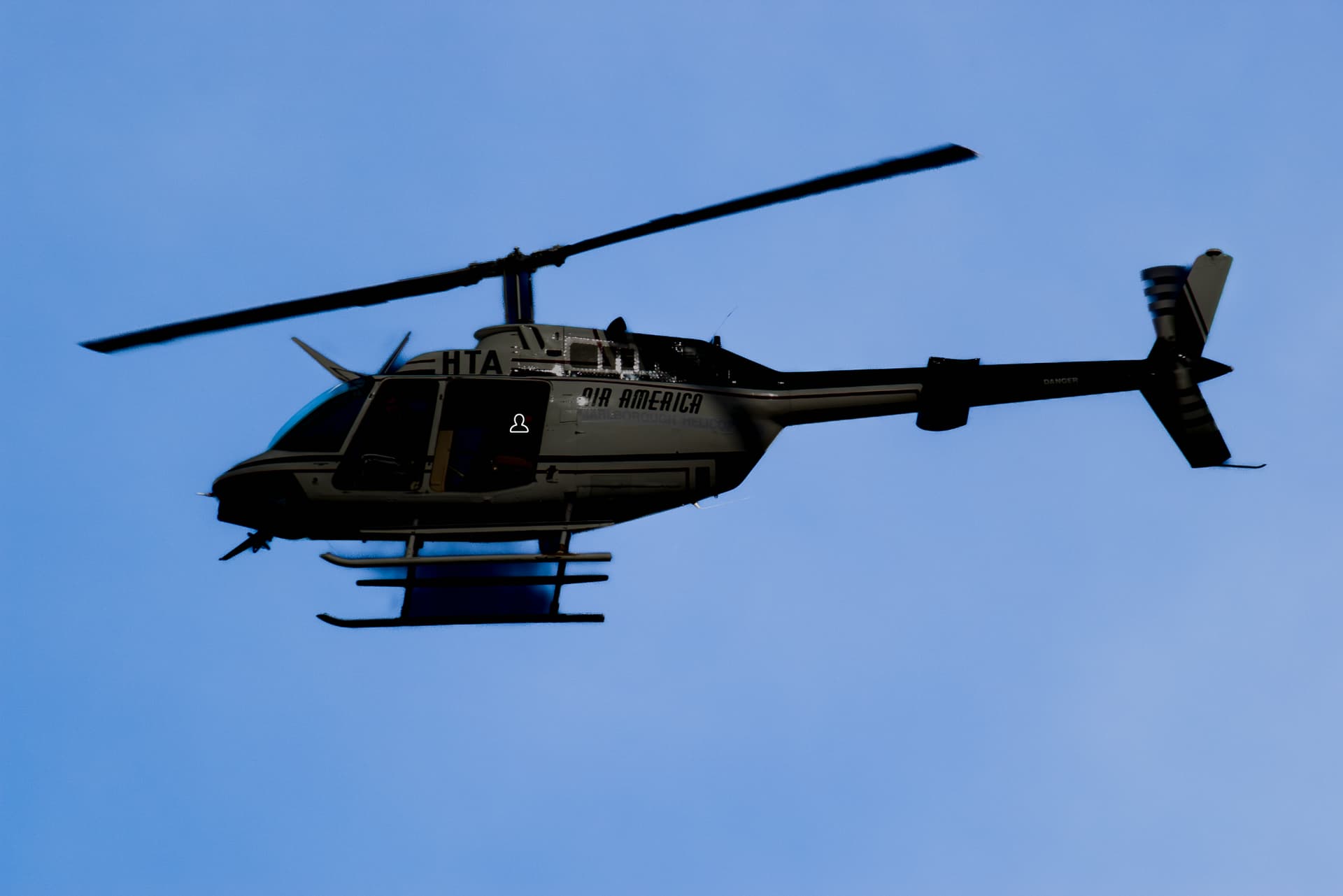
Again… this is a simple example. I guess they figured out “sky is the big blue bit, plus any bits the same colour”.
Have you tried selecting the sky and then inverting the mask?
Of course that would work, but I will reiterate, I was only testing how effective it was.
I literally said to myself, “what would be an easy one to test it with?”
That’s a non sense !
That’s not a licensing model issue at all. That’s a DxO choice.
Since DxO release several update every year they can put what they want in it. Nothing to do with licensing model.
The coast of a renting model is that if you don’t want to rent anymore for any reason, you loose all access to already done job !
The coast of a “buying” model is that if you don’t want to buy anymore you won’t get new features.
!!!
2 Likes
A late comment on proprietare RAW. I asked MS Copilot how many CAMERA/LENS combos Photolab supports and got the answer “more than 80 000” - that was data from last year 2023. Today I think it was 96 000 soon reaching 100 000.
DXO has described that process and if I am to believe that process I understand why DXO seems to have a paralyzed R&D the last years. Do they have time to do anything but maintaining their profiles?
That is why I have supported the idea of a standardized RAW-fileformat with the use of a standardset of EXIF-metadata as input since 2005 when Open RAW and Michael Reichmann wrote “the RAW Flaw”-document.
Today for example Sony adds quite a few proprietary elements to EXIF only used by their om Imaging Edge converter.
Standards are always proprietary, its just about who gets to decided on what standard is. Are you using Imperial system of standards or Metric system of standard measures. Are you driving left or right side of the road, because its a standard etc. Forget standards, figure out conversions, because you are not going to get any kind of standard in RAW full of competitive companies unless you get a monopoly, in which case you have another problem.
DNG was not introduced as standard for the little people, but as controllable backdoor strategy for Adobe to monopolize the market. Like Apple and Google and their playstores etc.
So your suggestion about open RAW as noble as it might seems, seems highly unrealistic, because it focuses on you the user not reality of the market which has the other component, suppliers. Sony open their lens market to third parties, like Sigma and Tamron. to close the gap between them and Canon/Nikon, who didn’t do that. Because their propriety lens are big business. Propriety RAW is extension of that, so much so RED is now in Nikon ownership and patents for RAW video are big part of it.
DXO has a very slow process of adding those lens and camera body corrections, indeed. But its accurate more than what Capture One or Adobe does, and when you compare them its clear which one is better in majority of cases. Not just better correction, but less crop, which if you are buying expensive wide angle lens and shooting landscapes, you don’t want to crop out parts of your frame to correct for lens, because Adobe was lazy in making proper profile. So there is cons and pros for each.
DXO has background in analysis of sensors and lenses so its natural they take that as their advantage, quality over quantity.
1 Like
No that is not true. All standards are not proprietary - only de facto standards are as long as they still are not open.
Peventing access to certain even basic features - say the picture database in a converter after the user have stopped paying annual or monthly fees is not a licensing ussue. That is a policy issue and a result of using a proprietary single point of failure database solution instead of a file system centric solution.
For me it is fine that you can’t continue developing RAW-files if you stop paying but it is not OK preventing the use of the databaee archive for searcing and viewing. When it comes to the edit metadata for RAW, regardless if it is stored in databases or in DOP-files, it will be useless in both cases without the software and that is because there is no common RAW-file standard. Compare that with how the XMP-metadata works. In that case there is no problems at all migrating from Photolab to say Capture One and even to a corporate DAM. That is because the XPM is embedded in XPM-compatible formats like TIFF, JPEG, DNG and PDF and in real DAM you can add XMP-sidecars to any file format really. That way the metadata is future proof in a completely different manner than camera RAW-data is.
These problems with software taking users as hostages with proprietary picture database solutions is why I at least have saved myself from locking in my metadata too in a converter regardless it beeing Lightroom, Photolab or Capture One. I will always be able to handle my XMP-metadata based Picture Archive as long as there is software able to read XMP. If there was a standard with a common RAW-format and also a standardised EXIF holding all necessary camera- and lensmetadata required DXO could stop entiredly building their own proprietary profiles both for cameras and lenses. In a Photolab living in that world DXO and all others could just read the EXIF and XMP from the files and use that as the input in their own applications and that way there would no longer be a problem with reading edir metadata from one application in another.
Focus could then shift from building thousands of profiles and adjusting tens of tousands of camera/lens combos to instead fixing all the other problems they never seem to get time to fix.
Even edit metadata in converters ought to be written to XMP in a standardised way instead of old fashion DOP. The idea with DNG was to create a standard format even for RAW-data and that might work as long as you live in Adobe’s world but if you read a DNG from Lightroom there is no guarantee the changes you have done to it will be visible in Capture One for example and today that is a fact preventing a problem free migration. We have to work to put an end to this idiotic use of development resources.
This case can’t be considerad solved before a problem free migration can be done with all our picture metadata readable and ready to use regardless of which applications you leave and which ones you migrate to. This is not at all a technical problem - it is purely a policy problem.
A bit strange, no ? So you would like to keep some parts of the software and not others ?
Ok. this is your view.
Anyway, if photolab goes rental, it will be better to rent most powerfull and complete solutions than photolab for lot of users I think, since photolab has not now a real “most powerfull than others” feature.
Or find other solutions (maybe not really ethical ones) for those who think that invest time and organisation in a software and to be obliged to pay whatever policy is taken in the future is not ethical neither.
If I’m a carpenter and buy my tools, I don’t have to pay all my life to use them. This is ethical.
Will photolab end up as a program for archive renovators ?
But this is out of topic.
@JoPoV, using a carpenter these days as an example might do but in the “construction tool business” a lot of people and companies are renting all sorts of machinery today.
When it concerns software there has been a very strong movement to “IT on a tap” or what ever expressions native English speaking is saying - when they talk about software or storage solutions “as a service”. Many It-softwares are now mainstream since decades like the Adobe softwares and implementing subscription models is more and more logical steps for companies selling mature software. Ugrading mature software is giving a ever increasing diminishing return on investment for the users, so that model is bound to die in a mature software environment. There will not be enough of new attractive useful features in that case to lure the users to buy another yearly upgrade for 150 to 200 + dollars but forcing them to subscribe will and that is the real reason to take users hostage by locking them in with proprietary picture libraries e.t.c.
Just another thought about some obstacles using DNG.
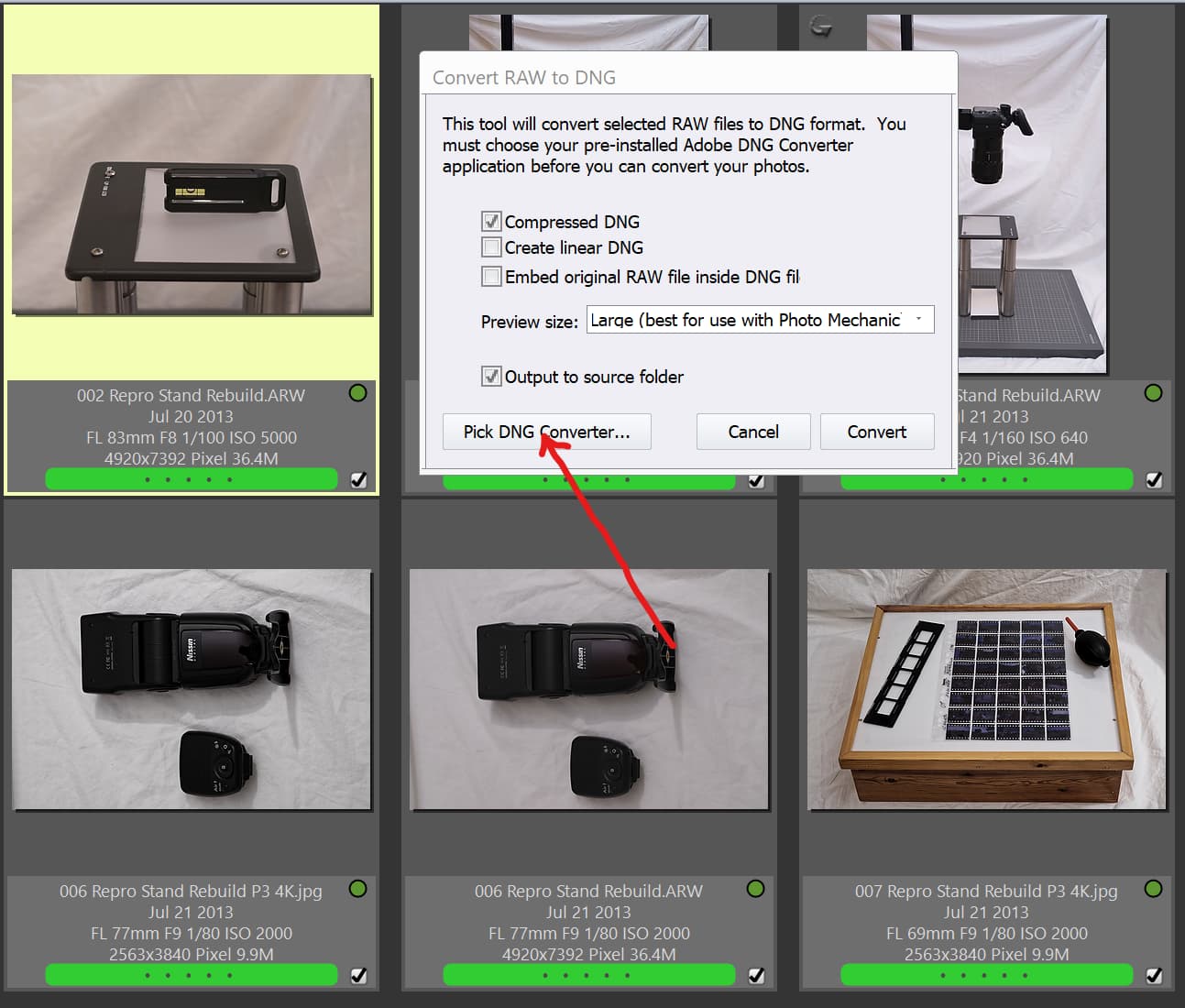
As I have written earlier about the problems of reading and developing DNG exported from for example Capture One in Photolab I just made a test converting a Sony ARW-file with PhotoMachanic Plus instead.
In PMPlus there is a possibility to configure Adobe’s DNG Converter and use that as a “plugin” to export RAW-files into DNG (RAW-data) or Linear and a lot of other softwares can do the same since the DNG Converter can be controlled even through a command line interface with quite a few parameters. In fact they do exactly the same in Norwegian Enterprise DAM-system FotoWare. So I just can´t understand why the DNG exported from the latest version of Capture One still won´t open in Photolab. I wonder why they still can´t fix such a basic thing that PM Plus can. I don´t think this is i Photolab limitation since they know how to do it in the Lightroom integration. This ought to be a Capture One problem but it for sure disturbs the integration and operability with Photolab.
No AI masking in version 8. I was really hoping they would add it finally since all other software has it. What do you all think about it?
I think (but am absolutly not sure about it) they work on it.
I heard in a webminar some month ago their evangelist not wanting to respond directly to this but saying that if DxO release this kind of tool they want it to be better than what adobe produces.
And recently they communicated the purchase of a brand new last gen NVidia equipment.
So they want to show they are in the ia game.
Only my thoughts.
1 Like
FP8 
Yes, I saw a reference to that related to Tony Northrup visit?
The only problem with leaving development of AI masking this late is that the competition have had the experience to refine their offering and DXO are unlikely to outperform the competition. Thus making their “we will be better than mantra” look hollow.