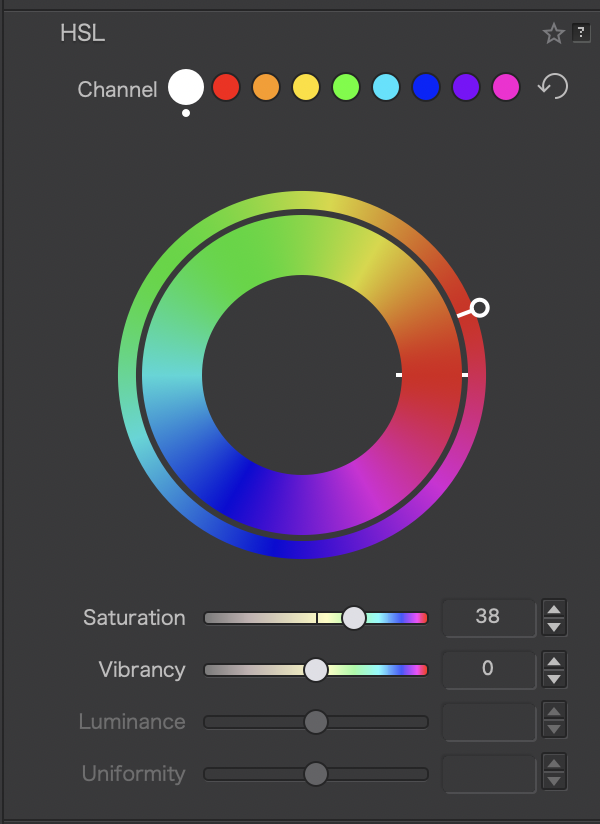
When using the HSL wheel, it would be great if PhotoLab displayed the quantitative amount of hue shift that is being applied. For example, as I turn the hue shift wheel clockwise or counterclockwise, I’d like to see the number go up or down in a text box like “Hue Shift: 15”. That’d allow me to apply the same amount of hue shift for a particular channel on different images without having to copy/paste the entire HSL correctional settings. It would be great if the scale matched the Hue Mask such that 360 equals 0. I believe Lightroom HSL sliders display the exact numbers, and I’ve seen it used by people who share their photo editing “recipes” so that the others can apply the exact same amount of hue shifts.
5 Likes
Please vote for your own suggestion!
1 Like