Fujifilm user here (X-H1 and X-H2S). I’ve set up a preset with a few minor edits, and set it as default. Under “color/B&W rendering” I have set “Generic rendering” and DXO camera profile (Fuji X-H2S)”.
If I import X-H2S RAF files photolab applies the default preset as expected, but the above changes to DXO’s version of the Fuji film sim, in my case I have the cameras set to ASTIA, and this is what PL gives me, at least their version of it which seems far more saturated and contrasty compared to the Fuji version (embedded JPG). All the other preset edits are applied as expected.
I’d be v grateful if someone could tell me how to make this behave. Thanks
Hi, No disrespect intended, your wording is a little hard to follow in the 2nd paragraph - “and this is what they give me”. Assuming that you are referring to an image that wasn’t attached?
If I understand correctly, you are applying an immediate preset on PL opening an image for the first time and PL results of Astia sim are not as you expect?…
Assuming I’ve got it right, there are a couple of things that might be of help. If you don’t have DxO Filmpack installed, I believe that PL just dishes up a generic rendering of (any) film simulation, and they are certainly off the mark of any true film sim. So Filmpack may be an answer to get you truer renderings. There is a free 30 day trial to see if it work for you and there are many more film sims to choose from.
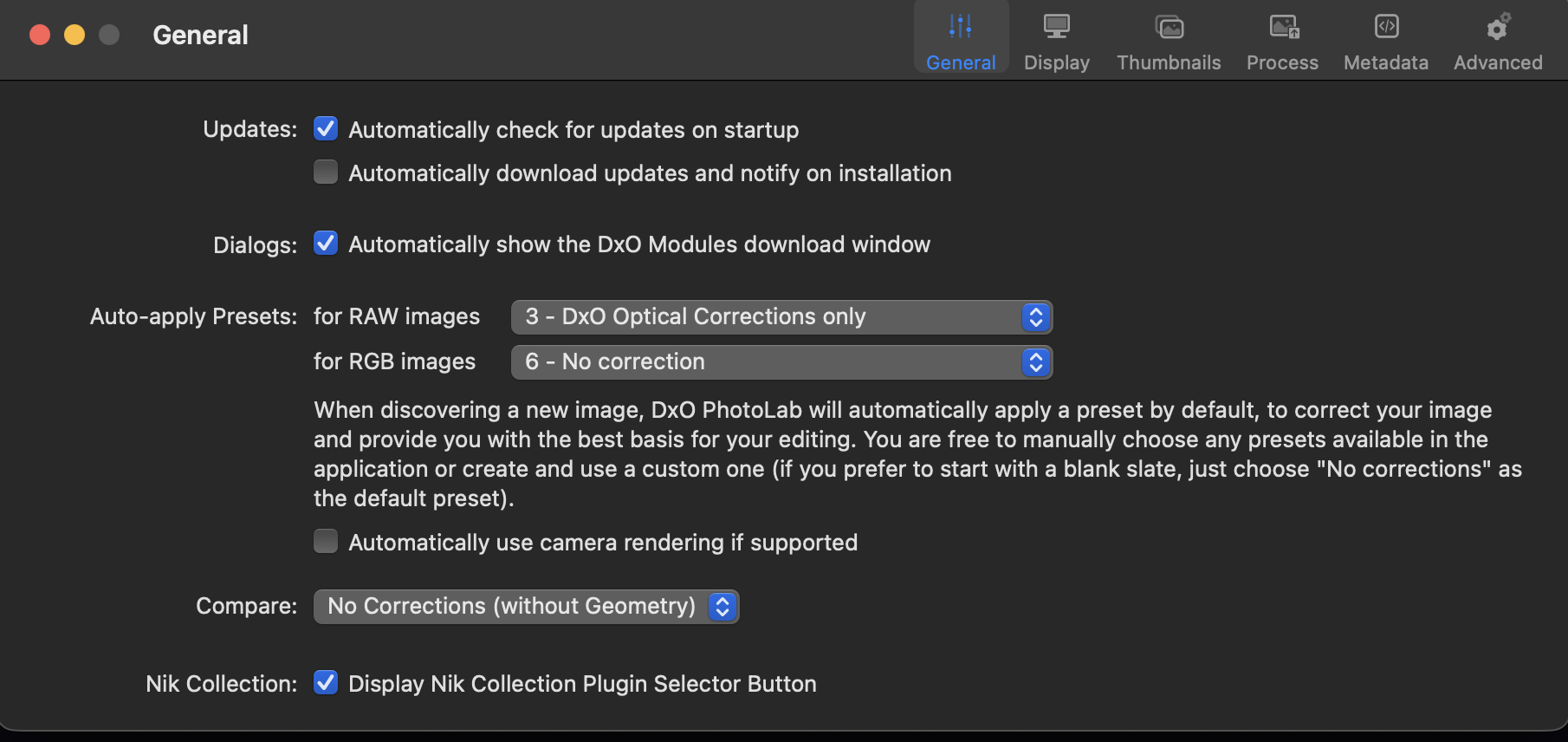
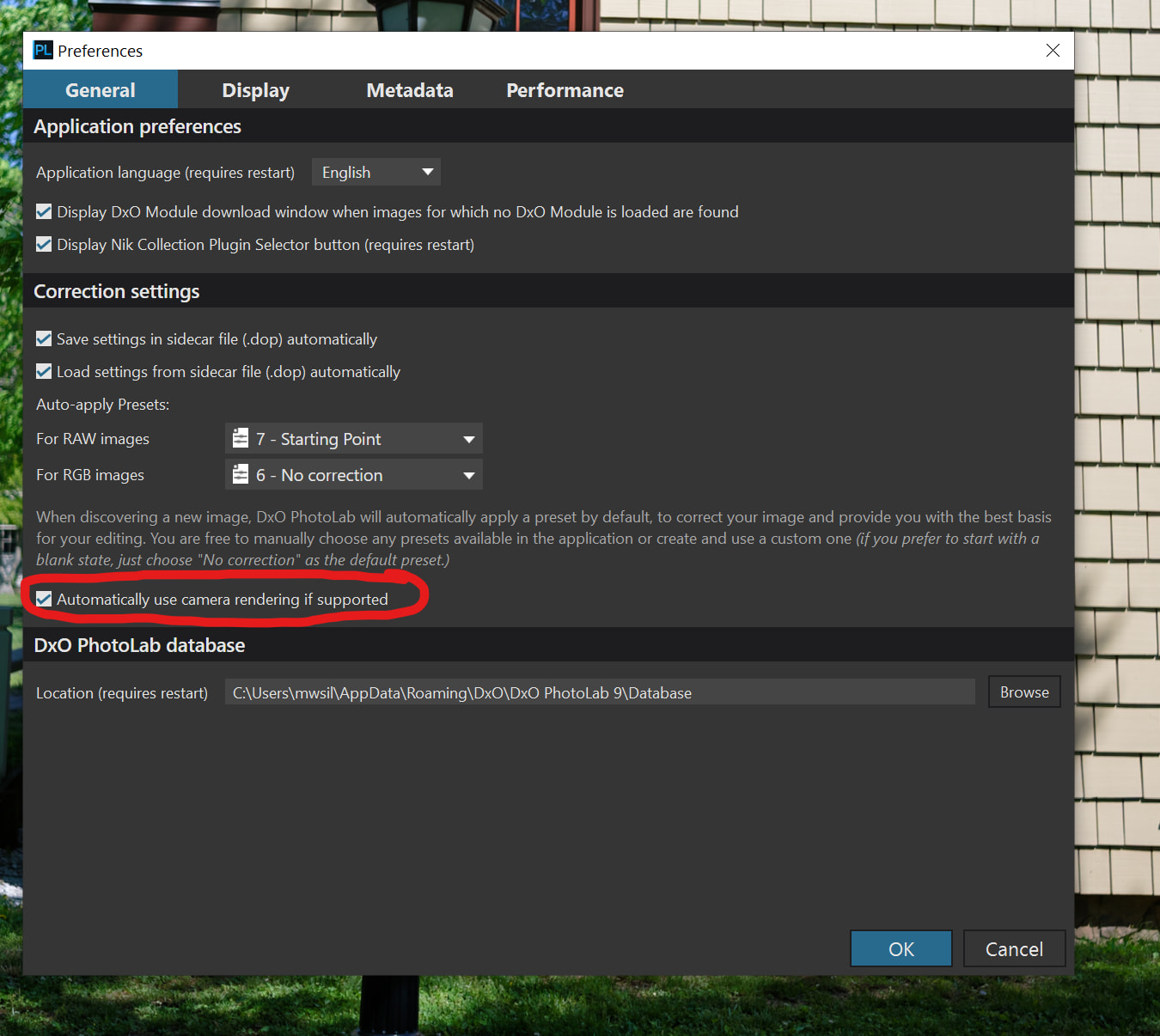
The other method to try would be to only apply base PL presets like “optical only” or none when PL is discovering a new image and uncheck “automatically use camera rendering”. After PL has done its discovery thing, then manually apply your preset as part of your workflow.
first and the big one for me, in my preset I selected generic rendering, camera profile X-H2S. But PL puts the film sim ASTIA instead of camera profile X-H2S. Why?
If I use “optical corrections only” as the default preset then that’s what I get: camera profile.
Second and not important, the DXO version of ASTIA seems more saturated and contrasty compared to either the embedded JPEG in the RAF (the latter viewed with phoenix slides on MAC).
I have film pack, but only purchased it for the fine contrast and luminosity masking,
mwsilvers
(Mark - New Jersey, USA, Win10, RTX 4060, PL9, FP8, VP5, Nikon Zf )
4
Try disabling the “Automatically use camera rendering if supported” feature in the General tab of Preferences. If I understand want you want correctly, this should fix the issue for you. I am not certain whether or not a restart of PhotoLab will be required afterwards,
I also shoot Fuji (and I’m no expert on the camera profiles), but I think that Fuji is pretty proud of their film recipes and they embed all that into the EXIF of the RAW image regardless of what the photographer wants. The Generic Rendering in PL just applies what Fuji has embedded, so it might not be PL, it might be the way that Fuji does things.
Unchecking the automatically apply camera renderings (as @mwsilvers & I have suggested) may be the key, I’ve not tested it myself as I have a pretty structured workflow that blasts all of that out in my first step anyways.
I would love to figure out how to get my XT-5 & X100VI to stop applying a film sim in the first place…the film recipe thing is just a thing in the Fuji world. But I love the colours that Fuji captures so I’ll put up with the annoyance.
You can’t have no film sim. Which kind of makes sense, there has to be some “recipe” for creating a jpeg in camera, whether you call it a film simulation, style or whatever. I suppose you could create a sort of minimalist recipe on your Fujis and use that.
I came to photolab from darktable. The default for DT is to give you an image to work on which has minimal automatic processing…black and while point, demosaic, white balance, highlight reconstruction. Everything else is down to you. You can create styles (presets in DXO-speak) that can be auto applied if you want.
For those of us who shoot only RAW on Fuji bodies, it would be nice of them to allow us to disable the film rendering altogether. Personally, I have no interest in the film recipes, but I can understand and see why others would use them.
You can achieve similar for PL too … Simply create your own custom preset, with correction settings enabled/disabled as you wish, including with your own preferred settings for each correction type, and then make that the default preset to be applied to all newly encountered RAW file … See Preference settings.